Kit 6DVDs Completos!Agora ficou MaisFácilAprender...“Tutorial Passo a Passo”
Veja Tudo que Você irá Aprender... AutoCAD Civil 3D 2010Descubra as Novidades do Civil 2010!Kit AutoCAD Civil Completo!Programas de Instalação.Tutorial Avançado 2.0.Você Receberá os Arquivos do Curso.Tutorial com Sistema Passo a Passo.Linguagem de Fácil Compreensão.
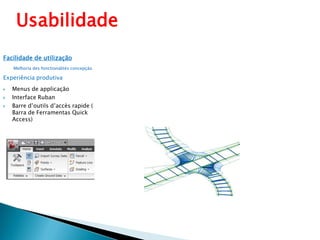
UsabilidadeFacilidade de utilizaçãoMelhoria des fonctionalitésconcepçãoExperiência produtivaMenus de applicaçãoInterface RubanBarre d’outils d’accès rapide ( Barra de Ferramentas Quick Access)
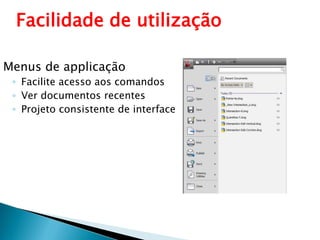
Facilidade de utilizaçãoMenus de applicaçãoFacilite acesso aos comandosVer documentos recentesProjeto consistente de interface
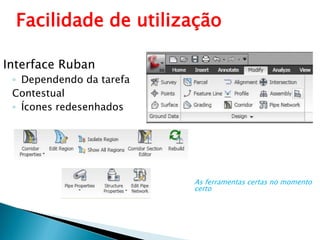
Facilidade de utilizaçãoInterface RubanDependendo da tarefaContestualÍcones redesenhadosAs ferramentas certas no momento certo
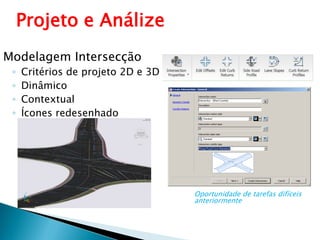
Projeto e AnálizeModelagem IntersecçãoCritérios de projeto 2D e 3DDinâmicoContextualÍcones redesenhadoOportunidade de tarefas difíceis anteriormente
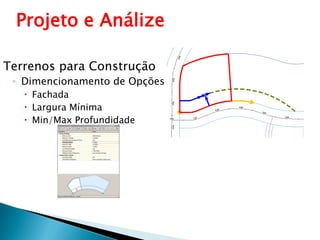
Projeto e AnálizeTerrenos para ConstruçãoDimencionamento de OpçõesFachadaLargura MínimaMin/Max Profundidade
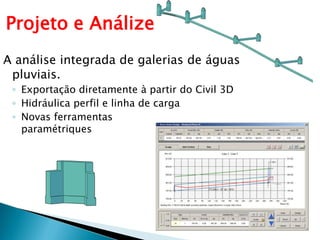
Projeto e AnálizeA análise integrada de galerias de águas pluviais.Exportaçãodiretamente à partir do Civil 3DHidráulica perfil e linha de cargaNovas ferramentasparamétriques
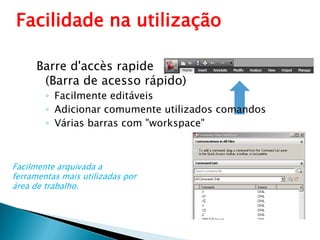
Facilidade na utilizaçãoBarre d'accès rapide(Barra de acesso rápido)Facilmente editáveisAdicionar comumente utilizados comandosVárias barras com "workspace"Facilmente arquivada a ferramentas mais utilizadas por área de trabalho.
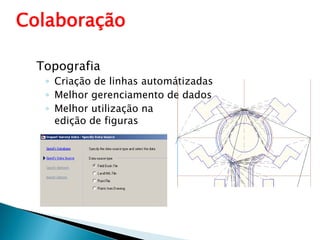
ColaboraçãoTopografiaCriação de linhas automátizadasMelhor gerenciamento de dadosMelhor utilização na  edição de figuras
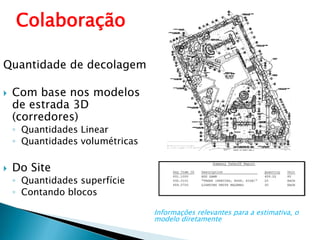
ColaboraçãoQuantidade de decolagemCom base nos modelos de estrada 3D (corredores)
Quantidades Linear
Quantidadesvolumétricas
Do Site
Quantidadessuperfície
ContandoblocosInformações relevantes para a estimativa, o modelo diretamente
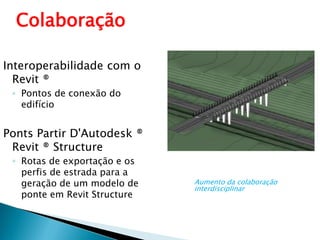
ColaboraçãoInteroperabilidade com o Revit ®Pontos de conexão do edifícioPonts Partir D'Autodesk ® Revit ® StructureRotas de exportação e os perfis de estrada para a geração de um modelo de ponte em RevitStructureAumentodacolaboraçãointerdisciplinar
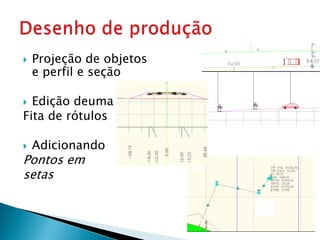
Desenhode produçãoProjeção de objetose perfil e seçãoEdição deumaFita de rótulosAdicionandoPontosemsetas
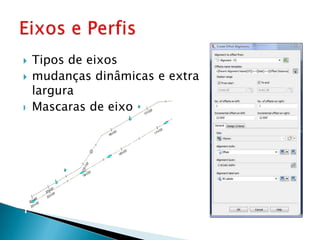
Eixos e PerfisTipos de eixosmudanças dinâmicas e extra larguraMascaras de eixo
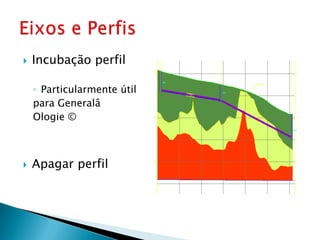
Incubação perfil Particularmente útil para Generalâ Ologie ©Apagar perfilEixos e Perfis
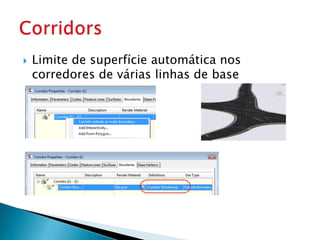
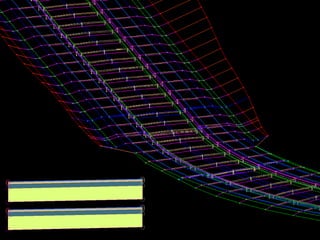
Limite de superfície automática nos corredores de várias linhas de baseCorridors
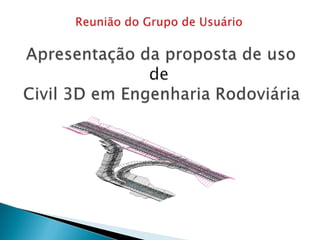
Reunião do Grupo de Usuário Apresentação da proposta de usode  Civil 3D em Engenharia Rodoviária
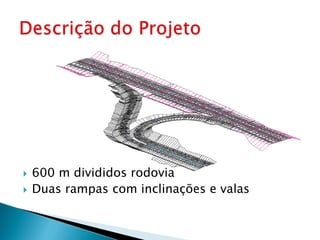
600 m divididos rodoviaDuas rampas com inclinações e valasDescrição do Projeto
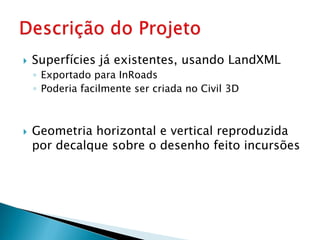
Superfícies já existentes, usando LandXMLExportado para InRoadsPoderia facilmente ser criada no Civil 3DGeometria horizontal e vertical reproduzida por decalque sobre o desenho feito incursõesDescrição do Projeto
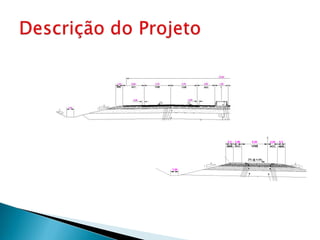
Descrição do Projeto

Tutorial Avançado 2.0 AutoCAD Civil 3D | |Kit Autocad Civil 3D Completo! Frete Grátis!!!

Notas do Editor

  • #4 Welcome to the “What’s New in AutoCAD Civil 3D 2010” presentation. Before we begin looking at the many new features available in this release, let me give you a quick overview of what we will be looking at in this presentation.As always, Autodesk is committed to extending the power of AutoCAD Civil 3D for civil engineering. With this in mind, you will see that the 2010 release focuses on a number of key areas, including:Ease of use: Users will now have a productive, common experience as they work with Autodesk products since many of them now share a common user interface.Design and analysis: We have improved design functionality, enabling you to automate your design tasks while analyzing to optimize project performance.Collaboration: Building information modeling (BIM) is an integrated process built on coordinated, consistent information. AutoCAD Civil 3D 2010 includes functionality that will enable engineering teams to collaborate even more effectively from design through construction and into operations.
  • #5 The new user interface offers better organization and enables faster access to the tools and commands you need, helping you to spend less time searching through menus and more time focusing on your work.In the upper-left corner of your screen, you will find the new application menu. This menu enables easy access to a well-organized list of commands such as Open, Save, Export, and Publish. You can also use the application menu to open recently accessed documents.As you work with other Autodesk software products, you find that the items in the Application menu are consistent, allowing you to move between programs with ease and confidence.
  • #6 The ribbon spans the top of the application window and replaces the menus and toolbars. Through extensive user research, we found that this simpler, unified format enables users to find the tools they need more quickly. The new ribbon spans the top of the application window and replaces the menus and toolbars. The ribbon organizes tools into a collection of tabs, which represent a workflow such as creating objects, annotating, and rendering. Each tab contains a series of panels. A panel is a group of tools used to accomplish some part of the workflow. Because the ribbon is organized around the way you work, you will be able to quickly find the appropriate tools to accomplish your tasks, without searching through menus and toolbars.You can drag and drop tabs within the ribbon or panels on a tab to reorganize them for the way you work. Panels can also be moved anywhere outside the application window, even if you are using dual monitors and panels can easily be returned to their original tabs.To ensure that all of Autodesk’s products that implement the ribbon have a common look and feel, a set of companywide guidelines was developed for the supporting icons. These aesthetically appealing yet simple icons have a distinctive style that speaks directly to the specific tool or task that they represent. The end result is a visual language that is unique to Autodesk, and AutoCAD Civil 3D utilizes as it creates an intuitive design environment not only for existing customers, but also for those who have migrated from AutoCAD.
  • #7 Modeling intersections has been challenging engineers for generations. AutoCAD Civil 3D 2010 software offers an easy-to-use Intersection Design wizard that takes the complexity out of modeling typical intersections.This new feature includes tools for the 2D layout of common, dynamic intersection features, such as curb returns, road widening, and alignment offsets. In addition, numerous enhancements were made to alignments, profiles, and corridors to support intersection design requirements. The new functionality enables a the creation of a truly dynamic 3D model of an intersection to be built, increasing discoverability and optimizing project performance.
  • #8 Generating parcels has been a highlighted feature since AutoCAD Civil 3D software was introduced. AutoCAD Civil 3D 2010 has been enhanced with a streamlined workflow for laying out parcels. New parcel sizing options have also been added, including the ability to size parcels based on frontage offset, minimum width, and minimum and maximum depths.
  • #9 In AutoCAD Civil 3D 2010 software, the Hydraflow extensions are incorporated into the software, making a tighter integration for analysis. The stormwater analysis tools delivers a comprehensive set of tools that enable you to perform hydraulic and hydrologic analysis for land development, transportation projects, and storm sewer design. Hydraflow Storm Sewers Extension for AutoCAD Civil 3D enables you to import your pipe network directly from Civil 3D or graphically draw your system on-screen or with the spreadsheet editor. Plug in your drainage areas and compute flows using industry-standard methodologies. Then automatically design pipes, inverts, slopes, and inlets based on user-defined design parameters. Interactive features even help you to modify and optimize your storm sewer design in real time, helping to assure that your designs have the highest hydraulic efficiency at the lowest possible cost.Metric support and content have also been included in the 2010 release.
  • #10 The Quick Access toolbar has been enhanced with more functionality and to ensure consistency with other Microsoft® Windows applications. The right‐click menu includes new options that enable you to easily remove tools from the toolbar, add separators between tools, and display the Quick Access toolbar above or below the ribbon. In addition to the right‐click menu, the Quick Access toolbar includes a new flyout menu, which displays a list of common tools that you can select to include in the Quick Access toolbar. The flyout menu provides easy access to additional tools using the Command list in the CUI dialog box. Other options enable you to show the menu bar or display the Quick Access toolbar below the ribbon. You can further customize the Quick Access toolbar using the new Quick Access toolbar node in the Customize User Interface dialog box. Create multiple versions of the Quick Access toolbar and then add them to the appropriate workspaces.
  • #11 AutoCAD Civil 3D 2010 software has added enhanced field-to-finish capabilities that allow survey data to be processed directly from the field without tedious translations or conversions. Management of the overall survey process has been improved with the introduction of import “Events.”With the 2010 release of AutoCAD Civil 3D, users canCreate a survey database from COGO points, ASCII, “field book” and LandXML dataAutomatically process linework from survey database using predefined linework definition controlsMore efficiently perform figure editing
  • #12 New quantity takeoff tools provide users with an easy-to-use method for calculating quantities using model data from AutoCAD Civil 3D model directly. New quantity takeoff functionality includes the ability to import pay item information in from outside sources and the ability to export pay item information for use in Autodesk® Quality Takeoff software and AASHTO Trns*port products. Pay item values are assigned to the objects in the drawing, including AutoCAD® entities and AutoCAD Civil 3D elements. Quantity information can be extracted from both corridor models and site features. Volumetric earthwork calculations and itemized point, linear, area, and volume counts for reporting are all included.
  • #13 Providing a clear vision for BIM across multiple engineering disciplines and architecture, the added Revit interoperability functionality in AutoCAD Civil 3D 2010 software enables users to import Revit Architecture building shells directly into AutoCAD Civil 3D. Buildings are located using the location and orientation defined in Revit, improving coordination with all members of the team. An easy-to-use wizard steps the user through the import process, which includes locating utility connection points, roof areas, building entrances, and capacity information.Collaborating with bridge engineers also becomes a reality with the ability to export alignment and surface data that can be used to model the ensuing bridge in Autodesk Revit Structure 2010.