ORLANDO GOMES
MICROSOFT MSP
ORLANDO.MARIANO@STUDENTPARTNER.COM
MEDIUM.COM/@_ORLANDOGOMES
LINKEDIN.COM/IN/ORLANDOMARIANO
Olá , meu nome é Orlando 
 Consultor de BI – Lambda3;
 Coordenador @Nerdzao;
 Formado em Redes de Computadores – FIAP;
 Graduando do 3º Ano de Engenharia Mecatrônica - FIAP;
 Experiência focada em SharePoint e Power BI;
 MSP - Microsoft Student Partner;
 Fã de Pokémon / Futebol.
Agenda
 Power BI;
 Cognitive Services;
 Porque Sentiment Analysis ?
 Montagem do Ambiente;
 Arquitetura;
 Referencias.
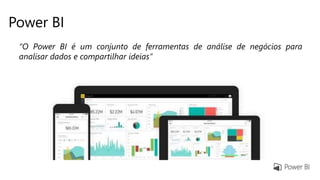
Power BI
“O Power BI é um conjunto de ferramentas de análise de negócios para
analisar dados e compartilhar ideias”
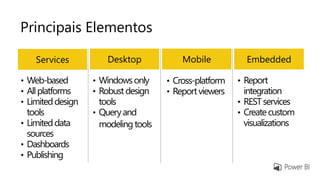
Principais Elementos
Desktop MobileServices Embedded
• Web-based
• Allplatforms
• Limiteddesign
tools
• Limiteddata
sources
• Dashboards
• Publishing
• Windowsonly
• Robustdesign
tools
• Queryand
modelingtools
• Cross-platform
• Reportviewers
• Report
integration
• RESTservices
• Createcustom
visualizations
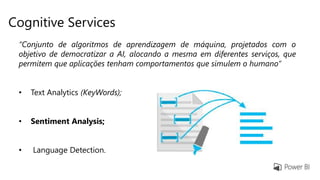
Cognitive Services
“Conjunto de algoritmos de aprendizagem de máquina, projetados com o
objetivo de democratizar a AI, alocando a mesma em diferentes serviços, que
permitem que aplicações tenham comportamentos que simulem o humano”
• Text Analytics (KeyWords);
• Sentiment Analysis;
• Language Detection.
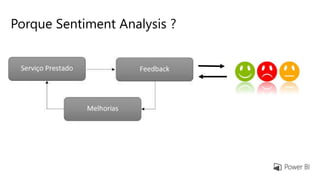
Porque Sentiment Analysis ?
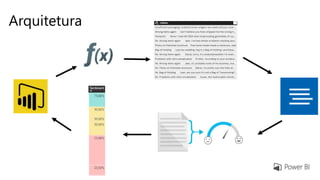
Arquitetura
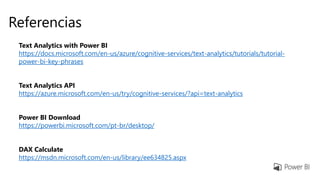
Referencias
Text Analytics with Power BI
https://docs.microsoft.com/en-us/azure/cognitive-services/text-analytics/tutorials/tutorial-
power-bi-key-phrases
Text Analytics API
https://azure.microsoft.com/en-us/try/cognitive-services/?api=text-analytics
Power BI Download
https://powerbi.microsoft.com/pt-br/desktop/
DAX Calculate
https://msdn.microsoft.com/en-us/library/ee634825.aspx
Obrigado! =D
Demo – Consumindo a API do Sentiment Analysis
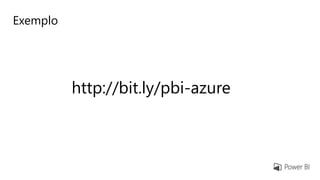
Exemplo
http://bit.ly/pbi-azure
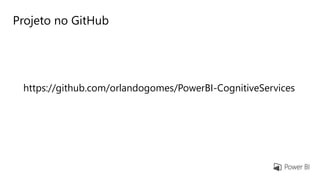
Projeto no GitHub
https://github.com/orlandogomes/PowerBI-CognitiveServices

Sentiment Analysis Azure Conference

Notas do Editor

  • #3 Power BI can unify all of your organization’s data, whether in the cloud or on-premises. Using the Power BI gateways, you can connect SQL Server databases, Analysis Services models, and many other data sources to your same dashboards in Power BI. If you already have reporting portals or applications, you can embed Power BI reports and dashboards into web and app scenarios for a unified experience across any device or platform.
  • #4 Power BI can unify all of your organization’s data, whether in the cloud or on-premises. Using the Power BI gateways, you can connect SQL Server databases, Analysis Services models, and many other data sources to your same dashboards in Power BI. If you already have reporting portals or applications, you can embed Power BI reports and dashboards into web and app scenarios for a unified experience across any device or platform.
  • #5 Power BI can unify all of your organization’s data, whether in the cloud or on-premises. Using the Power BI gateways, you can connect SQL Server databases, Analysis Services models, and many other data sources to your same dashboards in Power BI. If you already have reporting portals or applications, you can embed Power BI reports and dashboards into web and app scenarios for a unified experience across any device or platform.
  • #6 Power BI can unify all of your organization’s data, whether in the cloud or on-premises. Using the Power BI gateways, you can connect SQL Server databases, Analysis Services models, and many other data sources to your same dashboards in Power BI. If you already have reporting portals or applications, you can embed Power BI reports and dashboards into web and app scenarios for a unified experience across any device or platform.
  • #7 Power BI can unify all of your organization’s data, whether in the cloud or on-premises. Using the Power BI gateways, you can connect SQL Server databases, Analysis Services models, and many other data sources to your same dashboards in Power BI. If you already have reporting portals or applications, you can embed Power BI reports and dashboards into web and app scenarios for a unified experience across any device or platform.
  • #8 Power BI can unify all of your organization’s data, whether in the cloud or on-premises. Using the Power BI gateways, you can connect SQL Server databases, Analysis Services models, and many other data sources to your same dashboards in Power BI. If you already have reporting portals or applications, you can embed Power BI reports and dashboards into web and app scenarios for a unified experience across any device or platform.
  • #9 Power BI can unify all of your organization’s data, whether in the cloud or on-premises. Using the Power BI gateways, you can connect SQL Server databases, Analysis Services models, and many other data sources to your same dashboards in Power BI. If you already have reporting portals or applications, you can embed Power BI reports and dashboards into web and app scenarios for a unified experience across any device or platform.
  • #10 Power BI can unify all of your organization’s data, whether in the cloud or on-premises. Using the Power BI gateways, you can connect SQL Server databases, Analysis Services models, and many other data sources to your same dashboards in Power BI. If you already have reporting portals or applications, you can embed Power BI reports and dashboards into web and app scenarios for a unified experience across any device or platform.
  • #11 Power BI can unify all of your organization’s data, whether in the cloud or on-premises. Using the Power BI gateways, you can connect SQL Server databases, Analysis Services models, and many other data sources to your same dashboards in Power BI. If you already have reporting portals or applications, you can embed Power BI reports and dashboards into web and app scenarios for a unified experience across any device or platform.