Ambiente de desenvolvimento
com Vagrant, Git, e Deploy.
Edison Costa
Edison Pereira da Costa
- CTO da AgiusCloud.
- Professor e Programador com 30 anos de experiência.
- Iniciou sua carreira com a Linguagem COBOL e hoje dedica a maior parte
de seu tempo em otimizar servidores Linux, mesmo programando
ativamente em PHP.
- EasyExpert pela EasyEngine
Email: edison@agiuscloud.com
Github: edisoncosta
PHP CONFERENCE BRASIL - 2016
github.com/edisoncosta/phpconf2016
Cenários
PHP CONFERENCE BRASIL - 2016
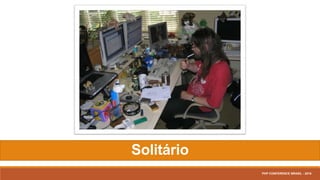
Solitário
PHP CONFERENCE BRASIL - 2016
Equipe Remota
PHP CONFERENCE BRASIL - 2016
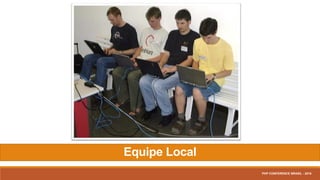
Equipe Local
PHP CONFERENCE BRASIL - 2016
PREPARANDO O AMBIENTE
PHP CONFERENCE BRASIL - 2016
Oracle VirtualBox
Instalação:
Versão > 4.1.x and < 5.1.x
PHP CONFERENCE BRASIL - 2016
Vagrant (v1.9.1)
Instalação:
(32 and 64-bit)
• Windows
• OSX
• Debian/Ubuntu
• CentOS
PHP CONFERENCE BRASIL - 2016
git bash (v2.11.0)
Instalação:
(32 and 64-bit)
• Windows
PHP CONFERENCE BRASIL - 2016
SourceTree (v1.9.9.20)
Instalação:
(32 and 64-bit)
• Windows
• OS X
PHP CONFERENCE BRASIL - 2016
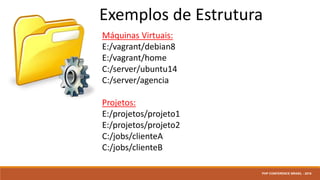
Exemplos de Estrutura
Máquinas Virtuais:
E:/vagrant/debian8
E:/vagrant/home
C:/server/ubuntu14
C:/server/agencia
Projetos:
E:/projetos/projeto1
E:/projetos/projeto2
C:/jobs/clienteA
C:/jobs/clienteB
PHP CONFERENCE BRASIL - 2016
INICIANDO OS TRABALHOS
PHP CONFERENCE BRASIL - 2016
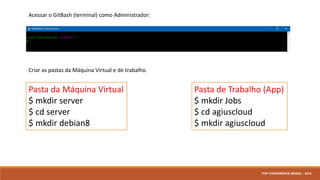
Acessar o GitBash (terminal) como Administrador:
Criar as pastas da Máquina Virtual e de trabalho.
Pasta da Máquina Virtual
$ mkdir server
$ cd server
$ mkdir debian8
Pasta de Trabalho (App)
$ mkdir Jobs
$ cd agiuscloud
$ mkdir agiuscloud
PHP CONFERENCE BRASIL - 2016
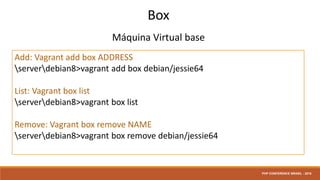
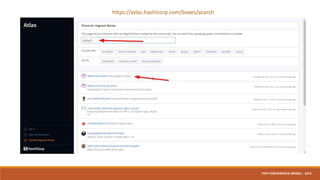
Box
Máquina Virtual base
Add: Vagrant add box ADDRESS
serverdebian8>vagrant add box debian/jessie64
List: Vagrant box list
serverdebian8>vagrant box list
Remove: Vagrant box remove NAME
serverdebian8>vagrant box remove debian/jessie64
PHP CONFERENCE BRASIL - 2016
https://atlas.hashicorp.com/boxes/search
PHP CONFERENCE BRASIL - 2016
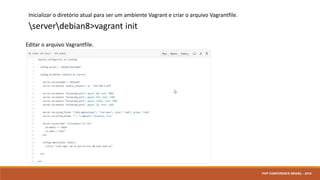
Inicializar o diretório atual para ser um ambiente Vagrant e criar o arquivo Vagrantfile.
serverdebian8>vagrant init
Editar o arquivo Vagrantfile.
PHP CONFERENCE BRASIL - 2016
EasyEngine
PHP CONFERENCE BRASIL - 2016
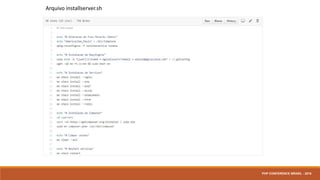
Arquivo installserver.sh
PHP CONFERENCE BRASIL - 2016
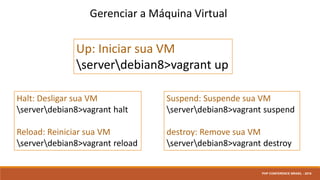
Halt: Desligar sua VM
serverdebian8>vagrant halt
Reload: Reiniciar sua VM
serverdebian8>vagrant reload
Suspend: Suspende sua VM
serverdebian8>vagrant suspend
destroy: Remove sua VM
serverdebian8>vagrant destroy
Up: Iniciar sua VM
serverdebian8>vagrant up
Gerenciar a Máquina Virtual
PHP CONFERENCE BRASIL - 2016
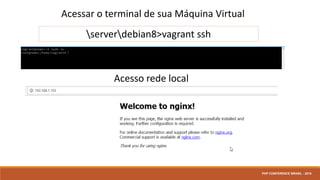
Acessar o terminal de sua Máquina Virtual
serverdebian8>vagrant ssh
Acesso rede local
PHP CONFERENCE BRASIL - 2016
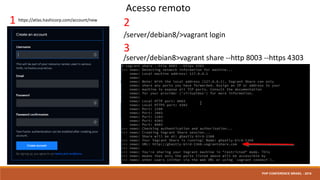
Acesso remoto
1
/server/debian8>vagrant share --http 8003 --https 4303
/server/debian8/>vagrant login
2
3
PHP CONFERENCE BRASIL - 2016
https://atlas.hashicorp.com/account/new
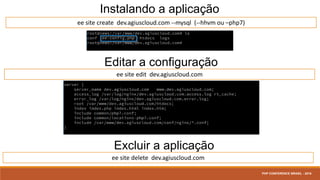
Instalando a aplicação
ee site create dev.agiuscloud.com --mysql (--hhvm ou –php7)
Editar a configuração
ee site edit dev.agiuscloud.com
Excluir a aplicação
ee site delete dev.agiuscloud.com
PHP CONFERENCE BRASIL - 2016
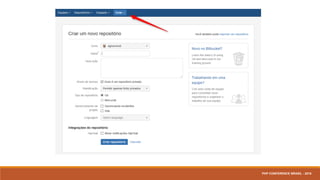
Git / Git Flow
PHP CONFERENCE BRASIL - 2016
Git Repositório
PHP CONFERENCE BRASIL - 2016
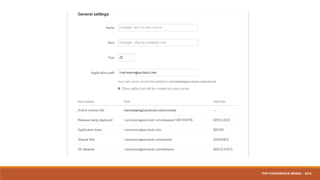
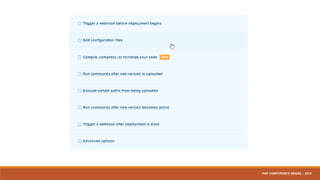
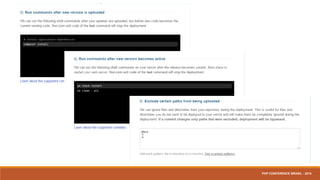
Deploy
PHP CONFERENCE BRASIL - 2016
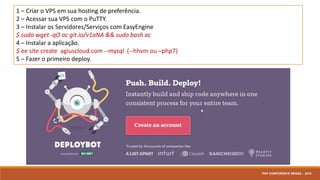
1 – Criar o VPS em sua hosting de preferência.
2 – Acessar sua VPS com o PuTTY.
3 – Instalar os Servidores/Serviços com EasyEngine
$ sudo wget -qO ac git.io/v1aNA && sudo bash ac
4 – Instalar a aplicação.
$ ee site create agiuscloud.com --mysql (--hhvm ou –php7)
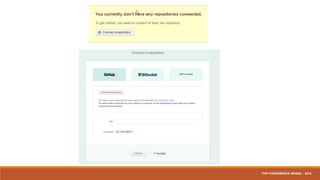
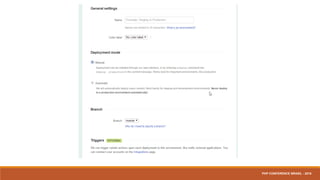
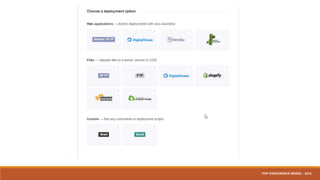
5 – Fazer o primeiro deploy.
PHP CONFERENCE BRASIL - 2016
Muito Obrigado.
Dúvidas?
PHP CONFERENCE BRASIL - 2016

PHP Conference 2016