GIT
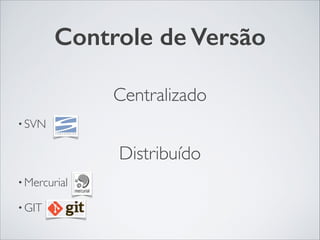
Controle de Versão
Centralizado	

• SVN	

Distribuído	

• Mercurial	

• GIT
GIT
• Criado por LinusTorvalds	

• Sistema de snapshots 	

• Trabalho localmente	

• Integridade(Hash SHA-1)
Instalação
Linux	

!
$ yum install git-core	

$ apt-get install git
Instalação
Windows	

!
http://msysgit.github.com
Instalação
Mac	

!
http://code.google.com/p/git-osx-installer	

!
$ sudo port install git-core +svn +doc
+bash_completion +gitweb
Configurações Básicas
Dados pessoais	

$ git config --global user.name "John Doe"	

$ git config --global user.email johndoe@example.com
Configurações Básicas
Editores	

$ git config --global core.editor "mate -wl1"	

$ git config --global core.editor "vim"	

$ git config --global core.editor "nano"
Configurações Básicas
Cores	

$ git config --global core.diff "auto"	

$ git config --global core.status "auto"	

$ git config --global core.interactive "auto"	

$ git config --global core.grep "auto"	

$ git config --global core.branch "auto"
Configurações Básicas
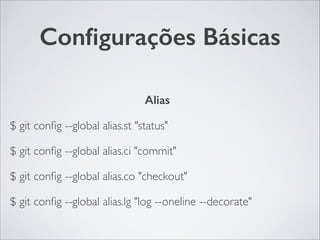
Alias	

$ git config --global alias.st "status"	

$ git config --global alias.ci "commit"	

$ git config --global alias.co "checkout"	

$ git config --global alias.lg "log --oneline --decorate"
Configurações Básicas
Helpers	

$ git config --global --list //Listagem das configurações	

$ git config --global core.autocrlf input //Git ajusta a quebra de
linha
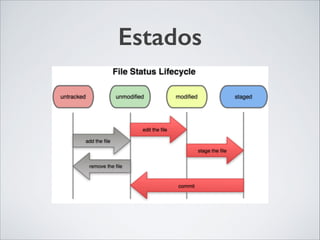
Estados
Comandos Básicos
• $ git init //Inicia o repositório git	

• $ git add ( . || files) //Adiciona os arquivos no modo stage	

• $ git rm ( . || files) //Remove o arquivo do git	

• $ git status //Mostra os status dos arquivos no git 	

• $ git commit //Adiciona as alterações no git 	

• $ git diff //Mostra a diferença entre os arquivos
Comandos Básicos
• $ git clone (url || path) //Copiar um repositório	

• $ git push //Enviar todos os commites para o repositório remoto	

• $ git pull //Puxar todos os commites do repositórios remoto	

• $ git log //Mostra todos os commits feitos	

• $ git show //Mostra as alterações dentro de um commit	

• .gitignore //Arquivo onde ignora alguns arquivos
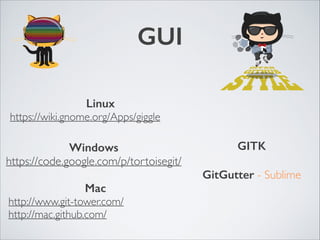
GUI
Linux	

https://wiki.gnome.org/Apps/giggle
Mac	

http://www.git-tower.com/	

http://mac.github.com/
Windows	

https://code.google.com/p/tortoisegit/
GITK
!
GitGutter - Sublime
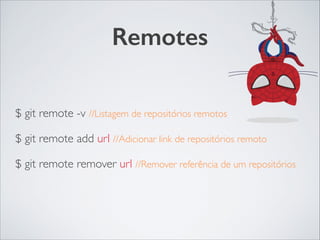
Remotes
!
$ git remote -v //Listagem de repositórios remotos	

$ git remote add url //Adicionar link de repositórios remoto	

$ git remote remover url //Remover referência de um repositórios
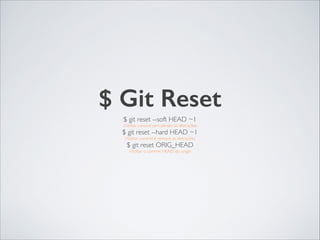
$ Git Reset
$ git reset --soft HEAD ~1 	

//Voltar commit sem perder as alterações	

$ git reset --hard HEAD ~1 	

//Voltar commit e remove as alterações	

$ git reset ORIG_HEAD	

//Voltar o commit HEAD do origin
$ Git Revert
$ git revert HEAD~1 	

//Refazer o commit anterior	

$ git revert HASH	

//Refazer o commit especificando a hash
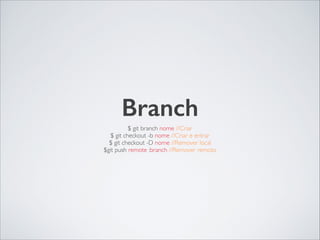
Branch
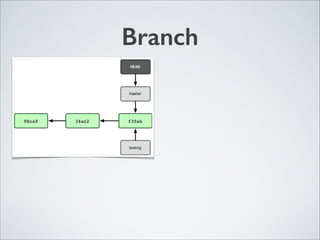
$ git branch nome //Criar	

$ git checkout -b nome //Criar e entrar	

$ git checkout -D nome //Remover local	

$git push remote :branch //Remover remoto
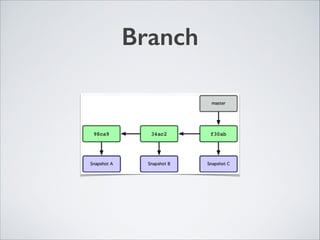
Branch
Branch
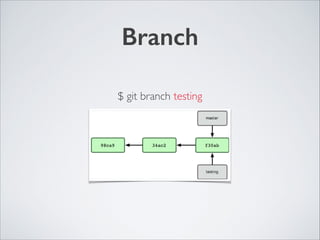
$ git branch testing
Branch
Branch
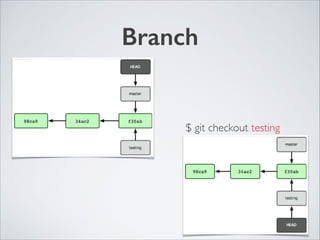
$ git checkout testing
Branch
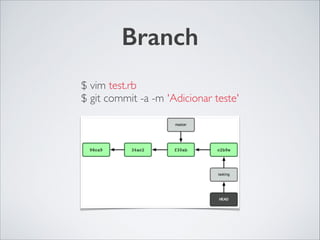
$ vim test.rb	

$ git commit -a -m 'Adicionar teste'
Branch
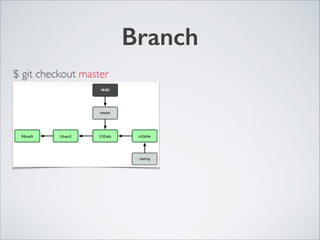
$ git checkout master
Branch
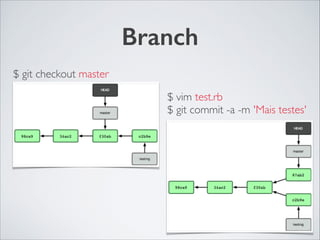
$ git checkout master
$ vim test.rb	

$ git commit -a -m 'Mais testes'
Merge
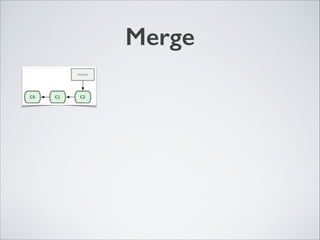
$ git merge branch
Merge
Merge
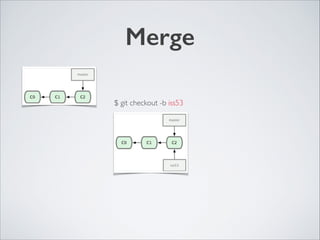
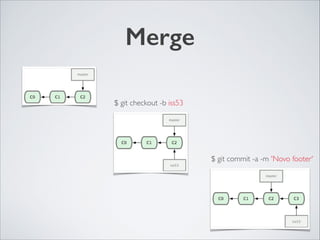
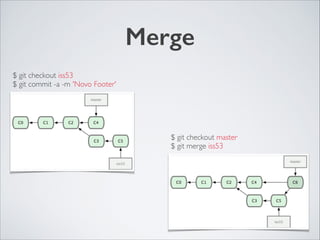
$ git checkout -b iss53
Merge
$ git checkout -b iss53
$ git commit -a -m 'Novo footer'
Merge
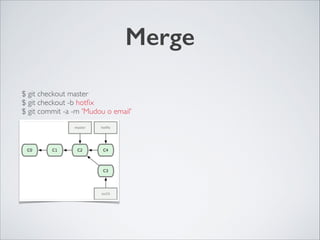
$ git checkout master	

$ git checkout -b hotfix	

$ git commit -a -m 'Mudou o email'
Merge
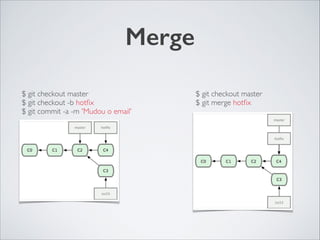
$ git checkout master	

$ git checkout -b hotfix	

$ git commit -a -m 'Mudou o email'
$ git checkout master	

$ git merge hotfix
Merge
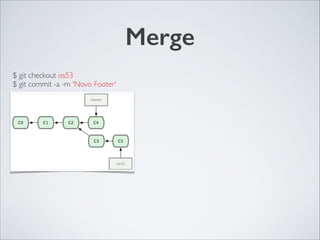
$ git checkout iss53	

$ git commit -a -m 'Novo Footer'
Merge
$ git checkout iss53	

$ git commit -a -m 'Novo Footer'
$ git checkout master	

$ git merge iss53
Merge Unificado
$ git merge --squash branch
Rebase
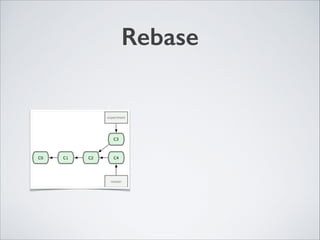
$ git rebase branch
Rebase
Rebase
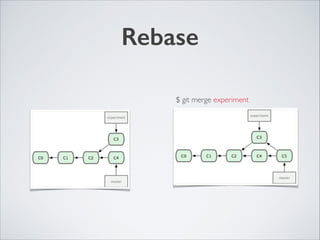
$ git merge experiment
Rebase
Rebase
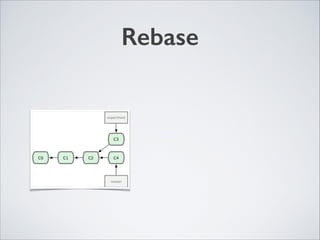
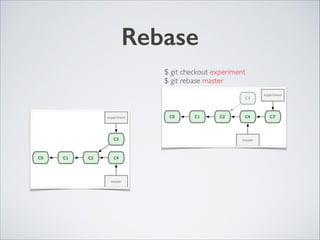
$ git checkout experiment	

$ git rebase master
Rebase
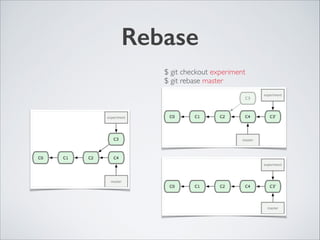
$ git checkout experiment	

$ git rebase master
Diff
$ git diff HASH > file.diff
Diff
$ git diff HASH > file.diff
$ git am file.diff
Conflito
<<<<<<< HEAD:index.html	

<div id="footer">contato : email.support@github.com</div>	

=======	

<div id="footer">	

por favor nos contate em support@github.com	

</div>	

>>>>>>> iss53:index.html
Conflito
<<<<<<< HEAD:index.html	

<div id="footer">contato : email.support@github.com</div>	

=======	

<div id="footer">	

por favor nos contate em support@github.com	

</div>	

>>>>>>> iss53:index.html
$ git mergetool
Stash
$ git stash save //Salvar arquivos alterados no stash	

$ git stash list //Listar todos os stashs	

$ git stash pop //Adicionar as alteração no workspace	

$ git stash drop //Remove o stash
Tags
$ git tag //Lista	

$ git tag name HASH //Adicionar em um commit	

$ git tag -d name //Remove a tag
Sub Modulos
$ git submodul add url path 	

$ git submodul init	

$ git submodul update
Git SVN
$ git svn clone url	

$ git svn fetch	

$ git svn dcommit	

$ git svn branch
Servers
Ferramentas GitHub
• Fork	

• Issues 	

• Pull Requests	

• Wiki
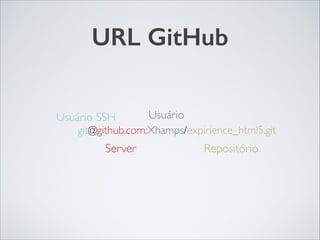
URL GitHub
git@github.com:Xhamps/expirience_html5.git
Usuário SSH
Server Repositório
Usuário
Server Local
$ git init --bare
Hooks
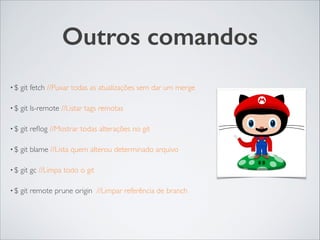
Outros comandos
• $ git fetch //Puxar todas as atualizações sem dar um merge	

• $ git ls-remote //Listar tags remotas	

• $ git reflog //Mostrar todas alterações no git	

• $ git blame //Lista quem alterou determinado arquivo	

• $ git gc //Limpa todo o git	

• $ git remote prune origin //Limpar referência de branch
Outros comandos
• $ git cherry -v branch //Mostrar todos os commits não enviados	

• $ git cherry-pick hash //Adicionar só um commit de outro branch ao branch atual	

• $ git update-index --assume-unchanged //Não trackear alterações de um arquivo	

• $ git commit --amend // Refazer o último commit 	

• $ git checkout --orphan // Criar branch vazio	

• $ git pull --rebase // Forçar rebase no envio

Workflow
http://danielkummer.github.io/git-flow-cheatsheet/
index.pt_BR.html
Obrigado.
Referências	

http://git-scm.com/book/pt-br	

Imagens	

http://octodex.github.com

Conhecendo o GIT