BRUNOMARANHÃO CSS
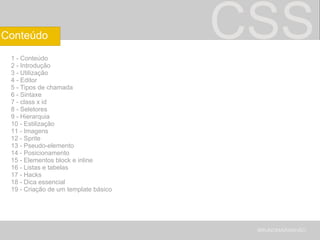
CSS 1 - Conteúdo 2 - Introdução 3 - Utilização 4 - Editor 5 - Tipos de chamada 6 - Sintaxe 7 - class x id 8 - Seletores 9 - Hierarquia 10 - Estilização 11 - Imagens 12 - Sprite 13 - Pseudo-elemento 14 - Posicionamento 15 - Elementos block e inline 16 - Listas e tabelas 17 - Hacks 18 - Dica essencial 19 - Criação de um template básico BRUNOMARANHÃO Conteúdo
CSS Folhas de estilos em cascata Cascading Style Sheets ( CSS ) Linguagem de marcação de hipertexto Hypertext markup language (HTML) BRUNOMARANHÃO Introdução
CSS CSS x Tabelas Tableless! A tabela é vilã? BRUNOMARANHÃO Utilização
CSS Aptana Dreamweaver $$ Notepad++ Bloco de notas BRUNOMARANHÃO Editor
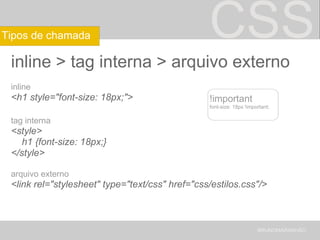
CSS inline > tag interna > arquivo externo inline <h1 style=&quot;font-size: 18px;&quot;> tag interna <style>      h1 {font-size: 18px;} </style> arquivo externo <link rel=&quot;stylesheet&quot; type=&quot;text/css&quot; href=&quot;css/estilos.css&quot;/> BRUNOMARANHÃO Tipos de chamada !important font-size: 18px !important;
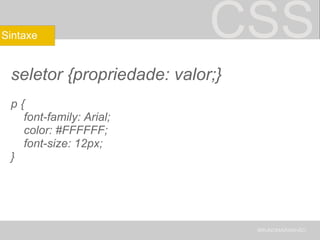
CSS seletor {propriedade: valor;} p {      font-family: Arial;      color: #FFFFFF;      font-size: 12px;  } BRUNOMARANHÃO Sintaxe
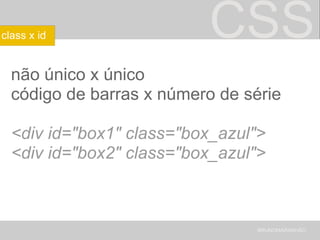
CSS não único x único código de barras x número de série <div id=&quot;box1&quot; class=&quot;box_azul&quot;> <div id=&quot;box2&quot; class=&quot;box_azul&quot;> BRUNOMARANHÃO class x id
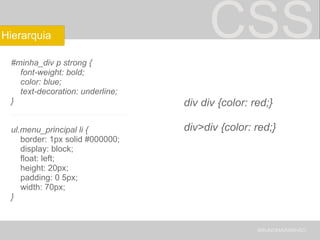
CSS #minha_div p strong {      font-weight: bold;      color: blue;      text-decoration: underline; } _________________________ ul.menu_principal li {      border: 1px solid #000000;      display: block;      float: left;      height: 20px;      padding: 0 5px;      width: 70px; } BRUNOMARANHÃO Hierarquia div div {color: red;} div>div {color: red;}
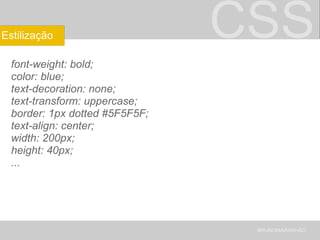
CSS font-weight: bold; color: blue; text-decoration: none; text-transform: uppercase; border: 1px dotted #5F5F5F; text-align: center; width: 200px; height: 40px; ... BRUNOMARANHÃO Estilização
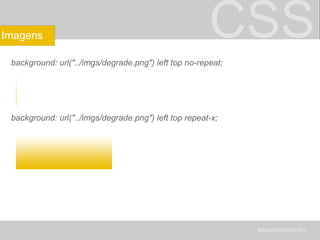
CSS background: url(&quot;../imgs/degrade.png&quot;) left top no-repeat; background: url(&quot;../imgs/degrade.png&quot;) left top repeat-x; BRUNOMARANHÃO Imagens
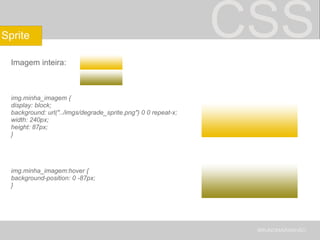
CSS Imagem inteira:   img.minha_imagem { display: block; background: url(&quot;../imgs/degrade_sprite.png&quot;) 0 0 repeat-x; width: 240px; height: 87px; } img.minha_imagem:hover { background-position: 0 -87px; } BRUNOMARANHÃO Sprite
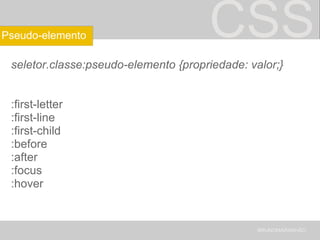
CSS seletor.classe:pseudo-elemento {propriedade: valor;} :first-letter :first-line :first-child :before :after :focus :hover BRUNOMARANHÃO Pseudo-elemento
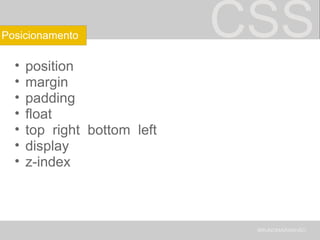
CSS position margin padding float top  right  bottom  left display  z-index BRUNOMARANHÃO Posicionamento
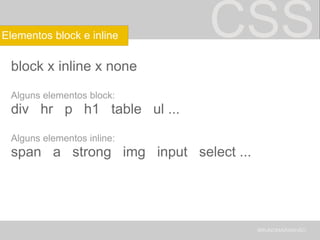
CSS block x inline x none Alguns elementos block: div   hr   p   h1   table   ul ... Alguns elementos inline: span   a   strong   img   input   select ... BRUNOMARANHÃO Elementos block e inline
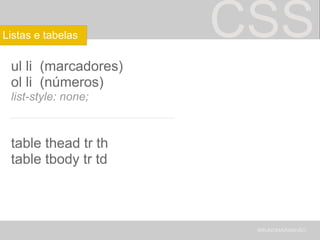
CSS ul li  (marcadores) ol li  (números) list-style: none; _____________________ table thead tr th table tbody tr td BRUNOMARANHÃO Listas e tabelas
CSS Navegadores diferentes = problemas <link href=&quot;todos_navegadores.css&quot; rel=&quot;stylesheet&quot; type=&quot;text/css&quot;> <!--[if IE]> <link href=&quot;somente_ie.css&quot; rel=&quot;stylesheet&quot; type=&quot;text/css&quot;> <![endif]--> <!--[if lt IE 7]> <link href=&quot;ie_6_e_anteriores.css&quot; rel=&quot;stylesheet&quot; type=&quot;text/css&quot;> <![endif]--> <!--[if !IE]>--> <link href=&quot;nao_ie.css&quot; rel=&quot;stylesheet&quot; type=&quot;text/css&quot;> <!--<![endif]--> Todos left: 240px; Chrome e IE left 260px\9;  IE _left: 270px; IE7 *left: 280px; BRUNOMARANHÃO Hacks
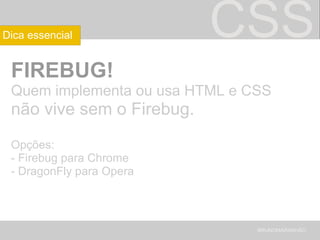
CSS FIREBUG! Quem implementa ou usa HTML e CSS  não vive sem o Firebug. Opções: - Firebug para Chrome - DragonFly para Opera BRUNOMARANHÃO Dica essencial
CSS Prática BRUNOMARANHÃO Criação de um template básico
CSS [email_address] www.brunofpm.com BRUNOMARANHÃO Obrigado!

CSS

  • 1.
  • 2.
    CSS 1 -Conteúdo 2 - Introdução 3 - Utilização 4 - Editor 5 - Tipos de chamada 6 - Sintaxe 7 - class x id 8 - Seletores 9 - Hierarquia 10 - Estilização 11 - Imagens 12 - Sprite 13 - Pseudo-elemento 14 - Posicionamento 15 - Elementos block e inline 16 - Listas e tabelas 17 - Hacks 18 - Dica essencial 19 - Criação de um template básico BRUNOMARANHÃO Conteúdo
  • 3.
    CSS Folhas deestilos em cascata Cascading Style Sheets ( CSS ) Linguagem de marcação de hipertexto Hypertext markup language (HTML) BRUNOMARANHÃO Introdução
  • 4.
    CSS CSS xTabelas Tableless! A tabela é vilã? BRUNOMARANHÃO Utilização
  • 5.
    CSS Aptana Dreamweaver$$ Notepad++ Bloco de notas BRUNOMARANHÃO Editor
  • 6.
    CSS inline >tag interna > arquivo externo inline <h1 style=&quot;font-size: 18px;&quot;> tag interna <style>     h1 {font-size: 18px;} </style> arquivo externo <link rel=&quot;stylesheet&quot; type=&quot;text/css&quot; href=&quot;css/estilos.css&quot;/> BRUNOMARANHÃO Tipos de chamada !important font-size: 18px !important;
  • 7.
    CSS seletor {propriedade:valor;} p {      font-family: Arial;      color: #FFFFFF;      font-size: 12px;  } BRUNOMARANHÃO Sintaxe
  • 8.
    CSS não únicox único código de barras x número de série <div id=&quot;box1&quot; class=&quot;box_azul&quot;> <div id=&quot;box2&quot; class=&quot;box_azul&quot;> BRUNOMARANHÃO class x id
  • 9.
    CSS #minha_div pstrong {     font-weight: bold;     color: blue;     text-decoration: underline; } _________________________ ul.menu_principal li {      border: 1px solid #000000;      display: block;      float: left;      height: 20px;      padding: 0 5px;      width: 70px; } BRUNOMARANHÃO Hierarquia div div {color: red;} div>div {color: red;}
  • 10.
    CSS font-weight: bold;color: blue; text-decoration: none; text-transform: uppercase; border: 1px dotted #5F5F5F; text-align: center; width: 200px; height: 40px; ... BRUNOMARANHÃO Estilização
  • 11.
    CSS background: url(&quot;../imgs/degrade.png&quot;) lefttop no-repeat; background: url(&quot;../imgs/degrade.png&quot;) left top repeat-x; BRUNOMARANHÃO Imagens
  • 12.
    CSS Imagem inteira:  img.minha_imagem { display: block; background: url(&quot;../imgs/degrade_sprite.png&quot;) 0 0 repeat-x; width: 240px; height: 87px; } img.minha_imagem:hover { background-position: 0 -87px; } BRUNOMARANHÃO Sprite
  • 13.
    CSS seletor.classe:pseudo-elemento {propriedade:valor;} :first-letter :first-line :first-child :before :after :focus :hover BRUNOMARANHÃO Pseudo-elemento
  • 14.
    CSS position marginpadding float top  right  bottom  left display  z-index BRUNOMARANHÃO Posicionamento
  • 15.
    CSS block xinline x none Alguns elementos block: div   hr   p   h1   table   ul ... Alguns elementos inline: span   a   strong   img   input   select ... BRUNOMARANHÃO Elementos block e inline
  • 16.
    CSS ul li (marcadores) ol li  (números) list-style: none; _____________________ table thead tr th table tbody tr td BRUNOMARANHÃO Listas e tabelas
  • 17.
    CSS Navegadores diferentes= problemas <link href=&quot;todos_navegadores.css&quot; rel=&quot;stylesheet&quot; type=&quot;text/css&quot;> <!--[if IE]> <link href=&quot;somente_ie.css&quot; rel=&quot;stylesheet&quot; type=&quot;text/css&quot;> <![endif]--> <!--[if lt IE 7]> <link href=&quot;ie_6_e_anteriores.css&quot; rel=&quot;stylesheet&quot; type=&quot;text/css&quot;> <![endif]--> <!--[if !IE]>--> <link href=&quot;nao_ie.css&quot; rel=&quot;stylesheet&quot; type=&quot;text/css&quot;> <!--<![endif]--> Todos left: 240px; Chrome e IE left 260px\9;  IE _left: 270px; IE7 *left: 280px; BRUNOMARANHÃO Hacks
  • 18.
    CSS FIREBUG! Quemimplementa ou usa HTML e CSS  não vive sem o Firebug. Opções: - Firebug para Chrome - DragonFly para Opera BRUNOMARANHÃO Dica essencial
  • 19.
    CSS Prática BRUNOMARANHÃOCriação de um template básico
  • 20.
    CSS [email_address] www.brunofpm.comBRUNOMARANHÃO Obrigado!