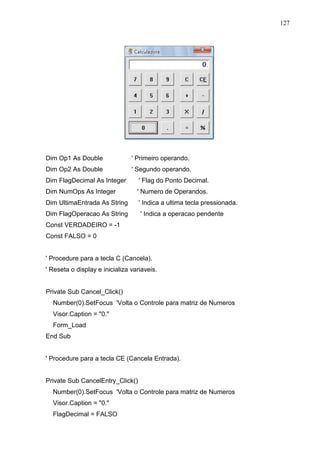
Visual Basic 
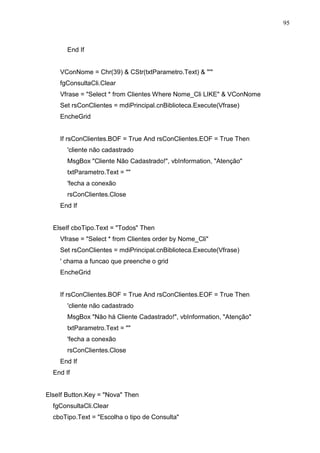
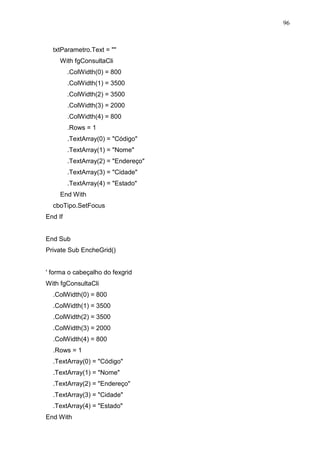
Autor: 
Marcelo de Oliveira Rodrigues
2 
Software de gerenciamento 
Nilted Modas_Moda Infanto Juvenil 
Aluno: Marcelo de Oliveira Rodrigues 
Colégio: EMEFEP “Prof. Virgulina Marcondes de Moura Fázzeri” 
COTECA – APARECIDA/SP
3 
Sumário 
Capítulo 1 
Introdução.....................................................................................................................3 
Capítulo 2 
Objetivo........................................................................................................................5 
Capítulo 3 
Banco de Dados...........................................................................................................6 
1.1 Estruturas das Tabelas................................................................................7 
Capítulo 4 
Linguagem de Programação utilizada........................................................................10 
2.1 Design (Formulários).................................................................................11 
Capítulo 5 
Melhorias no Sistema...............................................................................................219 
Capítulo 6 
Conclusão.................................................................................................................220 
Capítulo 7 
Referência Bibliográfica............................................................................................221
4 
Introdução 
a.ná.li.se 
(gr análysis) sf 1 Decomposição ou separação de um todo em seus elementos 
constituintes. 2 Exame ou estudo da natureza de uma coisa complexa ou 
determinação de suas feições essenciais, por esse método. 3 Psiq Psicanálise. 
Antôn (acepção 1): síntese. 
sis.te.ma 
(gr sýstema) sm 1 Conjunto de coisas ou partes de modo a formarem um todo 
complexo ou unitário. 2 Qualquer conjunto ou série de membros ou elementos 
correlacionados. 3 Hábito ou costume peculiar de cada criatura. 4 Anat Conjunto de 
órgãos compostos dos mesmos tecidos destinados a idênticas funções fisiológicas. 
5 Astr Grupo de corpos celestes associados e agindo em conjunto, segundo 
determinadas leis naturais. 6 Método, modo, forma, plano. 7 Conjunto das 
instituições políticas pelas quais é governado um Estado. 8 Inform Conjunto 
formado por um ou mais computadores, seus periféricos e os programas 
utilizados. Sistema Digestório (antes denominado aparelho digestivo), Anat: 
conjunto de órgãos que têm por função tornar os alimentos assimiláveis, aproveitar 
parte deles e expulsar a porção inútil. Sistema Nervoso, Anat: conjunto dos centros 
nervosos e de todos os nervos. Sistema Nervoso Autônomo: parte do sistema 
nervoso que inerva a musculatura cardíaca e controla secreções glandulares 
diversas. É dividido em dois grandes setores: o simpático e o parassimpático. 
Análise de sistemas 
Análise de sistemas é a atividade que tem como finalidade realizar 
estudos de processos a fim de encontrar o melhor e mais racional caminho para que 
a informação possa ser processada. O analista de sistemas estuda os diversos 
sistemas existentes entre hardwares (equipamento), softwares (programas) e o 
usuário final, seus comportamentos e aplicações, desenvolvendo a partir de então 
soluções que serão padronizadas e transcritas da forma que o computador possa 
executar.
5 
Os profissionais da área geram softwares (programas), que são 
executados em hardwares (equipamentos) operados por usuários (indivíduos), 
preparados e treinados em procedimentos operacionais padronizados, dotados de 
conhecimentos do software e hardware para seu trabalho. A partir de então a análise 
de sistemas é uma profissão, cujas responsabilidades concentram-se na análise do 
sistema e na administração de sistemas computacionais. Cabe a este profissional 
parte da organização, implantação e manutenção de aplicativos e redes de 
computadores, ou seja, o analista de sistemas é o responsável pelo levantamento de 
informações sobre uma empresa a fim de utilizá-las no desenvolvimento de um 
sistema para a mesma ou para o levantamento de uma necessidade específica do 
cliente para desenvolver este programa especifico com base nas informações 
colhidas. 
O profissional geralmente possui conhecimento adquirido em faculdades 
de Ciência da computação, Análise de sistemas, Processamento de dados e 
Programação, Informática, Sistemas de informação ou outras disciplinas similares 
mas, a ausência de restrições para o exercício do cargo permite que profissionais 
capacitados de outras áreas ou mesmo que não possuem educação superior 
cumprir este papel nas empresas. 
Como é uma ênfase, o foco e o núcleo de trabalho estão voltados para 
Administração, levando em conta a área tecnológica em que irá auxiliar. O analista 
de sistemas deve servir como um tradutor entre as necessidades do usuário e o 
programa a ser desenvolvido pelo programador. Para isto, deve ter conhecimento 
abrangente da área de negócio na qual o sistema será desenvolvido, a fim de que 
possa implementar corretamente as regras de negócio. Atualmente o curso de 
Análise de Sistemas foi substituído por Sistemas de Informação.
6 
Objetivo 
Desenvolver um projeto de desenvolvimento de software para gerenciar 
uma loja, iniciando pela análise do sistema, projeto do sistema e programação, na 
execução e finalização do programa para possível implantação futura.
7 
Banco de Dados 
Bancos de dados (ou bases de dados) são conjuntos de registros 
dispostos em estrutura regular que possibilita a reorganização dos mesmos e 
produção de informação. Um banco de dados normalmente agrupa registros 
utilizáveis para um mesmo fim. 
Um banco de dados é usualmente mantido e acessado por meio de um 
software conhecido como Sistema Gerenciador de Banco de Dados (SGBD). 
Normalmente um SGBD adota um modelo de dados, de forma pura, reduzida ou 
estendida. Muitas vezes o termo banco de dados é usado como sinônimo de SGDB. 
O modelo de dados mais adotado hoje em dia é o modelo relacional, onde 
as estruturas têm a forma de tabelas, compostas por linhas e colunas. 
Especificação do Banco de dados Utilizado: Microsoft Office Access; 
Ficha Técnica: Microsoft Office Access 
Desenvolvedor Microsoft 
Última versão: 12.0.4518.1014 (6 de novembro de 2006) 
Sistema Op. Microsoft Windows 
Gênero: SRABD 
Licença: Licença proprietária 
Website: Access Home Page - Microsoft Office Online 
Ele permite o desenvolvimento rápido de aplicações que envolvem tanto a 
modelagem e estrutura de dados como também a interface a ser utilizada pelos usuários. 
O desenvolvimento da estrutura de dados se dá de forma muito intuitiva, bastando 
que o desenvolvedor possua conhecimentos básicos em modelagem de dados e lógica de 
programação. 
Programadores relativamente inexperientes e usuários determinados podem usá-lo 
para construir aplicações simples, sem a necessidade de utilizar ferramentas desconhecidas.
8 
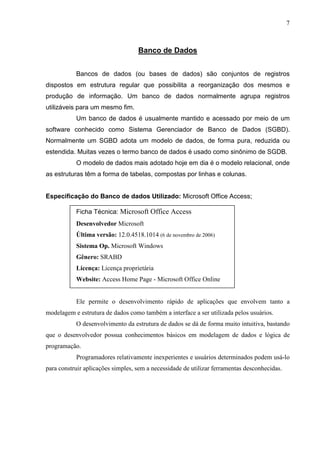
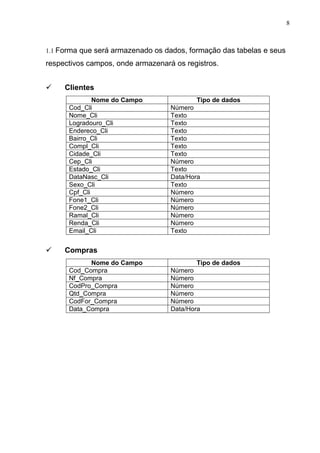
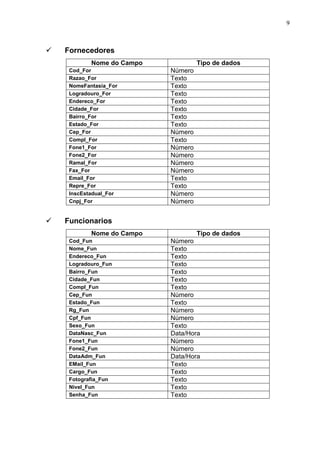
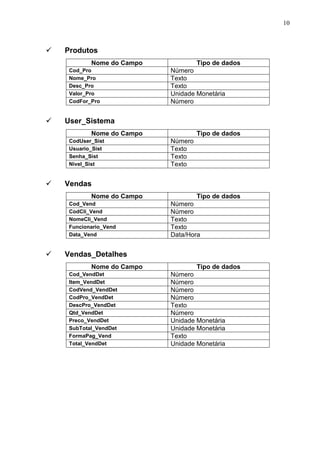
1.1 Forma que será armazenado os dados, formação das tabelas e seus 
respectivos campos, onde armazenará os registros. 
 Clientes 
Nome do Campo Tipo de dados 
Cod_Cli Número 
Nome_Cli Texto 
Logradouro_Cli Texto 
Endereco_Cli Texto 
Bairro_Cli Texto 
Compl_Cli Texto 
Cidade_Cli Texto 
Cep_Cli Número 
Estado_Cli Texto 
DataNasc_Cli Data/Hora 
Sexo_Cli Texto 
Cpf_Cli Número 
Fone1_Cli Número 
Fone2_Cli Número 
Ramal_Cli Número 
Renda_Cli Número 
Email_Cli Texto 
 Compras 
Nome do Campo Tipo de dados 
Cod_Compra Número 
Nf_Compra Número 
CodPro_Compra Número 
Qtd_Compra Número 
CodFor_Compra Número 
Data_Compra Data/Hora
9 
 Fornecedores 
Nome do Campo Tipo de dados 
Cod_For Número 
Razao_For Texto 
NomeFantasia_For Texto 
Logradouro_For Texto 
Endereco_For Texto 
Cidade_For Texto 
Bairro_For Texto 
Estado_For Texto 
Cep_For Número 
Compl_For Texto 
Fone1_For Número 
Fone2_For Número 
Ramal_For Número 
Fax_For Número 
Email_For Texto 
Repre_For Texto 
InscEstadual_For Número 
Cnpj_For Número 
 Funcionarios 
Nome do Campo Tipo de dados 
Cod_Fun Número 
Nome_Fun Texto 
Endereco_Fun Texto 
Logradouro_Fun Texto 
Bairro_Fun Texto 
Cidade_Fun Texto 
Compl_Fun Texto 
Cep_Fun Número 
Estado_Fun Texto 
Rg_Fun Número 
Cpf_Fun Número 
Sexo_Fun Texto 
DataNasc_Fun Data/Hora 
Fone1_Fun Número 
Fone2_Fun Número 
DataAdm_Fun Data/Hora 
EMail_Fun Texto 
Cargo_Fun Texto 
Fotografia_Fun Texto 
Nivel_Fun Texto 
Senha_Fun Texto
10 
 Produtos 
Nome do Campo Tipo de dados 
Cod_Pro Número 
Nome_Pro Texto 
Desc_Pro Texto 
Valor_Pro Unidade Monetária 
CodFor_Pro Número 
 User_Sistema 
Nome do Campo Tipo de dados 
CodUser_Sist Número 
Usuario_Sist Texto 
Senha_Sist Texto 
Nivel_Sist Texto 
 Vendas 
Nome do Campo Tipo de dados 
Cod_Vend Número 
CodCli_Vend Número 
NomeCli_Vend Texto 
Funcionario_Vend Texto 
Data_Vend Data/Hora 
 Vendas_Detalhes 
Nome do Campo Tipo de dados 
Cod_VendDet Número 
Item_VendDet Número 
CodVend_VendDet Número 
CodPro_VendDet Número 
DescPro_VendDet Texto 
Qtd_VendDet Número 
Preco_VendDet Unidade Monetária 
SubTotal_VendDet Unidade Monetária 
FormaPag_Vend Texto 
Total_VendDet Unidade Monetária
11 
Especificação geral: Programa desenvolvido em Visual Basic; 
Visual Basic 
O Visual Basic é uma linguagem de programação produzida pela 
empresa Microsoft, e é parte integrante do pacote Microsoft Visual Studio. Sua 
versão mais recente faz parte do pacote Visual Studio .NET, voltada para aplicações 
.Net. Sua versão anterior fez parte do Microsoft Visual Studio 6.0, ainda muito 
utilizado atualmente. 
Um aperfeiçoamento do BASIC, a linguagem é dirigida por eventos (event 
driven), e possui também um ambiente de desenvolvimento integrado (IDE - 
Integrated Development Environment) totalmente gráfico, facilitanto enormemente a 
construção da interface das aplicações (GUI - Graphical User Interface), daí o nome 
Visual. Em suas primeiras versões, o Visual Basic não permitia acesso a bancos 
de dados, sendo portanto, voltado apenas para iniciantes, mas devido ao sucesso 
entre as empresas - que faziam uso de componentes adicionais fabricados por 
terceiros para acesso a dados - a linguagem logo adotou tecnologias como DAO, 
RDO, e ADO, também da Microsoft, permitindo fácil acesso a bases de dados. Mais 
tarde foi adicionada também a possibilidade de criação de controles ActiveX, e, com 
a chegada do Visual Studio .NET, o Visual Basic se tornou uma linguagem 
totalmente orientada a objetos.
12 
2.1 Design das telas utilizadas pelos usuários (Formulários) 
Design (em alguns casos projeto ou projecto) é um esforço criativo 
relacionado à configuração, concepção, elaboração e especificação de um artefato. 
Esse esforço normalmente é orientado por uma intenção ou objetivo, ou para a 
solução de um problema. 
O termo deriva, originalmente, de designare, palavra em latim, sendo 
mais tarde adaptado para o inglês design. Houve uma série de tentativas de 
tradução do termo, mas os possíveis nomes como projética industrial que acabaram 
em desuso. 
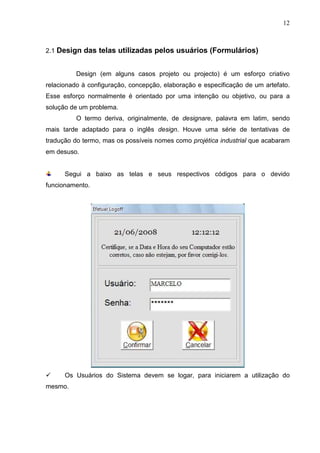
Segui a baixo as telas e seus respectivos códigos para o devido 
funcionamento. 
 Os Usuários do Sistema devem se logar, para iniciarem a utilização do 
mesmo.
13 
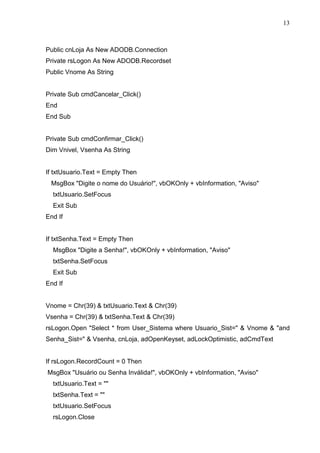
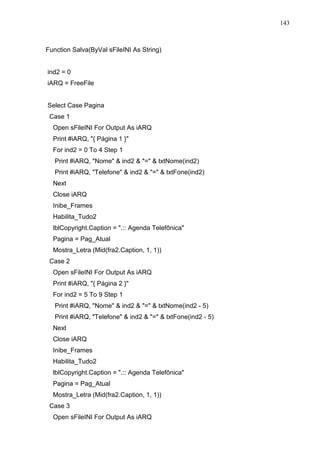
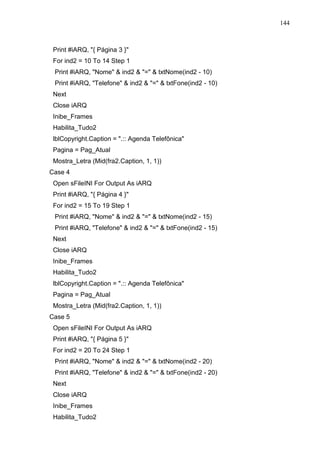
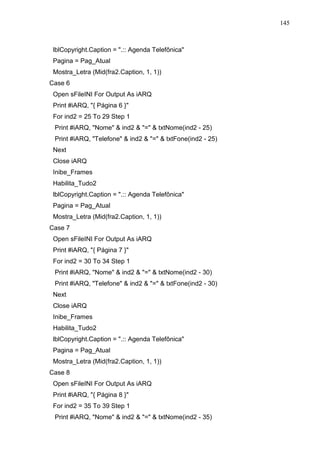
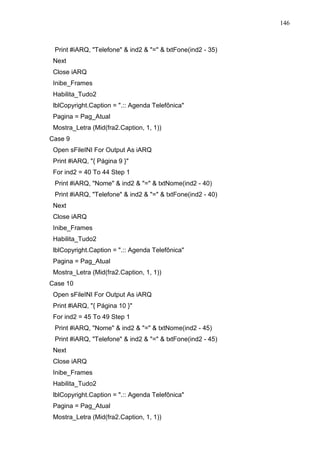
Public cnLoja As New ADODB.Connection 
Private rsLogon As New ADODB.Recordset 
Public Vnome As String 
Private Sub cmdCancelar_Click() 
End 
End Sub 
Private Sub cmdConfirmar_Click() 
Dim Vnivel, Vsenha As String 
If txtUsuario.Text = Empty Then 
MsgBox Digite o nome do Usuário!, vbOKOnly + vbInformation, Aviso 
txtUsuario.SetFocus 
Exit Sub 
End If 
If txtSenha.Text = Empty Then 
MsgBox Digite a Senha!, vbOKOnly + vbInformation, Aviso 
txtSenha.SetFocus 
Exit Sub 
End If 
Vnome = Chr(39)  txtUsuario.Text  Chr(39) 
Vsenha = Chr(39)  txtSenha.Text  Chr(39) 
rsLogon.Open Select * from User_Sistema where Usuario_Sist=  Vnome  and 
Senha_Sist=  Vsenha, cnLoja, adOpenKeyset, adLockOptimistic, adCmdText 
If rsLogon.RecordCount = 0 Then 
MsgBox Usuário ou Senha Inválida!, vbOKOnly + vbInformation, Aviso 
txtUsuario.Text =  
txtSenha.Text =  
txtUsuario.SetFocus 
rsLogon.Close
14 
Exit Sub 
Else 
frmSplashPrincipal.Show 
Vnivel = rsLogon(Nivel_Sist) 
Vnome = rsLogon(Usuario_Sist) 
mdiPrincipal.stbMostra.Panels(1).Text = Operador:   Vnome 
If Vnivel = B Then 
With mdiPrincipal 
.Gerenciar.Visible = False 
End With 
End If 
If Vnivel = C Then 
With mdiPrincipal 
.Gerenciar.Visible = False 
.Cadastro.Visible = False 
End With 
End If 
Unload Me 
End If 
End Sub 
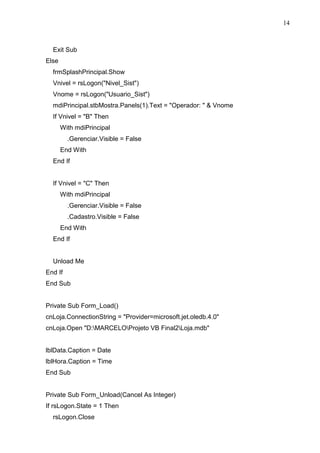
Private Sub Form_Load() 
cnLoja.ConnectionString = Provider=microsoft.jet.oledb.4.0 
cnLoja.Open D:MARCELOProjeto VB Final2Loja.mdb 
lblData.Caption = Date 
lblHora.Caption = Time 
End Sub 
Private Sub Form_Unload(Cancel As Integer) 
If rsLogon.State = 1 Then 
rsLogon.Close
15 
End If 
End Sub 
Private Sub Timer1_Timer() 
lblHora.Caption = Time 
End Sub 
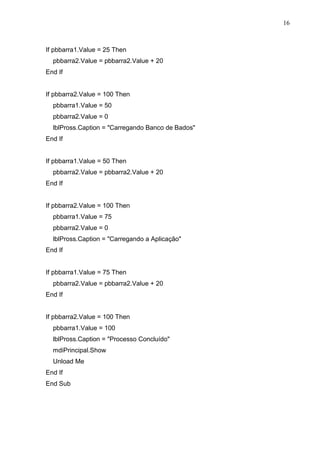
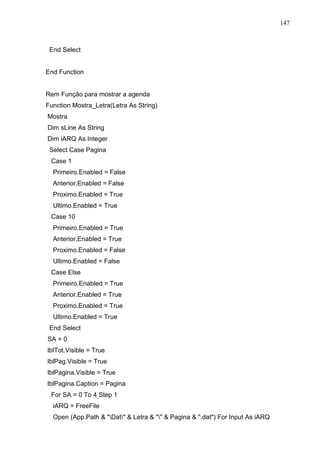
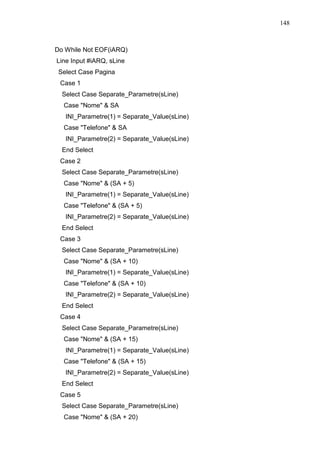
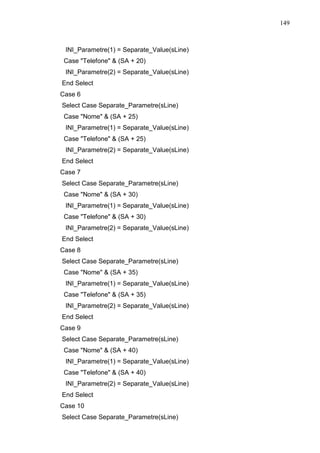
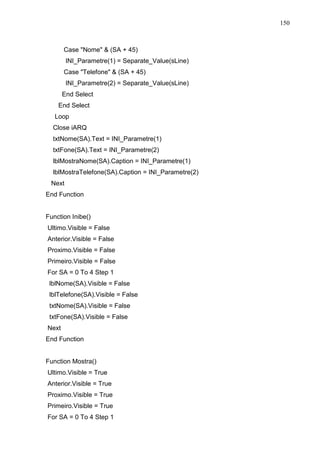
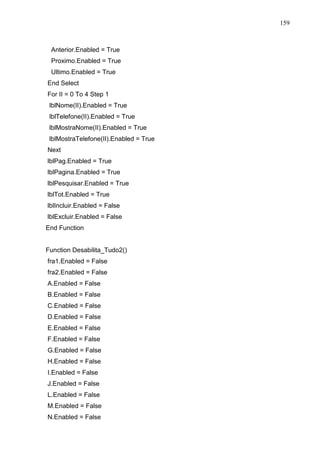
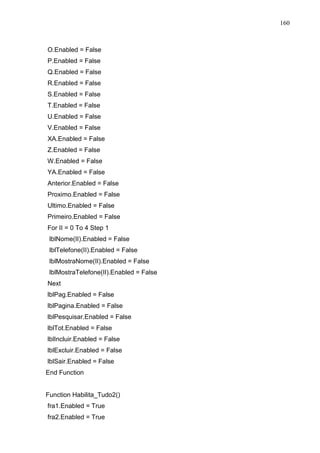
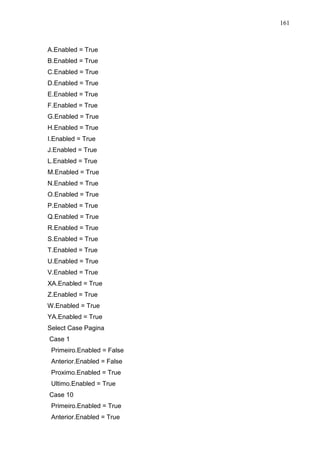
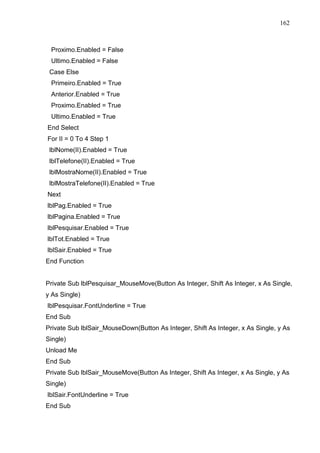
 Momento onde estão sendo carregadas todas as informações relacionadas 
ao Banco de dados e permissões dos usuários. 
Private Sub tmrSplash_Timer() 
pbbarra2.Value = pbbarra2.Value + 20 
If pbbarra2.Value = 100 Then 
pbbarra1.Value = 25 
pbbarra2.Value = 0 
lblPross.Caption = Preparando a Aplicação 
End If
16 
If pbbarra1.Value = 25 Then 
pbbarra2.Value = pbbarra2.Value + 20 
End If 
If pbbarra2.Value = 100 Then 
pbbarra1.Value = 50 
pbbarra2.Value = 0 
lblPross.Caption = Carregando Banco de Bados 
End If 
If pbbarra1.Value = 50 Then 
pbbarra2.Value = pbbarra2.Value + 20 
End If 
If pbbarra2.Value = 100 Then 
pbbarra1.Value = 75 
pbbarra2.Value = 0 
lblPross.Caption = Carregando a Aplicação 
End If 
If pbbarra1.Value = 75 Then 
pbbarra2.Value = pbbarra2.Value + 20 
End If 
If pbbarra2.Value = 100 Then 
pbbarra1.Value = 100 
lblPross.Caption = Processo Concluído 
mdiPrincipal.Show 
Unload Me 
End If 
End Sub
17 
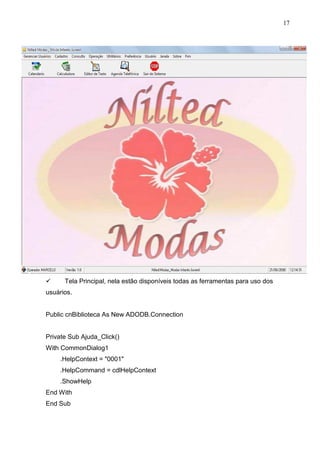
 Tela Principal, nela estão disponíveis todas as ferramentas para uso dos 
usuários. 
Public cnBiblioteca As New ADODB.Connection 
Private Sub Ajuda_Click() 
With CommonDialog1 
.HelpContext = 0001 
.HelpCommand = cdlHelpContext 
.ShowHelp 
End With 
End Sub
18 
Private Sub AlterarSenha_Click() 
frmAlterarSenha.Show 
frmAlterarSenha.Left = 5000 
frmAlterarSenha.Top = 2000 
End Sub 
Private Sub CadClientes_Click() 
frmCadClientes.Show 
frmCadClientes.Left = 3000 
frmCadClientes.Top = 800 
End Sub 
Private Sub CadCompras_Click() 
frmCadCompras.Show 
frmCadCompras.Left = 3000 
frmCadCompras.Top = 1500 
End Sub 
Private Sub CadFornecedores_Click() 
frmCadFornecedores.Show 
frmCadFornecedores.Left = 2500 
frmCadFornecedores.Top = 50 
End Sub 
Private Sub CadFuncionarios_Click() 
frmCadFuncionarios.Show 
frmCadFuncionarios.Left = 2000 
frmCadFuncionarios.Top = 200 
End Sub 
Private Sub CadProdutos_Click() 
frmCadProdutos.Show 
frmCadProdutos.Left = 2500 
frmCadProdutos.Top = 1500
19 
End Sub 
Private Sub CadUsuario_Click() 
frmUserSistema.Show 
frmUserSistema.Left = 4000 
frmUserSistema.Top = 2000 
End Sub 
Private Sub ConClientes_Click() 
frmConClientes.Show 
frmConClientes.Top = 2000 
frmConClientes.Left = 2000 
End Sub 
Private Sub ConCompras_Click() 
frmConCompras.Show 
frmConCompras.Top = 2000 
frmConCompras.Left = 2000 
End Sub 
Private Sub ConFornecedores_Click() 
frmConFornecedores.Show 
frmConFornecedores.Top = 2000 
frmConFornecedores.Left = 800 
End Sub 
Private Sub ConFuncionario_Click() 
frmConFuncionarios.Show 
frmConFuncionarios.Top = 2000 
frmConFuncionarios.Left = 2000 
End Sub 
Private Sub ConProdutos_Click() 
frmConProdutos.Show
20 
frmConProdutos.Top = 2000 
frmConProdutos.Left = 2000 
End Sub 
Private Sub ConUsuario_Click() 
frmConUsuarios.Show 
frmConUsuarios.Left = 4000 
frmConUsuarios.Top = 2000 
End Sub 
Private Sub FazerLogoff_Click() 
If MsgBox(Deseja realmente fazer Logoff?, vbYesNo + vbQuestion, Logoff) = 
vbYes Then 
frmLogon.cnLoja.Close 
Unload Me 
frmLogon.Show 
End If 
End Sub 
Private Sub Fim_Click() 
If MsgBox(Deseja realmente sair?, vbYesNo + vbQuestion, Aviso) = vbYes Then 
End 
End If 
End Sub 
Private Sub fundo_Click() 
frmPlanoFundo.Show 
frmPlanoFundo.Top = 2000 
frmPlanoFundo.Left = 4000 
End Sub 
Private Sub MDIForm_Load() 
CommonDialog1.HelpFile = App.HelpFile 
stbMostra.Panels(5) = Time
21 
cnBiblioteca.ConnectionString = Provider=microsoft.jet.oledb.4.0 
cnBiblioteca.Open D:MARCELOProjeto VB Final2Loja.mdb 
End Sub 
Private Sub MDIForm_Unload(Cancel As Integer) 
cnBiblioteca.Close 
End Sub 
Private Sub SobreSist_Click() 
frmAbout.Show 
frmAbout.Top = 600 
frmAbout.Left = 3000 
End Sub 
Private Sub Timer1_Timer() 
stbMostra.Panels(5) = Time 
End Sub 
Private Sub Toolbar1_ButtonClick(ByVal Button As MSComctlLib.Button) 
If Button.Key = Calendario Then 
frmCalendario.Show 
frmCalendario.Top = 2000 
frmCalendario.Left = 2000 
ElseIf Button.Key = Calculadora Then 
frmCalculadora.Show 
frmCalculadora.Top = 2000 
frmCalculadora.Left = 6000 
ElseIf Button.Key = Bloco Then 
frmEditor.Show 
frmEditor.Top = 900 
frmEditor.Left = 3000 
ElseIf Button.Key = Agenda Then 
frmSplash.Show 
frmSplash.Top = 3000
22 
frmSplash.Left = 5000 
ElseIf Button.Key = Sair Then 
If MsgBox(Deseja realmente sair do sistema?, vbYesNo + vbQuestion, Aviso) = 
vbYes Then 
End 
End If 
End If 
End Sub 
Private Sub UtiAgenda_Click() 
frmSplash.Show 
frmSplash.Top = 3000 
frmSplash.Left = 5000 
End Sub 
Private Sub UtiBloco_Click() 
frmEditor.Show 
frmEditor.Top = 900 
frmEditor.Left = 3000 
End Sub 
Private Sub Uticalc_Click() 
frmCalculadora.Show 
frmCalculadora.Top = 2500 
frmCalculadora.Left = 2500 
End Sub 
Private Sub UtiCalendario_Click() 
frmCalendario.Show 
frmCalendario.Top = 2000 
frmCalendario.Left = 2000 
End Sub 
Private Sub Venda_Click() 
frmTelaVenda.Show
23 
frmTelaVenda.Left = 1500 
frmTelaVenda.Top = 700 
End Sub 
Sub CentraImagem() 
Picture1.Cls 
Picture1.Visible = True 
Picture1.AutoRedraw = True 
Picture1.BackColor = H8000000C 
Picture1.Height = Me.Height 
Image1.Stretch = False 
Image1.Top = Picture1.Height / 2 - Image1.Height / 2 
Image1.Left = Picture1.Width / 2 - Image1.Width / 2 
Picture1.PaintPicture Image1, Image1.Left, Image1.Top, Image1.Width, 
Image1.Height 
mdiPrincipal.Picture = Picture1.Image 
Picture1.Visible = False 
End Sub 
Sub EstendeImagem() 
Picture1.Cls 
Picture1.Visible = True 
Picture1.AutoRedraw = True 
Picture1.BackColor = H8000000C 
Picture1.Height = Me.Height 
Image1.Stretch = True 
Image1.Top = 0 
Image1.Left = 0 
Image1.Height = Picture1.Height 
Image1.Width = Picture1.Width 
Picture1.PaintPicture Image1, Image1.Left, Image1.Top, Image1.Width, 
Image1.Height 
mdiPrincipal.Picture = Picture1.Image 
Picture1.Visible = False
24 
End Sub 
Sub NormalImagem() 
Picture1.Visible = True 
Image1.Stretch = False 
mdiPrincipal.Picture = Image1.Picture 
Picture1.Visible = False 
End Sub 
Sub LadoaLadoImagem() 
Dim wid As Single 
Dim hgt As Single 
Dim x As Single 
Dim y As Single 
Picture1.Visible = True 
Picture1.AutoRedraw = True 
Picture1.Height = Me.Height 
Image1.Stretch = False 
wid = Image1.Width 
hgt = Image1.Height 
y = 0 
Do While y  Picture1.ScaleHeight 
x = 0 
Do While x  Picture1.ScaleWidth 
Picture1.PaintPicture Image1, x, y, wid, hgt 
x = x + wid 
Loop 
y = y + hgt 
Loop 
Picture1.Visible = False 
mdiPrincipal.Picture = Picture1.Image 
End Sub
25 
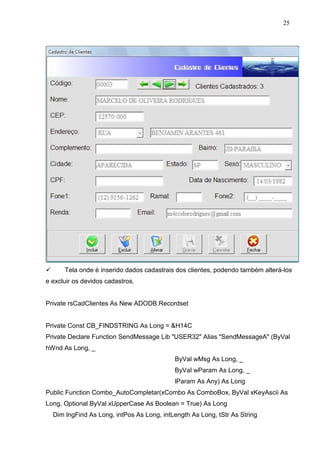
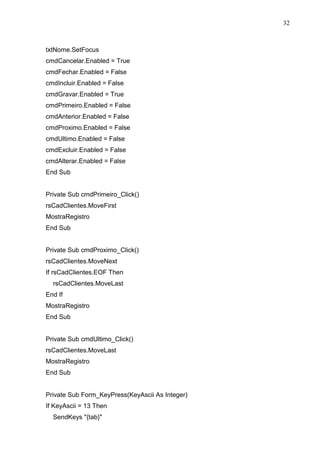
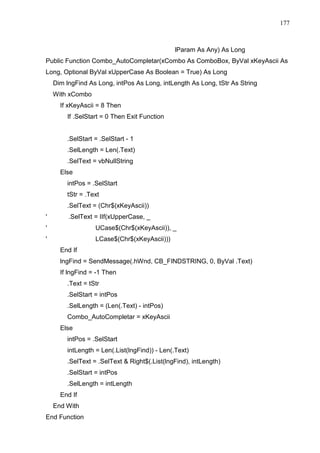
 Tela onde é inserido dados cadastrais dos clientes, podendo também alterá-los 
e excluir os devidos cadastros. 
Private rsCadClientes As New ADODB.Recordset 
Private Const CB_FINDSTRING As Long = H14C 
Private Declare Function SendMessage Lib USER32 Alias SendMessageA (ByVal 
hWnd As Long, _ 
ByVal wMsg As Long, _ 
ByVal wParam As Long, _ 
lParam As Any) As Long 
Public Function Combo_AutoCompletar(xCombo As ComboBox, ByVal xKeyAscii As 
Long, Optional ByVal xUpperCase As Boolean = True) As Long 
Dim lngFind As Long, intPos As Long, intLength As Long, tStr As String
26 
With xCombo 
If xKeyAscii = 8 Then 
If .SelStart = 0 Then Exit Function 
.SelStart = .SelStart - 1 
.SelLength = Len(.Text) 
.SelText = vbNullString 
Else 
intPos = .SelStart 
tStr = .Text 
.SelText = (Chr$(xKeyAscii)) 
End If 
lngFind = SendMessage(.hWnd, CB_FINDSTRING, 0, ByVal .Text) 
If lngFind = -1 Then 
.Text = tStr 
.SelStart = intPos 
.SelLength = (Len(.Text) - intPos) 
Combo_AutoCompletar = xKeyAscii 
Else 
intPos = .SelStart 
intLength = Len(.List(lngFind)) - Len(.Text) 
.SelText = .SelText  Right$(.List(lngFind), intLength) 
.SelStart = intPos 
.SelLength = intLength 
End If 
End With 
End Function 
Private Sub cmbLogradouro_KeyPress(KeyAscii As Integer) 
KeyAscii = Asc(UCase(Chr(KeyAscii))) 
KeyAscii = Combo_AutoCompletar(cmbLogradouro, KeyAscii) 
End Sub 
Private Sub cmbSexo_KeyPress(KeyAscii As Integer)
27 
If InStr(0123456789|;,.?/[{}]+=§-_)(*%$#@!*, Chr(KeyAscii))  0 Then 
KeyAscii = 0 
End If 
KeyAscii = Asc(UCase(Chr(KeyAscii))) 
KeyAscii = Combo_AutoCompletar(cmbSexo, KeyAscii) 
End Sub 
Private Sub cmdAlterar_Click() 
HabilitaCampos 
txtNome.SetFocus 
cmdIncluir.Enabled = False 
cmdFechar.Enabled = False 
cmdCancelar.Enabled = True 
cmdAlterar.Enabled = False 
cmdGravar.Enabled = True 
cmdExcluir.Enabled = False 
cmdPrimeiro.Enabled = False 
cmdAnterior.Enabled = False 
cmdProximo.Enabled = False 
cmdUltimo.Enabled = False 
End Sub 
Private Sub cmdAnterior_Click() 
rsCadClientes.MovePrevious 
If rsCadClientes.BOF Then 
rsCadClientes.MoveFirst 
End If 
MostraRegistro 
End Sub 
Private Sub cmdCancelar_Click() 
rsCadClientes.CancelUpdate 
If rsCadClientes.RecordCount = 0 Then 
LimpaRegistro
28 
cmdExcluir.Enabled = False 
cmdAlterar.Enabled = False 
cmdPrimeiro.Enabled = False 
cmdAnterior.Enabled = False 
cmdProximo.Enabled = False 
cmdUltimo.Enabled = False 
cmdIncluir.Enabled = True 
cmdFechar.Enabled = True 
cmdCancelar.Enabled = False 
cmdGravar.Enabled = False 
Else 
MostraRegistro 
cmdGravar.Enabled = False 
cmdCancelar.Enabled = False 
cmdIncluir.Enabled = True 
cmdFechar.Enabled = True 
cmdPrimeiro.Enabled = True 
cmdAnterior.Enabled = True 
cmdProximo.Enabled = True 
cmdUltimo.Enabled = True 
cmdAlterar.Enabled = True 
cmdExcluir.Enabled = True 
End If 
DesabilitaCampos 
End Sub 
Private Sub cmdExcluir_Click() 
If MsgBox(Deseja excluir o cadastro?, vbYesNo + vbQuestion, Atenção) = vbYes 
Then 
rsCadClientes.Delete 
If rsCadClientes.RecordCount = 0 Then 
LimpaRegistro
29 
cmdExcluir.Enabled = False 
cmdAlterar.Enabled = False 
cmdPrimeiro.Enabled = False 
cmdAnterior.Enabled = False 
cmdProximo.Enabled = False 
cmdUltimo.Enabled = False 
Else 
rsCadClientes.MoveNext 
If rsCadClientes.EOF Then 
rsCadClientes.MoveLast 
End If 
MostraRegistro 
End If 
End If 
End Sub 
Private Sub cmdFechar_Click() 
Unload Me 
End Sub 
Private Sub cmdGravar_Click() 
If txtNome.Text =  Then 
MsgBox O NOME é obrigatório!, vbOKOnly + vbInformation, Aviso 
txtNome.SetFocus 
Exit Sub 
End If 
If txtCEP.Text =  Then 
MsgBox O CEP é obrigatório!, vbOKOnly + vbInformation, Aviso 
txtCEP.SetFocus 
Exit Sub 
End If 
If txtEndereco.Text =  Then
30 
MsgBox O ENDEREÇO é obrigatório!, vbOKOnly + vbInformation, Aviso 
txtEndereco.SetFocus 
Exit Sub 
End If 
If txtCidade.Text =  Then 
MsgBox A CIDADE é obrigatório!, vbOKOnly + vbInformation, Aviso 
txtCidade.SetFocus 
Exit Sub 
End If 
If txtEstado.Text =  Then 
MsgBox O ESTADO é obrigatório!, vbOKOnly + vbInformation, Aviso 
txtEstado.SetFocus 
Exit Sub 
End If 
rsCadClientes(Cod_Cli) = txtCodigo.Text 
rsCadClientes(Nome_Cli) = txtNome.Text 
rsCadClientes(Logradouro_Cli) = cmbLogradouro.Text 
rsCadClientes(Endereco_Cli) = txtEndereco.Text 
rsCadClientes(Bairro_Cli) = txtBairro.Text 
rsCadClientes(Compl_Cli) = txtComplemento.Text 
rsCadClientes(Cidade_Cli) = txtCidade.Text 
rsCadClientes(Cep_Cli) = txtCEP.Text 
rsCadClientes(Estado_Cli) = txtEstado.Text 
rsCadClientes(DataNasc_Cli) = txtData.Text 
rsCadClientes(Sexo_Cli) = cmbSexo.Text 
rsCadClientes(Cpf_Cli) = txtCPF.Text 
rsCadClientes(Fone1_Cli) = txtFone1.Text 
rsCadClientes(Fone2_Cli) = txtFone2.Text 
rsCadClientes(Ramal_Cli) = txtRamal.Text 
rsCadClientes(Renda_Cli) = txtRenda.Text 
rsCadClientes(Email_Cli) = txtEmail.Text
31 
rsCadClientes.Update 
DesabilitaCampos 
MsgBox Dados do Cliente salvos com sucesso!!!, vbOKOnly + vbInformation, 
Aviso 
cmdCancelar.Enabled = False 
cmdIncluir.Enabled = True 
cmdFechar.Enabled = True 
cmdGravar.Enabled = False 
cmdPrimeiro.Enabled = True 
cmdAnterior.Enabled = True 
cmdProximo.Enabled = True 
cmdUltimo.Enabled = True 
cmdAlterar.Enabled = True 
cmdExcluir.Enabled = True 
End Sub 
Private Sub cmdIncluir_Click() 
Dim Vcodigo As Integer 
If rsCadClientes.RecordCount = 0 Then 
rsCadClientes.AddNew 
Vcodigo = 1 
txtCodigo.Text = Format(Vcodigo, 00000) 
Else 
rsCadClientes.MoveLast 
Vcodigo = rsCadClientes(Cod_Cli) 
Vcodigo = Vcodigo + 1 
rsCadClientes.AddNew 
LimpaRegistro 
txtCodigo.Text = Format(Vcodigo, 00000) 
End If 
HabilitaCampos
32 
txtNome.SetFocus 
cmdCancelar.Enabled = True 
cmdFechar.Enabled = False 
cmdIncluir.Enabled = False 
cmdGravar.Enabled = True 
cmdPrimeiro.Enabled = False 
cmdAnterior.Enabled = False 
cmdProximo.Enabled = False 
cmdUltimo.Enabled = False 
cmdExcluir.Enabled = False 
cmdAlterar.Enabled = False 
End Sub 
Private Sub cmdPrimeiro_Click() 
rsCadClientes.MoveFirst 
MostraRegistro 
End Sub 
Private Sub cmdProximo_Click() 
rsCadClientes.MoveNext 
If rsCadClientes.EOF Then 
rsCadClientes.MoveLast 
End If 
MostraRegistro 
End Sub 
Private Sub cmdUltimo_Click() 
rsCadClientes.MoveLast 
MostraRegistro 
End Sub 
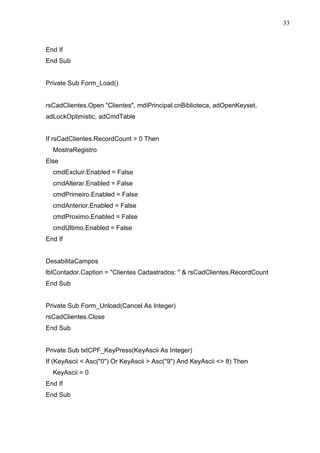
Private Sub Form_KeyPress(KeyAscii As Integer) 
If KeyAscii = 13 Then 
SendKeys {tab}
33 
End If 
End Sub 
Private Sub Form_Load() 
rsCadClientes.Open Clientes, mdiPrincipal.cnBiblioteca, adOpenKeyset, 
adLockOptimistic, adCmdTable 
If rsCadClientes.RecordCount  0 Then 
MostraRegistro 
Else 
cmdExcluir.Enabled = False 
cmdAlterar.Enabled = False 
cmdPrimeiro.Enabled = False 
cmdAnterior.Enabled = False 
cmdProximo.Enabled = False 
cmdUltimo.Enabled = False 
End If 
DesabilitaCampos 
lblContador.Caption = Clientes Cadastrados:   rsCadClientes.RecordCount 
End Sub 
Private Sub Form_Unload(Cancel As Integer) 
rsCadClientes.Close 
End Sub 
Private Sub txtCPF_KeyPress(KeyAscii As Integer) 
If (KeyAscii  Asc(0) Or KeyAscii  Asc(9) And KeyAscii  8) Then 
KeyAscii = 0 
End If 
End Sub
34 
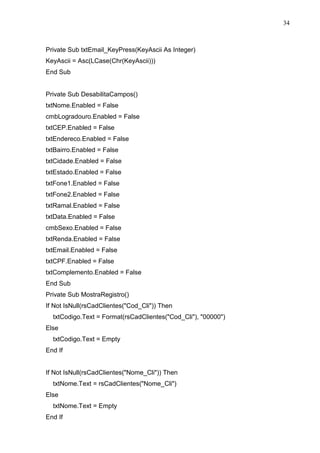
Private Sub txtEmail_KeyPress(KeyAscii As Integer) 
KeyAscii = Asc(LCase(Chr(KeyAscii))) 
End Sub 
Private Sub DesabilitaCampos() 
txtNome.Enabled = False 
cmbLogradouro.Enabled = False 
txtCEP.Enabled = False 
txtEndereco.Enabled = False 
txtBairro.Enabled = False 
txtCidade.Enabled = False 
txtEstado.Enabled = False 
txtFone1.Enabled = False 
txtFone2.Enabled = False 
txtRamal.Enabled = False 
txtData.Enabled = False 
cmbSexo.Enabled = False 
txtRenda.Enabled = False 
txtEmail.Enabled = False 
txtCPF.Enabled = False 
txtComplemento.Enabled = False 
End Sub 
Private Sub MostraRegistro() 
If Not IsNull(rsCadClientes(Cod_Cli)) Then 
txtCodigo.Text = Format(rsCadClientes(Cod_Cli), 00000) 
Else 
txtCodigo.Text = Empty 
End If 
If Not IsNull(rsCadClientes(Nome_Cli)) Then 
txtNome.Text = rsCadClientes(Nome_Cli) 
Else 
txtNome.Text = Empty 
End If
35 
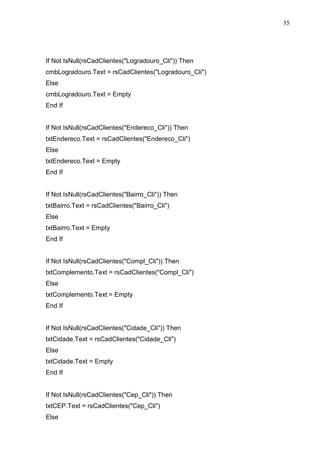
If Not IsNull(rsCadClientes(Logradouro_Cli)) Then 
cmbLogradouro.Text = rsCadClientes(Logradouro_Cli) 
Else 
cmbLogradouro.Text = Empty 
End If 
If Not IsNull(rsCadClientes(Endereco_Cli)) Then 
txtEndereco.Text = rsCadClientes(Endereco_Cli) 
Else 
txtEndereco.Text = Empty 
End If 
If Not IsNull(rsCadClientes(Bairro_Cli)) Then 
txtBairro.Text = rsCadClientes(Bairro_Cli) 
Else 
txtBairro.Text = Empty 
End If 
If Not IsNull(rsCadClientes(Compl_Cli)) Then 
txtComplemento.Text = rsCadClientes(Compl_Cli) 
Else 
txtComplemento.Text = Empty 
End If 
If Not IsNull(rsCadClientes(Cidade_Cli)) Then 
txtCidade.Text = rsCadClientes(Cidade_Cli) 
Else 
txtCidade.Text = Empty 
End If 
If Not IsNull(rsCadClientes(Cep_Cli)) Then 
txtCEP.Text = rsCadClientes(Cep_Cli) 
Else
36 
txtCEP.Text = Empty 
End If 
If Not IsNull(rsCadClientes(Estado_Cli)) Then 
txtEstado.Text = rsCadClientes(Estado_Cli) 
Else 
txtEstado.Text = Empty 
End If 
If Not IsNull(rsCadClientes(DataNasc_Cli)) Then 
txtData.Text = rsCadClientes(DataNasc_Cli) 
Else 
txtData.Text = Empty 
End If 
If Not IsNull(rsCadClientes(Sexo_Cli)) Then 
cmbSexo.Text = rsCadClientes(Sexo_Cli) 
Else 
cmbSexo.Text = Empty 
End If 
If Not IsNull(rsCadClientes(Cpf_Cli)) Then 
txtCPF.Text = rsCadClientes(Cpf_Cli) 
Else 
txtCPF.Text = Empty 
End If 
If Not IsNull(rsCadClientes(Fone1_Cli)) Then 
txtFone1.Text = rsCadClientes(Fone1_Cli) 
Else 
txtFone1.Text = Empty 
End If 
If Not IsNull(rsCadClientes(Fone2_Cli)) Then
37 
txtFone2.Text = rsCadClientes(Fone2_Cli) 
Else 
txtFone2.Text = Empty 
End If 
If Not IsNull(rsCadClientes(Ramal_Cli)) Then 
txtRamal.Text = rsCadClientes(Ramal_Cli) 
Else 
txtRamal.Text = Empty 
End If 
If Not IsNull(rsCadClientes(Renda_Cli)) Then 
txtRenda.Text = rsCadClientes(Renda_Cli) 
Else 
txtRenda.Text = Empty 
End If 
If Not IsNull(rsCadClientes(Email_Cli)) Then 
txtEmail.Text = rsCadClientes(Email_Cli) 
Else 
txtEmail.Text = Empty 
End If 
End Sub 
Private Sub HabilitaCampos() 
txtNome.Enabled = True 
cmbLogradouro.Enabled = True 
txtCEP.Enabled = True 
txtEndereco.Enabled = True 
txtBairro.Enabled = True 
txtCidade.Enabled = True 
txtEstado.Enabled = True 
txtFone1.Enabled = True 
txtFone2.Enabled = True
38 
txtRamal.Enabled = True 
txtData.Enabled = True 
cmbSexo.Enabled = True 
txtRenda.Enabled = True 
txtEmail.Enabled = True 
txtCPF.Enabled = True 
txtComplemento.Enabled = True 
End Sub 
Private Sub LimpaRegistro() 
txtCodigo.Text =  
txtNome.Text =  
cmbLogradouro.Text =  
txtCEP.Text =  
txtEndereco.Text =  
txtBairro.Text =  
txtCidade.Text =  
txtEstado.Text =  
txtFone1.Text =  
txtFone2.Text =  
txtRamal.Text =  
txtData.Text =  
cmbSexo.Text =  
txtRenda.Text =  
txtEmail.Text =  
txtCPF.Text =  
txtComplemento.Text =  
End Sub 
Private Sub txtBairro_KeyPress(KeyAscii As Integer) 
KeyAscii = Asc(UCase(Chr(KeyAscii))) 
End Sub 
Private Sub txtCidade_KeyPress(KeyAscii As Integer) 
KeyAscii = Asc(UCase(Chr(KeyAscii)))
39 
End Sub 
Private Sub txtComplemento_KeyPress(KeyAscii As Integer) 
KeyAscii = Asc(UCase(Chr(KeyAscii))) 
End Sub 
Private Sub txtEndereco_KeyPress(KeyAscii As Integer) 
KeyAscii = Asc(UCase(Chr(KeyAscii))) 
End Sub 
Private Sub txtEstado_KeyPress(KeyAscii As Integer) 
If InStr(0123456789|;,.?/[{}]+=§-_)(*%$#@!*, Chr(KeyAscii))  0 Then 
KeyAscii = 0 
End If 
KeyAscii = Asc(UCase(Chr(KeyAscii))) 
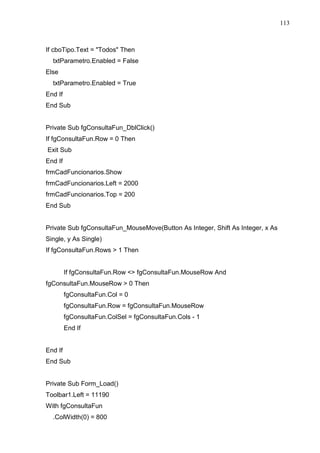
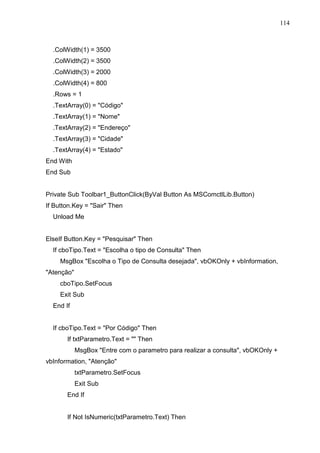
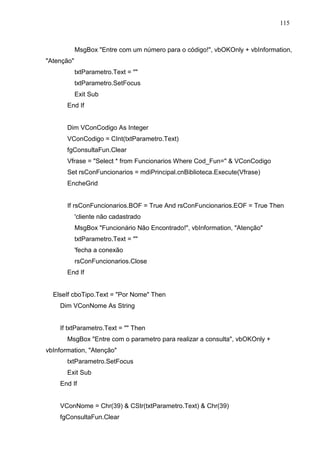
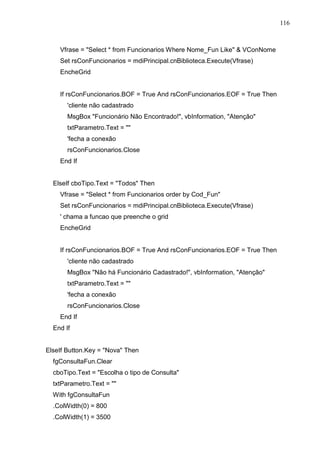
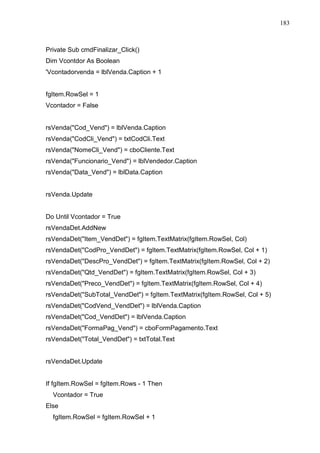
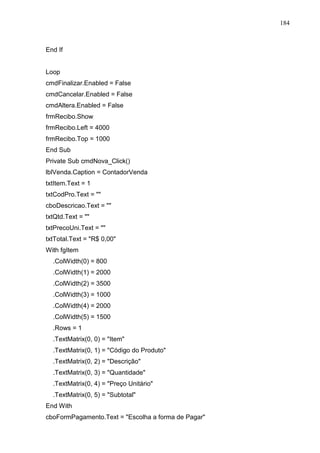
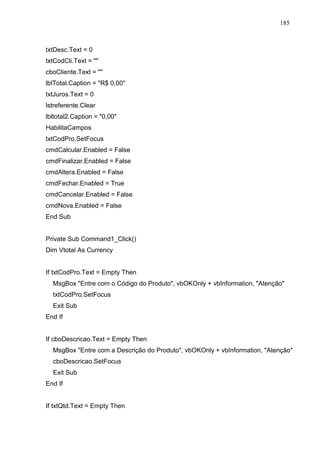
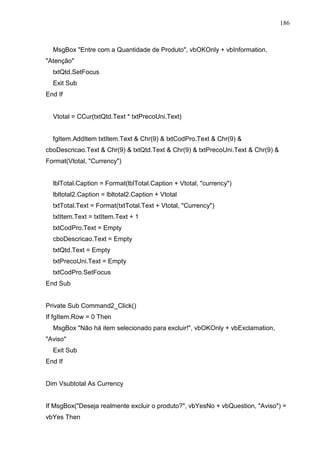
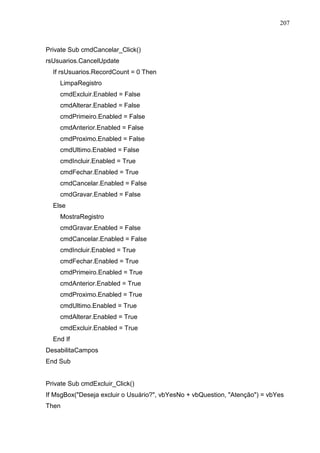
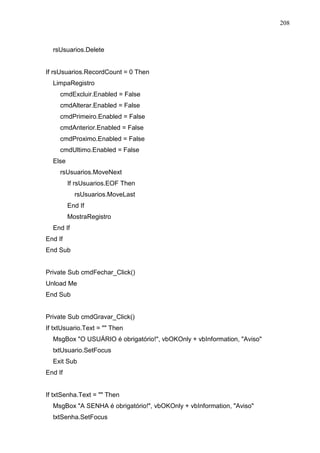
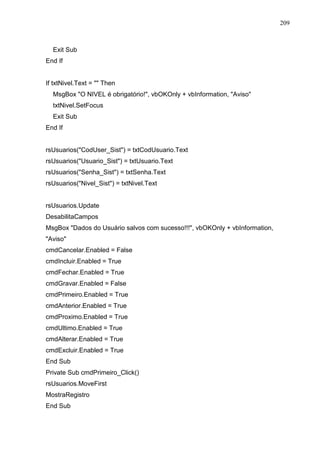
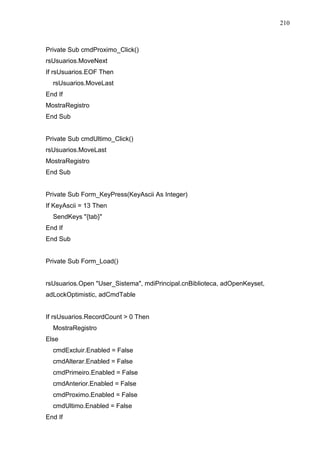
End Sub 
Private Sub txtNome_KeyPress(KeyAscii As Integer) 
KeyAscii = Asc(UCase(Chr(KeyAscii))) 
If InStr(0123456789|;,.?/[{}]+=§-_)(*%$#@!*, Chr(KeyAscii))  0 Then 
KeyAscii = 0 
End If 
End Sub 
Private Sub txtRamal_KeyPress(KeyAscii As Integer) 
If (KeyAscii  Asc(0) Or KeyAscii  Asc(9) And KeyAscii  8) Then 
KeyAscii = 0 
End If 
End Sub 
Private Sub txtRenda_KeyPress(KeyAscii As Integer) 
If (KeyAscii  Asc(0) Or KeyAscii  Asc(9) And KeyAscii  8) Then 
KeyAscii = 0 
End If
40 
End Sub 
Private Sub txtRenda_LostFocus() 
txtRenda.Text = Format(txtRenda.Text, Currency) 
End Sub 
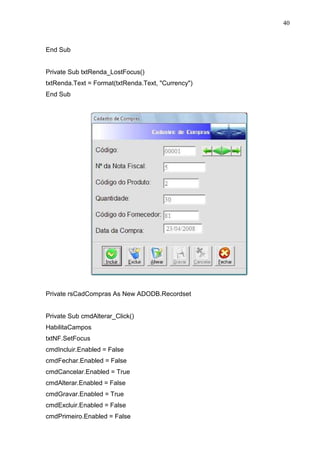
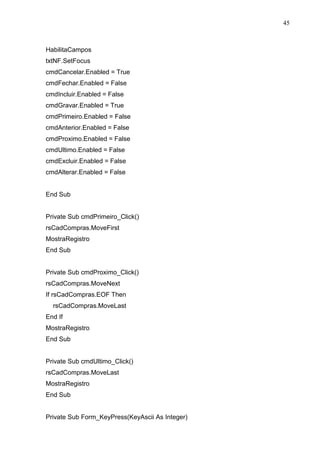
Private rsCadCompras As New ADODB.Recordset 
Private Sub cmdAlterar_Click() 
HabilitaCampos 
txtNF.SetFocus 
cmdIncluir.Enabled = False 
cmdFechar.Enabled = False 
cmdCancelar.Enabled = True 
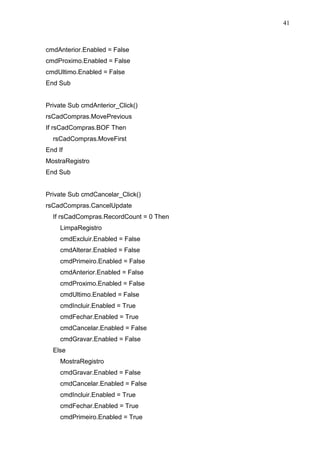
cmdAlterar.Enabled = False 
cmdGravar.Enabled = True 
cmdExcluir.Enabled = False 
cmdPrimeiro.Enabled = False
41 
cmdAnterior.Enabled = False 
cmdProximo.Enabled = False 
cmdUltimo.Enabled = False 
End Sub 
Private Sub cmdAnterior_Click() 
rsCadCompras.MovePrevious 
If rsCadCompras.BOF Then 
rsCadCompras.MoveFirst 
End If 
MostraRegistro 
End Sub 
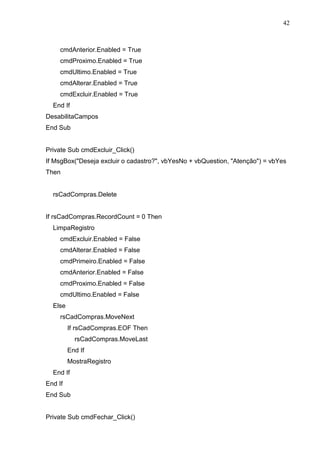
Private Sub cmdCancelar_Click() 
rsCadCompras.CancelUpdate 
If rsCadCompras.RecordCount = 0 Then 
LimpaRegistro 
cmdExcluir.Enabled = False 
cmdAlterar.Enabled = False 
cmdPrimeiro.Enabled = False 
cmdAnterior.Enabled = False 
cmdProximo.Enabled = False 
cmdUltimo.Enabled = False 
cmdIncluir.Enabled = True 
cmdFechar.Enabled = True 
cmdCancelar.Enabled = False 
cmdGravar.Enabled = False 
Else 
MostraRegistro 
cmdGravar.Enabled = False 
cmdCancelar.Enabled = False 
cmdIncluir.Enabled = True 
cmdFechar.Enabled = True 
cmdPrimeiro.Enabled = True
42 
cmdAnterior.Enabled = True 
cmdProximo.Enabled = True 
cmdUltimo.Enabled = True 
cmdAlterar.Enabled = True 
cmdExcluir.Enabled = True 
End If 
DesabilitaCampos 
End Sub 
Private Sub cmdExcluir_Click() 
If MsgBox(Deseja excluir o cadastro?, vbYesNo + vbQuestion, Atenção) = vbYes 
Then 
rsCadCompras.Delete 
If rsCadCompras.RecordCount = 0 Then 
LimpaRegistro 
cmdExcluir.Enabled = False 
cmdAlterar.Enabled = False 
cmdPrimeiro.Enabled = False 
cmdAnterior.Enabled = False 
cmdProximo.Enabled = False 
cmdUltimo.Enabled = False 
Else 
rsCadCompras.MoveNext 
If rsCadCompras.EOF Then 
rsCadCompras.MoveLast 
End If 
MostraRegistro 
End If 
End If 
End Sub 
Private Sub cmdFechar_Click()
43 
Unload Me 
End Sub 
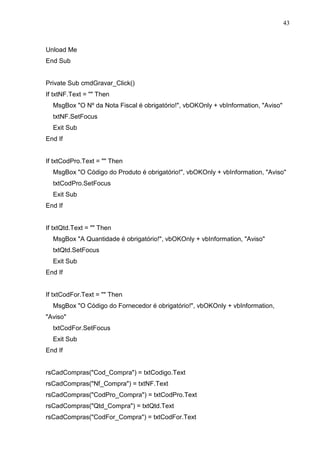
Private Sub cmdGravar_Click() 
If txtNF.Text =  Then 
MsgBox O Nº da Nota Fiscal é obrigatório!, vbOKOnly + vbInformation, Aviso 
txtNF.SetFocus 
Exit Sub 
End If 
If txtCodPro.Text =  Then 
MsgBox O Código do Produto é obrigatório!, vbOKOnly + vbInformation, Aviso 
txtCodPro.SetFocus 
Exit Sub 
End If 
If txtQtd.Text =  Then 
MsgBox A Quantidade é obrigatório!, vbOKOnly + vbInformation, Aviso 
txtQtd.SetFocus 
Exit Sub 
End If 
If txtCodFor.Text =  Then 
MsgBox O Código do Fornecedor é obrigatório!, vbOKOnly + vbInformation, 
Aviso 
txtCodFor.SetFocus 
Exit Sub 
End If 
rsCadCompras(Cod_Compra) = txtCodigo.Text 
rsCadCompras(Nf_Compra) = txtNF.Text 
rsCadCompras(CodPro_Compra) = txtCodPro.Text 
rsCadCompras(Qtd_Compra) = txtQtd.Text 
rsCadCompras(CodFor_Compra) = txtCodFor.Text
44 
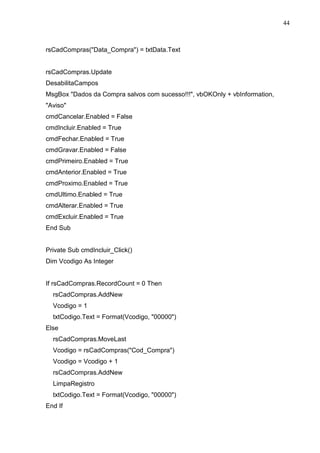
rsCadCompras(Data_Compra) = txtData.Text 
rsCadCompras.Update 
DesabilitaCampos 
MsgBox Dados da Compra salvos com sucesso!!!, vbOKOnly + vbInformation, 
Aviso 
cmdCancelar.Enabled = False 
cmdIncluir.Enabled = True 
cmdFechar.Enabled = True 
cmdGravar.Enabled = False 
cmdPrimeiro.Enabled = True 
cmdAnterior.Enabled = True 
cmdProximo.Enabled = True 
cmdUltimo.Enabled = True 
cmdAlterar.Enabled = True 
cmdExcluir.Enabled = True 
End Sub 
Private Sub cmdIncluir_Click() 
Dim Vcodigo As Integer 
If rsCadCompras.RecordCount = 0 Then 
rsCadCompras.AddNew 
Vcodigo = 1 
txtCodigo.Text = Format(Vcodigo, 00000) 
Else 
rsCadCompras.MoveLast 
Vcodigo = rsCadCompras(Cod_Compra) 
Vcodigo = Vcodigo + 1 
rsCadCompras.AddNew 
LimpaRegistro 
txtCodigo.Text = Format(Vcodigo, 00000) 
End If
45 
HabilitaCampos 
txtNF.SetFocus 
cmdCancelar.Enabled = True 
cmdFechar.Enabled = False 
cmdIncluir.Enabled = False 
cmdGravar.Enabled = True 
cmdPrimeiro.Enabled = False 
cmdAnterior.Enabled = False 
cmdProximo.Enabled = False 
cmdUltimo.Enabled = False 
cmdExcluir.Enabled = False 
cmdAlterar.Enabled = False 
End Sub 
Private Sub cmdPrimeiro_Click() 
rsCadCompras.MoveFirst 
MostraRegistro 
End Sub 
Private Sub cmdProximo_Click() 
rsCadCompras.MoveNext 
If rsCadCompras.EOF Then 
rsCadCompras.MoveLast 
End If 
MostraRegistro 
End Sub 
Private Sub cmdUltimo_Click() 
rsCadCompras.MoveLast 
MostraRegistro 
End Sub 
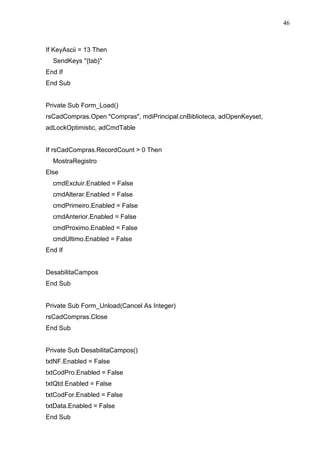
Private Sub Form_KeyPress(KeyAscii As Integer)
46 
If KeyAscii = 13 Then 
SendKeys {tab} 
End If 
End Sub 
Private Sub Form_Load() 
rsCadCompras.Open Compras, mdiPrincipal.cnBiblioteca, adOpenKeyset, 
adLockOptimistic, adCmdTable 
If rsCadCompras.RecordCount  0 Then 
MostraRegistro 
Else 
cmdExcluir.Enabled = False 
cmdAlterar.Enabled = False 
cmdPrimeiro.Enabled = False 
cmdAnterior.Enabled = False 
cmdProximo.Enabled = False 
cmdUltimo.Enabled = False 
End If 
DesabilitaCampos 
End Sub 
Private Sub Form_Unload(Cancel As Integer) 
rsCadCompras.Close 
End Sub 
Private Sub DesabilitaCampos() 
txtNF.Enabled = False 
txtCodPro.Enabled = False 
txtQtd.Enabled = False 
txtCodFor.Enabled = False 
txtData.Enabled = False 
End Sub
47 
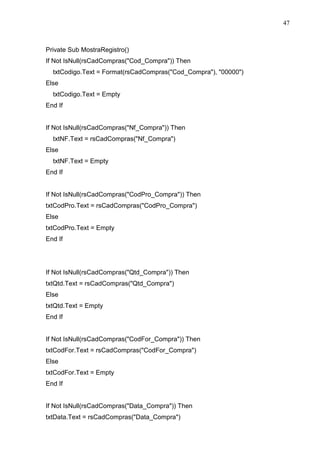
Private Sub MostraRegistro() 
If Not IsNull(rsCadCompras(Cod_Compra)) Then 
txtCodigo.Text = Format(rsCadCompras(Cod_Compra), 00000) 
Else 
txtCodigo.Text = Empty 
End If 
If Not IsNull(rsCadCompras(Nf_Compra)) Then 
txtNF.Text = rsCadCompras(Nf_Compra) 
Else 
txtNF.Text = Empty 
End If 
If Not IsNull(rsCadCompras(CodPro_Compra)) Then 
txtCodPro.Text = rsCadCompras(CodPro_Compra) 
Else 
txtCodPro.Text = Empty 
End If 
If Not IsNull(rsCadCompras(Qtd_Compra)) Then 
txtQtd.Text = rsCadCompras(Qtd_Compra) 
Else 
txtQtd.Text = Empty 
End If 
If Not IsNull(rsCadCompras(CodFor_Compra)) Then 
txtCodFor.Text = rsCadCompras(CodFor_Compra) 
Else 
txtCodFor.Text = Empty 
End If 
If Not IsNull(rsCadCompras(Data_Compra)) Then 
txtData.Text = rsCadCompras(Data_Compra)
48 
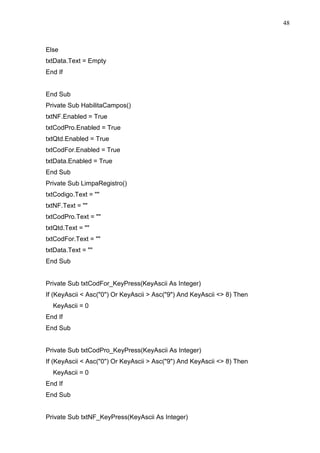
Else 
txtData.Text = Empty 
End If 
End Sub 
Private Sub HabilitaCampos() 
txtNF.Enabled = True 
txtCodPro.Enabled = True 
txtQtd.Enabled = True 
txtCodFor.Enabled = True 
txtData.Enabled = True 
End Sub 
Private Sub LimpaRegistro() 
txtCodigo.Text =  
txtNF.Text =  
txtCodPro.Text =  
txtQtd.Text =  
txtCodFor.Text =  
txtData.Text =  
End Sub 
Private Sub txtCodFor_KeyPress(KeyAscii As Integer) 
If (KeyAscii  Asc(0) Or KeyAscii  Asc(9) And KeyAscii  8) Then 
KeyAscii = 0 
End If 
End Sub 
Private Sub txtCodPro_KeyPress(KeyAscii As Integer) 
If (KeyAscii  Asc(0) Or KeyAscii  Asc(9) And KeyAscii  8) Then 
KeyAscii = 0 
End If 
End Sub 
Private Sub txtNF_KeyPress(KeyAscii As Integer)
49 
If (KeyAscii  Asc(0) Or KeyAscii  Asc(9) And KeyAscii  8) Then 
KeyAscii = 0 
End If 
End Sub 
Private Sub txtQtd_KeyPress(KeyAscii As Integer) 
If (KeyAscii  Asc(0) Or KeyAscii  Asc(9) And KeyAscii  8) Then 
KeyAscii = 0 
End If 
End Sub
50 
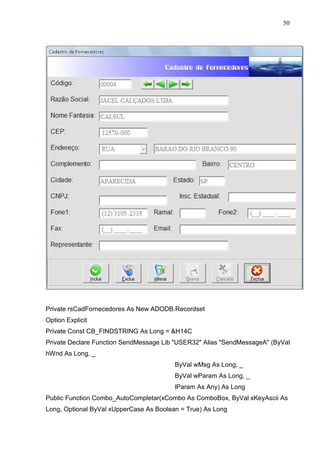
Private rsCadFornecedores As New ADODB.Recordset 
Option Explicit 
Private Const CB_FINDSTRING As Long = H14C 
Private Declare Function SendMessage Lib USER32 Alias SendMessageA (ByVal 
hWnd As Long, _ 
ByVal wMsg As Long, _ 
ByVal wParam As Long, _ 
lParam As Any) As Long 
Public Function Combo_AutoCompletar(xCombo As ComboBox, ByVal xKeyAscii As 
Long, Optional ByVal xUpperCase As Boolean = True) As Long
51 
Dim lngFind As Long, intPos As Long, intLength As Long, tStr As String 
With xCombo 
If xKeyAscii = 8 Then 
If .SelStart = 0 Then Exit Function 
.SelStart = .SelStart - 1 
.SelLength = Len(.Text) 
.SelText = vbNullString 
Else 
intPos = .SelStart 
tStr = .Text 
.SelText = (Chr$(xKeyAscii)) 
' .SelText = IIf(xUpperCase, _ 
' UCase$(Chr$(xKeyAscii)), _ 
' LCase$(Chr$(xKeyAscii))) 
End If 
lngFind = SendMessage(.hWnd, CB_FINDSTRING, 0, ByVal .Text) 
If lngFind = -1 Then 
.Text = tStr 
.SelStart = intPos 
.SelLength = (Len(.Text) - intPos) 
Combo_AutoCompletar = xKeyAscii 
Else 
intPos = .SelStart 
intLength = Len(.List(lngFind)) - Len(.Text) 
.SelText = .SelText  Right$(.List(lngFind), intLength) 
.SelStart = intPos 
.SelLength = intLength 
End If 
End With 
End Function 
Private Sub cmbLogradouro_KeyPress(KeyAscii As Integer) 
KeyAscii = Asc(UCase(Chr(KeyAscii)))
52 
KeyAscii = Combo_AutoCompletar(cmbLogradouro, KeyAscii) 
End Sub 
Private Sub cmdAlterar_Click() 
HabilitaCampos 
txtRazao.SetFocus 
cmdIncluir.Enabled = False 
cmdFechar.Enabled = False 
cmdCancelar.Enabled = True 
cmdAlterar.Enabled = False 
cmdGravar.Enabled = True 
cmdExcluir.Enabled = False 
cmdPrimeiro.Enabled = False 
cmdAnterior.Enabled = False 
cmdProximo.Enabled = False 
cmdUltimo.Enabled = False 
End Sub 
Private Sub cmdAnterior_Click() 
rsCadFornecedores.MovePrevious 
If rsCadFornecedores.BOF Then 
rsCadFornecedores.MoveFirst 
End If 
MostraRegistro 
End Sub 
Private Sub cmdCancelar_Click() 
rsCadFornecedores.CancelUpdate 
If rsCadFornecedores.RecordCount = 0 Then 
LimpaRegistro 
cmdExcluir.Enabled = False 
cmdAlterar.Enabled = False 
cmdPrimeiro.Enabled = False 
cmdAnterior.Enabled = False
53 
cmdProximo.Enabled = False 
cmdUltimo.Enabled = False 
cmdIncluir.Enabled = True 
cmdFechar.Enabled = True 
cmdCancelar.Enabled = False 
cmdGravar.Enabled = False 
Else 
MostraRegistro 
cmdGravar.Enabled = False 
cmdCancelar.Enabled = False 
cmdIncluir.Enabled = True 
cmdFechar.Enabled = True 
cmdPrimeiro.Enabled = True 
cmdAnterior.Enabled = True 
cmdProximo.Enabled = True 
cmdUltimo.Enabled = True 
cmdAlterar.Enabled = True 
cmdExcluir.Enabled = True 
End If 
DesabilitaCampos 
End Sub 
Private Sub cmdExcluir_Click() 
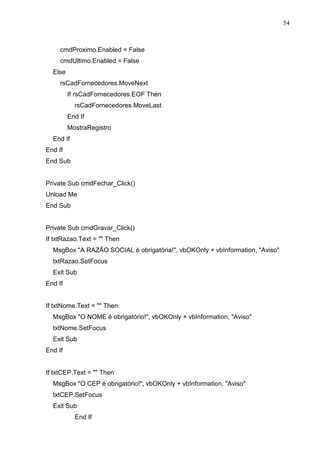
If MsgBox(Deseja excluir o cadastro?, vbYesNo + vbQuestion, Atenção) = vbYes 
Then 
rsCadFornecedores.Delete 
If rsCadFornecedores.RecordCount = 0 Then 
LimpaRegistro 
cmdExcluir.Enabled = False 
cmdAlterar.Enabled = False 
cmdPrimeiro.Enabled = False 
cmdAnterior.Enabled = False
54 
cmdProximo.Enabled = False 
cmdUltimo.Enabled = False 
Else 
rsCadFornecedores.MoveNext 
If rsCadFornecedores.EOF Then 
rsCadFornecedores.MoveLast 
End If 
MostraRegistro 
End If 
End If 
End Sub 
Private Sub cmdFechar_Click() 
Unload Me 
End Sub 
Private Sub cmdGravar_Click() 
If txtRazao.Text =  Then 
MsgBox A RAZÃO SOCIAL é obrigatória!, vbOKOnly + vbInformation, Aviso 
txtRazao.SetFocus 
Exit Sub 
End If 
If txtNome.Text =  Then 
MsgBox O NOME é obrigatório!, vbOKOnly + vbInformation, Aviso 
txtNome.SetFocus 
Exit Sub 
End If 
If txtCEP.Text =  Then 
MsgBox O CEP é obrigatório!, vbOKOnly + vbInformation, Aviso 
txtCEP.SetFocus 
Exit Sub 
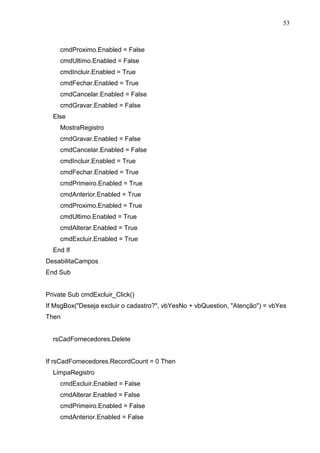
End If
55 
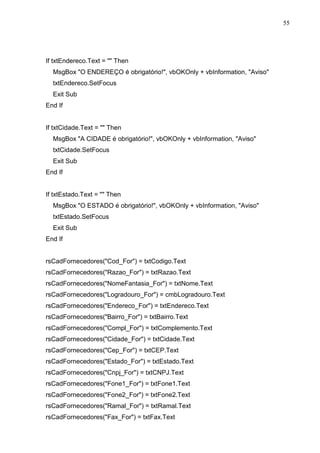
If txtEndereco.Text =  Then 
MsgBox O ENDEREÇO é obrigatório!, vbOKOnly + vbInformation, Aviso 
txtEndereco.SetFocus 
Exit Sub 
End If 
If txtCidade.Text =  Then 
MsgBox A CIDADE é obrigatório!, vbOKOnly + vbInformation, Aviso 
txtCidade.SetFocus 
Exit Sub 
End If 
If txtEstado.Text =  Then 
MsgBox O ESTADO é obrigatório!, vbOKOnly + vbInformation, Aviso 
txtEstado.SetFocus 
Exit Sub 
End If 
rsCadFornecedores(Cod_For) = txtCodigo.Text 
rsCadFornecedores(Razao_For) = txtRazao.Text 
rsCadFornecedores(NomeFantasia_For) = txtNome.Text 
rsCadFornecedores(Logradouro_For) = cmbLogradouro.Text 
rsCadFornecedores(Endereco_For) = txtEndereco.Text 
rsCadFornecedores(Bairro_For) = txtBairro.Text 
rsCadFornecedores(Compl_For) = txtComplemento.Text 
rsCadFornecedores(Cidade_For) = txtCidade.Text 
rsCadFornecedores(Cep_For) = txtCEP.Text 
rsCadFornecedores(Estado_For) = txtEstado.Text 
rsCadFornecedores(Cnpj_For) = txtCNPJ.Text 
rsCadFornecedores(Fone1_For) = txtFone1.Text 
rsCadFornecedores(Fone2_For) = txtFone2.Text 
rsCadFornecedores(Ramal_For) = txtRamal.Text 
rsCadFornecedores(Fax_For) = txtFax.Text
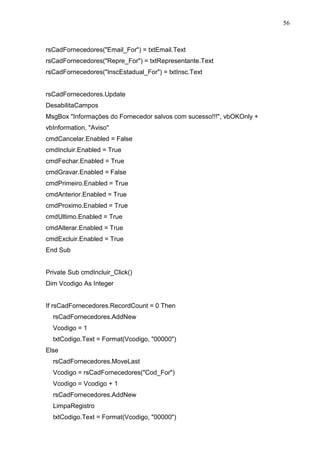
56 
rsCadFornecedores(Email_For) = txtEmail.Text 
rsCadFornecedores(Repre_For) = txtRepresentante.Text 
rsCadFornecedores(InscEstadual_For) = txtInsc.Text 
rsCadFornecedores.Update 
DesabilitaCampos 
MsgBox Informações do Fornecedor salvos com sucesso!!!, vbOKOnly + 
vbInformation, Aviso 
cmdCancelar.Enabled = False 
cmdIncluir.Enabled = True 
cmdFechar.Enabled = True 
cmdGravar.Enabled = False 
cmdPrimeiro.Enabled = True 
cmdAnterior.Enabled = True 
cmdProximo.Enabled = True 
cmdUltimo.Enabled = True 
cmdAlterar.Enabled = True 
cmdExcluir.Enabled = True 
End Sub 
Private Sub cmdIncluir_Click() 
Dim Vcodigo As Integer 
If rsCadFornecedores.RecordCount = 0 Then 
rsCadFornecedores.AddNew 
Vcodigo = 1 
txtCodigo.Text = Format(Vcodigo, 00000) 
Else 
rsCadFornecedores.MoveLast 
Vcodigo = rsCadFornecedores(Cod_For) 
Vcodigo = Vcodigo + 1 
rsCadFornecedores.AddNew 
LimpaRegistro 
txtCodigo.Text = Format(Vcodigo, 00000)
57 
End If 
HabilitaCampos 
txtRazao.SetFocus 
cmdCancelar.Enabled = True 
cmdFechar.Enabled = False 
cmdIncluir.Enabled = False 
cmdGravar.Enabled = True 
cmdPrimeiro.Enabled = False 
cmdAnterior.Enabled = False 
cmdProximo.Enabled = False 
cmdUltimo.Enabled = False 
cmdExcluir.Enabled = False 
cmdAlterar.Enabled = False 
End Sub 
Private Sub cmdPrimeiro_Click() 
rsCadFornecedores.MoveFirst 
MostraRegistro 
End Sub 
Private Sub cmdProximo_Click() 
rsCadFornecedores.MoveNext 
If rsCadFornecedores.EOF Then 
rsCadFornecedores.MoveLast 
End If 
MostraRegistro 
End Sub 
Private Sub cmdUltimo_Click() 
rsCadFornecedores.MoveLast 
MostraRegistro 
End Sub
58 
Private Sub Form_KeyPress(KeyAscii As Integer) 
If KeyAscii = 13 Then 
SendKeys {tab} 
End If 
End Sub 
Private Sub Form_Load() 
rsCadFornecedores.Open Fornecedores, mdiPrincipal.cnBiblioteca, adOpenKeyset, 
adLockOptimistic, adCmdTable 
If rsCadFornecedores.RecordCount  0 Then 
MostraRegistro 
Else 
cmdExcluir.Enabled = False 
cmdAlterar.Enabled = False 
cmdPrimeiro.Enabled = False 
cmdAnterior.Enabled = False 
cmdProximo.Enabled = False 
cmdUltimo.Enabled = False 
End If 
DesabilitaCampos 
End Sub 
Private Sub Form_Unload(Cancel As Integer) 
rsCadFornecedores.Close 
End Sub 
Private Sub txtCNPJ_KeyPress(KeyAscii As Integer) 
If (KeyAscii  Asc(0) Or KeyAscii  Asc(9) And KeyAscii  8) Then 
KeyAscii = 0 
End If 
End Sub
59 
Private Sub txtEmail_KeyPress(KeyAscii As Integer) 
KeyAscii = Asc(LCase(Chr(KeyAscii))) 
End Sub 
Private Sub DesabilitaCampos() 
txtRazao.Enabled = False 
txtNome.Enabled = False 
cmbLogradouro.Enabled = False 
txtCEP.Enabled = False 
txtEndereco.Enabled = False 
txtBairro.Enabled = False 
txtCidade.Enabled = False 
txtEstado.Enabled = False 
txtFone1.Enabled = False 
txtFone2.Enabled = False 
txtRamal.Enabled = False 
txtFax.Enabled = False 
txtRepresentante.Enabled = False 
txtInsc.Enabled = False 
txtEmail.Enabled = False 
txtCNPJ.Enabled = False 
txtComplemento.Enabled = False 
End Sub 
Private Sub MostraRegistro() 
If Not IsNull(rsCadFornecedores(Cod_For)) Then 
txtCodigo.Text = Format(rsCadFornecedores(Cod_For), 00000) 
Else 
txtCodigo.Text = Empty 
End If 
If Not IsNull(rsCadFornecedores(Razao_For)) Then 
txtRazao.Text = rsCadFornecedores(Razao_For) 
Else
60 
txtRazao.Text = Empty 
End If 
If Not IsNull(rsCadFornecedores(NomeFantasia_For)) Then 
txtNome.Text = rsCadFornecedores(NomeFantasia_For) 
Else 
txtNome.Text = Empty 
End If 
If Not IsNull(rsCadFornecedores(Logradouro_For)) Then 
cmbLogradouro.Text = rsCadFornecedores(Logradouro_For) 
Else 
cmbLogradouro.Text = Empty 
End If 
If Not IsNull(rsCadFornecedores(Endereco_For)) Then 
txtEndereco.Text = rsCadFornecedores(Endereco_For) 
Else 
txtEndereco.Text = Empty 
End If 
If Not IsNull(rsCadFornecedores(Bairro_For)) Then 
txtBairro.Text = rsCadFornecedores(Bairro_For) 
Else 
txtBairro.Text = Empty 
End If 
If Not IsNull(rsCadFornecedores(Compl_For)) Then 
txtComplemento.Text = rsCadFornecedores(Compl_For) 
Else 
txtComplemento.Text = Empty 
End If
61 
If Not IsNull(rsCadFornecedores(Cidade_For)) Then 
txtCidade.Text = rsCadFornecedores(Cidade_For) 
Else 
txtCidade.Text = Empty 
End If 
If Not IsNull(rsCadFornecedores(Cep_For)) Then 
txtCEP.Text = rsCadFornecedores(Cep_For) 
Else 
txtCEP.Text = Empty 
End If 
If Not IsNull(rsCadFornecedores(Estado_For)) Then 
txtEstado.Text = rsCadFornecedores(Estado_For) 
Else 
txtEstado.Text = Empty 
End If 
If Not IsNull(rsCadFornecedores(Fax_For)) Then 
txtFax.Text = rsCadFornecedores(Fax_For) 
Else 
txtFax.Text = Empty 
End If 
If Not IsNull(rsCadFornecedores(Repre_For)) Then 
txtRepresentante.Text = rsCadFornecedores(Repre_For) 
Else 
txtRepresentante.Text = Empty 
End If 
If Not IsNull(rsCadFornecedores(Cnpj_For)) Then 
txtCNPJ.Text = rsCadFornecedores(Cnpj_For) 
Else 
txtCNPJ.Text = Empty
62 
End If 
If Not IsNull(rsCadFornecedores(Fone1_For)) Then 
txtFone1.Text = rsCadFornecedores(Fone1_For) 
Else 
txtFone1.Text = Empty 
End If 
If Not IsNull(rsCadFornecedores(Fone2_For)) Then 
txtFone2.Text = rsCadFornecedores(Fone2_For) 
Else 
txtFone2.Text = Empty 
End If 
If Not IsNull(rsCadFornecedores(Ramal_For)) Then 
txtRamal.Text = rsCadFornecedores(Ramal_For) 
Else 
txtRamal.Text = Empty 
End If 
If Not IsNull(rsCadFornecedores(InscEstadual_For)) Then 
txtInsc.Text = rsCadFornecedores(InscEstadual_For) 
Else 
txtInsc.Text = Empty 
End If 
If Not IsNull(rsCadFornecedores(Email_For)) Then 
txtEmail.Text = rsCadFornecedores(Email_For) 
Else 
txtEmail.Text = Empty 
End If 
End Sub 
Private Sub HabilitaCampos() 
txtRazao.Enabled = True
63 
txtNome.Enabled = True 
cmbLogradouro.Enabled = True 
txtCEP.Enabled = True 
txtEndereco.Enabled = True 
txtBairro.Enabled = True 
txtCidade.Enabled = True 
txtEstado.Enabled = True 
txtFone1.Enabled = True 
txtFone2.Enabled = True 
txtRamal.Enabled = True 
txtFax.Enabled = True 
txtRepresentante.Enabled = True 
txtInsc.Enabled = True 
txtEmail.Enabled = True 
txtCNPJ.Enabled = True 
txtComplemento.Enabled = True 
End Sub 
Private Sub LimpaRegistro() 
txtCodigo.Text =  
txtRazao.Text =  
txtNome.Text =  
cmbLogradouro.Text =  
txtCEP.Text =  
txtEndereco.Text =  
txtBairro.Text =  
txtCidade.Text =  
txtEstado.Text =  
txtFone1.Text =  
txtFone2.Text =  
txtRamal.Text =  
txtFax.Text =  
txtRepresentante.Text =  
txtInsc.Text =  
txtEmail.Text =
64 
txtCNPJ.Text =  
txtComplemento.Text =  
End Sub 
Private Sub txtBairro_KeyPress(KeyAscii As Integer) 
KeyAscii = Asc(UCase(Chr(KeyAscii))) 
End Sub 
Private Sub txtCidade_KeyPress(KeyAscii As Integer) 
KeyAscii = Asc(UCase(Chr(KeyAscii))) 
End Sub 
Private Sub txtComplemento_KeyPress(KeyAscii As Integer) 
KeyAscii = Asc(UCase(Chr(KeyAscii))) 
End Sub 
Private Sub txtEndereco_KeyPress(KeyAscii As Integer) 
KeyAscii = Asc(UCase(Chr(KeyAscii))) 
End Sub 
Private Sub txtEstado_KeyPress(KeyAscii As Integer) 
If InStr(0123456789|;,.?/[{}]+=§-_)(*%$#@!*, Chr(KeyAscii))  0 Then 
KeyAscii = 0 
End If 
KeyAscii = Asc(UCase(Chr(KeyAscii))) 
End Sub 
Private Sub txtInsc_KeyPress(KeyAscii As Integer) 
If (KeyAscii  Asc(0) Or KeyAscii  Asc(9) And KeyAscii  8) Then 
KeyAscii = 0 
End If 
End Sub
65 
Private Sub txtNome_KeyPress(KeyAscii As Integer) 
KeyAscii = Asc(UCase(Chr(KeyAscii))) 
End Sub 
Private Sub txtRamal_KeyPress(KeyAscii As Integer) 
If (KeyAscii  Asc(0) Or KeyAscii  Asc(9) And KeyAscii  8) Then 
KeyAscii = 0 
End If 
End Sub 
Private Sub txtRazao_KeyPress(KeyAscii As Integer) 
If InStr(0123456789|;,.?/[{}]+=§-_)(*%$#@!*, Chr(KeyAscii))  0 Then 
KeyAscii = 0 
End If 
KeyAscii = Asc(UCase(Chr(KeyAscii))) 
End Sub 
Private Sub txtRepresentante_KeyPress(KeyAscii As Integer) 
If InStr(0123456789|;,.?/[{}]+=§-_)(*%$#@!*, Chr(KeyAscii))  0 Then 
KeyAscii = 0 
End If 
KeyAscii = Asc(UCase(Chr(KeyAscii))) 
End Sub
66 
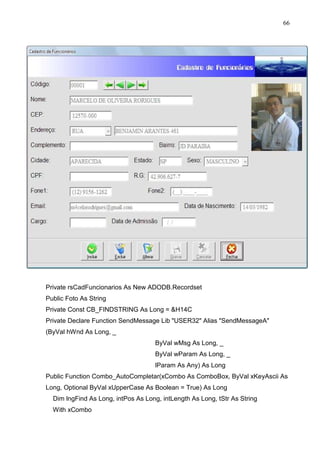
Private rsCadFuncionarios As New ADODB.Recordset 
Public Foto As String 
Private Const CB_FINDSTRING As Long = H14C 
Private Declare Function SendMessage Lib USER32 Alias SendMessageA 
(ByVal hWnd As Long, _ 
ByVal wMsg As Long, _ 
ByVal wParam As Long, _ 
lParam As Any) As Long 
Public Function Combo_AutoCompletar(xCombo As ComboBox, ByVal xKeyAscii As 
Long, Optional ByVal xUpperCase As Boolean = True) As Long 
Dim lngFind As Long, intPos As Long, intLength As Long, tStr As String 
With xCombo
67 
If xKeyAscii = 8 Then 
If .SelStart = 0 Then Exit Function 
.SelStart = .SelStart - 1 
.SelLength = Len(.Text) 
.SelText = vbNullString 
Else 
intPos = .SelStart 
tStr = .Text 
.SelText = (Chr$(xKeyAscii)) 
' .SelText = IIf(xUpperCase, _ 
' UCase$(Chr$(xKeyAscii)), _ 
' LCase$(Chr$(xKeyAscii))) 
End If 
lngFind = SendMessage(.hWnd, CB_FINDSTRING, 0, ByVal .Text) 
If lngFind = -1 Then 
.Text = tStr 
.SelStart = intPos 
.SelLength = (Len(.Text) - intPos) 
Combo_AutoCompletar = xKeyAscii 
Else 
intPos = .SelStart 
intLength = Len(.List(lngFind)) - Len(.Text) 
.SelText = .SelText  Right$(.List(lngFind), intLength) 
.SelStart = intPos 
.SelLength = intLength 
End If 
End With 
End Function 
Private Sub cmbLogradouro_KeyPress(KeyAscii As Integer) 
KeyAscii = Asc(UCase(Chr(KeyAscii))) 
KeyAscii = Combo_AutoCompletar(cmbLogradouro, KeyAscii) 
End Sub
68 
Private Sub cmbSexo_KeyPress(KeyAscii As Integer) 
KeyAscii = Asc(UCase(Chr(KeyAscii))) 
KeyAscii = Combo_AutoCompletar(cmbSexo, KeyAscii) 
End Sub 
Private Sub cmdAlterar_Click() 
HabilitaCampos 
txtNome.SetFocus 
cmdIncluir.Enabled = False 
cmdFechar.Enabled = False 
cmdCancelar.Enabled = True 
cmdAlterar.Enabled = False 
cmdGravar.Enabled = True 
cmdExcluir.Enabled = False 
cmdPrimeiro.Enabled = False 
cmdAnterior.Enabled = False 
cmdProximo.Enabled = False 
cmdUltimo.Enabled = False 
cmdIncluirFoto.Visible = True 
End Sub 
Private Sub cmdAnterior_Click() 
rsCadFuncionarios.MovePrevious 
If rsCadFuncionarios.BOF Then 
rsCadFuncionarios.MoveFirst 
End If 
MostraRegistro 
End Sub 
Private Sub cmdCancelar_Click() 
rsCadFuncionarios.CancelUpdate 
If rsCadFuncionarios.RecordCount = 0 Then 
LimpaRegistro
69 
cmdExcluir.Enabled = False 
cmdAlterar.Enabled = False 
cmdPrimeiro.Enabled = False 
cmdAnterior.Enabled = False 
cmdProximo.Enabled = False 
cmdUltimo.Enabled = False 
cmdIncluir.Enabled = True 
cmdFechar.Enabled = True 
cmdCancelar.Enabled = False 
cmdGravar.Enabled = False 
cmdIncluirFoto.Visible = False 
Else 
MostraRegistro 
cmdGravar.Enabled = False 
cmdCancelar.Enabled = False 
cmdIncluir.Enabled = True 
cmdFechar.Enabled = True 
cmdPrimeiro.Enabled = True 
cmdAnterior.Enabled = True 
cmdProximo.Enabled = True 
cmdUltimo.Enabled = True 
cmdAlterar.Enabled = True 
cmdExcluir.Enabled = True 
cmdIncluirFoto.Visible = False 
End If 
DesabilitaCampos 
End Sub 
Private Sub cmdExcluir_Click() 
If MsgBox(Deseja excluir o cadastro?, vbYesNo + vbQuestion, Atenção) = vbYes 
Then 
rsCadFuncionarios.Delete
70 
If rsCadFuncionarios.RecordCount = 0 Then 
LimpaRegistro 
cmdExcluir.Enabled = False 
cmdAlterar.Enabled = False 
cmdPrimeiro.Enabled = False 
cmdAnterior.Enabled = False 
cmdProximo.Enabled = False 
cmdUltimo.Enabled = False 
Else 
rsCadFuncionarios.MoveNext 
If rsCadFuncionarios.EOF Then 
rsCadFuncionarios.MoveLast 
End If 
MostraRegistro 
End If 
End If 
End Sub 
Private Sub cmdFechar_Click() 
Unload Me 
End Sub 
Private Sub cmdGravar_Click() 
If txtNome.Text =  Then 
MsgBox O NOME é obrigatório!, vbOKOnly + vbInformation, Aviso 
txtNome.SetFocus 
Exit Sub 
End If 
If txtCEP.Text =  Then 
MsgBox O CEP é obrigatório!, vbOKOnly + vbInformation, Aviso 
txtCEP.SetFocus 
Exit Sub 
End If
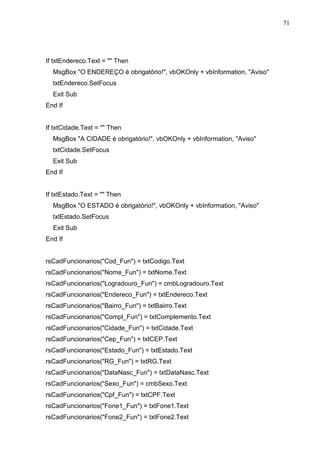
71 
If txtEndereco.Text =  Then 
MsgBox O ENDEREÇO é obrigatório!, vbOKOnly + vbInformation, Aviso 
txtEndereco.SetFocus 
Exit Sub 
End If 
If txtCidade.Text =  Then 
MsgBox A CIDADE é obrigatório!, vbOKOnly + vbInformation, Aviso 
txtCidade.SetFocus 
Exit Sub 
End If 
If txtEstado.Text =  Then 
MsgBox O ESTADO é obrigatório!, vbOKOnly + vbInformation, Aviso 
txtEstado.SetFocus 
Exit Sub 
End If 
rsCadFuncionarios(Cod_Fun) = txtCodigo.Text 
rsCadFuncionarios(Nome_Fun) = txtNome.Text 
rsCadFuncionarios(Logradouro_Fun) = cmbLogradouro.Text 
rsCadFuncionarios(Endereco_Fun) = txtEndereco.Text 
rsCadFuncionarios(Bairro_Fun) = txtBairro.Text 
rsCadFuncionarios(Compl_Fun) = txtComplemento.Text 
rsCadFuncionarios(Cidade_Fun) = txtCidade.Text 
rsCadFuncionarios(Cep_Fun) = txtCEP.Text 
rsCadFuncionarios(Estado_Fun) = txtEstado.Text 
rsCadFuncionarios(RG_Fun) = txtRG.Text 
rsCadFuncionarios(DataNasc_Fun) = txtDataNasc.Text 
rsCadFuncionarios(Sexo_Fun) = cmbSexo.Text 
rsCadFuncionarios(Cpf_Fun) = txtCPF.Text 
rsCadFuncionarios(Fone1_Fun) = txtFone1.Text 
rsCadFuncionarios(Fone2_Fun) = txtFone2.Text
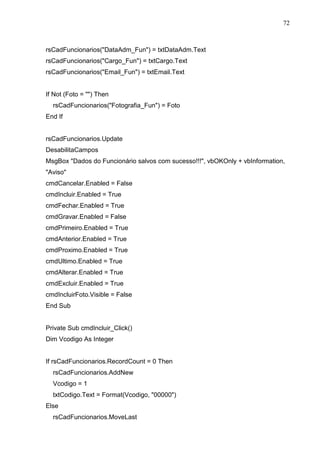
72 
rsCadFuncionarios(DataAdm_Fun) = txtDataAdm.Text 
rsCadFuncionarios(Cargo_Fun) = txtCargo.Text 
rsCadFuncionarios(Email_Fun) = txtEmail.Text 
If Not (Foto = ) Then 
rsCadFuncionarios(Fotografia_Fun) = Foto 
End If 
rsCadFuncionarios.Update 
DesabilitaCampos 
MsgBox Dados do Funcionário salvos com sucesso!!!, vbOKOnly + vbInformation, 
Aviso 
cmdCancelar.Enabled = False 
cmdIncluir.Enabled = True 
cmdFechar.Enabled = True 
cmdGravar.Enabled = False 
cmdPrimeiro.Enabled = True 
cmdAnterior.Enabled = True 
cmdProximo.Enabled = True 
cmdUltimo.Enabled = True 
cmdAlterar.Enabled = True 
cmdExcluir.Enabled = True 
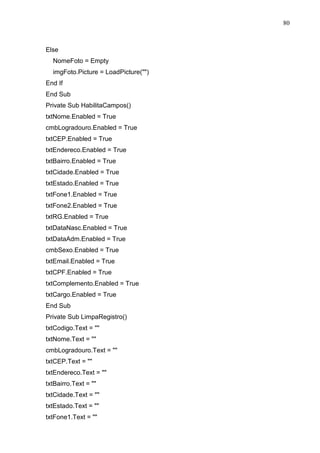
cmdIncluirFoto.Visible = False 
End Sub 
Private Sub cmdIncluir_Click() 
Dim Vcodigo As Integer 
If rsCadFuncionarios.RecordCount = 0 Then 
rsCadFuncionarios.AddNew 
Vcodigo = 1 
txtCodigo.Text = Format(Vcodigo, 00000) 
Else 
rsCadFuncionarios.MoveLast
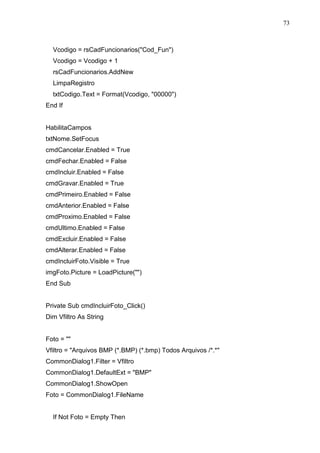
73 
Vcodigo = rsCadFuncionarios(Cod_Fun) 
Vcodigo = Vcodigo + 1 
rsCadFuncionarios.AddNew 
LimpaRegistro 
txtCodigo.Text = Format(Vcodigo, 00000) 
End If 
HabilitaCampos 
txtNome.SetFocus 
cmdCancelar.Enabled = True 
cmdFechar.Enabled = False 
cmdIncluir.Enabled = False 
cmdGravar.Enabled = True 
cmdPrimeiro.Enabled = False 
cmdAnterior.Enabled = False 
cmdProximo.Enabled = False 
cmdUltimo.Enabled = False 
cmdExcluir.Enabled = False 
cmdAlterar.Enabled = False 
cmdIncluirFoto.Visible = True 
imgFoto.Picture = LoadPicture() 
End Sub 
Private Sub cmdIncluirFoto_Click() 
Dim Vfiltro As String 
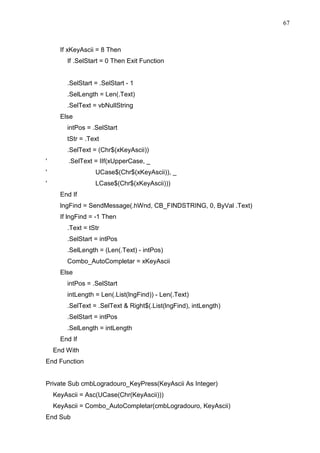
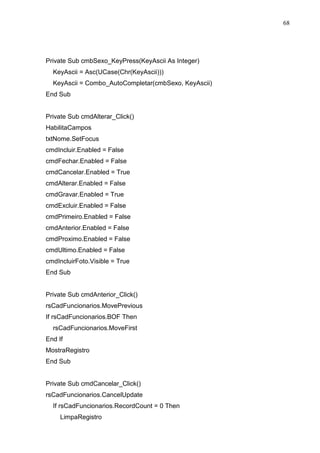
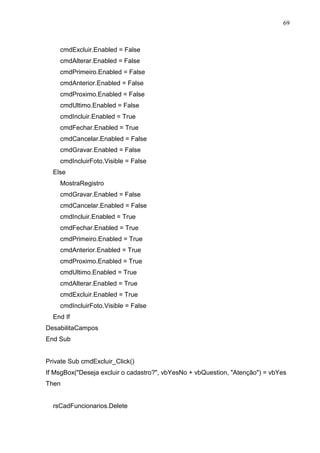
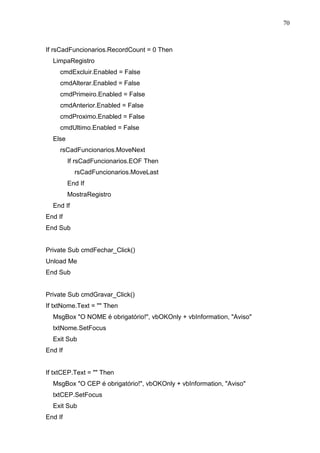
Foto =  
Vfiltro = Arquivos BMP (*.BMP) (*.bmp) Todos Arquivos /*.* 
CommonDialog1.Filter = Vfiltro 
CommonDialog1.DefaultExt = BMP 
CommonDialog1.ShowOpen 
Foto = CommonDialog1.FileName 
If Not Foto = Empty Then
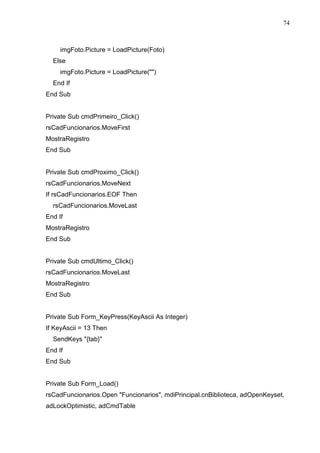
74 
imgFoto.Picture = LoadPicture(Foto) 
Else 
imgFoto.Picture = LoadPicture() 
End If 
End Sub 
Private Sub cmdPrimeiro_Click() 
rsCadFuncionarios.MoveFirst 
MostraRegistro 
End Sub 
Private Sub cmdProximo_Click() 
rsCadFuncionarios.MoveNext 
If rsCadFuncionarios.EOF Then 
rsCadFuncionarios.MoveLast 
End If 
MostraRegistro 
End Sub 
Private Sub cmdUltimo_Click() 
rsCadFuncionarios.MoveLast 
MostraRegistro 
End Sub 
Private Sub Form_KeyPress(KeyAscii As Integer) 
If KeyAscii = 13 Then 
SendKeys {tab} 
End If 
End Sub 
Private Sub Form_Load() 
rsCadFuncionarios.Open Funcionarios, mdiPrincipal.cnBiblioteca, adOpenKeyset, 
adLockOptimistic, adCmdTable
75 
If rsCadFuncionarios.RecordCount  0 Then 
MostraRegistro 
Else 
cmdExcluir.Enabled = False 
cmdAlterar.Enabled = False 
cmdPrimeiro.Enabled = False 
cmdAnterior.Enabled = False 
cmdProximo.Enabled = False 
cmdUltimo.Enabled = False 
End If 
DesabilitaCampos 
End Sub 
Private Sub Form_Unload(Cancel As Integer) 
rsCadFuncionarios.Close 
End Sub 
Private Sub txtCargo_KeyPress(KeyAscii As Integer) 
If InStr(0123456789|;,.?/[{}]+=§-_)(*%$#@!*, Chr(KeyAscii))  0 Then 
KeyAscii = 0 
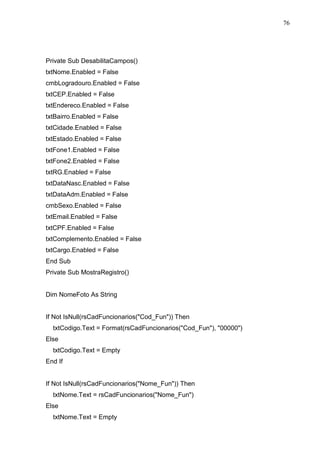
End If 
KeyAscii = Asc(UCase(Chr(KeyAscii))) 
End Sub 
Private Sub txtCPF_KeyPress(KeyAscii As Integer) 
If (KeyAscii  Asc(0) Or KeyAscii  Asc(9) And KeyAscii  8) Then 
KeyAscii = 0 
End If 
End Sub 
Private Sub txtEmail_KeyPress(KeyAscii As Integer) 
KeyAscii = Asc(LCase(Chr(KeyAscii))) 
End Sub
76 
Private Sub DesabilitaCampos() 
txtNome.Enabled = False 
cmbLogradouro.Enabled = False 
txtCEP.Enabled = False 
txtEndereco.Enabled = False 
txtBairro.Enabled = False 
txtCidade.Enabled = False 
txtEstado.Enabled = False 
txtFone1.Enabled = False 
txtFone2.Enabled = False 
txtRG.Enabled = False 
txtDataNasc.Enabled = False 
txtDataAdm.Enabled = False 
cmbSexo.Enabled = False 
txtEmail.Enabled = False 
txtCPF.Enabled = False 
txtComplemento.Enabled = False 
txtCargo.Enabled = False 
End Sub 
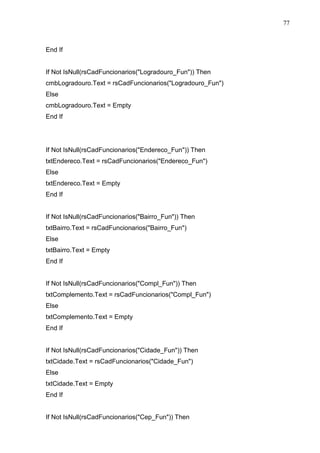
Private Sub MostraRegistro() 
Dim NomeFoto As String 
If Not IsNull(rsCadFuncionarios(Cod_Fun)) Then 
txtCodigo.Text = Format(rsCadFuncionarios(Cod_Fun), 00000) 
Else 
txtCodigo.Text = Empty 
End If 
If Not IsNull(rsCadFuncionarios(Nome_Fun)) Then 
txtNome.Text = rsCadFuncionarios(Nome_Fun) 
Else 
txtNome.Text = Empty
77 
End If 
If Not IsNull(rsCadFuncionarios(Logradouro_Fun)) Then 
cmbLogradouro.Text = rsCadFuncionarios(Logradouro_Fun) 
Else 
cmbLogradouro.Text = Empty 
End If 
If Not IsNull(rsCadFuncionarios(Endereco_Fun)) Then 
txtEndereco.Text = rsCadFuncionarios(Endereco_Fun) 
Else 
txtEndereco.Text = Empty 
End If 
If Not IsNull(rsCadFuncionarios(Bairro_Fun)) Then 
txtBairro.Text = rsCadFuncionarios(Bairro_Fun) 
Else 
txtBairro.Text = Empty 
End If 
If Not IsNull(rsCadFuncionarios(Compl_Fun)) Then 
txtComplemento.Text = rsCadFuncionarios(Compl_Fun) 
Else 
txtComplemento.Text = Empty 
End If 
If Not IsNull(rsCadFuncionarios(Cidade_Fun)) Then 
txtCidade.Text = rsCadFuncionarios(Cidade_Fun) 
Else 
txtCidade.Text = Empty 
End If 
If Not IsNull(rsCadFuncionarios(Cep_Fun)) Then
78 
txtCEP.Text = rsCadFuncionarios(Cep_Fun) 
Else 
txtCEP.Text = Empty 
End If 
If Not IsNull(rsCadFuncionarios(Estado_Fun)) Then 
txtEstado.Text = rsCadFuncionarios(Estado_Fun) 
Else 
txtEstado.Text = Empty 
End If 
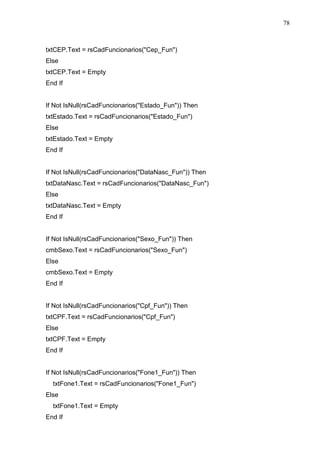
If Not IsNull(rsCadFuncionarios(DataNasc_Fun)) Then 
txtDataNasc.Text = rsCadFuncionarios(DataNasc_Fun) 
Else 
txtDataNasc.Text = Empty 
End If 
If Not IsNull(rsCadFuncionarios(Sexo_Fun)) Then 
cmbSexo.Text = rsCadFuncionarios(Sexo_Fun) 
Else 
cmbSexo.Text = Empty 
End If 
If Not IsNull(rsCadFuncionarios(Cpf_Fun)) Then 
txtCPF.Text = rsCadFuncionarios(Cpf_Fun) 
Else 
txtCPF.Text = Empty 
End If 
If Not IsNull(rsCadFuncionarios(Fone1_Fun)) Then 
txtFone1.Text = rsCadFuncionarios(Fone1_Fun) 
Else 
txtFone1.Text = Empty 
End If
79 
If Not IsNull(rsCadFuncionarios(Fone2_Fun)) Then 
txtFone2.Text = rsCadFuncionarios(Fone2_Fun) 
Else 
txtFone2.Text = Empty 
End If 
If Not IsNull(rsCadFuncionarios(Rg_Fun)) Then 
txtRG.Text = rsCadFuncionarios(Rg_Fun) 
Else 
txtRG.Text = Empty 
End If 
If Not IsNull(rsCadFuncionarios(DataAdm_Fun)) Then 
txtDataAdm.Text = rsCadFuncionarios(DataAdm_Fun) 
Else 
txtDataAdm.Text = Empty 
End If 
If Not IsNull(rsCadFuncionarios(Email_Fun)) Then 
txtEmail.Text = rsCadFuncionarios(Email_Fun) 
Else 
txtEmail.Text = Empty 
End If 
If Not IsNull(rsCadFuncionarios(Cargo_Fun)) Then 
txtCargo.Text = rsCadFuncionarios(Cargo_Fun) 
Else 
txtCargo.Text = Empty 
End If 
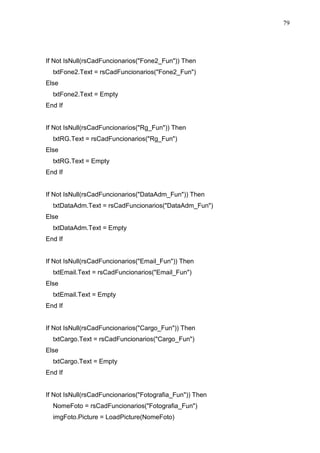
If Not IsNull(rsCadFuncionarios(Fotografia_Fun)) Then 
NomeFoto = rsCadFuncionarios(Fotografia_Fun) 
imgFoto.Picture = LoadPicture(NomeFoto)
80 
Else 
NomeFoto = Empty 
imgFoto.Picture = LoadPicture() 
End If 
End Sub 
Private Sub HabilitaCampos() 
txtNome.Enabled = True 
cmbLogradouro.Enabled = True 
txtCEP.Enabled = True 
txtEndereco.Enabled = True 
txtBairro.Enabled = True 
txtCidade.Enabled = True 
txtEstado.Enabled = True 
txtFone1.Enabled = True 
txtFone2.Enabled = True 
txtRG.Enabled = True 
txtDataNasc.Enabled = True 
txtDataAdm.Enabled = True 
cmbSexo.Enabled = True 
txtEmail.Enabled = True 
txtCPF.Enabled = True 
txtComplemento.Enabled = True 
txtCargo.Enabled = True 
End Sub 
Private Sub LimpaRegistro() 
txtCodigo.Text =  
txtNome.Text =  
cmbLogradouro.Text =  
txtCEP.Text =  
txtEndereco.Text =  
txtBairro.Text =  
txtCidade.Text =  
txtEstado.Text =  
txtFone1.Text =
81 
txtFone2.Text =  
txtRG.Text =  
txtDataNasc.Text =  
txtDataAdm.Text =  
cmbSexo.Text =  
txtEmail.Text =  
txtCPF.Text =  
txtComplemento.Text =  
txtCargo.Text =  
End Sub 
Private Sub txtBairro_KeyPress(KeyAscii As Integer) 
KeyAscii = Asc(UCase(Chr(KeyAscii))) 
End Sub 
Private Sub txtCidade_KeyPress(KeyAscii As Integer) 
KeyAscii = Asc(UCase(Chr(KeyAscii))) 
End Sub 
Private Sub txtComplemento_KeyPress(KeyAscii As Integer) 
KeyAscii = Asc(UCase(Chr(KeyAscii))) 
End Sub 
Private Sub txtEndereco_KeyPress(KeyAscii As Integer) 
KeyAscii = Asc(UCase(Chr(KeyAscii))) 
End Sub 
Private Sub txtEstado_KeyPress(KeyAscii As Integer) 
If InStr(0123456789|;,.?/[{}]+=§-_)(*%$#@!*, Chr(KeyAscii))  0 Then 
KeyAscii = 0 
End If 
KeyAscii = Asc(UCase(Chr(KeyAscii))) 
End Sub
82 
Private Sub txtNome_KeyPress(KeyAscii As Integer) 
If InStr(0123456789|;,.?/[{}]+=§-_)(*%$#@!*, Chr(KeyAscii))  0 Then 
KeyAscii = 0 
End If 
KeyAscii = Asc(UCase(Chr(KeyAscii))) 
End Sub 
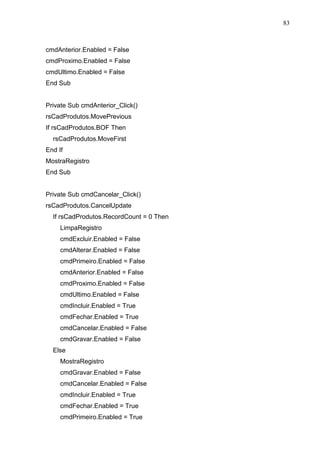
Private rsCadProdutos As New ADODB.Recordset 
Private Sub cmdAlterar_Click() 
HabilitaCampos 
txtNome.SetFocus 
cmdIncluir.Enabled = False 
cmdFechar.Enabled = False 
cmdCancelar.Enabled = True 
cmdAlterar.Enabled = False 
cmdGravar.Enabled = True 
cmdExcluir.Enabled = False 
cmdPrimeiro.Enabled = False
83 
cmdAnterior.Enabled = False 
cmdProximo.Enabled = False 
cmdUltimo.Enabled = False 
End Sub 
Private Sub cmdAnterior_Click() 
rsCadProdutos.MovePrevious 
If rsCadProdutos.BOF Then 
rsCadProdutos.MoveFirst 
End If 
MostraRegistro 
End Sub 
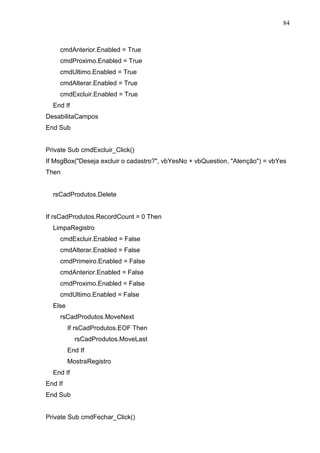
Private Sub cmdCancelar_Click() 
rsCadProdutos.CancelUpdate 
If rsCadProdutos.RecordCount = 0 Then 
LimpaRegistro 
cmdExcluir.Enabled = False 
cmdAlterar.Enabled = False 
cmdPrimeiro.Enabled = False 
cmdAnterior.Enabled = False 
cmdProximo.Enabled = False 
cmdUltimo.Enabled = False 
cmdIncluir.Enabled = True 
cmdFechar.Enabled = True 
cmdCancelar.Enabled = False 
cmdGravar.Enabled = False 
Else 
MostraRegistro 
cmdGravar.Enabled = False 
cmdCancelar.Enabled = False 
cmdIncluir.Enabled = True 
cmdFechar.Enabled = True 
cmdPrimeiro.Enabled = True
84 
cmdAnterior.Enabled = True 
cmdProximo.Enabled = True 
cmdUltimo.Enabled = True 
cmdAlterar.Enabled = True 
cmdExcluir.Enabled = True 
End If 
DesabilitaCampos 
End Sub 
Private Sub cmdExcluir_Click() 
If MsgBox(Deseja excluir o cadastro?, vbYesNo + vbQuestion, Atenção) = vbYes 
Then 
rsCadProdutos.Delete 
If rsCadProdutos.RecordCount = 0 Then 
LimpaRegistro 
cmdExcluir.Enabled = False 
cmdAlterar.Enabled = False 
cmdPrimeiro.Enabled = False 
cmdAnterior.Enabled = False 
cmdProximo.Enabled = False 
cmdUltimo.Enabled = False 
Else 
rsCadProdutos.MoveNext 
If rsCadProdutos.EOF Then 
rsCadProdutos.MoveLast 
End If 
MostraRegistro 
End If 
End If 
End Sub 
Private Sub cmdFechar_Click()
85 
Unload Me 
End Sub 
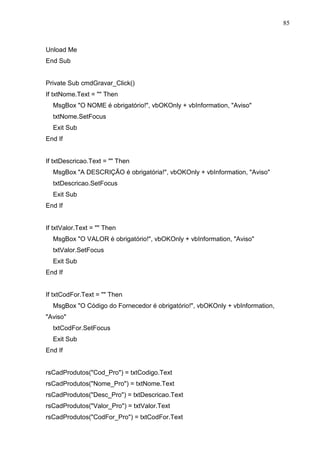
Private Sub cmdGravar_Click() 
If txtNome.Text =  Then 
MsgBox O NOME é obrigatório!, vbOKOnly + vbInformation, Aviso 
txtNome.SetFocus 
Exit Sub 
End If 
If txtDescricao.Text =  Then 
MsgBox A DESCRIÇÃO é obrigatória!, vbOKOnly + vbInformation, Aviso 
txtDescricao.SetFocus 
Exit Sub 
End If 
If txtValor.Text =  Then 
MsgBox O VALOR é obrigatório!, vbOKOnly + vbInformation, Aviso 
txtValor.SetFocus 
Exit Sub 
End If 
If txtCodFor.Text =  Then 
MsgBox O Código do Fornecedor é obrigatório!, vbOKOnly + vbInformation, 
Aviso 
txtCodFor.SetFocus 
Exit Sub 
End If 
rsCadProdutos(Cod_Pro) = txtCodigo.Text 
rsCadProdutos(Nome_Pro) = txtNome.Text 
rsCadProdutos(Desc_Pro) = txtDescricao.Text 
rsCadProdutos(Valor_Pro) = txtValor.Text 
rsCadProdutos(CodFor_Pro) = txtCodFor.Text
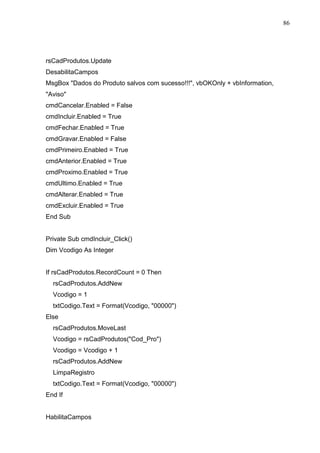
86 
rsCadProdutos.Update 
DesabilitaCampos 
MsgBox Dados do Produto salvos com sucesso!!!, vbOKOnly + vbInformation, 
Aviso 
cmdCancelar.Enabled = False 
cmdIncluir.Enabled = True 
cmdFechar.Enabled = True 
cmdGravar.Enabled = False 
cmdPrimeiro.Enabled = True 
cmdAnterior.Enabled = True 
cmdProximo.Enabled = True 
cmdUltimo.Enabled = True 
cmdAlterar.Enabled = True 
cmdExcluir.Enabled = True 
End Sub 
Private Sub cmdIncluir_Click() 
Dim Vcodigo As Integer 
If rsCadProdutos.RecordCount = 0 Then 
rsCadProdutos.AddNew 
Vcodigo = 1 
txtCodigo.Text = Format(Vcodigo, 00000) 
Else 
rsCadProdutos.MoveLast 
Vcodigo = rsCadProdutos(Cod_Pro) 
Vcodigo = Vcodigo + 1 
rsCadProdutos.AddNew 
LimpaRegistro 
txtCodigo.Text = Format(Vcodigo, 00000) 
End If 
HabilitaCampos
87 
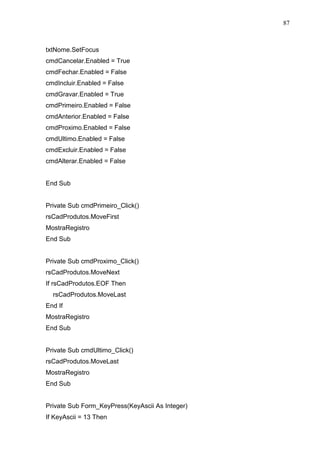
txtNome.SetFocus 
cmdCancelar.Enabled = True 
cmdFechar.Enabled = False 
cmdIncluir.Enabled = False 
cmdGravar.Enabled = True 
cmdPrimeiro.Enabled = False 
cmdAnterior.Enabled = False 
cmdProximo.Enabled = False 
cmdUltimo.Enabled = False 
cmdExcluir.Enabled = False 
cmdAlterar.Enabled = False 
End Sub 
Private Sub cmdPrimeiro_Click() 
rsCadProdutos.MoveFirst 
MostraRegistro 
End Sub 
Private Sub cmdProximo_Click() 
rsCadProdutos.MoveNext 
If rsCadProdutos.EOF Then 
rsCadProdutos.MoveLast 
End If 
MostraRegistro 
End Sub 
Private Sub cmdUltimo_Click() 
rsCadProdutos.MoveLast 
MostraRegistro 
End Sub 
Private Sub Form_KeyPress(KeyAscii As Integer) 
If KeyAscii = 13 Then
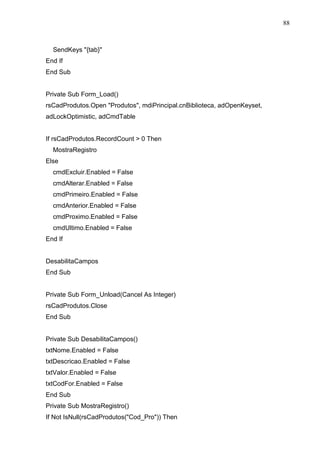
88 
SendKeys {tab} 
End If 
End Sub 
Private Sub Form_Load() 
rsCadProdutos.Open Produtos, mdiPrincipal.cnBiblioteca, adOpenKeyset, 
adLockOptimistic, adCmdTable 
If rsCadProdutos.RecordCount  0 Then 
MostraRegistro 
Else 
cmdExcluir.Enabled = False 
cmdAlterar.Enabled = False 
cmdPrimeiro.Enabled = False 
cmdAnterior.Enabled = False 
cmdProximo.Enabled = False 
cmdUltimo.Enabled = False 
End If 
DesabilitaCampos 
End Sub 
Private Sub Form_Unload(Cancel As Integer) 
rsCadProdutos.Close 
End Sub 
Private Sub DesabilitaCampos() 
txtNome.Enabled = False 
txtDescricao.Enabled = False 
txtValor.Enabled = False 
txtCodFor.Enabled = False 
End Sub 
Private Sub MostraRegistro() 
If Not IsNull(rsCadProdutos(Cod_Pro)) Then
89 
txtCodigo.Text = Format(rsCadProdutos(Cod_Pro), 00000) 
Else 
txtCodigo.Text = Empty 
End If 
If Not IsNull(rsCadProdutos(Nome_Pro)) Then 
txtNome.Text = rsCadProdutos(Nome_Pro) 
Else 
txtNome.Text = Empty 
End If 
If Not IsNull(rsCadProdutos(Desc_Pro)) Then 
txtDescricao.Text = rsCadProdutos(Desc_Pro) 
Else 
txtDescricao.Text = Empty 
End If 
If Not IsNull(rsCadProdutos(Valor_Pro)) Then 
txtValor.Text = Format(rsCadProdutos(Valor_Pro), currency) 
Else 
txtValor.Text = Empty 
End If 
If Not IsNull(rsCadProdutos(CodFor_Pro)) Then 
txtCodFor.Text = rsCadProdutos(CodFor_Pro) 
Else 
txtCodFor.Text = Empty 
End If 
End Sub 
Private Sub HabilitaCampos() 
txtNome.Enabled = True 
txtDescricao.Enabled = True
90 
txtValor.Enabled = True 
txtCodFor.Enabled = True 
End Sub 
Private Sub LimpaRegistro() 
txtCodigo.Text =  
txtNome.Text =  
txtDescricao.Text =  
txtValor.Text =  
txtCodFor.Text =  
End Sub 
Private Sub txtCodFor_KeyPress(KeyAscii As Integer) 
If (KeyAscii  Asc(0) Or KeyAscii  Asc(9) And KeyAscii  8) Then 
KeyAscii = 0 
End If 
End Sub 
Private Sub txtDescricao_KeyPress(KeyAscii As Integer) 
KeyAscii = Asc(UCase(Chr(KeyAscii))) 
End Sub 
Private Sub txtNome_KeyPress(KeyAscii As Integer) 
If InStr(0123456789|;,.?/[{}]+=§-_)(*%$#@!*, Chr(KeyAscii))  0 Then 
KeyAscii = 0 
End If 
KeyAscii = Asc(UCase(Chr(KeyAscii))) 
End Sub 
Private Sub txtValor_KeyPress(KeyAscii As Integer) 
If (KeyAscii  Asc(0) Or KeyAscii  Asc(9) And KeyAscii  8) Then 
KeyAscii = 0 
End If 
End Sub
91 
Private Sub txtValor_LostFocus() 
txtValor.Text = Format(txtValor.Text, currency) 
End Sub 
Private Vfrase As String 
Private rsConClientes As New ADODB.Recordset 
Private Sub cboTipo_Click() 
txtParametro.Text =  
fgConsultaCli.Clear 
With fgConsultaCli 
.ColWidth(0) = 800 
.ColWidth(1) = 3500 
.ColWidth(2) = 3500 
.ColWidth(3) = 2000 
.ColWidth(4) = 800 
.Rows = 1 
.TextArray(0) = Código 
.TextArray(1) = Nome
92 
.TextArray(2) = Endereço 
.TextArray(3) = Cidade 
.TextArray(4) = Estado 
End With 
If cboTipo.Text = Todos Then 
txtParametro.Enabled = False 
Else 
txtParametro.Enabled = True 
End If 
End Sub 
Private Sub fgConsultaCli_DblClick() 
If fgConsultaCli.Row = 0 Then 
Exit Sub 
End If 
frmCadClientes.Show 
frmCadClientes.Left = 3000 
frmCadClientes.Top = 800 
End Sub 
Private Sub fgConsultaCli_MouseMove(Button As Integer, Shift As Integer, x As 
Single, y As Single) 
If fgConsultaCli.Rows  1 Then 
If fgConsultaCli.Row  fgConsultaCli.MouseRow And 
fgConsultaCli.MouseRow  0 Then 
fgConsultaCli.Col = 0 
fgConsultaCli.Row = fgConsultaCli.MouseRow 
fgConsultaCli.ColSel = fgConsultaCli.Cols - 1 
End If 
End If 
End Sub
93 
Private Sub Form_Load() 
Toolbar1.Left = 11055 
With fgConsultaCli 
.ColWidth(0) = 800 
.ColWidth(1) = 3500 
.ColWidth(2) = 3500 
.ColWidth(3) = 2000 
.ColWidth(4) = 800 
.Rows = 1 
.TextArray(0) = Código 
.TextArray(1) = Nome 
.TextArray(2) = Endereço 
.TextArray(3) = Cidade 
.TextArray(4) = Estado 
End With 
End Sub 
Private Sub Toolbar1_ButtonClick(ByVal Button As MSComctlLib.Button) 
If Button.Key = Sair Then 
Unload Me 
ElseIf Button.Key = Pesquisar Then 
If cboTipo.Text = Escolha o tipo de Consulta Then 
MsgBox Escolha o Tipo de Consulta desejada, vbOKOnly + vbInformation, 
Atenção 
cboTipo.SetFocus 
Exit Sub 
End If 
If cboTipo.Text = Por Código Then 
If txtParametro.Text =  Then 
MsgBox Entre com o parametro para realizar a consulta, vbOKOnly + 
vbInformation, Atenção 
txtParametro.SetFocus
94 
Exit Sub 
End If 
If Not IsNumeric(txtParametro.Text) Then 
MsgBox Entre com um número para o código!, vbOKOnly + vbInformation, 
Atenção 
txtParametro.Text =  
txtParametro.SetFocus 
Exit Sub 
End If 
Dim VConCodigo As Integer 
VConCodigo = CInt(txtParametro.Text) 
fgConsultaCli.Clear 
Vfrase = Select * from Clientes Where Cod_Cli=  VConCodigo 
Set rsConClientes = mdiPrincipal.cnBiblioteca.Execute(Vfrase) 
EncheGrid 
If rsConClientes.BOF = True And rsConClientes.EOF = True Then 
'cliente não cadastrado 
MsgBox Cliente Não Cadastrado!, vbInformation, Atenção 
txtParametro.Text =  
'fecha a conexão 
rsConClientes.Close 
End If 
ElseIf cboTipo.Text = Por Nome Then 
Dim VConNome As String 
If txtParametro.Text =  Then 
MsgBox Entre com o parametro para realizar a consulta, vbOKOnly + 
vbInformation, Atenção 
txtParametro.SetFocus 
Exit Sub
95 
End If 
VConNome = Chr(39)  CStr(txtParametro.Text)  ' 
fgConsultaCli.Clear 
Vfrase = Select * from Clientes Where Nome_Cli LIKE  VConNome 
Set rsConClientes = mdiPrincipal.cnBiblioteca.Execute(Vfrase) 
EncheGrid 
If rsConClientes.BOF = True And rsConClientes.EOF = True Then 
'cliente não cadastrado 
MsgBox Cliente Não Cadastrado!, vbInformation, Atenção 
txtParametro.Text =  
'fecha a conexão 
rsConClientes.Close 
End If 
ElseIf cboTipo.Text = Todos Then 
Vfrase = Select * from Clientes order by Nome_Cli 
Set rsConClientes = mdiPrincipal.cnBiblioteca.Execute(Vfrase) 
' chama a funcao que preenche o grid 
EncheGrid 
If rsConClientes.BOF = True And rsConClientes.EOF = True Then 
'cliente não cadastrado 
MsgBox Não há Cliente Cadastrado!, vbInformation, Atenção 
txtParametro.Text =  
'fecha a conexão 
rsConClientes.Close 
End If 
End If 
ElseIf Button.Key = Nova Then 
fgConsultaCli.Clear 
cboTipo.Text = Escolha o tipo de Consulta
96 
txtParametro.Text =  
With fgConsultaCli 
.ColWidth(0) = 800 
.ColWidth(1) = 3500 
.ColWidth(2) = 3500 
.ColWidth(3) = 2000 
.ColWidth(4) = 800 
.Rows = 1 
.TextArray(0) = Código 
.TextArray(1) = Nome 
.TextArray(2) = Endereço 
.TextArray(3) = Cidade 
.TextArray(4) = Estado 
End With 
cboTipo.SetFocus 
End If 
End Sub 
Private Sub EncheGrid() 
' forma o cabeçalho do fexgrid 
With fgConsultaCli 
.ColWidth(0) = 800 
.ColWidth(1) = 3500 
.ColWidth(2) = 3500 
.ColWidth(3) = 2000 
.ColWidth(4) = 800 
.Rows = 1 
.TextArray(0) = Código 
.TextArray(1) = Nome 
.TextArray(2) = Endereço 
.TextArray(3) = Cidade 
.TextArray(4) = Estado 
End With
97 
Do While Not rsConClientes.EOF 
fgConsultaCli.AddItem rsConClientes(Cod_Cli)  Chr(9)  
rsConClientes(Nome_Cli)  Chr(9)  rsConClientes(Endereco_Cli)  Chr(9)  
rsConClientes(Cidade_Cli)  Chr(9)  rsConClientes(Estado_Cli) 
rsConClientes.MoveNext 
Loop 
End Sub 
Private Sub txtParametro_KeyPress(KeyAscii As Integer) 
If cboTipo.Text = Por Código Then 
If (KeyAscii  Asc(0) Or KeyAscii  Asc(9) And KeyAscii  8) Then 
KeyAscii = 0 
End If 
End If 
If cboTipo.Text = Por Nome Then 
If InStr(0123456789|;,.?/[{}]+=§-_)(*%$#@!*, Chr(KeyAscii))  0 Then 
KeyAscii = 0 
End If 
End If 
End Sub
98 
Private Vfrase As String 
Private rsConCompras As New ADODB.Recordset 
Private Sub cboTipo_Click() 
txtParametro.Text =  
fgConsultaCom.Clear 
With fgConsultaCom 
.ColWidth(0) = 800 
.ColWidth(1) = 1500 
.ColWidth(2) = 1500 
.ColWidth(3) = 1000 
.ColWidth(4) = 1800 
.Rows = 1 
.TextArray(0) = Código 
.TextArray(1) = Nº da Nota Fiscal 
.TextArray(2) = Código do Produto 
.TextArray(3) = Quantidade 
.TextArray(4) = Código do Fornecedor
99 
End With 
If cboTipo.Text = Todos Then 
txtParametro.Enabled = False 
Else 
txtParametro.Enabled = True 
End If 
End Sub 
Private Sub fgConsultaCom_DblClick() 
If fgConsultaCom.Row = 0 Then 
Exit Sub 
End If 
frmCadCompras.Show 
frmCadCompras.Left = 3000 
frmCadCompras.Top = 1500 
End Sub 
Private Sub fgConsultaCom_MouseMove(Button As Integer, Shift As Integer, x As 
Single, y As Single) 
If fgConsultaCom.Rows  1 Then 
If fgConsultaCom.Row  fgConsultaCom.MouseRow And 
fgConsultaCom.MouseRow  0 Then 
fgConsultaCom.Col = 0 
fgConsultaCom.Row = fgConsultaCom.MouseRow 
fgConsultaCom.ColSel = fgConsultaCom.Cols - 1 
End If 
End If 
End Sub 
Private Sub Form_Load() 
Toolbar1.Left = 7245 
With fgConsultaCom
100 
.ColWidth(0) = 800 
.ColWidth(1) = 1500 
.ColWidth(2) = 1500 
.ColWidth(3) = 1000 
.ColWidth(4) = 1800 
.Rows = 1 
.TextArray(0) = Código 
.TextArray(1) = Nº da Nota Fiscal 
.TextArray(2) = Código do Produto 
.TextArray(3) = Quantidade 
.TextArray(4) = Código do Fornecedor 
End With 
End Sub 
Private Sub Toolbar1_ButtonClick(ByVal Button As MSComctlLib.Button) 
If Button.Key = Sair Then 
Unload Me 
ElseIf Button.Key = Pesquisar Then 
If cboTipo.Text = Escolha o tipo de Consulta Then 
MsgBox Escolha o Tipo de Consulta desejada, vbOKOnly + vbInformation, 
Atenção 
cboTipo.SetFocus 
Exit Sub 
End If 
If cboTipo.Text = Por Código Then 
If txtParametro.Text =  Then 
MsgBox Entre com o parametro para realizar a consulta, vbOKOnly + 
vbInformation, Atenção 
txtParametro.SetFocus 
Exit Sub 
End If
101 
If Not IsNumeric(txtParametro.Text) Then 
MsgBox Entre com um número para o código!, vbOKOnly + vbInformation, 
Atenção 
txtParametro.Text =  
txtParametro.SetFocus 
Exit Sub 
End If 
Dim VConCodigo As Integer 
VConCodigo = CInt(txtParametro.Text) 
fgConsultaCom.Clear 
Vfrase = Select * from Compras Where Cod_Compra=  VConCodigo 
Set rsConCompras = mdiPrincipal.cnBiblioteca.Execute(Vfrase) 
EncheGrid 
If rsConCompras.BOF = True And rsConCompras.EOF = True Then 
'cliente não cadastrado 
MsgBox Compra Não Cadastrada!, vbInformation, Atenção 
txtParametro.Text =  
'fecha a conexão 
rsConCompras.Close 
End If 
ElseIf cboTipo.Text = Por Nº da Nota Fiscal Then 
Dim VConNota As Integer 
If txtParametro.Text =  Then 
MsgBox Entre com o parametro para realizar a consulta, vbOKOnly + 
vbInformation, Atenção 
txtParametro.SetFocus 
Exit Sub 
End If 
VConNota = CInt(txtParametro.Text)
102 
fgConsultaCom.Clear 
Vfrase = Select * from Compras Where Nf_Compra=  VConNota 
Set rsConCompras = mdiPrincipal.cnBiblioteca.Execute(Vfrase) 
EncheGrid 
If rsConCompras.BOF = True And rsConCompras.EOF = True Then 
'cliente não cadastrado 
MsgBox Compra Não Cadastrada!, vbInformation, Atenção 
txtParametro.Text =  
'fecha a conexão 
rsConCompras.Close 
End If 
ElseIf cboTipo.Text = Por Código do Fornecedor Then 
Dim VConForn As Integer 
If txtParametro.Text =  Then 
MsgBox Entre com o parametro para realizar a consulta, vbOKOnly + 
vbInformation, Atenção 
txtParametro.SetFocus 
Exit Sub 
End If 
VConForn = CInt(txtParametro.Text) 
fgConsultaCom.Clear 
Vfrase = Select * from Compras Where CodFor_Compra=  VConForn 
Set rsConCompras = mdiPrincipal.cnBiblioteca.Execute(Vfrase) 
EncheGrid 
If rsConCompras.BOF = True And rsConCompras.EOF = True Then 
'cliente não cadastrado 
MsgBox Compra Não Cadastrada!, vbInformation, Atenção 
txtParametro.Text =  
'fecha a conexão
103 
rsConCompras.Close 
End If 
ElseIf cboTipo.Text = Todos Then 
Vfrase = Select * from Compras order by Cod_Compra 
Set rsConCompras = mdiPrincipal.cnBiblioteca.Execute(Vfrase) 
' chama a funcao que preenche o grid 
EncheGrid 
If rsConCompras.BOF = True And rsConCompras.EOF = True Then 
'cliente não cadastrado 
MsgBox Não há Compra Cadastrada!, vbInformation, Atenção 
txtParametro.Text =  
'fecha a conexão 
rsConCompras.Close 
End If 
End If 
ElseIf Button.Key = Nova Then 
fgConsultaCom.Clear 
cboTipo.Text = Escolha o tipo de Consulta 
txtParametro.Text =  
With fgConsultaCom 
.ColWidth(0) = 800 
.ColWidth(1) = 1500 
.ColWidth(2) = 1500 
.ColWidth(3) = 1000 
.ColWidth(4) = 1800 
.Rows = 1 
.TextArray(0) = Código 
.TextArray(1) = Nº da Nota Fiscal 
.TextArray(2) = Código do Produto 
.TextArray(3) = Quantidade 
.TextArray(4) = Código do Fornecedor
104 
End With 
cboTipo.SetFocus 
End If 
End Sub 
Private Sub EncheGrid() 
' forma o cabeçalho do fexgrid 
With fgConsultaCom 
.ColWidth(0) = 800 
.ColWidth(1) = 1500 
.ColWidth(2) = 1500 
.ColWidth(3) = 1000 
.ColWidth(4) = 1800 
.Rows = 1 
.TextArray(0) = Código 
.TextArray(1) = Nº da Nota Fiscal 
.TextArray(2) = Código do Produto 
.TextArray(3) = Quantidade 
.TextArray(4) = Código do Fornecedor 
End With 
Do While Not rsConCompras.EOF 
fgConsultaCom.AddItem rsConCompras(Cod_Compra)  Chr(9)  
rsConCompras(Nf_Compra)  Chr(9)  rsConCompras(CodPro_Compra)  Chr(9) 
 rsConCompras(Qtd_Compra)  Chr(9)  rsConCompras(CodFor_Compra) 
rsConCompras.MoveNext 
Loop 
End Sub 
Private Sub txtParametro_KeyPress(KeyAscii As Integer) 
If (KeyAscii  Asc(0) Or KeyAscii  Asc(9) And KeyAscii  8) Then 
KeyAscii = 0 
End If 
End Sub
105 
Private Vfrase As String 
Private rsConFornecedores As New ADODB.Recordset 
Private Sub cboTipo_Click() 
txtParametro.Text =  
fgConsultaFor.Clear 
With fgConsultaFor 
.ColWidth(0) = 800 
.ColWidth(1) = 3500 
.ColWidth(2) = 3500 
.ColWidth(3) = 3000 
.ColWidth(4) = 2000 
.ColWidth(5) = 800 
.Rows = 1 
.TextArray(0) = Código 
.TextArray(1) = Razão Social 
.TextArray(2) = Nome Fantasia 
.TextArray(3) = Endereço
106 
.TextArray(4) = Cidade 
.TextArray(5) = Estado 
End With 
If cboTipo.Text = Todos Then 
txtParametro.Enabled = False 
Else 
txtParametro.Enabled = True 
End If 
End Sub 
Private Sub fgConsultaFor_DblClick() 
If fgConsultaFor.Row = 0 Then 
Exit Sub 
End If 
frmCadFornecedores.Show 
frmCadFornecedores.Left = 2500 
frmCadFornecedores.Top = 50 
End Sub 
Private Sub fgConsultaFor_MouseMove(Button As Integer, Shift As Integer, x As 
Single, y As Single) 
If fgConsultaFor.Rows  1 Then 
If fgConsultaFor.Row  fgConsultaFor.MouseRow And 
fgConsultaFor.MouseRow  0 Then 
fgConsultaFor.Col = 0 
fgConsultaFor.Row = fgConsultaFor.MouseRow 
fgConsultaFor.ColSel = fgConsultaFor.Cols - 1 
End If 
End If 
End Sub 
Private Sub Form_Load()
107 
Toolbar1.Left = 12960 
With fgConsultaFor 
.ColWidth(0) = 800 
.ColWidth(1) = 3500 
.ColWidth(2) = 3500 
.ColWidth(3) = 3000 
.ColWidth(4) = 2000 
.ColWidth(5) = 800 
.Rows = 1 
.TextArray(0) = Código 
.TextArray(1) = Razão Social 
.TextArray(2) = Nome Fantasia 
.TextArray(3) = Endereço 
.TextArray(4) = Cidade 
.TextArray(5) = Estado 
End With 
End Sub 
Private Sub Toolbar1_ButtonClick(ByVal Button As MSComctlLib.Button) 
If Button.Key = Sair Then 
Unload Me 
ElseIf Button.Key = Pesquisar Then 
If cboTipo.Text = Escolha o tipo de Consulta Then 
MsgBox Escolha o Tipo de Consulta desejada, vbOKOnly + vbInformation, 
Atenção 
cboTipo.SetFocus 
Exit Sub 
End If 
If cboTipo.Text = Por Código Then 
If txtParametro.Text =  Then 
MsgBox Entre com o parametro para realizar a consulta, vbOKOnly + 
vbInformation, Atenção
108 
txtParametro.SetFocus 
Exit Sub 
End If 
If Not IsNumeric(txtParametro.Text) Then 
MsgBox Entre com um número para o código!, vbOKOnly + vbInformation, 
Atenção 
txtParametro.Text =  
txtParametro.SetFocus 
Exit Sub 
End If 
Dim VConCodigo As Integer 
VConCodigo = CInt(txtParametro.Text) 
fgConsultaFor.Clear 
Vfrase = Select * from Fornecedores Where Cod_For=  VConCodigo 
Set rsConFornecedores = mdiPrincipal.cnBiblioteca.Execute(Vfrase) 
EncheGrid 
If rsConFornecedores.BOF = True And rsConFornecedores.EOF = True Then 
'cliente não cadastrado 
MsgBox Fornecedor Não Cadastrada!, vbInformation, Atenção 
txtParametro.Text =  
'fecha a conexão 
rsConFornecedores.Close 
End If 
ElseIf cboTipo.Text = Por Nome Fantasia Then 
Dim VConNome As String 
If txtParametro.Text =  Then 
MsgBox Entre com o parametro para realizar a consulta, vbOKOnly + 
vbInformation, Atenção 
txtParametro.SetFocus
109 
Exit Sub 
End If 
VConNome = Chr(39)  CStr(txtParametro.Text)  Chr(39) 
fgConsultaFor.Clear 
Vfrase = Select * from Fornecedores Where NomeFantasia_For Like  
VConNome 
Set rsConFornecedores = mdiPrincipal.cnBiblioteca.Execute(Vfrase) 
EncheGrid 
If rsConFornecedores.BOF = True And rsConFornecedores.EOF = True Then 
'cliente não cadastrado 
MsgBox Fornecedor Não Cadastrado!, vbInformation, Atenção 
txtParametro.Text =  
'fecha a conexão 
rsConFornecedores.Close 
End If 
ElseIf cboTipo.Text = Todos Then 
Vfrase = Select * from Fornecedores order by Cod_For 
Set rsConFornecedores = mdiPrincipal.cnBiblioteca.Execute(Vfrase) 
' chama a funcao que preenche o grid 
EncheGrid 
If rsConFornecedores.BOF = True And rsConFornecedores.EOF = True Then 
'cliente não cadastrado 
MsgBox Não há Fornecedor Cadastrado!, vbInformation, Atenção 
txtParametro.Text =  
'fecha a conexão 
rsConFornecedores.Close 
End If 
End If 
ElseIf Button.Key = Nova Then
110 
fgConsultaFor.Clear 
cboTipo.Text = Escolha o tipo de Consulta 
txtParametro.Text =  
With fgConsultaFor 
.ColWidth(0) = 800 
.ColWidth(1) = 3500 
.ColWidth(2) = 3500 
.ColWidth(3) = 3000 
.ColWidth(4) = 2000 
.ColWidth(5) = 800 
.Rows = 1 
.TextArray(0) = Código 
.TextArray(1) = Razão Social 
.TextArray(2) = Nome Fantasia 
.TextArray(3) = Endereço 
.TextArray(4) = Cidade 
.TextArray(5) = Estado 
End With 
cboTipo.SetFocus 
End If 
End Sub 
Private Sub EncheGrid() 
' forma o cabeçalho do fexgrid 
With fgConsultaFor 
.ColWidth(0) = 800 
.ColWidth(1) = 3500 
.ColWidth(2) = 3500 
.ColWidth(3) = 3000 
.ColWidth(4) = 2000 
.ColWidth(5) = 800 
.Rows = 1 
.TextArray(0) = Código 
.TextArray(1) = Razão Social
111 
.TextArray(2) = Nome Fantasia 
.TextArray(3) = Endereço 
.TextArray(4) = Cidade 
.TextArray(5) = Estado 
End With 
Do While Not rsConFornecedores.EOF 
fgConsultaFor.AddItem rsConFornecedores(Cod_For)  Chr(9)  
rsConFornecedores(Razao_For)  Chr(9)  
rsConFornecedores(NomeFantasia_For)  Chr(9)  
rsConFornecedores(Endereco_For)  Chr(9)  rsConFornecedores(Cidade_For)  
Chr(9)  rsConFornecedores(Estado_For) 
rsConFornecedores.MoveNext 
Loop 
End Sub 
Private Sub txtParametro_KeyPress(KeyAscii As Integer) 
If cboTipo.Text = Por Código Then 
If (KeyAscii  Asc(0) Or KeyAscii  Asc(9) And KeyAscii  8) Then 
KeyAscii = 0 
End If 
End If 
If cboTipo.Text = Por Nome Fantasia Then 
If InStr(0123456789|;,.?/[{}]+=§-_)(*%$#@!*, Chr(KeyAscii))  0 Then 
KeyAscii = 0 
End If 
End If 
End Sub
112 
Private Vfrase As String 
Private rsConFuncionarios As New ADODB.Recordset 
Private Sub cboTipo_Click() 
txtParametro.Text =  
fgConsultaFun.Clear 
With fgConsultaFun 
.ColWidth(0) = 800 
.ColWidth(1) = 3500 
.ColWidth(2) = 3500 
.ColWidth(3) = 2000 
.ColWidth(4) = 800 
.Rows = 1 
.TextArray(0) = Código 
.TextArray(1) = Nome 
.TextArray(2) = Endereço 
.TextArray(3) = Cidade 
.TextArray(4) = Estado 
End With
113 
If cboTipo.Text = Todos Then 
txtParametro.Enabled = False 
Else 
txtParametro.Enabled = True 
End If 
End Sub 
Private Sub fgConsultaFun_DblClick() 
If fgConsultaFun.Row = 0 Then 
Exit Sub 
End If 
frmCadFuncionarios.Show 
frmCadFuncionarios.Left = 2000 
frmCadFuncionarios.Top = 200 
End Sub 
Private Sub fgConsultaFun_MouseMove(Button As Integer, Shift As Integer, x As 
Single, y As Single) 
If fgConsultaFun.Rows  1 Then 
If fgConsultaFun.Row  fgConsultaFun.MouseRow And 
fgConsultaFun.MouseRow  0 Then 
fgConsultaFun.Col = 0 
fgConsultaFun.Row = fgConsultaFun.MouseRow 
fgConsultaFun.ColSel = fgConsultaFun.Cols - 1 
End If 
End If 
End Sub 
Private Sub Form_Load() 
Toolbar1.Left = 11190 
With fgConsultaFun 
.ColWidth(0) = 800
114 
.ColWidth(1) = 3500 
.ColWidth(2) = 3500 
.ColWidth(3) = 2000 
.ColWidth(4) = 800 
.Rows = 1 
.TextArray(0) = Código 
.TextArray(1) = Nome 
.TextArray(2) = Endereço 
.TextArray(3) = Cidade 
.TextArray(4) = Estado 
End With 
End Sub 
Private Sub Toolbar1_ButtonClick(ByVal Button As MSComctlLib.Button) 
If Button.Key = Sair Then 
Unload Me 
ElseIf Button.Key = Pesquisar Then 
If cboTipo.Text = Escolha o tipo de Consulta Then 
MsgBox Escolha o Tipo de Consulta desejada, vbOKOnly + vbInformation, 
Atenção 
cboTipo.SetFocus 
Exit Sub 
End If 
If cboTipo.Text = Por Código Then 
If txtParametro.Text =  Then 
MsgBox Entre com o parametro para realizar a consulta, vbOKOnly + 
vbInformation, Atenção 
txtParametro.SetFocus 
Exit Sub 
End If 
If Not IsNumeric(txtParametro.Text) Then
115 
MsgBox Entre com um número para o código!, vbOKOnly + vbInformation, 
Atenção 
txtParametro.Text =  
txtParametro.SetFocus 
Exit Sub 
End If 
Dim VConCodigo As Integer 
VConCodigo = CInt(txtParametro.Text) 
fgConsultaFun.Clear 
Vfrase = Select * from Funcionarios Where Cod_Fun=  VConCodigo 
Set rsConFuncionarios = mdiPrincipal.cnBiblioteca.Execute(Vfrase) 
EncheGrid 
If rsConFuncionarios.BOF = True And rsConFuncionarios.EOF = True Then 
'cliente não cadastrado 
MsgBox Funcionário Não Encontrado!, vbInformation, Atenção 
txtParametro.Text =  
'fecha a conexão 
rsConFuncionarios.Close 
End If 
ElseIf cboTipo.Text = Por Nome Then 
Dim VConNome As String 
If txtParametro.Text =  Then 
MsgBox Entre com o parametro para realizar a consulta, vbOKOnly + 
vbInformation, Atenção 
txtParametro.SetFocus 
Exit Sub 
End If 
VConNome = Chr(39)  CStr(txtParametro.Text)  Chr(39) 
fgConsultaFun.Clear
116 
Vfrase = Select * from Funcionarios Where Nome_Fun Like  VConNome 
Set rsConFuncionarios = mdiPrincipal.cnBiblioteca.Execute(Vfrase) 
EncheGrid 
If rsConFuncionarios.BOF = True And rsConFuncionarios.EOF = True Then 
'cliente não cadastrado 
MsgBox Funcionário Não Encontrado!, vbInformation, Atenção 
txtParametro.Text =  
'fecha a conexão 
rsConFuncionarios.Close 
End If 
ElseIf cboTipo.Text = Todos Then 
Vfrase = Select * from Funcionarios order by Cod_Fun 
Set rsConFuncionarios = mdiPrincipal.cnBiblioteca.Execute(Vfrase) 
' chama a funcao que preenche o grid 
EncheGrid 
If rsConFuncionarios.BOF = True And rsConFuncionarios.EOF = True Then 
'cliente não cadastrado 
MsgBox Não há Funcionário Cadastrado!, vbInformation, Atenção 
txtParametro.Text =  
'fecha a conexão 
rsConFuncionarios.Close 
End If 
End If 
ElseIf Button.Key = Nova Then 
fgConsultaFun.Clear 
cboTipo.Text = Escolha o tipo de Consulta 
txtParametro.Text =  
With fgConsultaFun 
.ColWidth(0) = 800 
.ColWidth(1) = 3500
117 
.ColWidth(2) = 3500 
.ColWidth(3) = 2000 
.ColWidth(4) = 800 
.Rows = 1 
.TextArray(0) = Código 
.TextArray(1) = Nome 
.TextArray(2) = Endereço 
.TextArray(3) = Cidade 
.TextArray(4) = Estado 
End With 
cboTipo.SetFocus 
End If 
End Sub 
Private Sub EncheGrid() 
' forma o cabeçalho do fexgrid 
With fgConsultaFun 
.ColWidth(0) = 800 
.ColWidth(1) = 3500 
.ColWidth(2) = 3500 
.ColWidth(3) = 2000 
.ColWidth(4) = 800 
.Rows = 1 
.TextArray(0) = Código 
.TextArray(1) = Nome 
.TextArray(2) = Endereço 
.TextArray(3) = Cidade 
.TextArray(4) = Estado 
End With 
Do While Not rsConFuncionarios.EOF 
fgConsultaFun.AddItem rsConFuncionarios(Cod_Fun)  Chr(9)  
rsConFuncionarios(Nome_Fun)  Chr(9)  rsConFuncionarios(Endereco_Fun)  
Chr(9)  rsConFuncionarios(Cidade_Fun)  Chr(9)  
rsConFuncionarios(Estado_Fun)
118 
rsConFuncionarios.MoveNext 
Loop 
End Sub 
Private Sub txtParametro_KeyPress(KeyAscii As Integer) 
If cboTipo.Text = Por Código Then 
If (KeyAscii  Asc(0) Or KeyAscii  Asc(9) And KeyAscii  8) Then 
KeyAscii = 0 
End If 
End If 
If cboTipo.Text = Por Nome Then 
If InStr(0123456789|;,.?/[{}]+=§-_)(*%$#@!*, Chr(KeyAscii))  0 Then 
KeyAscii = 0 
End If 
End If 
End Sub
119 
Private Vfrase As String 
Private rsConProdutos As New ADODB.Recordset 
Private Sub cboTipo_Click() 
txtParametro.Text =  
fgConsultaPro.Clear 
With fgConsultaPro 
.ColWidth(0) = 800 
.ColWidth(1) = 3500 
.ColWidth(2) = 3500 
.ColWidth(3) = 1500 
.Rows = 1 
.TextArray(0) = Código 
.TextArray(1) = Nome 
.TextArray(2) = Descricão 
.TextArray(3) = Cod Fornecedor 
End With 
If cboTipo.Text = Todos Then
120 
txtParametro.Enabled = False 
Else 
txtParametro.Enabled = True 
End If 
End Sub 
Private Sub fgConsultaPro_DblClick() 
If fgConsultaPro.Row = 0 Then 
Exit Sub 
End If 
frmCadProdutos.Show 
frmCadProdutos.Left = 2500 
frmCadProdutos.Top = 1500 
End Sub 
Private Sub fgConsultaPro_MouseMove(Button As Integer, Shift As Integer, x As 
Single, y As Single) 
If fgConsultaPro.Rows  1 Then 
If fgConsultaPro.Row  fgConsultaPro.MouseRow And 
fgConsultaPro.MouseRow  0 Then 
fgConsultaPro.Col = 0 
fgConsultaPro.Row = fgConsultaPro.MouseRow 
fgConsultaPro.ColSel = fgConsultaPro.Cols - 1 
End If 
End If 
End Sub 
Private Sub Form_Load() 
With fgConsultaPro 
.ColWidth(0) = 800 
.ColWidth(1) = 3500
121 
.ColWidth(2) = 3500 
.ColWidth(3) = 1500 
.Rows = 1 
.TextArray(0) = Código 
.TextArray(1) = Nome 
.TextArray(2) = Descricão 
.TextArray(3) = Cod Fornecedor 
End With 
End Sub 
Private Sub Toolbar1_ButtonClick(ByVal Button As MSComctlLib.Button) 
If Button.Key = Sair Then 
Unload Me 
ElseIf Button.Key = Pesquisar Then 
If cboTipo.Text = Escolha o tipo de Consulta Then 
MsgBox Escolha o Tipo de Consulta desejada, vbOKOnly + vbInformation, 
Atenção 
cboTipo.SetFocus 
Exit Sub 
End If 
If cboTipo.Text = Por Código Then 
If txtParametro.Text =  Then 
MsgBox Entre com o parametro para realizar a consulta, vbOKOnly + 
vbInformation, Atenção 
txtParametro.SetFocus 
Exit Sub 
End If 
If Not IsNumeric(txtParametro.Text) Then 
MsgBox Entre com um número para o código!, vbOKOnly + vbInformation, 
Atenção 
txtParametro.Text =
122 
txtParametro.SetFocus 
Exit Sub 
End If 
Dim VConCodigo As Integer 
VConCodigo = CInt(txtParametro.Text) 
fgConsultaPro.Clear 
Vfrase = Select * from Produtos Where Cod_Pro=  VConCodigo 
Set rsConProdutos = mdiPrincipal.cnBiblioteca.Execute(Vfrase) 
EncheGrid 
If rsConProdutos.BOF = True And rsConProdutos.EOF = True Then 
'cliente não cadastrado 
MsgBox Produto Não Encontrado!, vbInformation, Atenção 
txtParametro.Text =  
'fecha a conexão 
rsConProdutos.Close 
End If 
ElseIf cboTipo.Text = Por Código do Fornecedor Then 
If txtParametro.Text =  Then 
MsgBox Entre com o parametro para realizar a consulta, vbOKOnly + 
vbInformation, Atenção 
txtParametro.SetFocus 
Exit Sub 
End If 
If Not IsNumeric(txtParametro.Text) Then 
MsgBox Entre com um número para o código!, vbOKOnly + vbInformation, 
Atenção 
txtParametro.Text =  
txtParametro.SetFocus 
Exit Sub 
End If
123 
Dim VConCodFor As Integer 
VConCodFor = CInt(txtParametro.Text) 
fgConsultaPro.Clear 
Vfrase = Select * from Produtos Where CodFor_Pro=  VConCodFor 
Set rsConProdutos = mdiPrincipal.cnBiblioteca.Execute(Vfrase) 
EncheGrid 
If rsConProdutos.BOF = True And rsConProdutos.EOF = True Then 
'cliente não cadastrado 
MsgBox Produto Não Encontrado!, vbInformation, Atenção 
txtParametro.Text =  
'fecha a conexão 
rsConProdutos.Close 
End If 
ElseIf cboTipo.Text = Por Nome Then 
Dim VConNome As String 
If txtParametro.Text =  Then 
MsgBox Entre com o parametro para realizar a consulta, vbOKOnly + 
vbInformation, Atenção 
txtParametro.SetFocus 
Exit Sub 
End If 
VConNome = Chr(39)  CStr(txtParametro.Text)  Chr(39) 
fgConsultaPro.Clear 
Vfrase = Select * from Produtos Where Nome_Pro Like  VConNome 
Set rsConProdutos = mdiPrincipal.cnBiblioteca.Execute(Vfrase) 
EncheGrid 
If rsConProdutos.BOF = True And rsConProdutos.EOF = True Then 
'cliente não cadastrado
124 
MsgBox Produto Não Encontrado!, vbInformation, Atenção 
txtParametro.Text =  
'fecha a conexão 
rsConProdutos.Close 
End If 
ElseIf cboTipo.Text = Todos Then 
Vfrase = Select * from Produtos order by Cod_Pro 
Set rsConProdutos = mdiPrincipal.cnBiblioteca.Execute(Vfrase) 
' chama a funcao que preenche o grid 
EncheGrid 
If rsConProdutos.BOF = True And rsConProdutos.EOF = True Then 
'cliente não cadastrado 
MsgBox Não há Produto Cadastrado!, vbInformation, Atenção 
txtParametro.Text =  
'fecha a conexão 
rsConProdutos.Close 
End If 
End If 
ElseIf Button.Key = Nova Then 
fgConsultaPro.Clear 
cboTipo.Text = Escolha o tipo de Consulta 
txtParametro.Text =  
With fgConsultaPro 
.ColWidth(0) = 800 
.ColWidth(1) = 3500 
.ColWidth(2) = 3500 
.ColWidth(3) = 1500 
.Rows = 1 
.TextArray(0) = Código 
.TextArray(1) = Nome 
.TextArray(2) = Descricão 
.TextArray(3) = Cod Fornecedor
125 
End With 
cboTipo.SetFocus 
End If 
End Sub 
Private Sub EncheGrid() 
' forma o cabeçalho do fexgrid 
With fgConsultaPro 
.ColWidth(0) = 800 
.ColWidth(1) = 3500 
.ColWidth(2) = 3500 
.ColWidth(3) = 1500 
.Rows = 1 
.TextArray(0) = Código 
.TextArray(1) = Nome 
.TextArray(2) = Descricão 
.TextArray(3) = Cod Fornecedor 
End With 
Do While Not rsConProdutos.EOF 
fgConsultaPro.AddItem rsConProdutos(Cod_Pro)  Chr(9)  
rsConProdutos(Nome_Pro)  Chr(9)  rsConProdutos(Desc_Pro)  Chr(9)  
rsConProdutos(CodFor_Pro) 
rsConProdutos.MoveNext 
Loop 
End Sub 
Private Sub txtParametro_KeyPress(KeyAscii As Integer) 
If cboTipo.Text = Por Código Then 
If (KeyAscii  Asc(0) Or KeyAscii  Asc(9) And KeyAscii  8) Then 
KeyAscii = 0 
End If 
End If
126 
If cboTipo.Text = Por Código do Fornecedor Then 
If (KeyAscii  Asc(0) Or KeyAscii  Asc(9) And KeyAscii  8) Then 
KeyAscii = 0 
End If 
End If 
If cboTipo.Text = Por Nome Then 
If InStr(0123456789|;,.?/[{}]+=§-_)(*%$#@!*, Chr(KeyAscii))  0 Then 
KeyAscii = 0 
End If 
End If 
End Sub 
Private Sub cmdOK_Click() 
Unload Me 
End Sub
127 
Dim Op1 As Double ' Primeiro operando. 
Dim Op2 As Double ' Segundo operando. 
Dim FlagDecimal As Integer ' Flag do Ponto Decimal. 
Dim NumOps As Integer ' Numero de Operandos. 
Dim UltimaEntrada As String ' Indica a ultima tecla pressionada. 
Dim FlagOperacao As String ' Indica a operacao pendente 
Const VERDADEIRO = -1 
Const FALSO = 0 
' Procedure para a tecla C (Cancela). 
' Reseta o display e inicializa variaveis. 
Private Sub Cancel_Click() 
Number(0).SetFocus 'Volta o Controle para matriz de Numeros 
Visor.Caption = 0. 
Form_Load 
End Sub 
' Procedure para a tecla CE (Cancela Entrada). 
Private Sub CancelEntry_Click() 
Number(0).SetFocus 'Volta o Controle para matriz de Numeros 
Visor.Caption = 0. 
FlagDecimal = FALSO
128 
UltimaEntrada = CE 
End Sub 
' Procedure para a tecla de ponto decimal (.) . 
' Se a ultima tecla pressiona fou operador, initializa 
' Visor com 0. Senao, adiciona um ponto decimal no display. 
Private Sub Decimal_Click() 
If UltimaEntrada  NUMS Then 
Visor.Caption = 0. 
ElseIf FlagDecimal = FALSO Then 
Visor.Caption = Visor.Caption + . 
End If 
FlagDecimal = VERDADEIRO 
UltimaEntrada = NUMS 
End Sub 
' Rotina de Inicializacao para o formulario 
' Inicia todas as variaveis 
Private Sub Form_Load() 
CENTRALIZA_FORM Me 
FlagDecimal = FALSO 
NumOps = 0 
UltimaEntrada = NONE 
FlagOperacao =   
' me.left = 3720 
' me.top= 975 
End Sub 
Private Sub mnuSair_Click() 
End 
End Sub
129 
' Procedure para as teclas de numeros (0-9). 
' Adiciona o novo numero ao numero do display. 
Private Sub Number_Click(Index As Integer) 
If UltimaEntrada  NUMS Then 
Visor.Caption =  
FlagDecimal = FALSO 
End If 
If Len(Visor.Caption) = 15 Then 'Limita entrada de valores a 15 digitos(inclusive 
ponto decimal) 
Visor.Caption = Visor.Caption + Number(Index).Caption 
End If 
UltimaEntrada = NUMS 
Operator(4).SetFocus 'Posiciona o Foco na operação de igual 
End Sub 
Private Sub Number_KeyPress(Index As Integer, KeyAscii As Integer) 
'*** FAZ LEITURA DE TECLAS PRESSIONADAS *** 
If KeyAscii = 61 Then 
Operator_Click (4) 'Sinal de Igual 
ElseIf KeyAscii = 67 Or KeyAscii = 99 Then 
Cancel_Click 'Botao de Limpar 
ElseIf KeyAscii = 37 Then 
Percent_Click 'Sinal de Porcentagem 
ElseIf KeyAscii = 42 Or KeyAscii = 120 Or KeyAscii = 88 Then 
Operator_Click (2) 'Sinal de Multiplicação 
ElseIf KeyAscii = 43 Then 
Operator_Click (1) 'Sinal de Mais 
ElseIf KeyAscii = 45 Then 
Operator_Click (3) 'Sinal de Igual 
ElseIf KeyAscii = 46 Then 
Decimal_Click 'Ponto decimal 
ElseIf KeyAscii = 47 Then
130 
Operator_Click (0) 'Sinal de Divisao 
ElseIf KeyAscii = 48 Then 
Number_Click (0) 
ElseIf KeyAscii = 49 Then 
Number_Click (1) 
ElseIf KeyAscii = 50 Then 
Number_Click (2) 
ElseIf KeyAscii = 51 Then 
Number_Click (3) 
ElseIf KeyAscii = 52 Then 
Number_Click (4) 
ElseIf KeyAscii = 53 Then 
Number_Click (5) 
ElseIf KeyAscii = 54 Then 
Number_Click (6) 
ElseIf KeyAscii = 55 Then 
Number_Click (7) 
ElseIf KeyAscii = 56 Then 
Number_Click (8) 
ElseIf KeyAscii = 57 Then 
Number_Click (9) 
End If 
End Sub 
' Procedure para os teclas de operadores (+, -, x, /, =). 
' Se a tecla pressiona imediatamente foi parte de um 
' numero, incrementa a variavel NumOps. Se um operando esta presente, 
' seta Op1. Se dois operandos estao presentes, seta Op1 igual ao 
' resultado da operacao em Op1 com a string entrada por ultimo e mostra 
' o resultado. 
Private Sub Operator_Click(Index As Integer) 
Operator(4).SetFocus 'Volta o Controle para matriz de Numeros 
If UltimaEntrada = NUMS Then
131 
NumOps = NumOps + 1 
End If 
If NumOps = 1 Then 
Op1 = Val(Visor.Caption) 
ElseIf NumOps = 2 Then 
Op2 = Val(Visor.Caption) 
Select Case FlagOperacao 
Case + 
Op1 = Op1 + Op2 
Case - 
Op1 = Op1 - Op2 
Case X 
Op1 = Op1 * Op2 
Case / 
If Op2 = 0 Then 
MsgBox Erro, Divisão por zero impossível, 48, Spasso Calc 
Else 
Op1 = Op1 / Op2 
End If 
Case = 
Op1 = Op2 
End Select 
Visor.Caption = Format$(Op1) 
NumOps = 1 
End If 
UltimaEntrada = OPS 
FlagOperacao = Operator(Index).Caption 
End Sub 
Private Sub Operator_KeyPress(Index As Integer, KeyAscii As Integer) 
'*** FAZ LEITURA DE TECLAS PRESSIONADAS *** 
If KeyAscii = 61 Then 
Operator_Click (4) 'Sinal de Igual
132 
ElseIf KeyAscii = 67 Or KeyAscii = 99 Then 
Cancel_Click 'Botao de Limpar 
ElseIf KeyAscii = 37 Then 
Percent_Click 'Sinal de Porcentagem 
ElseIf KeyAscii = 42 Or KeyAscii = 120 Or KeyAscii = 88 Then 
Operator_Click (2) 'Sinal de Multiplicação 
ElseIf KeyAscii = 43 Then 
Operator_Click (1) 'Sinal de Mais 
ElseIf KeyAscii = 45 Then 
Operator_Click (3) 'Sinal de Igual 
ElseIf KeyAscii = 46 Then 
Decimal_Click 'Ponto decimal 
ElseIf KeyAscii = 47 Then 
Operator_Click (0) 'Sinal de Divisao 
ElseIf KeyAscii = 48 Then 
Number_Click (0) 
ElseIf KeyAscii = 49 Then 
Number_Click (1) 
ElseIf KeyAscii = 50 Then 
Number_Click (2) 
ElseIf KeyAscii = 51 Then 
Number_Click (3) 
ElseIf KeyAscii = 52 Then 
Number_Click (4) 
ElseIf KeyAscii = 53 Then 
Number_Click (5) 
ElseIf KeyAscii = 54 Then 
Number_Click (6) 
ElseIf KeyAscii = 55 Then 
Number_Click (7) 
ElseIf KeyAscii = 56 Then 
Number_Click (8) 
ElseIf KeyAscii = 57 Then 
Number_Click (9)
133 
End If 
End Sub 
' Procedure para a tecla de percentagem (%). 
' Computa and mostra a percentagem do primeiro operando. 
Private Sub Percent_Click() 
Visor.Caption = Format$(Op1 * Val(Visor.Caption) / 100) 
End Sub 
Private Sub SobreSpCalc_Click() 
frmCopyright.Show 1 
End Sub 
Public Sub CENTRALIZA_FORM(Formulario As Form) 
On Error Resume Next 'Evita erro caso o usuário minimize o Form 
With Formulario 
.Left = (Screen.Width - .Width) / 2 'Alinha o form no horizontalmente no centro 
.Top = (Screen.Height - .Height) / 2 'Alinha o form no verticalmente no centro 
End With 
'With Formulario 
' .Left = ((mdiGerest.Width - .Width) / 2) 'Alinha o form no horizontalmente no centro 
' .Top = ((mdiGerest.Height - .Height) / 2) - 1000 'Alinha o form no verticalmente no 
centro 
'End With 
End Sub
134 
Private Const AnInch As Long = 1440 '1440 twips per inch 
Private Const QuarterInch As Long = 360 
Private Sub Combo1_Click() 
RTF.SelFontSize = Combo1.Text 
End Sub 
Private Sub Combo3_Click() 
RTF.SelFontName = Combo3.Text 
End Sub 
Private Sub Form_Load() 
For i = 1 To Screen.FontCount - 1
135 
Combo3.AddItem Screen.Fonts(i) 
Next i 
End Sub 
Private Sub Toolbar1_ButtonClick(ByVal Button As MSComctlLib.Button) 
If Button.Key = Novo Then 
If RTF.Text =  Then 
RTF.Text =  
Exit Sub 
End If 
'Pergunta se deseja salvar !! 
If MsgBox(Deseja salvar o texto atual ?, vbQuestion + vbYesNo, Salvar ?) = 
vbYes Then 
DIALOGO.ShowSave 
RTF.SaveFile (DIALOGO.FileName), 0 
RTF.Text =  
Exit Sub 
End If 
RTF.Text =  
ElseIf Button.Key = Abrir Then 
DIALOGO.ShowOpen 
RTF.LoadFile (DIALOGO.FileName), 0 
Exit Sub 
ElseIf Button.Key = Salvar Then 
DIALOGO.ShowSave 
RTF.SaveFile (DIALOGO.FileName), 0 
RTF.Text =  
Exit Sub 
ElseIf Button.Key = Imprimir Then
136 
If MsgBox(Gostaria de imprimir o documento na impressora   
Printer.DeviceName   ?, vbQuestion + vbYesNo, Confirme !!) = vbYes Then 
PrintRTF RTF, AnInch, AnInch, AnInch, AnInch 
Exit Sub 
Else 
Exit Sub 
End If 
ElseIf Button.Key = Recortar Then 
Clipboard.Clear 
Clipboard.SetText (RTF.SelText) 
RTF.SelText =  
ElseIf Button.Key = Copiar Then 
Clipboard.Clear 
Clipboard.SetText (RTF.SelText) 
ElseIf Button.Key = Colar Then 
RTF.SelText = Clipboard.GetText 
ElseIf Button.Key = Retirar Then 
If RTF.SelIndent  0 Then 
RTF.SelIndent = RTF.SelIndent - 490 
End If 
ElseIf Button.Key = Inserir Then 
'Limita a identação do texto 
If CInt(RTF.SelIndent)  CInt(11160) Then 
RTF.SelIndent = RTF.SelIndent + 490 
End If 
ElseIf Button.Key = Cor Then 
DIALOGO.ShowColor 
RTF.SelColor = DIALOGO.Color
137 
ElseIf Button.Key = Localizar Then 
BUSCA = InputBox(Digite o texto a ser localizado:, Localizador) 
If RTF.Find(BUSCA) = -1 Then 
MsgBox (Não encontrei nada !!), vbCritical, Desculpe !! 
Exit Sub 
Else 
Exit Sub 
End If 
ElseIf Button.Key = LSubstituir Then 
BUSCA = InputBox(Digite o texto a ser localizado:, Localiza / Substitui) 
If RTF.Find(BUSCA) = -1 Then 
MsgBox (Não encontrei o texto digitado !!), vbCritical, Nada localizado 
End If 
BUSCA2 = InputBox(Digite o texto Substituto, Substituir) 
RTF.SelText = BUSCA2 
MsgBox (Texto subtituido), vbInformation, Sucesso !! 
End If 
End Sub 
Private Sub Toolbar2_ButtonClick(ByVal Button As MSComctlLib.Button) 
If Button.Key = Negrito Then 
If RTF.SelBold = True Then 
RTF.SelBold = False 
Else 
RTF.SelBold = True 
End If 
ElseIf Button.Key = Italico Then 
If RTF.SelItalic = True Then
138 
RTF.SelItalic = False 
Else 
RTF.SelItalic = True 
End If 
ElseIf Button.Key = Sublinhado Then 
If RTF.SelUnderline = True Then 
RTF.SelUnderline = False 
Else 
RTF.SelUnderline = True 
End If 
ElseIf Button.Key = Marcador Then 
If RTF.SelBullet = False Then 
RTF.SelBullet = True 
Else 
RTF.SelBullet = False 
End If 
ElseIf Button.Key = Esquerda Then 
RTF.SelAlignment = rtfLeft 
ElseIf Button.Key = Centro Then 
RTF.SelAlignment = rtfCenter 
ElseIf Button.Key = Direita Then 
RTF.SelAlignment = rtfRight 
ElseIf Button.Key = Sair Then 
If RTF.Text =  Then 
Unload Me 
Else 
If MsgBox(Deseja salvar o texto atual?, vbQuestion + vbYesNo, Salvar?) = 
vbYes Then
139 
DIALOGO.ShowSave 
RTF.SaveFile (DIALOGO.FileName), 0 
Unload Me 
Exit Sub 
End If 
End If 
Unload Me 
End If 
End Sub 
Dim Ind As Integer, ind2 As Integer 
Rem Função de pesquisa 
Function Search(Name As String) 
If Dir$(App.Path  Name) =  Then 
MsgBox Arquivo não encontrado:  vbNewLine  Name  vbNewLine  O 
aplicativo será finalizado., vbCritical 
End 
End If 
End Function 
Rem Verifica se os arquivos existem 
Private Sub Form_Load()
140 
lblVersao.Caption = Versão   App.Major  .  App.Minor  .  App.Revision 
For Ind = 1 To 10 Step 1 
Search (DatA  Ind  .dat) 
Search (DatB  Ind  .dat) 
Search (DatC  Ind  .dat) 
Search (DatD  Ind  .dat) 
Search (DatE  Ind  .dat) 
Search (DatF  Ind  .dat) 
Search (DatG  Ind  .dat) 
Search (DatH  Ind  .dat) 
Search (DatI  Ind  .dat) 
Search (DatJ  Ind  .dat) 
Search (DatL  Ind  .dat) 
Search (DatM  Ind  .dat) 
Search (DatN  Ind  .dat) 
Search (DatO  Ind  .dat) 
Search (DatP  Ind  .dat) 
Search (DatQ  Ind  .dat) 
Search (DatR  Ind  .dat) 
Search (DatS  Ind  .dat) 
Search (DatT  Ind  .dat) 
Search (DatU  Ind  .dat) 
Search (DatV  Ind  .dat) 
Search (DatX  Ind  .dat) 
Search (DatZ  Ind  .dat) 
Search (DatW  Ind  .dat) 
Search (DatY  Ind  .dat) 
Next 
Screen.MousePointer = vbHourglass 
End Sub 
Rem Tempo de apresentação
141 
Private Sub tmrSplash_Timer() 
Screen.MousePointer = vbDefault 
Unload Me 
frmAgenda.Show 
frmAgenda.Top = 3000 
frmAgenda.Left = 5000 
End Sub 
Option Explicit 
Rem Função de movimentação do form sem barra de título: 
Private Declare Function SendMessage Lib USER32 Alias SendMessageA (ByVal 
hWnd As Long, ByVal wMsg As Long, ByVal wParam As Long, lParam As Any) As 
Long 
Private Declare Function ReleaseCapture Lib USER32 () As Long 
Rem Declaração das variáveis do aplicativo 
Dim Ind As Integer, ind2 As Integer, Pagina As Integer, Pag_Atual As Integer, SA As 
Integer, I2 As Integer, Pag As Integer, iARQ As Integer, II As Integer
142 
Dim INI_Parametre(1 To 2) As String, Nome As String, Status As String, NomeO As 
String, FoneO As String, Status2 As String, Letra_Atual As String, Nome_Atual As 
String, Letra_Salvar As String, Letra_Pesquisa As String 
Rem Função de leitura dos arquivos .dat 
Private Function Separate_Parametre(ByVal Text As String) As String 
Dim I As Integer 
For I = 1 To Len(Text) 
If Mid$(Text, I, 1) = = Then 
Separate_Parametre = Trim(Left$(Text, I - 1)) 
Exit For 
End If 
Next I 
End Function 
Rem Função de leitura dos arquivos .dat 
Private Function Separate_Value(ByVal Text As String) As String 
Dim I As Integer 
For I = 1 To Len(Text) 
If Mid$(Text, I, 1) = = Then 
Separate_Value = Trim(Right$(Text, Len(Text) - I)) 
Exit For 
End If 
Next I 
End Function 
Rem Função para inibir os frames editore 
Function Inibe_Frames() 
fraCampos1.Visible = False 
fraCampos2.Visible = False 
fraCampos3.Visible = False 
fraCampos4.Visible = False 
fraCampos5.Visible = False 
End Function 
Rem Função para salvar a agenda
143 
Function Salva(ByVal sFileINI As String) 
ind2 = 0 
iARQ = FreeFile 
Select Case Pagina 
Case 1 
Open sFileINI For Output As iARQ 
Print #iARQ, { Página 1 } 
For ind2 = 0 To 4 Step 1 
Print #iARQ, Nome  ind2  =  txtNome(ind2) 
Print #iARQ, Telefone  ind2  =  txtFone(ind2) 
Next 
Close iARQ 
Inibe_Frames 
Habilita_Tudo2 
lblCopyright.Caption = .:: Agenda Telefônica 
Pagina = Pag_Atual 
Mostra_Letra (Mid(fra2.Caption, 1, 1)) 
Case 2 
Open sFileINI For Output As iARQ 
Print #iARQ, { Página 2 } 
For ind2 = 5 To 9 Step 1 
Print #iARQ, Nome  ind2  =  txtNome(ind2 - 5) 
Print #iARQ, Telefone  ind2  =  txtFone(ind2 - 5) 
Next 
Close iARQ 
Inibe_Frames 
Habilita_Tudo2 
lblCopyright.Caption = .:: Agenda Telefônica 
Pagina = Pag_Atual 
Mostra_Letra (Mid(fra2.Caption, 1, 1)) 
Case 3 
Open sFileINI For Output As iARQ
144 
Print #iARQ, { Página 3 } 
For ind2 = 10 To 14 Step 1 
Print #iARQ, Nome  ind2  =  txtNome(ind2 - 10) 
Print #iARQ, Telefone  ind2  =  txtFone(ind2 - 10) 
Next 
Close iARQ 
Inibe_Frames 
Habilita_Tudo2 
lblCopyright.Caption = .:: Agenda Telefônica 
Pagina = Pag_Atual 
Mostra_Letra (Mid(fra2.Caption, 1, 1)) 
Case 4 
Open sFileINI For Output As iARQ 
Print #iARQ, { Página 4 } 
For ind2 = 15 To 19 Step 1 
Print #iARQ, Nome  ind2  =  txtNome(ind2 - 15) 
Print #iARQ, Telefone  ind2  =  txtFone(ind2 - 15) 
Next 
Close iARQ 
Inibe_Frames 
Habilita_Tudo2 
lblCopyright.Caption = .:: Agenda Telefônica 
Pagina = Pag_Atual 
Mostra_Letra (Mid(fra2.Caption, 1, 1)) 
Case 5 
Open sFileINI For Output As iARQ 
Print #iARQ, { Página 5 } 
For ind2 = 20 To 24 Step 1 
Print #iARQ, Nome  ind2  =  txtNome(ind2 - 20) 
Print #iARQ, Telefone  ind2  =  txtFone(ind2 - 20) 
Next 
Close iARQ 
Inibe_Frames 
Habilita_Tudo2
145 
lblCopyright.Caption = .:: Agenda Telefônica 
Pagina = Pag_Atual 
Mostra_Letra (Mid(fra2.Caption, 1, 1)) 
Case 6 
Open sFileINI For Output As iARQ 
Print #iARQ, { Página 6 } 
For ind2 = 25 To 29 Step 1 
Print #iARQ, Nome  ind2  =  txtNome(ind2 - 25) 
Print #iARQ, Telefone  ind2  =  txtFone(ind2 - 25) 
Next 
Close iARQ 
Inibe_Frames 
Habilita_Tudo2 
lblCopyright.Caption = .:: Agenda Telefônica 
Pagina = Pag_Atual 
Mostra_Letra (Mid(fra2.Caption, 1, 1)) 
Case 7 
Open sFileINI For Output As iARQ 
Print #iARQ, { Página 7 } 
For ind2 = 30 To 34 Step 1 
Print #iARQ, Nome  ind2  =  txtNome(ind2 - 30) 
Print #iARQ, Telefone  ind2  =  txtFone(ind2 - 30) 
Next 
Close iARQ 
Inibe_Frames 
Habilita_Tudo2 
lblCopyright.Caption = .:: Agenda Telefônica 
Pagina = Pag_Atual 
Mostra_Letra (Mid(fra2.Caption, 1, 1)) 
Case 8 
Open sFileINI For Output As iARQ 
Print #iARQ, { Página 8 } 
For ind2 = 35 To 39 Step 1 
Print #iARQ, Nome  ind2  =  txtNome(ind2 - 35)
146 
Print #iARQ, Telefone  ind2  =  txtFone(ind2 - 35) 
Next 
Close iARQ 
Inibe_Frames 
Habilita_Tudo2 
lblCopyright.Caption = .:: Agenda Telefônica 
Pagina = Pag_Atual 
Mostra_Letra (Mid(fra2.Caption, 1, 1)) 
Case 9 
Open sFileINI For Output As iARQ 
Print #iARQ, { Página 9 } 
For ind2 = 40 To 44 Step 1 
Print #iARQ, Nome  ind2  =  txtNome(ind2 - 40) 
Print #iARQ, Telefone  ind2  =  txtFone(ind2 - 40) 
Next 
Close iARQ 
Inibe_Frames 
Habilita_Tudo2 
lblCopyright.Caption = .:: Agenda Telefônica 
Pagina = Pag_Atual 
Mostra_Letra (Mid(fra2.Caption, 1, 1)) 
Case 10 
Open sFileINI For Output As iARQ 
Print #iARQ, { Página 10 } 
For ind2 = 45 To 49 Step 1 
Print #iARQ, Nome  ind2  =  txtNome(ind2 - 45) 
Print #iARQ, Telefone  ind2  =  txtFone(ind2 - 45) 
Next 
Close iARQ 
Inibe_Frames 
Habilita_Tudo2 
lblCopyright.Caption = .:: Agenda Telefônica 
Pagina = Pag_Atual 
Mostra_Letra (Mid(fra2.Caption, 1, 1))
147 
End Select 
End Function 
Rem Função para mostrar a agenda 
Function Mostra_Letra(Letra As String) 
Mostra 
Dim sLine As String 
Dim iARQ As Integer 
Select Case Pagina 
Case 1 
Primeiro.Enabled = False 
Anterior.Enabled = False 
Proximo.Enabled = True 
Ultimo.Enabled = True 
Case 10 
Primeiro.Enabled = True 
Anterior.Enabled = True 
Proximo.Enabled = False 
Ultimo.Enabled = False 
Case Else 
Primeiro.Enabled = True 
Anterior.Enabled = True 
Proximo.Enabled = True 
Ultimo.Enabled = True 
End Select 
SA = 0 
lblTot.Visible = True 
lblPag.Visible = True 
lblPagina.Visible = True 
lblPagina.Caption = Pagina 
For SA = 0 To 4 Step 1 
iARQ = FreeFile 
Open (App.Path  Dat  Letra    Pagina  .dat) For Input As iARQ
148 
Do While Not EOF(iARQ) 
Line Input #iARQ, sLine 
Select Case Pagina 
Case 1 
Select Case Separate_Parametre(sLine) 
Case Nome  SA 
INI_Parametre(1) = Separate_Value(sLine) 
Case Telefone  SA 
INI_Parametre(2) = Separate_Value(sLine) 
End Select 
Case 2 
Select Case Separate_Parametre(sLine) 
Case Nome  (SA + 5) 
INI_Parametre(1) = Separate_Value(sLine) 
Case Telefone  (SA + 5) 
INI_Parametre(2) = Separate_Value(sLine) 
End Select 
Case 3 
Select Case Separate_Parametre(sLine) 
Case Nome  (SA + 10) 
INI_Parametre(1) = Separate_Value(sLine) 
Case Telefone  (SA + 10) 
INI_Parametre(2) = Separate_Value(sLine) 
End Select 
Case 4 
Select Case Separate_Parametre(sLine) 
Case Nome  (SA + 15) 
INI_Parametre(1) = Separate_Value(sLine) 
Case Telefone  (SA + 15) 
INI_Parametre(2) = Separate_Value(sLine) 
End Select 
Case 5 
Select Case Separate_Parametre(sLine) 
Case Nome  (SA + 20)
149 
INI_Parametre(1) = Separate_Value(sLine) 
Case Telefone  (SA + 20) 
INI_Parametre(2) = Separate_Value(sLine) 
End Select 
Case 6 
Select Case Separate_Parametre(sLine) 
Case Nome  (SA + 25) 
INI_Parametre(1) = Separate_Value(sLine) 
Case Telefone  (SA + 25) 
INI_Parametre(2) = Separate_Value(sLine) 
End Select 
Case 7 
Select Case Separate_Parametre(sLine) 
Case Nome  (SA + 30) 
INI_Parametre(1) = Separate_Value(sLine) 
Case Telefone  (SA + 30) 
INI_Parametre(2) = Separate_Value(sLine) 
End Select 
Case 8 
Select Case Separate_Parametre(sLine) 
Case Nome  (SA + 35) 
INI_Parametre(1) = Separate_Value(sLine) 
Case Telefone  (SA + 35) 
INI_Parametre(2) = Separate_Value(sLine) 
End Select 
Case 9 
Select Case Separate_Parametre(sLine) 
Case Nome  (SA + 40) 
INI_Parametre(1) = Separate_Value(sLine) 
Case Telefone  (SA + 40) 
INI_Parametre(2) = Separate_Value(sLine) 
End Select 
Case 10 
Select Case Separate_Parametre(sLine)
150 
Case Nome  (SA + 45) 
INI_Parametre(1) = Separate_Value(sLine) 
Case Telefone  (SA + 45) 
INI_Parametre(2) = Separate_Value(sLine) 
End Select 
End Select 
Loop 
Close iARQ 
txtNome(SA).Text = INI_Parametre(1) 
txtFone(SA).Text = INI_Parametre(2) 
lblMostraNome(SA).Caption = INI_Parametre(1) 
lblMostraTelefone(SA).Caption = INI_Parametre(2) 
Next 
End Function 
Function Inibe() 
Ultimo.Visible = False 
Anterior.Visible = False 
Proximo.Visible = False 
Primeiro.Visible = False 
For SA = 0 To 4 Step 1 
lblNome(SA).Visible = False 
lblTelefone(SA).Visible = False 
txtNome(SA).Visible = False 
txtFone(SA).Visible = False 
Next 
End Function 
Function Mostra() 
Ultimo.Visible = True 
Anterior.Visible = True 
Proximo.Visible = True 
Primeiro.Visible = True 
For SA = 0 To 4 Step 1
151 
lblNome(SA).Visible = True 
lblTelefone(SA).Visible = True 
txtNome(SA).Visible = True 
txtFone(SA).Visible = True 
Next 
End Function 
Private Sub Anterior_MouseDown(Button As Integer, Shift As Integer, x As Single, y 
As Single) 
Pagina = Pagina - 1 
Mostra_Letra ((Mid(fra2.Caption, 1, 1))) 
End Sub 
Private Sub Anterior_MouseMove(Button As Integer, Shift As Integer, x As Single, y 
As Single) 
Anterior.FontUnderline = True 
End Sub 
Private Sub Form_Load() 
Pagina = 1 
Mostra_Letra (A) 
fra2.Caption = A: 
End Sub 
Private Sub Form_MouseDown(Button As Integer, Shift As Integer, x As Single, y As 
Single) 
Dim rec 
If Button And 1 Then 
ReleaseCapture 
rec = SendMessage(Me.hWnd, HA1, 2, 0) 
End If 
End Sub 
Function Reseta_Labels1() 
lblSair.FontUnderline = False
152 
lblPesquisar.FontUnderline = False 
lblIncluir.FontUnderline = False 
lblExcluir.FontUnderline = False 
End Function 
Private Sub Form_MouseMove(Button As Integer, Shift As Integer, x As Single, y As 
Single) 
Reseta_Labels1 
End Sub 
Private Sub fra1_MouseDown(Button As Integer, Shift As Integer, x As Single, y As 
Single) 
Dim rec 
If Button And 1 Then 
ReleaseCapture 
rec = SendMessage(Me.hWnd, HA1, 2, 0) 
End If 
End Sub 
Private Sub fra2_MouseDown(Button As Integer, Shift As Integer, x As Single, y As 
Single) 
Dim rec 
If Button And 1 Then 
ReleaseCapture 
rec = SendMessage(Me.hWnd, HA1, 2, 0) 
End If 
End Sub 
Function Inibe_Controles() 
Anterior.FontUnderline = False 
Proximo.FontUnderline = False 
Ultimo.FontUnderline = False 
Primeiro.FontUnderline = False 
End Function
153 
Private Sub fra2_MouseMove(Button As Integer, Shift As Integer, x As Single, y As 
Single) 
Reseta_Labels1 
Inibe_Controles 
End Sub 
Private Sub lblExcluir_MouseDown(Button As Integer, Shift As Integer, x As Single, y 
As Single) 
If fraCampos1.Visible = True Then 
txtNome(0).Text =  
txtFone(0).Text =  
Desabilita_Tudo2 
Pag_Atual = Pagina 
lblCopyright.Caption = Space(15)  .:: Excluindo 
Salva (App.Path  Dat  (Mid(fra2.Caption, 1, 1))    Pagina  .dat) 
End If 
If fraCampos2.Visible = True Then 
txtNome(1).Text =  
txtFone(1).Text =  
Desabilita_Tudo2 
Pag_Atual = Pagina 
lblCopyright.Caption = Space(15)  .:: Excluindo 
Salva (App.Path  Dat  (Mid(fra2.Caption, 1, 1))    Pagina  .dat) 
End If 
If fraCampos3.Visible = True Then 
txtNome(2).Text =  
txtFone(2).Text =  
Desabilita_Tudo2 
Pag_Atual = Pagina 
lblCopyright.Caption = Space(15)  .:: Excluindo 
Salva (App.Path  Dat  (Mid(fra2.Caption, 1, 1))    Pagina  .dat) 
End If 
If fraCampos4.Visible = True Then
154 
txtNome(3).Text =  
txtFone(3).Text =  
Desabilita_Tudo2 
Pag_Atual = Pagina 
lblCopyright.Caption = Space(15)  .:: Excluindo 
Salva (App.Path  Dat  (Mid(fra2.Caption, 1, 1))    Pagina  .dat) 
End If 
If fraCampos5.Visible = True Then 
txtNome(4).Text =  
txtFone(4).Text =  
Desabilita_Tudo2 
Pag_Atual = Pagina 
lblCopyright.Caption = Space(15)  .:: Excluindo 
Salva (App.Path  Dat  (Mid(fra2.Caption, 1, 1))    Pagina  .dat) 
End If 
End Sub 
Private Sub lblExcluir_MouseMove(Button As Integer, Shift As Integer, x As Single, y 
As Single) 
lblExcluir.FontUnderline = True 
End Sub 
Private Sub lblIncluir_MouseDown(Button As Integer, Shift As Integer, x As Single, y 
As Single) 
If fraCampos1.Visible = True Then 
Letra_Salvar = (Mid(txtNome(0).Text, 1, 1)) 
End If 
If fraCampos2.Visible = True Then 
Letra_Salvar = (Mid(txtNome(1).Text, 1, 1)) 
End If 
If fraCampos3.Visible = True Then 
Letra_Salvar = (Mid(txtNome(2).Text, 1, 1)) 
End If 
If fraCampos4.Visible = True Then
155 
Letra_Salvar = (Mid(txtNome(3).Text, 1, 1)) 
End If 
If fraCampos5.Visible = True Then 
Letra_Salvar = (Mid(txtNome(4).Text, 1, 1)) 
End If 
If (Mid(fra2.Caption, 1, 1))  UCase(Letra_Salvar) Then 
MsgBox Nome diferente da letra da agenda!, vbCritical 
Else 
Desabilita_Tudo2 
Pag_Atual = Pagina 
lblCopyright.Caption = Space(15)  .:: Salvando 
Salva (App.Path  Dat  (Mid(fra2.Caption, 1, 1))    Pagina  .dat) 
End If 
End Sub 
Private Sub lblIncluir_MouseMove(Button As Integer, Shift As Integer, x As Single, y 
As Single) 
lblIncluir.FontUnderline = True 
End Sub 
Private Sub lblNome_MouseDown(Index As Integer, Button As Integer, Shift As 
Integer, x As Single, y As Single) 
Select Case Index 
Case 0 
Desabilita_Tudo 
fraCampos1.Visible = True 
NomeO = txtNome(0).Text 
FoneO = txtFone(0).Text 
Case 1 
Desabilita_Tudo 
fraCampos2.Visible = True 
NomeO = txtNome(1).Text 
FoneO = txtFone(1).Text 
Case 2
156 
Desabilita_Tudo 
fraCampos3.Visible = True 
NomeO = txtNome(2).Text 
FoneO = txtFone(2).Text 
Case 3 
Desabilita_Tudo 
fraCampos4.Visible = True 
NomeO = txtNome(3).Text 
FoneO = txtFone(3).Text 
Case 4 
Desabilita_Tudo 
fraCampos5.Visible = True 
NomeO = txtNome(4).Text 
FoneO = txtFone(4).Text 
End Select 
End Sub 
Function Desabilita_Tudo() 
fra1.Enabled = False 
A.Enabled = False 
B.Enabled = False 
C.Enabled = False 
D.Enabled = False 
E.Enabled = False 
F.Enabled = False 
G.Enabled = False 
H.Enabled = False 
I.Enabled = False 
J.Enabled = False 
L.Enabled = False 
M.Enabled = False 
N.Enabled = False 
O.Enabled = False 
P.Enabled = False
157 
Q.Enabled = False 
R.Enabled = False 
S.Enabled = False 
T.Enabled = False 
U.Enabled = False 
V.Enabled = False 
XA.Enabled = False 
Z.Enabled = False 
W.Enabled = False 
YA.Enabled = False 
Anterior.Enabled = False 
Proximo.Enabled = False 
Ultimo.Enabled = False 
Primeiro.Enabled = False 
For II = 0 To 4 Step 1 
lblNome(II).Enabled = False 
lblTelefone(II).Enabled = False 
lblMostraNome(II).Enabled = False 
lblMostraTelefone(II).Enabled = False 
Next 
lblPag.Enabled = False 
lblPagina.Enabled = False 
lblPesquisar.Enabled = False 
lblTot.Enabled = False 
lblIncluir.Enabled = True 
lblExcluir.Enabled = True 
End Function 
Function Habilita_Tudo() 
fra1.Enabled = True 
A.Enabled = True 
B.Enabled = True 
C.Enabled = True 
D.Enabled = True
158 
E.Enabled = True 
F.Enabled = True 
G.Enabled = True 
H.Enabled = True 
I.Enabled = True 
J.Enabled = True 
L.Enabled = True 
M.Enabled = True 
N.Enabled = True 
O.Enabled = True 
P.Enabled = True 
Q.Enabled = True 
R.Enabled = True 
S.Enabled = True 
T.Enabled = True 
U.Enabled = True 
V.Enabled = True 
XA.Enabled = True 
Z.Enabled = True 
W.Enabled = True 
YA.Enabled = True 
Select Case Pagina 
Case 1 
Primeiro.Enabled = False 
Anterior.Enabled = False 
Proximo.Enabled = True 
Ultimo.Enabled = True 
Case 10 
Primeiro.Enabled = True 
Anterior.Enabled = True 
Proximo.Enabled = False 
Ultimo.Enabled = False 
Case Else 
Primeiro.Enabled = True
159 
Anterior.Enabled = True 
Proximo.Enabled = True 
Ultimo.Enabled = True 
End Select 
For II = 0 To 4 Step 1 
lblNome(II).Enabled = True 
lblTelefone(II).Enabled = True 
lblMostraNome(II).Enabled = True 
lblMostraTelefone(II).Enabled = True 
Next 
lblPag.Enabled = True 
lblPagina.Enabled = True 
lblPesquisar.Enabled = True 
lblTot.Enabled = True 
lblIncluir.Enabled = False 
lblExcluir.Enabled = False 
End Function 
Function Desabilita_Tudo2() 
fra1.Enabled = False 
fra2.Enabled = False 
A.Enabled = False 
B.Enabled = False 
C.Enabled = False 
D.Enabled = False 
E.Enabled = False 
F.Enabled = False 
G.Enabled = False 
H.Enabled = False 
I.Enabled = False 
J.Enabled = False 
L.Enabled = False 
M.Enabled = False 
N.Enabled = False
160 
O.Enabled = False 
P.Enabled = False 
Q.Enabled = False 
R.Enabled = False 
S.Enabled = False 
T.Enabled = False 
U.Enabled = False 
V.Enabled = False 
XA.Enabled = False 
Z.Enabled = False 
W.Enabled = False 
YA.Enabled = False 
Anterior.Enabled = False 
Proximo.Enabled = False 
Ultimo.Enabled = False 
Primeiro.Enabled = False 
For II = 0 To 4 Step 1 
lblNome(II).Enabled = False 
lblTelefone(II).Enabled = False 
lblMostraNome(II).Enabled = False 
lblMostraTelefone(II).Enabled = False 
Next 
lblPag.Enabled = False 
lblPagina.Enabled = False 
lblPesquisar.Enabled = False 
lblTot.Enabled = False 
lblIncluir.Enabled = False 
lblExcluir.Enabled = False 
lblSair.Enabled = False 
End Function 
Function Habilita_Tudo2() 
fra1.Enabled = True 
fra2.Enabled = True
161 
A.Enabled = True 
B.Enabled = True 
C.Enabled = True 
D.Enabled = True 
E.Enabled = True 
F.Enabled = True 
G.Enabled = True 
H.Enabled = True 
I.Enabled = True 
J.Enabled = True 
L.Enabled = True 
M.Enabled = True 
N.Enabled = True 
O.Enabled = True 
P.Enabled = True 
Q.Enabled = True 
R.Enabled = True 
S.Enabled = True 
T.Enabled = True 
U.Enabled = True 
V.Enabled = True 
XA.Enabled = True 
Z.Enabled = True 
W.Enabled = True 
YA.Enabled = True 
Select Case Pagina 
Case 1 
Primeiro.Enabled = False 
Anterior.Enabled = False 
Proximo.Enabled = True 
Ultimo.Enabled = True 
Case 10 
Primeiro.Enabled = True 
Anterior.Enabled = True
162 
Proximo.Enabled = False 
Ultimo.Enabled = False 
Case Else 
Primeiro.Enabled = True 
Anterior.Enabled = True 
Proximo.Enabled = True 
Ultimo.Enabled = True 
End Select 
For II = 0 To 4 Step 1 
lblNome(II).Enabled = True 
lblTelefone(II).Enabled = True 
lblMostraNome(II).Enabled = True 
lblMostraTelefone(II).Enabled = True 
Next 
lblPag.Enabled = True 
lblPagina.Enabled = True 
lblPesquisar.Enabled = True 
lblTot.Enabled = True 
lblSair.Enabled = True 
End Function 
Private Sub lblPesquisar_MouseMove(Button As Integer, Shift As Integer, x As Single, 
y As Single) 
lblPesquisar.FontUnderline = True 
End Sub 
Private Sub lblSair_MouseDown(Button As Integer, Shift As Integer, x As Single, y As 
Single) 
Unload Me 
End Sub 
Private Sub lblSair_MouseMove(Button As Integer, Shift As Integer, x As Single, y As 
Single) 
lblSair.FontUnderline = True 
End Sub
163 
Private Sub lblSobre_MouseMove(Button As Integer, Shift As Integer, x As Single, y 
As Single) 
lblSobre.FontUnderline = True 
End Sub 
Private Sub lblVoltar_MouseDown(Index As Integer, Button As Integer, Shift As 
Integer, x As Single, y As Single) 
Select Case Index 
Case 10 
If Status2 =  Then 
txtNome(0).Text = NomeO 
txtFone(0).Text = FoneO 
Else 
End If 
Habilita_Tudo 
fraCampos1.Visible = False 
Case 0 
If Status2 =  Then 
txtNome(1).Text = NomeO 
txtFone(1).Text = FoneO 
Else 
End If 
Habilita_Tudo 
fraCampos2.Visible = False 
Case 1 
If Status2 =  Then 
txtNome(2).Text = NomeO 
txtFone(2).Text = FoneO 
Else 
End If 
Habilita_Tudo 
fraCampos3.Visible = False 
Case 2
164 
If Status2 =  Then 
txtNome(3).Text = NomeO 
txtFone(3).Text = FoneO 
Else 
End If 
Habilita_Tudo 
fraCampos5.Visible = False 
Case 3 
If Status2 =  Then 
txtNome(4).Text = NomeO 
txtFone(4).Text = FoneO 
Else 
End If 
Habilita_Tudo 
fraCampos4.Visible = False 
End Select 
End Sub 
Private Sub Primeiro_MouseDown(Button As Integer, Shift As Integer, x As Single, y 
As Single) 
Pagina = 1 
Mostra_Letra ((Mid(fra2.Caption, 1, 1))) 
End Sub 
Private Sub Primeiro_MouseMove(Button As Integer, Shift As Integer, x As Single, y 
As Single) 
Primeiro.FontUnderline = True 
End Sub 
Private Sub Proximo_MouseDown(Button As Integer, Shift As Integer, x As Single, y 
As Single) 
Pagina = Pagina + 1 
Mostra_Letra ((Mid(fra2.Caption, 1, 1))) 
End Sub 
Private Sub Proximo_MouseMove(Button As Integer, Shift As Integer, x As Single, y 
As Single) 
Proximo.FontUnderline = True
165 
End Sub 
Private Sub Tmr_Mostra_Label_Timer() 
lblNome(I2).BorderStyle = 0 
End Sub 
Private Sub Ultimo_MouseDown(Button As Integer, Shift As Integer, x As Single, y As 
Single) 
Pagina = 10 
Mostra_Letra ((Mid(fra2.Caption, 1, 1))) 
End Sub 
Private Sub Ultimo_MouseMove(Button As Integer, Shift As Integer, x As Single, y As 
Single) 
Ultimo.FontUnderline = True 
End Sub 
Rem Ao passar o mouse sobre o fra1 todas as letras _ 
ficam não sublinhadas: 
Private Sub fra1_MouseMove(Button As Integer, Shift As Integer, x As Single, y As 
Single) 
A.FontUnderline = False 
B.FontUnderline = False 
C.FontUnderline = False 
D.FontUnderline = False 
E.FontUnderline = False 
F.FontUnderline = False 
G.FontUnderline = False 
H.FontUnderline = False 
I.FontUnderline = False 
J.FontUnderline = False 
L.FontUnderline = False 
M.FontUnderline = False 
N.FontUnderline = False 
O.FontUnderline = False
166 
P.FontUnderline = False 
Q.FontUnderline = False 
R.FontUnderline = False 
S.FontUnderline = False 
T.FontUnderline = False 
U.FontUnderline = False 
V.FontUnderline = False 
XA.FontUnderline = False 
Z.FontUnderline = False 
W.FontUnderline = False 
YA.FontUnderline = False 
End Sub 
Rem Ao passar o mouse sobre os labels esses ficam _ 
sublinhados: 
Private Sub A_MouseMove(Button As Integer, Shift As Integer, x As Single, y As 
Single) 
A.FontUnderline = True 
End Sub 
Private Sub B_MouseMove(Button As Integer, Shift As Integer, x As Single, y As 
Single) 
B.FontUnderline = True 
End Sub 
Private Sub C_MouseMove(Button As Integer, Shift As Integer, x As Single, y As 
Single) 
C.FontUnderline = True 
End Sub 
Private Sub D_MouseMove(Button As Integer, Shift As Integer, x As Single, y As 
Single) 
D.FontUnderline = True 
End Sub 
Private Sub E_MouseMove(Button As Integer, Shift As Integer, x As Single, y As 
Single) 
E.FontUnderline = True
167 
End Sub 
Private Sub F_MouseMove(Button As Integer, Shift As Integer, x As Single, y As 
Single) 
F.FontUnderline = True 
End Sub 
Private Sub G_MouseMove(Button As Integer, Shift As Integer, x As Single, y As 
Single) 
G.FontUnderline = True 
End Sub 
Private Sub H_MouseMove(Button As Integer, Shift As Integer, x As Single, y As 
Single) 
H.FontUnderline = True 
End Sub 
Private Sub I_MouseMove(Button As Integer, Shift As Integer, x As Single, y As 
Single) 
I.FontUnderline = True 
End Sub 
Private Sub J_MouseMove(Button As Integer, Shift As Integer, x As Single, y As 
Single) 
J.FontUnderline = True 
End Sub 
Private Sub L_MouseMove(Button As Integer, Shift As Integer, x As Single, y As 
Single) 
L.FontUnderline = True 
End Sub 
Private Sub M_MouseMove(Button As Integer, Shift As Integer, x As Single, y As 
Single) 
M.FontUnderline = True 
End Sub 
Private Sub N_MouseMove(Button As Integer, Shift As Integer, x As Single, y As 
Single) 
N.FontUnderline = True 
End Sub
168 
Private Sub O_MouseMove(Button As Integer, Shift As Integer, x As Single, y As 
Single) 
O.FontUnderline = True 
End Sub 
Private Sub P_MouseMove(Button As Integer, Shift As Integer, x As Single, y As 
Single) 
P.FontUnderline = True 
End Sub 
Private Sub Q_MouseMove(Button As Integer, Shift As Integer, x As Single, y As 
Single) 
Q.FontUnderline = True 
End Sub 
Private Sub R_MouseMove(Button As Integer, Shift As Integer, x As Single, y As 
Single) 
R.FontUnderline = True 
End Sub 
Private Sub S_MouseMove(Button As Integer, Shift As Integer, x As Single, y As 
Single) 
S.FontUnderline = True 
End Sub 
Private Sub T_MouseMove(Button As Integer, Shift As Integer, x As Single, y As 
Single) 
T.FontUnderline = True 
End Sub 
Private Sub U_MouseMove(Button As Integer, Shift As Integer, x As Single, y As 
Single) 
U.FontUnderline = True 
End Sub 
Private Sub V_MouseMove(Button As Integer, Shift As Integer, x As Single, y As 
Single) 
V.FontUnderline = True 
End Sub 
Private Sub XA_MouseMove(Button As Integer, Shift As Integer, x As Single, y As 
Single)
169 
XA.FontUnderline = True 
End Sub 
Private Sub Z_MouseMove(Button As Integer, Shift As Integer, x As Single, y As 
Single) 
Z.FontUnderline = True 
End Sub 
Private Sub W_MouseMove(Button As Integer, Shift As Integer, x As Single, y As 
Single) 
W.FontUnderline = True 
End Sub 
Private Sub YA_MouseMove(Button As Integer, Shift As Integer, x As Single, y As 
Single) 
YA.FontUnderline = True 
End Sub 
Rem Quando clicar em uma das letras o caption do fra2 _ 
assume o nome da letra, e carrega a agenda: 
Private Sub A_MouseDown(Button As Integer, Shift As Integer, x As Single, y As 
Single) 
Pagina = 1 
Mostra_Letra (A) 
fra2.Caption = A: 
End Sub 
Private Sub B_MouseDown(Button As Integer, Shift As Integer, x As Single, y As 
Single) 
Pagina = 1 
Mostra_Letra (B) 
fra2.Caption = B: 
End Sub 
Private Sub C_MouseDown(Button As Integer, Shift As Integer, x As Single, y As 
Single) 
Pagina = 1 
Mostra_Letra (C) 
fra2.Caption = C:
170 
End Sub 
Private Sub D_MouseDown(Button As Integer, Shift As Integer, x As Single, y As 
Single) 
Pagina = 1 
Mostra_Letra (D) 
fra2.Caption = D: 
End Sub 
Private Sub E_MouseDown(Button As Integer, Shift As Integer, x As Single, y As 
Single) 
Pagina = 1 
Mostra_Letra (E) 
fra2.Caption = E: 
End Sub 
Private Sub F_MouseDown(Button As Integer, Shift As Integer, x As Single, y As 
Single) 
Pagina = 1 
Mostra_Letra (F) 
fra2.Caption = F: 
End Sub 
Private Sub G_MouseDown(Button As Integer, Shift As Integer, x As Single, y As 
Single) 
Pagina = 1 
Mostra_Letra (G) 
fra2.Caption = G: 
End Sub 
Private Sub H_MouseDown(Button As Integer, Shift As Integer, x As Single, y As 
Single) 
Pagina = 1 
Mostra_Letra (H) 
fra2.Caption = H: 
End Sub 
Private Sub I_MouseDown(Button As Integer, Shift As Integer, x As Single, y As 
Single) 
Pagina = 1
171 
Mostra_Letra (I) 
fra2.Caption = I: 
End Sub 
Private Sub J_MouseDown(Button As Integer, Shift As Integer, x As Single, y As 
Single) 
Pagina = 1 
Mostra_Letra (J) 
fra2.Caption = J: 
End Sub 
Private Sub L_MouseDown(Button As Integer, Shift As Integer, x As Single, y As 
Single) 
Pagina = 1 
Mostra_Letra (L) 
fra2.Caption = L: 
End Sub 
Private Sub M_MouseDown(Button As Integer, Shift As Integer, x As Single, y As 
Single) 
Pagina = 1 
Mostra_Letra (M) 
fra2.Caption = M: 
End Sub 
Private Sub N_MouseDown(Button As Integer, Shift As Integer, x As Single, y As 
Single) 
Pagina = 1 
Mostra_Letra (N) 
fra2.Caption = N: 
End Sub 
Private Sub O_MouseDown(Button As Integer, Shift As Integer, x As Single, y As 
Single) 
Pagina = 1 
Mostra_Letra (O) 
fra2.Caption = O: 
End Sub
172 
Private Sub P_MouseDown(Button As Integer, Shift As Integer, x As Single, y As 
Single) 
Pagina = 1 
Mostra_Letra (P) 
fra2.Caption = P: 
End Sub 
Private Sub Q_MouseDown(Button As Integer, Shift As Integer, x As Single, y As 
Single) 
Pagina = 1 
Mostra_Letra (Q) 
fra2.Caption = Q: 
End Sub 
Private Sub R_MouseDown(Button As Integer, Shift As Integer, x As Single, y As 
Single) 
Pagina = 1 
Mostra_Letra (R) 
fra2.Caption = R: 
End Sub 
Private Sub S_MouseDown(Button As Integer, Shift As Integer, x As Single, y As 
Single) 
Pagina = 1 
Mostra_Letra (S) 
fra2.Caption = S: 
End Sub 
Private Sub T_MouseDown(Button As Integer, Shift As Integer, x As Single, y As 
Single) 
Pagina = 1 
Mostra_Letra (T) 
fra2.Caption = T: 
End Sub 
Private Sub U_MouseDown(Button As Integer, Shift As Integer, x As Single, y As 
Single) 
Pagina = 1 
Mostra_Letra (U)
173 
fra2.Caption = U: 
End Sub 
Private Sub V_MouseDown(Button As Integer, Shift As Integer, x As Single, y As 
Single) 
Pagina = 1 
Mostra_Letra (V) 
fra2.Caption = V: 
End Sub 
Private Sub XA_MouseDown(Button As Integer, Shift As Integer, x As Single, y As 
Single) 
Pagina = 1 
Mostra_Letra (X) 
fra2.Caption = X: 
End Sub 
Private Sub Z_MouseDown(Button As Integer, Shift As Integer, x As Single, y As 
Single) 
Pagina = 1 
Mostra_Letra (Z) 
fra2.Caption = Z: 
End Sub 
Private Sub YA_MouseDown(Button As Integer, Shift As Integer, x As Single, y As 
Single) 
Pagina = 1 
Mostra_Letra (Y) 
fra2.Caption = Y: 
End Sub 
Private Sub W_MouseDown(Button As Integer, Shift As Integer, x As Single, y As 
Single) 
Pagina = 1 
Mostra_Letra (W) 
fra2.Caption = W: 
End Sub
174 
Private Sub lblPesquisar_MouseDown(Button As Integer, Shift As Integer, x As 
Single, y As Single) 
Desabilita_Tudo2 
lblCopyright.Caption = Space(15)  .:: Pesquisar 
I2 = 0 
Status = 0 
Pag_Atual = Pagina 
Letra_Atual = (Mid(fra2.Caption, 1, 1)) 
Rem O usuário entra com o nome 
Nome = InputBox(Digite o nome a ser pesquisado:) 
Nome_Atual = Nome 
Nome = UCase(Nome) 
Letra_Pesquisa = UCase((Mid(Nome, 1, 1))) 
If Nome =  Then 
Pagina = Pag_Atual 
Mostra_Letra (Mid(fra2.Caption, 1, 1)) 
Habilita_Tudo2 
Else 
Mostra_Letra (Letra_Pesquisa) 
fra2.Caption = Letra_Pesquisa  : 
For Pag = 1 To 10 Step 1 
Pagina = Pag 
Mostra_Letra (Mid(fra2.Caption, 1, 1)) 
For I2 = 0 To 4 Step 1 
If UCase(lblMostraNome(I2).Caption) = Nome Then 
Habilita_Tudo2 
Status = 1 
Tmr_Mostra_Label.Enabled = True 
lblNome(I2).BorderStyle = 1 
lblCopyright.Caption = .:: Agenda Telefônica 
Exit Sub 
End If 
Next 
Next
175 
If Status = 0 Then 
MsgBox O nome   Nome_Atual   não foi encontrado!, vbInformation 
Mostra_Letra (Letra_Atual) 
fra2.Caption = Letra_Atual  : 
Pagina = Pag_Atual 
Mostra_Letra (Mid(fra2.Caption, 1, 1)) 
Habilita_Tudo2 
lblCopyright.Caption = .:: Agenda Telefônica 
End If 
End If 
Mostra_Letra (Letra_Atual) 
fra2.Caption = Letra_Atual  : 
Pagina = Pag_Atual 
Mostra_Letra (Mid(fra2.Caption, 1, 1)) 
Habilita_Tudo2 
lblCopyright.Caption = .:: Agenda Telefônica 
End Sub
176 
Public rsVenda As New ADODB.Recordset 
Public rsVendaDet As New ADODB.Recordset 
Private Vfrase As String 
Private rsProduto As New ADODB.Recordset 
Private VProduto As String 
Private rsCliente As New ADODB.Recordset 
Private VCliente As String 
Private Bruto As Currency 
Private ContadorVenda As Integer 
Private Const CB_FINDSTRING As Long = H14C 
Private Declare Function SendMessage Lib USER32 Alias SendMessageA (ByVal 
hWnd As Long, _ 
ByVal wMsg As Long, _ 
ByVal wParam As Long, _
177 
lParam As Any) As Long 
Public Function Combo_AutoCompletar(xCombo As ComboBox, ByVal xKeyAscii As 
Long, Optional ByVal xUpperCase As Boolean = True) As Long 
Dim lngFind As Long, intPos As Long, intLength As Long, tStr As String 
With xCombo 
If xKeyAscii = 8 Then 
If .SelStart = 0 Then Exit Function 
.SelStart = .SelStart - 1 
.SelLength = Len(.Text) 
.SelText = vbNullString 
Else 
intPos = .SelStart 
tStr = .Text 
.SelText = (Chr$(xKeyAscii)) 
' .SelText = IIf(xUpperCase, _ 
' UCase$(Chr$(xKeyAscii)), _ 
' LCase$(Chr$(xKeyAscii))) 
End If 
lngFind = SendMessage(.hWnd, CB_FINDSTRING, 0, ByVal .Text) 
If lngFind = -1 Then 
.Text = tStr 
.SelStart = intPos 
.SelLength = (Len(.Text) - intPos) 
Combo_AutoCompletar = xKeyAscii 
Else 
intPos = .SelStart 
intLength = Len(.List(lngFind)) - Len(.Text) 
.SelText = .SelText  Right$(.List(lngFind), intLength) 
.SelStart = intPos 
.SelLength = intLength 
End If 
End With 
End Function
178 
Private Sub cboCliente_KeyPress(KeyAscii As Integer) 
KeyAscii = Asc(UCase(Chr(KeyAscii))) 
If InStr(0123456789|;,.?/[{}]+=§-_)(*%$#@!*, Chr(KeyAscii))  0 Then 
KeyAscii = 0 
End If 
KeyAscii = Combo_AutoCompletar(cboCliente, KeyAscii) 
End Sub 
Private Sub cboCliente_LostFocus() 
If cboCliente.Text = Empty Then 
Exit Sub 
Else 
Dim VConNome As String 
VConNome = Chr(39)  CStr(cboCliente.Text)  Chr(39) 
Vfrase = Select * from Clientes Where Nome_Cli=  VConNome 
Set rsConClientes = mdiPrincipal.cnBiblioteca.Execute(Vfrase) 
If rsConClientes.BOF = True And rsConClientes.EOF = True Then 
'cliente não cadastrado 
MsgBox Cliente Não Encontrado, caso seja Cliente novo Cadastrar!, 
vbInformation, Atenção 
cboCliente.Text =  
cboCliente.SetFocus 
'fecha a conexão 
rsConClientes.Close 
Exit Sub 
End If 
txtCodCli.Text = rsConClientes(Cod_Cli) 
End If 
End Sub
179 
Private Sub cboDescricao_KeyPress(KeyAscii As Integer) 
KeyAscii = Asc(UCase(Chr(KeyAscii))) 
If InStr(0123456789|;,.?/[{}]+=§-_)(*%$#@!*, Chr(KeyAscii))  0 Then 
KeyAscii = 0 
End If 
KeyAscii = Combo_AutoCompletar(cboDescricao, KeyAscii) 
End Sub 
Private Sub HabilitaCampos() 
txtCodPro.Enabled = True 
cboDescricao.Enabled = True 
txtQtd.Enabled = True 
Command1.Enabled = True 
Command2.Enabled = True 
cboFormPagamento.Enabled = True 
txtDesc.Enabled = True 
txtJuros.Enabled = True 
txtCodCli.Enabled = True 
cboCliente.Enabled = True 
End Sub 
Private Sub cmdAltera_Click() 
HabilitaCampos 
cmdFinalizar.Enabled = False 
cmdFechar.Enabled = False 
cmdCalcular.Enabled = True 
cmdAltera.Enabled = False 
txtTotal.Text = Format(Bruto, currency) 
lblTotal.Caption = Format(Bruto, currency) 
lbltotal2.Caption = Bruto 
End Sub 
Private Sub cmdCalcular_Click() 
Dim Vtotal As Currency 
If fgItem.Rows = 1 Then
180 
MsgBox Não há produtos para finalizar Venda, vbOKOnly + vbExclamation, 
Aviso 
txtCodPro.SetFocus 
Exit Sub 
End If 
If cboFormPagamento.Text = Escolha a forma de Pagar Then 
MsgBox Escolha a forma que o Cliente Pagará, vbOKOnly + vbExclamation, 
Aviso 
cboFormPagamento.SetFocus 
Exit Sub 
End If 
If txtCodCli.Text = Empty Then 
MsgBox Entre com o código do Cliente para realizar a Venda!, vbOKOnly + 
vbExclamation, Aviso 
Exit Sub 
End If 
If cboCliente.Text = Empty Then 
MsgBox Entre com o Nome do Cliente para realizar a Venda!, vbOKOnly + 
vbExclamation, Aviso 
Exit Sub 
End If 
Bruto = CCur(txtTotal.Text) 
If txtDesc.Text = 0 And txtJuros.Text = 0 Then 
Vtotal = txtTotal.Text 
ElseIf txtDesc.Text  0 Then 
Vtotal = txtTotal.Text - txtTotal.Text * txtDesc.Text / 100 
Else 
Vtotal = txtTotal.Text + txtTotal.Text * txtJuros.Text / 100 
End If
181 
txtTotal.Text = Format(Vtotal, currency) 
lblTotal.Caption = Format(Vtotal, currency) 
lbltotal2.Caption = Vtotal 
Desabilita 
cmdFinalizar.Enabled = True 
cmdCalcular.Enabled = False 
cmdAltera.Enabled = True 
cmdFechar.Enabled = False 
End Sub 
Private Sub Desabilita() 
txtCodPro.Enabled = False 
cboDescricao.Enabled = False 
txtQtd.Enabled = False 
Command1.Enabled = False 
Command2.Enabled = False 
cboFormPagamento.Enabled = False 
txtDesc.Enabled = False 
txtJuros.Enabled = False 
txtCodCli.Enabled = False 
cboCliente.Enabled = False 
End Sub 
Private Sub cmdCancelar_Click() 
txtItem.Text = 1 
txtCodPro.Text =  
cboDescricao.Text =  
txtQtd.Text =  
txtPrecoUni.Text =  
txtTotal.Text = R$ 0,00 
With fgItem 
.ColWidth(0) = 800
182 
.ColWidth(1) = 2000 
.ColWidth(2) = 3500 
.ColWidth(3) = 1000 
.ColWidth(4) = 2000 
.ColWidth(5) = 1500 
.Rows = 1 
.TextMatrix(0, 0) = Item 
.TextMatrix(0, 1) = Código do Produto 
.TextMatrix(0, 2) = Descrição 
.TextMatrix(0, 3) = Quantidade 
.TextMatrix(0, 4) = Preço Unitário 
.TextMatrix(0, 5) = Subtotal 
End With 
cboFormPagamento.Text = Escolha a forma de Pagar 
txtDesc.Text = 0 
txtCodCli.Text =  
cboCliente.Text =  
lblTotal.Caption = R$ 0,00 
txtJuros.Text = 0 
lstreferente.Clear 
lbltotal2.Caption = 0,00 
HabilitaCampos 
txtCodPro.SetFocus 
cmdCalcular.Enabled = False 
cmdFinalizar.Enabled = False 
cmdAltera.Enabled = False 
cmdFechar.Enabled = True 
cmdCancelar.Enabled = False 
End Sub 
Private Sub cmdFechar_Click() 
Unload Me 
End Sub
183 
Private Sub cmdFinalizar_Click() 
Dim Vcontdor As Boolean 
'Vcontadorvenda = lblVenda.Caption + 1 
fgItem.RowSel = 1 
Vcontador = False 
rsVenda(Cod_Vend) = lblVenda.Caption 
rsVenda(CodCli_Vend) = txtCodCli.Text 
rsVenda(NomeCli_Vend) = cboCliente.Text 
rsVenda(Funcionario_Vend) = lblVendedor.Caption 
rsVenda(Data_Vend) = lblData.Caption 
rsVenda.Update 
Do Until Vcontador = True 
rsVendaDet.AddNew 
rsVendaDet(Item_VendDet) = fgItem.TextMatrix(fgItem.RowSel, Col) 
rsVendaDet(CodPro_VendDet) = fgItem.TextMatrix(fgItem.RowSel, Col + 1) 
rsVendaDet(DescPro_VendDet) = fgItem.TextMatrix(fgItem.RowSel, Col + 2) 
rsVendaDet(Qtd_VendDet) = fgItem.TextMatrix(fgItem.RowSel, Col + 3) 
rsVendaDet(Preco_VendDet) = fgItem.TextMatrix(fgItem.RowSel, Col + 4) 
rsVendaDet(SubTotal_VendDet) = fgItem.TextMatrix(fgItem.RowSel, Col + 5) 
rsVendaDet(CodVend_VendDet) = lblVenda.Caption 
rsVendaDet(Cod_VendDet) = lblVenda.Caption 
rsVendaDet(FormaPag_Vend) = cboFormPagamento.Text 
rsVendaDet(Total_VendDet) = txtTotal.Text 
rsVendaDet.Update 
If fgItem.RowSel = fgItem.Rows - 1 Then 
Vcontador = True 
Else 
fgItem.RowSel = fgItem.RowSel + 1
184 
End If 
Loop 
cmdFinalizar.Enabled = False 
cmdCancelar.Enabled = False 
cmdAltera.Enabled = False 
frmRecibo.Show 
frmRecibo.Left = 4000 
frmRecibo.Top = 1000 
End Sub 
Private Sub cmdNova_Click() 
lblVenda.Caption = ContadorVenda 
txtItem.Text = 1 
txtCodPro.Text =  
cboDescricao.Text =  
txtQtd.Text =  
txtPrecoUni.Text =  
txtTotal.Text = R$ 0,00 
With fgItem 
.ColWidth(0) = 800 
.ColWidth(1) = 2000 
.ColWidth(2) = 3500 
.ColWidth(3) = 1000 
.ColWidth(4) = 2000 
.ColWidth(5) = 1500 
.Rows = 1 
.TextMatrix(0, 0) = Item 
.TextMatrix(0, 1) = Código do Produto 
.TextMatrix(0, 2) = Descrição 
.TextMatrix(0, 3) = Quantidade 
.TextMatrix(0, 4) = Preço Unitário 
.TextMatrix(0, 5) = Subtotal 
End With 
cboFormPagamento.Text = Escolha a forma de Pagar
185 
txtDesc.Text = 0 
txtCodCli.Text =  
cboCliente.Text =  
lblTotal.Caption = R$ 0,00 
txtJuros.Text = 0 
lstreferente.Clear 
lbltotal2.Caption = 0,00 
HabilitaCampos 
txtCodPro.SetFocus 
cmdCalcular.Enabled = False 
cmdFinalizar.Enabled = False 
cmdAltera.Enabled = False 
cmdFechar.Enabled = True 
cmdCancelar.Enabled = False 
cmdNova.Enabled = False 
End Sub 
Private Sub Command1_Click() 
Dim Vtotal As Currency 
If txtCodPro.Text = Empty Then 
MsgBox Entre com o Código do Produto, vbOKOnly + vbInformation, Atenção 
txtCodPro.SetFocus 
Exit Sub 
End If 
If cboDescricao.Text = Empty Then 
MsgBox Entre com a Descrição do Produto, vbOKOnly + vbInformation, Atenção 
cboDescricao.SetFocus 
Exit Sub 
End If 
If txtQtd.Text = Empty Then
186 
MsgBox Entre com a Quantidade de Produto, vbOKOnly + vbInformation, 
Atenção 
txtQtd.SetFocus 
Exit Sub 
End If 
Vtotal = CCur(txtQtd.Text * txtPrecoUni.Text) 
fgItem.AddItem txtItem.Text  Chr(9)  txtCodPro.Text  Chr(9)  
cboDescricao.Text  Chr(9)  txtQtd.Text  Chr(9)  txtPrecoUni.Text  Chr(9)  
Format(Vtotal, Currency) 
lblTotal.Caption = Format(lblTotal.Caption + Vtotal, currency) 
lbltotal2.Caption = lbltotal2.Caption + Vtotal 
txtTotal.Text = Format(txtTotal.Text + Vtotal, Currency) 
txtItem.Text = txtItem.Text + 1 
txtCodPro.Text = Empty 
cboDescricao.Text = Empty 
txtQtd.Text = Empty 
txtPrecoUni.Text = Empty 
txtCodPro.SetFocus 
End Sub 
Private Sub Command2_Click() 
If fgItem.Row = 0 Then 
MsgBox Não há item selecionado para excluir!, vbOKOnly + vbExclamation, 
Aviso 
Exit Sub 
End If 
Dim Vsubtotal As Currency 
If MsgBox(Deseja realmente excluir o produto?, vbYesNo + vbQuestion, Aviso) = 
vbYes Then
187 
Vsubtotal = CCur(fgItem.TextMatrix(fgItem.RowSel, Col + 5)) 
lblTotal.Caption = Format(lblTotal.Caption - Vsubtotal, currency) 
lbltotal2.Caption = lbltotal2.Caption - Vsubtotal 
txtTotal.Text = Format(txtTotal.Text - Vsubtotal, Currency) 
fgItem.RemoveItem (fgItem.RowSel) 
txtCodPro.SetFocus 
End If 
End Sub 
Private Sub Command3_Click() 
frmConProdutos.Show 
frmConProdutos.Top = 2000 
frmConProdutos.Left = 2000 
End Sub 
Private Sub Command4_Click() 
frmConClientes.Show 
frmConClientes.Top = 2000 
frmConClientes.Left = 2000 
End Sub 
Private Sub Form_Load() 
lblVendedor.Caption = frmLogon.Vnome 
lblData.Caption = Date 
Dim Vcontador As Integer 
fgItem.ColAlignment = center 
rsVenda.Open Vendas, mdiPrincipal.cnBiblioteca, adOpenKeyset, adLockOptimistic, 
adCmdTable 
rsVendaDet.Open Vendas_Detalhes, mdiPrincipal.cnBiblioteca, adOpenKeyset, 
adLockOptimistic, adCmdTable 
If rsVenda.RecordCount = 0 Then 
rsVenda.AddNew
188 
Vcodigo = 1 
lblVenda.Caption = Format(Vcodigo, 00000) 
Else 
rsVenda.MoveLast 
Vcodigo = rsVenda(Cod_Vend) 
Vcodigo = Vcodigo + 1 
rsVenda.AddNew 
lblVenda.Caption = Format(Vcodigo, 00000) 
End If 
With fgItem 
.ColWidth(0) = 800 
.ColWidth(1) = 2000 
.ColWidth(2) = 3500 
.ColWidth(3) = 1000 
.ColWidth(4) = 2000 
.ColWidth(5) = 1500 
.Rows = 1 
.TextMatrix(0, 0) = Item 
.TextMatrix(0, 1) = Código do Produto 
.TextMatrix(0, 2) = Descrição 
.TextMatrix(0, 3) = Quantidade 
.TextMatrix(0, 4) = Preço Unitário 
.TextMatrix(0, 5) = Subtotal 
End With 
VProduto = Select * from Produtos 
Set rsProduto = mdiPrincipal.cnBiblioteca.Execute(VProduto) 
Do While Not rsProduto.EOF 
cboDescricao.AddItem rsProduto(Nome_Pro) 
rsProduto.MoveNext 
Loop
189 
VCliente = Select * from Clientes 
Set rsCliente = mdiPrincipal.cnBiblioteca.Execute(VCliente) 
Do While Not rsCliente.EOF 
cboCliente.AddItem rsCliente(Nome_Cli) 
rsCliente.MoveNext 
Loop 
End Sub 
Private Sub Form_Unload(Cancel As Integer) 
If rsVenda.EditMode Then 
rsVenda.CancelUpdate 
End If 
rsVenda.Close 
rsVendaDet.Close 
End Sub 
Private Sub txtCodCli_KeyPress(KeyAscii As Integer) 
If (KeyAscii  Asc(0) Or KeyAscii  Asc(9) And KeyAscii  8) Then 
KeyAscii = 0 
End If 
End Sub 
Private Sub txtCodCli_LostFocus() 
If txtCodCli.Text = Empty Then 
Exit Sub 
Else 
Dim VConCodigo As Integer 
VConCodigo = CInt(txtCodCli.Text) 
Vfrase = Select * from Clientes Where Cod_Cli=  VConCodigo 
Set rsConClientes = mdiPrincipal.cnBiblioteca.Execute(Vfrase) 
If rsConClientes.BOF = True And rsConClientes.EOF = True Then 
'cliente não cadastrado
190 
MsgBox Cliente Não Encontrado!, vbInformation, Atenção 
txtCodCli.Text =  
txtCodCli.SetFocus 
'fecha a conexão 
rsConClientes.Close 
Exit Sub 
End If 
cboCliente.Text = rsConClientes(Nome_Cli) 
End If 
End Sub 
Private Sub txtCodPro_KeyPress(KeyAscii As Integer) 
If (KeyAscii  Asc(0) Or KeyAscii  Asc(9) And KeyAscii  8) Then 
KeyAscii = 0 
End If 
End Sub 
Private Sub txtCodPro_LostFocus() 
If txtCodPro.Text = Empty Then 
Exit Sub 
Else 
Dim VConCodigo As Integer 
VConCodigo = CInt(txtCodPro.Text) 
Vfrase = Select * from Produtos Where Cod_Pro=  VConCodigo 
Set rsConProdutos = mdiPrincipal.cnBiblioteca.Execute(Vfrase) 
If rsConProdutos.BOF = True And rsConProdutos.EOF = True Then 
'cliente não cadastrado 
MsgBox Produto Não Encontrado!, vbInformation, Atenção 
txtCodPro.Text =  
txtCodPro.SetFocus 
'fecha a conexão 
rsConProdutos.Close
191 
If cmdCalcular.Enabled = False Then 
cmdCalcular.Enabled = False 
cmdCancelar.Enabled = False 
cmdFechar.Enabled = False 
End If 
Exit Sub 
End If 
cboDescricao.Text = rsConProdutos(Nome_Pro) 
txtPrecoUni.Text = Format(rsConProdutos(Valor_Pro), currency) 
cmdCalcular.Enabled = True 
cmdCancelar.Enabled = True 
cmdFechar.Enabled = False 
End If 
End Sub 
Private Sub cboDescricao_LostFocus() 
If cboDescricao.Text = Empty Then 
Exit Sub 
Else 
Dim VConNome As String 
VConNome = Chr(39)  CStr(cboDescricao.Text)  Chr(39) 
Vfrase = Select * from Produtos Where Nome_Pro=  VConNome 
Set rsConProdutos = mdiPrincipal.cnBiblioteca.Execute(Vfrase) 
If rsConProdutos.BOF = True And rsConProdutos.EOF = True Then 
'cliente não cadastrado 
MsgBox Produto Não Encontrado!, vbInformation, Atenção 
cboDescricao.Text =  
cboDescricao.SetFocus 
'fecha a conexão 
rsConProdutos.Close 
If cmdCalcular.Enabled = False Then 
cmdCalcular.Enabled = False
192 
cmdCancelar.Enabled = False 
cmdFechar.Enabled = False 
End If 
Exit Sub 
End If 
txtCodPro.Text = rsConProdutos(Cod_Pro) 
txtPrecoUni.Text = Format(rsConProdutos(Valor_Pro), Currency) 
cmdCalcular.Enabled = True 
cmdCancelar.Enabled = True 
cmdFechar.Enabled = False 
End If 
End Sub 
Private Sub txtDesc_Click() 
txtJuros.Text = 0 
txtJuros.Enabled = False 
End Sub 
Private Sub txtDesc_KeyPress(KeyAscii As Integer) 
If (KeyAscii  Asc(0) Or KeyAscii  Asc(9) And KeyAscii  8) Then 
KeyAscii = 0 
End If 
End Sub 
Private Sub txtDesc_LostFocus() 
If txtDesc.Text = Empty Then 
txtDesc.Text = 0 
ElseIf txtDesc.Text  0 Then 
txtJuros.Enabled = False 
End If 
If txtDesc.Text = 0 Then 
txtJuros.Enabled = True
193 
End If 
End Sub 
Private Sub txtJuros_Click() 
txtDesc.Text = 0 
txtDesc.Enabled = False 
End Sub 
Private Sub txtJuros_KeyPress(KeyAscii As Integer) 
If (KeyAscii  Asc(0) Or KeyAscii  Asc(9) And KeyAscii  8) Then 
KeyAscii = 0 
End If 
End Sub 
Private Sub txtJuros_LostFocus() 
If txtJuros.Text = Empty Then 
txtJuros.Text = 0 
ElseIf txtJuros.Text  0 Then 
txtDesc.Enabled = False 
End If 
If txtJuros.Text = 0 Then 
txtDesc.Enabled = True 
End If 
End Sub
194 
Dim S As Object 
Private Sub Command2_Click() 
'Dim S As Object 
Dim str As String 
If Not IsNumeric(Valor.Text) Then 
MsgBox Valor não aceito 
Valor.SetFocus 
Exit Sub 
End If 
If Not IsDate(Data.Text) Then 
MsgBox Data não aceita 
Data.SetFocus
195 
Exit Sub 
End If 
For M = 1 To Len(Valor.Text) 
If Mid$(Valor.Text, M, 1) = , Then 
str = str + . 
Else 
str = str  Mid$(Valor.Text, M, 1) 
End If 
Next M 
'Set S = CreateObject(Word.Document) 
S.Application.Visible = True 
With S.Application.Selection 
.EndKey Unit:=6 
.Tables.Add range:=.range, NumRows:=1, NumColumns:=2, 
DefaultTableBehavior:=1, AutoFitBehavior:=0 
.Tables(1).Style = Tabela com grade 
.Tables(1).ApplyStyleHeadingRows = True 
.Tables(1).ApplyStyleLastRow = True 
.Tables(1).ApplyStyleFirstColumn = True 
.Tables(1).ApplyStyleLastColumn = True 
.Style = S.Styles(Título 1) 
.Borders(-1).LineStyle = 0 
.Borders(-2).LineStyle = 0 
.Borders(-3).LineStyle = 0 
.Borders(-4).LineStyle = 0 
.Borders(-8).LineStyle = 0 
.TypeText Text:=Recibo Nº:   IEMOS.Text 
.MoveRight Unit:=12 
.Borders(-1).LineStyle = 0 
.Borders(-2).LineStyle = 0 
.Borders(-3).LineStyle = 0 
.Borders(-4).LineStyle = 0
196 
.Borders(-4).LineStyle = 0 
.Borders(-8).LineStyle = 0 
.Style = S.Styles(Normal) 
.TypeText Text:=Valor:   Format$(Val(str), currency) 
.MoveRight Unit:=12 
.Style = S.Styles(Normal) 
'.TypeText Text:=IEMOS.Text 
.MoveRight Unit:=1, Count:=2, Extend:=1 
.Cells.merge 
.MoveRight Unit:=12 
.TypeText Text:=Cliente:   Endereco.Text 
.MoveRight Unit:=12 
.TypeText Text:=A importância de   Extenso(str, Reais, Real) 
.MoveRight Unit:=12 
.TypeText Text:=Referente:   referente.Text 
.MoveRight Unit:=12 
.MoveRight Unit:=12 
.TypeText Text:=Lugar.Text  ,   Day(Data.Text)   de   
MonthName(Month(Data.Text))   de   Year(Data.Text) 
.MoveRight Unit:=12 
.MoveRight Unit:=12 
.Cells.Split NumRows:=1, NumColumns:=2, MergeBeforeSplit:=False 
.MoveLeft Unit:=1, Count:=1 
.TypeText Text:=Emitente:   Emitente.Text 
.MoveRight Unit:=12 
.TypeText Text:=CNPJ:   Cpf.Text 
.MoveRight Unit:=12 
.MoveRight Unit:=1, Count:=2, Extend:=1 
.Cells.merge 
.TypeText Text:=Assinatura _______________________________ 
.MoveDown Unit:=5, Count:=1 
.TypeParagraph 
End With 
Unload Me
197 
frmTelaVenda.cmdNova.Enabled = True 
End Sub 
Private Sub Form_Load() 
' Valor.Text = 0 
Data.Text = Date 
Set S = CreateObject(Word.Document) 
IEMOS.Text = frmTelaVenda.lblVenda.Caption 
Valor.Text = frmTelaVenda.lbltotal2.Caption 
Valor2.Text = frmTelaVenda.lblTotal.Caption 
Endereco.Text = frmTelaVenda.cboCliente.Text 
End Sub 
Private Sub valor_Change() 
Dim vlr 
For M = 1 To Len(Valor.Text) 
If Mid$(Valor.Text, M, 1) = , Then 
vlr = vlr + . 
Else 
vlr = vlr  Mid$(Valor.Text, M, 1) 
End If 
Next M 
If Not IsNumeric(vlr) Then Exit Sub 
Ext.Text = Extenso(Val(vlr), Reais, Real) 
End Sub
198 
Private rsAlteraSenha As New ADODB.Recordset 
Private Vatual As New ADODB.Recordset 
Private Sub cmdCancelar_Click() 
Unload Me 
End Sub 
Private Sub cmdOK_Click() 
Dim vcriterio, VSenhaAtual As String 
If txtAtual.Text = Empty Then 
MsgBox Digite a Senha Atual!, vbOKOnly + vbInformation, Atenção 
txtAtual.SetFocus 
Exit Sub 
End If 
If txtNova.Text = Empty Then 
MsgBox Digite a Nova Senha!, vbOKOnly + vbInformation, Atenção 
txtNova.SetFocus 
Exit Sub 
End If 
If txtConfirmar.Text = Empty Then 
MsgBox Digite a Confirmação da Senha!, vbOKOnly + vbInformation, Atenção 
txtConfirmar.SetFocus 
Exit Sub 
End If 
If Len(txtNova.Text)  7 Then 
MsgBox Digite uma Nova Senha com no mínimo 7 caracteres!, vbOKOnly + 
vbCritical, Atenção 
txtNova.Text = Empty 
txtConfirmar.Text = Empty
199 
txtNova.SetFocus 
Exit Sub 
End If 
If Not (txtNova.Text = txtConfirmar.Text) Then 
MsgBox Senha de Confirmação incorreta!, vbOKOnly + vbCritical, Atenção 
txtConfirmar.Text = Empty 
txtConfirmar.SetFocus 
Exit Sub 
End If 
VSenhaAtual = Chr(39)  txtAtual.Text  Chr(39) 
Vatual.Open Select * from User_Sistema where Senha_Sist=  VSenhaAtual, 
mdiPrincipal.cnBiblioteca, adOpenKeyset, adLockPessimistic, adCmdText 
If Vatual.RecordCount = 0 Then 
MsgBox Senha Atual incorreta!, vbOKOnly + vbCritical, Atenção 
txtAtual.Text = Empty 
txtAtual.SetFocus 
Vatual.Close 
Exit Sub 
End If 
vcriterio = Chr(39)  frmLogon.Vnome  Chr(39) 
rsAlteraSenha.Open Select * from User_Sistema where Usuario_Sist=  vcriterio, 
mdiPrincipal.cnBiblioteca, adOpenKeyset, adLockPessimistic, adCmdText 
rsAlteraSenha(Senha_Sist) = txtNova.Text 
rsAlteraSenha.Update 
MsgBox Senha Alterada com Sucesso!, vbOKOnly + vbInformation, OK 
Unload Me 
End Sub
200 
 Altera o plano de fundo do programa, porém não salva definitivamente, pois ao 
efetuar o logoff do sistema a tela a ser carregada novamente será a padrão, assim, 
não descaracterizando o programa. 
Option Explicit 
Private Sub btnAplica_Click() 
'ArquivoEscolhido é o caminho completo do arquivo selecionado 
mdiPrincipal.Image1.Picture = LoadPicture(ArquivoEscolhido) 
If opt(0).Value = True Then mdiPrincipal.CentraImagem 
If opt(1).Value = True Then mdiPrincipal.EstendeImagem 
If opt(2).Value = True Then mdiPrincipal.LadoaLadoImagem 
If opt(3).Value = True Then mdiPrincipal.NormalImagem 
End Sub 
Private Sub btnCancela_Click() 
Unload Me 
End Sub 
Private Sub btnOk_Click() 
'ArquivoEscolhido é o caminho completo do arquivo selecionado 
mdiPrincipal.Image1.Picture = LoadPicture(ArquivoEscolhido)
201 
If opt(0).Value = True Then mdiPrincipal.CentraImagem 
If opt(1).Value = True Then mdiPrincipal.EstendeImagem 
If opt(2).Value = True Then mdiPrincipal.LadoaLadoImagem 
If opt(3).Value = True Then mdiPrincipal.NormalImagem 
Unload Me 
End Sub 
Private Sub Combo1_Click() 
Select Case Combo1.Text 
Case Arquivos do Bitmap 
File1.Pattern = *.bmp 
Case Arquivos JPEG 
File1.Pattern = *.Jpg;*.Jpg; 
Case Arquivos GIF 
File1.Pattern = *.gif 
Case Arquivos de Imagem 
File1.Pattern = *.bmp;*.Jpg;*.Jpeg;*.gif 
End Select 
End Sub 
Private Sub Dir1_Change() 
Dim I As Integer 
File1.Path = Dir1.Path 
End Sub 
Private Sub Drive1_Change() 
Dir1.Path = Drive1.Drive 
End Sub 
Private Sub File1_Click() 
Image1.Picture = LoadPicture(Dir1    File1.List(File1.ListIndex)) 
Call Redimencion(Image1, Picture1.Width, Picture1.Height) 
ArquivoEscolhido = Dir1    File1.List(File1.ListIndex) 
End Sub
202 
Private Sub Form_Load() 
Combo1.AddItem Arquivos de Imagem 
Combo1.AddItem Arquivos do Bitmap 
Combo1.AddItem Arquivos JPG e JPEG 
Combo1.AddItem Arquivos GIF 
Combo1.ListIndex = 0 
Dir1.Path = C: 
Image1.Picture = LoadPicture(ArquivoEscolhido) 
Call Redimencion(Image1, Picture1.Width, Picture1.Height) 
opt(OptionFundo).Value = True 
End Sub 
Sub Redimencion(img As Image, Optional largura As Double, Optional altura As 
Double) 
Dim vFator As Double 
img.Stretch = False 
vFator = largura / img.Width 
img.Stretch = True 
If img.Height * vFator  altura Then 
img.Stretch = False 
vFator = altura / img.Height 
img.Stretch = True 
ElseIf img.Width * vFator  largura Then 
img.Stretch = False 
vFator = largura / img.Width 
img.Stretch = True 
End If 
img.Height = img.Height * vFator 
img.Width = img.Width * vFator 
img.Left = (largura / 2) - (img.Width / 2) 
img.Top = (altura / 2) - (img.Height / 2) 
End Sub
203 
Private Sub opt_Click(Index As Integer) 
Select Case Index 
Case 0 
OptionFundo = 0 
Case 1 
OptionFundo = 1 
Case 2 
OptionFundo = 2 
Case 3 
OptionFundo = 3 
End Select 
Image1.Picture = LoadPicture(ArquivoEscolhido) 
Call Redimencion(Image1, Picture1.Width, Picture1.Height) 
End Sub
204 
Private Sub cmdOK_Click() 
Unload Me 
End Sub
205 
Private rsUsuarios As New ADODB.Recordset 
Private Sub cmdIncluir_Click() 
Dim Vcodigo As Integer 
If rsUsuarios.RecordCount = 0 Then 
rsUsuarios.AddNew 
Vcodigo = 1 
txtCodUsuario.Text = Format(Vcodigo, 0000) 
Else 
rsUsuarios.MoveLast 
Vcodigo = rsUsuarios(CodUser_Sist) 
Vcodigo = Vcodigo + 1 
rsUsuarios.AddNew 
LimpaRegistro 
txtCodUsuario.Text = Format(Vcodigo, 0000) 
End If 
HabilitaCampos 
txtUsuario.SetFocus
206 
cmdCancelar.Enabled = True 
cmdFechar.Enabled = False 
cmdIncluir.Enabled = False 
cmdGravar.Enabled = True 
cmdPrimeiro.Enabled = False 
cmdAnterior.Enabled = False 
cmdProximo.Enabled = False 
cmdUltimo.Enabled = False 
cmdExcluir.Enabled = False 
cmdAlterar.Enabled = False 
End Sub 
Private Sub cmdAlterar_Click() 
HabilitaCampos 
txtUsuario.SetFocus 
cmdIncluir.Enabled = False 
cmdFechar.Enabled = False 
cmdCancelar.Enabled = True 
cmdAlterar.Enabled = False 
cmdGravar.Enabled = True 
cmdExcluir.Enabled = False 
cmdPrimeiro.Enabled = False 
cmdAnterior.Enabled = False 
cmdProximo.Enabled = False 
cmdUltimo.Enabled = False 
End Sub 
Private Sub cmdAnterior_Click() 
rsUsuarios.MovePrevious 
If rsUsuarios.BOF Then 
rsUsuarios.MoveFirst 
End If 
MostraRegistro 
End Sub
207 
Private Sub cmdCancelar_Click() 
rsUsuarios.CancelUpdate 
If rsUsuarios.RecordCount = 0 Then 
LimpaRegistro 
cmdExcluir.Enabled = False 
cmdAlterar.Enabled = False 
cmdPrimeiro.Enabled = False 
cmdAnterior.Enabled = False 
cmdProximo.Enabled = False 
cmdUltimo.Enabled = False 
cmdIncluir.Enabled = True 
cmdFechar.Enabled = True 
cmdCancelar.Enabled = False 
cmdGravar.Enabled = False 
Else 
MostraRegistro 
cmdGravar.Enabled = False 
cmdCancelar.Enabled = False 
cmdIncluir.Enabled = True 
cmdFechar.Enabled = True 
cmdPrimeiro.Enabled = True 
cmdAnterior.Enabled = True 
cmdProximo.Enabled = True 
cmdUltimo.Enabled = True 
cmdAlterar.Enabled = True 
cmdExcluir.Enabled = True 
End If 
DesabilitaCampos 
End Sub 
Private Sub cmdExcluir_Click() 
If MsgBox(Deseja excluir o Usuário?, vbYesNo + vbQuestion, Atenção) = vbYes 
Then
208 
rsUsuarios.Delete 
If rsUsuarios.RecordCount = 0 Then 
LimpaRegistro 
cmdExcluir.Enabled = False 
cmdAlterar.Enabled = False 
cmdPrimeiro.Enabled = False 
cmdAnterior.Enabled = False 
cmdProximo.Enabled = False 
cmdUltimo.Enabled = False 
Else 
rsUsuarios.MoveNext 
If rsUsuarios.EOF Then 
rsUsuarios.MoveLast 
End If 
MostraRegistro 
End If 
End If 
End Sub 
Private Sub cmdFechar_Click() 
Unload Me 
End Sub 
Private Sub cmdGravar_Click() 
If txtUsuario.Text =  Then 
MsgBox O USUÁRIO é obrigatório!, vbOKOnly + vbInformation, Aviso 
txtUsuario.SetFocus 
Exit Sub 
End If 
If txtSenha.Text =  Then 
MsgBox A SENHA é obrigatório!, vbOKOnly + vbInformation, Aviso 
txtSenha.SetFocus
209 
Exit Sub 
End If 
If txtNivel.Text =  Then 
MsgBox O NIVEL é obrigatório!, vbOKOnly + vbInformation, Aviso 
txtNivel.SetFocus 
Exit Sub 
End If 
rsUsuarios(CodUser_Sist) = txtCodUsuario.Text 
rsUsuarios(Usuario_Sist) = txtUsuario.Text 
rsUsuarios(Senha_Sist) = txtSenha.Text 
rsUsuarios(Nivel_Sist) = txtNivel.Text 
rsUsuarios.Update 
DesabilitaCampos 
MsgBox Dados do Usuário salvos com sucesso!!!, vbOKOnly + vbInformation, 
Aviso 
cmdCancelar.Enabled = False 
cmdIncluir.Enabled = True 
cmdFechar.Enabled = True 
cmdGravar.Enabled = False 
cmdPrimeiro.Enabled = True 
cmdAnterior.Enabled = True 
cmdProximo.Enabled = True 
cmdUltimo.Enabled = True 
cmdAlterar.Enabled = True 
cmdExcluir.Enabled = True 
End Sub 
Private Sub cmdPrimeiro_Click() 
rsUsuarios.MoveFirst 
MostraRegistro 
End Sub
210 
Private Sub cmdProximo_Click() 
rsUsuarios.MoveNext 
If rsUsuarios.EOF Then 
rsUsuarios.MoveLast 
End If 
MostraRegistro 
End Sub 
Private Sub cmdUltimo_Click() 
rsUsuarios.MoveLast 
MostraRegistro 
End Sub 
Private Sub Form_KeyPress(KeyAscii As Integer) 
If KeyAscii = 13 Then 
SendKeys {tab} 
End If 
End Sub 
Private Sub Form_Load() 
rsUsuarios.Open User_Sistema, mdiPrincipal.cnBiblioteca, adOpenKeyset, 
adLockOptimistic, adCmdTable 
If rsUsuarios.RecordCount  0 Then 
MostraRegistro 
Else 
cmdExcluir.Enabled = False 
cmdAlterar.Enabled = False 
cmdPrimeiro.Enabled = False 
cmdAnterior.Enabled = False 
cmdProximo.Enabled = False 
cmdUltimo.Enabled = False 
End If
211 
DesabilitaCampos 
End Sub 
Private Sub Form_Unload(Cancel As Integer) 
rsUsuarios.Close 
End Sub 
Private Sub DesabilitaCampos() 
txtUsuario.Enabled = False 
txtSenha.Enabled = False 
txtNivel.Enabled = False 
End Sub 
Private Sub MostraRegistro() 
If Not IsNull(rsUsuarios(CodUser_Sist)) Then 
txtCodUsuario.Text = Format(rsUsuarios(CodUser_Sist), 0000) 
Else 
txtCodUsuario.Text = Empty 
End If 
If Not IsNull(rsUsuarios(Usuario_Sist)) Then 
txtUsuario.Text = rsUsuarios(Usuario_Sist) 
Else 
txtUsuario.Text = Empty 
End If 
If Not IsNull(rsUsuarios(Senha_Sist)) Then 
txtSenha.Text = rsUsuarios(Senha_Sist) 
Else 
txtSenha.Text = Empty 
End If 
If Not IsNull(rsUsuarios(Nivel_Sist)) Then 
txtNivel.Text = rsUsuarios(Nivel_Sist) 
Else
212 
txtNivel.Text = Empty 
End If 
End Sub 
Private Sub HabilitaCampos() 
txtUsuario.Enabled = True 
txtSenha.Enabled = True 
txtNivel.Enabled = True 
End Sub 
Private Sub LimpaRegistro() 
txtCodUsuario.Text =  
txtUsuario.Text =  
txtSenha.Text =  
txtNivel.Text =  
End Sub 
Private Sub txtNivel_KeyPress(KeyAscii As Integer) 
KeyAscii = Asc(UCase(Chr(KeyAscii))) 
If InStr(0123456789|;,.?/[{}]+=§-_)(*%$#@!*, Chr(KeyAscii))  0 Then 
KeyAscii = 0 
End If 
End Sub 
Private Sub txtUsuario_KeyPress(KeyAscii As Integer) 
KeyAscii = Asc(UCase(Chr(KeyAscii))) 
If InStr(0123456789|;,.?/[{}]+=§-_)(*%$#@!*, Chr(KeyAscii))  0 Then 
KeyAscii = 0 
End If 
End Sub
213 
Private Vfrase As String 
Private rsConUsuarios As New ADODB.Recordset 
Private Sub cboTipo_Click() 
txtParametro.Text =  
fgConsultaUser.Clear 
With fgConsultaUser 
.ColWidth(0) = 800 
.ColWidth(1) = 3000 
.ColWidth(2) = 800 
.Rows = 1 
.TextArray(0) = Código 
.TextArray(1) = Nome do Usuário 
.TextArray(2) = Nivel 
End With 
If cboTipo.Text = Todos Then 
txtParametro.Enabled = False
214 
Else 
txtParametro.Enabled = True 
End If 
End Sub 
Private Sub fgConsultaUser_DblClick() 
If fgConsultaUser.Row = 0 Then 
Exit Sub 
End If 
frmUserSistema.Show 
frmUserSistema.Left = 4000 
frmUserSistema.Top = 2000 
End Sub 
Private Sub fgConsultaUser_MouseMove(Button As Integer, Shift As Integer, x As 
Single, y As Single) 
If fgConsultaUser.Rows  1 Then 
If fgConsultaUser.Row  fgConsultaUser.MouseRow And 
fgConsultaUser.MouseRow  0 Then 
fgConsultaUser.Col = 0 
fgConsultaUser.Row = fgConsultaUser.MouseRow 
fgConsultaUser.ColSel = fgConsultaUser.Cols - 1 
End If 
End If 
End Sub 
Private Sub Form_Load() 
Toolbar1.Left = 11055 
With fgConsultaUser 
.ColWidth(0) = 800 
.ColWidth(1) = 3000 
.ColWidth(2) = 800
215 
.Rows = 1 
.TextArray(0) = Código 
.TextArray(1) = Nome do Usuário 
.TextArray(2) = Nivel 
End With 
End Sub 
Private Sub Toolbar1_ButtonClick(ByVal Button As MSComctlLib.Button) 
If Button.Key = Sair Then 
Unload Me 
ElseIf Button.Key = Pesquisar Then 
If cboTipo.Text = Escolha o tipo de Consulta Then 
MsgBox Escolha o Tipo de Consulta desejada, vbOKOnly + vbInformation, 
Atenção 
cboTipo.SetFocus 
Exit Sub 
End If 
If cboTipo.Text = Por Código Then 
If txtParametro.Text =  Then 
MsgBox Entre com o parametro para realizar a consulta, vbOKOnly + 
vbInformation, Atenção 
txtParametro.SetFocus 
Exit Sub 
End If 
If Not IsNumeric(txtParametro.Text) Then 
MsgBox Entre com um número para o código!, vbOKOnly + vbInformation, 
Atenção 
txtParametro.Text =  
txtParametro.SetFocus 
Exit Sub 
End If
216 
Dim VConCodigo As Integer 
VConCodigo = CInt(txtParametro.Text) 
fgConsultaUser.Clear 
Vfrase = Select * from User_Sistema Where CodUser_Sist=  VConCodigo 
Set rsConUsuarios = mdiPrincipal.cnBiblioteca.Execute(Vfrase) 
EncheGrid 
If rsConUsuarios.BOF = True And rsConUsuarios.EOF = True Then 
'cliente não cadastrado 
MsgBox Usuário Não Encontrado!, vbInformation, Atenção 
txtParametro.Text =  
'fecha a conexão 
rsConUsuarios.Close 
End If 
ElseIf cboTipo.Text = Por Nome Then 
Dim VConNome As String 
If txtParametro.Text =  Then 
MsgBox Entre com o parametro para realizar a consulta, vbOKOnly + 
vbInformation, Atenção 
txtParametro.SetFocus 
Exit Sub 
End If 
VConNome = Chr(39)  CStr(txtParametro.Text)  ' 
fgConsultaUser.Clear 
Vfrase = Select * from User_Sistema Where Usuario_Sist LIKE  VConNome 
Set rsConUsuarios = mdiPrincipal.cnBiblioteca.Execute(Vfrase) 
EncheGrid 
If rsConUsuarios.BOF = True And rsConUsuarios.EOF = True Then 
'cliente não cadastrado
217 
MsgBox Usuário Não Encontrado!, vbInformation, Atenção 
txtParametro.Text =  
'fecha a conexão 
rsConUsuarios.Close 
End If 
ElseIf cboTipo.Text = Todos Then 
Vfrase = Select * from User_Sistema order by Usuario_Sist 
Set rsConUsuarios = mdiPrincipal.cnBiblioteca.Execute(Vfrase) 
' chama a funcao que preenche o grid 
EncheGrid 
If rsConUsuarios.BOF = True And rsConUsuarios.EOF = True Then 
'cliente não cadastrado 
MsgBox Não há Usuário Cadastrado!, vbInformation, Atenção 
txtParametro.Text =  
'fecha a conexão 
rsConUsuarios.Close 
End If 
End If 
ElseIf Button.Key = Nova Then 
fgConsultaUser.Clear 
cboTipo.Text = Escolha o tipo de Consulta 
txtParametro.Text =  
With fgConsultaUser 
.ColWidth(0) = 800 
.ColWidth(1) = 3000 
.ColWidth(2) = 800 
.Rows = 1 
.TextArray(0) = Código 
.TextArray(1) = Nome do Usuário 
.TextArray(2) = Nivel 
End With
218 
cboTipo.SetFocus 
End If 
End Sub 
Private Sub EncheGrid() 
' forma o cabeçalho do fexgrid 
With fgConsultaUser 
.ColWidth(0) = 800 
.ColWidth(1) = 3000 
.ColWidth(2) = 800 
.Rows = 1 
.TextArray(0) = Código 
.TextArray(1) = Nome do Usuário 
.TextArray(2) = Nivel 
End With 
Do While Not rsConUsuarios.EOF 
fgConsultaUser.AddItem rsConUsuarios(CodUser_Sist)  Chr(9)  
rsConUsuarios(Usuario_Sist)  Chr(9)  rsConUsuarios(Nivel_Sist) 
rsConUsuarios.MoveNext 
Loop 
End Sub 
Private Sub txtParametro_KeyPress(KeyAscii As Integer) 
If cboTipo.Text = Por Código Then 
If (KeyAscii  Asc(0) Or KeyAscii  Asc(9) And KeyAscii  8) Then 
KeyAscii = 0 
End If 
End If 
If cboTipo.Text = Por Nome Then 
If InStr(0123456789|;,.?/[{}]+=§-_)(*%$#@!*, Chr(KeyAscii))  0 Then
219 
KeyAscii = 0 
End If 
End If 
End Sub 
 Help File 
Arquivo de ajuda aos usuários, onde contém todas as informações 
necessárias para um bom desempenho perante o sistema.
220 
Melhorias no Sistema. 
Diante de tudo o que foi apresentado, todo e qualquer sistema deve ser 
modelado aos poucos, após sua implantação passa ser um momento, de 
diariamente levantar “falhas”, que de imediato deve ser corrigidas, porem o mais 
importante, maneiras de se melhorar o programa, onde suprirá a necessidade da 
instituição pela qual utiliza o sotfware desenvolvido. 
Conforme se passa o tempo de sua utilização novas ferramentas serão 
solicitadas em prol da agilidade e praticidade, segui a baixo melhorias já detectadas 
pelo programador e que já estão em andamento medidas para prováveis soluções. 
· Backup: 
De acordo com o fluxo de informações, deve ser programado para se 
fazer o backup dos dados. 
A informação é o bem mais valioso de uma empresa, nelas estão o 
“sangue que permite a empresa estar viva”. 
· Relatórios: 
Documento de grande importância, pois neles estarão implessos os 
dados e informações para se dar continuidade no bom funcionamento da empresa, 
“vivemos em um País capitalista e movido por números.” 
· Contole de estoque: 
Mantém o controle das mercadorias a serem vendidas de acordo com a 
necessidade da demanda da loja, assim não deichando faltar as devidas 
mercadorias, pois sua fonte de lucros vem das vendas. 
· Consulta das Vendas: 
Necessário para que possa ser emitido a 2º via do recibo, e possíveis 
reclamações futuras, comprovante.
221 
Conclusão 
Dentre todas as fases que se tem até chegarmos no melhor, para que o 
programa desenvolvido seja satisfatório e atenda toda necessidade, temos que 
atentar e seguir da melhor maneira todas elas, tais como: 
· Estudo; 
· Análise; 
· Projetos; 
· Implementação; 
· Simulação; 
· Implantação; 
· Operação e 
· Manutenção. 
Assim trabalhando em equipe, com Analista, Programador e Projetista. 
Todo Sistema há falhas, isso consiste em detecta-los e corrigi-los tão 
breve possível. 
É de grande importância passar por todos esses métodos, assim 
podemos adquirir experiências, pois conforme o tempo se passa pode-se ir 
modelando as técnicas e métodos. 
“O Diamante como outras pedras preciosas, são encontradas na sua forma 
Bruta, mas basta apenas Lapidar, que veremos o brilho que encanta.”
222 
Referência Bibliográfica 
Significado de algumas palavras retiradas do dicionário: 
DIC Michaelis Escolar – Versão 2.0 – Agosto de 2002 
Editora Melhoramentos Ltda 
Pesquisas realizadas e complementadas no site: 
Wikipédia, a enciclopédia livre. 
www.pt.wikipedia.org

Apostila Visual Basic

  • 1.
    Visual Basic Autor: Marcelo de Oliveira Rodrigues
  • 2.
    2 Software degerenciamento Nilted Modas_Moda Infanto Juvenil Aluno: Marcelo de Oliveira Rodrigues Colégio: EMEFEP “Prof. Virgulina Marcondes de Moura Fázzeri” COTECA – APARECIDA/SP
  • 3.
    3 Sumário Capítulo1 Introdução.....................................................................................................................3 Capítulo 2 Objetivo........................................................................................................................5 Capítulo 3 Banco de Dados...........................................................................................................6 1.1 Estruturas das Tabelas................................................................................7 Capítulo 4 Linguagem de Programação utilizada........................................................................10 2.1 Design (Formulários).................................................................................11 Capítulo 5 Melhorias no Sistema...............................................................................................219 Capítulo 6 Conclusão.................................................................................................................220 Capítulo 7 Referência Bibliográfica............................................................................................221
  • 4.
    4 Introdução a.ná.li.se (gr análysis) sf 1 Decomposição ou separação de um todo em seus elementos constituintes. 2 Exame ou estudo da natureza de uma coisa complexa ou determinação de suas feições essenciais, por esse método. 3 Psiq Psicanálise. Antôn (acepção 1): síntese. sis.te.ma (gr sýstema) sm 1 Conjunto de coisas ou partes de modo a formarem um todo complexo ou unitário. 2 Qualquer conjunto ou série de membros ou elementos correlacionados. 3 Hábito ou costume peculiar de cada criatura. 4 Anat Conjunto de órgãos compostos dos mesmos tecidos destinados a idênticas funções fisiológicas. 5 Astr Grupo de corpos celestes associados e agindo em conjunto, segundo determinadas leis naturais. 6 Método, modo, forma, plano. 7 Conjunto das instituições políticas pelas quais é governado um Estado. 8 Inform Conjunto formado por um ou mais computadores, seus periféricos e os programas utilizados. Sistema Digestório (antes denominado aparelho digestivo), Anat: conjunto de órgãos que têm por função tornar os alimentos assimiláveis, aproveitar parte deles e expulsar a porção inútil. Sistema Nervoso, Anat: conjunto dos centros nervosos e de todos os nervos. Sistema Nervoso Autônomo: parte do sistema nervoso que inerva a musculatura cardíaca e controla secreções glandulares diversas. É dividido em dois grandes setores: o simpático e o parassimpático. Análise de sistemas Análise de sistemas é a atividade que tem como finalidade realizar estudos de processos a fim de encontrar o melhor e mais racional caminho para que a informação possa ser processada. O analista de sistemas estuda os diversos sistemas existentes entre hardwares (equipamento), softwares (programas) e o usuário final, seus comportamentos e aplicações, desenvolvendo a partir de então soluções que serão padronizadas e transcritas da forma que o computador possa executar.
  • 5.
    5 Os profissionaisda área geram softwares (programas), que são executados em hardwares (equipamentos) operados por usuários (indivíduos), preparados e treinados em procedimentos operacionais padronizados, dotados de conhecimentos do software e hardware para seu trabalho. A partir de então a análise de sistemas é uma profissão, cujas responsabilidades concentram-se na análise do sistema e na administração de sistemas computacionais. Cabe a este profissional parte da organização, implantação e manutenção de aplicativos e redes de computadores, ou seja, o analista de sistemas é o responsável pelo levantamento de informações sobre uma empresa a fim de utilizá-las no desenvolvimento de um sistema para a mesma ou para o levantamento de uma necessidade específica do cliente para desenvolver este programa especifico com base nas informações colhidas. O profissional geralmente possui conhecimento adquirido em faculdades de Ciência da computação, Análise de sistemas, Processamento de dados e Programação, Informática, Sistemas de informação ou outras disciplinas similares mas, a ausência de restrições para o exercício do cargo permite que profissionais capacitados de outras áreas ou mesmo que não possuem educação superior cumprir este papel nas empresas. Como é uma ênfase, o foco e o núcleo de trabalho estão voltados para Administração, levando em conta a área tecnológica em que irá auxiliar. O analista de sistemas deve servir como um tradutor entre as necessidades do usuário e o programa a ser desenvolvido pelo programador. Para isto, deve ter conhecimento abrangente da área de negócio na qual o sistema será desenvolvido, a fim de que possa implementar corretamente as regras de negócio. Atualmente o curso de Análise de Sistemas foi substituído por Sistemas de Informação.
  • 6.
    6 Objetivo Desenvolverum projeto de desenvolvimento de software para gerenciar uma loja, iniciando pela análise do sistema, projeto do sistema e programação, na execução e finalização do programa para possível implantação futura.
  • 7.
    7 Banco deDados Bancos de dados (ou bases de dados) são conjuntos de registros dispostos em estrutura regular que possibilita a reorganização dos mesmos e produção de informação. Um banco de dados normalmente agrupa registros utilizáveis para um mesmo fim. Um banco de dados é usualmente mantido e acessado por meio de um software conhecido como Sistema Gerenciador de Banco de Dados (SGBD). Normalmente um SGBD adota um modelo de dados, de forma pura, reduzida ou estendida. Muitas vezes o termo banco de dados é usado como sinônimo de SGDB. O modelo de dados mais adotado hoje em dia é o modelo relacional, onde as estruturas têm a forma de tabelas, compostas por linhas e colunas. Especificação do Banco de dados Utilizado: Microsoft Office Access; Ficha Técnica: Microsoft Office Access Desenvolvedor Microsoft Última versão: 12.0.4518.1014 (6 de novembro de 2006) Sistema Op. Microsoft Windows Gênero: SRABD Licença: Licença proprietária Website: Access Home Page - Microsoft Office Online Ele permite o desenvolvimento rápido de aplicações que envolvem tanto a modelagem e estrutura de dados como também a interface a ser utilizada pelos usuários. O desenvolvimento da estrutura de dados se dá de forma muito intuitiva, bastando que o desenvolvedor possua conhecimentos básicos em modelagem de dados e lógica de programação. Programadores relativamente inexperientes e usuários determinados podem usá-lo para construir aplicações simples, sem a necessidade de utilizar ferramentas desconhecidas.
  • 8.
    8 1.1 Formaque será armazenado os dados, formação das tabelas e seus respectivos campos, onde armazenará os registros. Clientes Nome do Campo Tipo de dados Cod_Cli Número Nome_Cli Texto Logradouro_Cli Texto Endereco_Cli Texto Bairro_Cli Texto Compl_Cli Texto Cidade_Cli Texto Cep_Cli Número Estado_Cli Texto DataNasc_Cli Data/Hora Sexo_Cli Texto Cpf_Cli Número Fone1_Cli Número Fone2_Cli Número Ramal_Cli Número Renda_Cli Número Email_Cli Texto Compras Nome do Campo Tipo de dados Cod_Compra Número Nf_Compra Número CodPro_Compra Número Qtd_Compra Número CodFor_Compra Número Data_Compra Data/Hora
  • 9.
    9 Fornecedores Nome do Campo Tipo de dados Cod_For Número Razao_For Texto NomeFantasia_For Texto Logradouro_For Texto Endereco_For Texto Cidade_For Texto Bairro_For Texto Estado_For Texto Cep_For Número Compl_For Texto Fone1_For Número Fone2_For Número Ramal_For Número Fax_For Número Email_For Texto Repre_For Texto InscEstadual_For Número Cnpj_For Número Funcionarios Nome do Campo Tipo de dados Cod_Fun Número Nome_Fun Texto Endereco_Fun Texto Logradouro_Fun Texto Bairro_Fun Texto Cidade_Fun Texto Compl_Fun Texto Cep_Fun Número Estado_Fun Texto Rg_Fun Número Cpf_Fun Número Sexo_Fun Texto DataNasc_Fun Data/Hora Fone1_Fun Número Fone2_Fun Número DataAdm_Fun Data/Hora EMail_Fun Texto Cargo_Fun Texto Fotografia_Fun Texto Nivel_Fun Texto Senha_Fun Texto
  • 10.
    10 Produtos Nome do Campo Tipo de dados Cod_Pro Número Nome_Pro Texto Desc_Pro Texto Valor_Pro Unidade Monetária CodFor_Pro Número User_Sistema Nome do Campo Tipo de dados CodUser_Sist Número Usuario_Sist Texto Senha_Sist Texto Nivel_Sist Texto Vendas Nome do Campo Tipo de dados Cod_Vend Número CodCli_Vend Número NomeCli_Vend Texto Funcionario_Vend Texto Data_Vend Data/Hora Vendas_Detalhes Nome do Campo Tipo de dados Cod_VendDet Número Item_VendDet Número CodVend_VendDet Número CodPro_VendDet Número DescPro_VendDet Texto Qtd_VendDet Número Preco_VendDet Unidade Monetária SubTotal_VendDet Unidade Monetária FormaPag_Vend Texto Total_VendDet Unidade Monetária
  • 11.
    11 Especificação geral:Programa desenvolvido em Visual Basic; Visual Basic O Visual Basic é uma linguagem de programação produzida pela empresa Microsoft, e é parte integrante do pacote Microsoft Visual Studio. Sua versão mais recente faz parte do pacote Visual Studio .NET, voltada para aplicações .Net. Sua versão anterior fez parte do Microsoft Visual Studio 6.0, ainda muito utilizado atualmente. Um aperfeiçoamento do BASIC, a linguagem é dirigida por eventos (event driven), e possui também um ambiente de desenvolvimento integrado (IDE - Integrated Development Environment) totalmente gráfico, facilitanto enormemente a construção da interface das aplicações (GUI - Graphical User Interface), daí o nome Visual. Em suas primeiras versões, o Visual Basic não permitia acesso a bancos de dados, sendo portanto, voltado apenas para iniciantes, mas devido ao sucesso entre as empresas - que faziam uso de componentes adicionais fabricados por terceiros para acesso a dados - a linguagem logo adotou tecnologias como DAO, RDO, e ADO, também da Microsoft, permitindo fácil acesso a bases de dados. Mais tarde foi adicionada também a possibilidade de criação de controles ActiveX, e, com a chegada do Visual Studio .NET, o Visual Basic se tornou uma linguagem totalmente orientada a objetos.
  • 12.
    12 2.1 Designdas telas utilizadas pelos usuários (Formulários) Design (em alguns casos projeto ou projecto) é um esforço criativo relacionado à configuração, concepção, elaboração e especificação de um artefato. Esse esforço normalmente é orientado por uma intenção ou objetivo, ou para a solução de um problema. O termo deriva, originalmente, de designare, palavra em latim, sendo mais tarde adaptado para o inglês design. Houve uma série de tentativas de tradução do termo, mas os possíveis nomes como projética industrial que acabaram em desuso. Segui a baixo as telas e seus respectivos códigos para o devido funcionamento. Os Usuários do Sistema devem se logar, para iniciarem a utilização do mesmo.
  • 13.
    13 Public cnLojaAs New ADODB.Connection Private rsLogon As New ADODB.Recordset Public Vnome As String Private Sub cmdCancelar_Click() End End Sub Private Sub cmdConfirmar_Click() Dim Vnivel, Vsenha As String If txtUsuario.Text = Empty Then MsgBox Digite o nome do Usuário!, vbOKOnly + vbInformation, Aviso txtUsuario.SetFocus Exit Sub End If If txtSenha.Text = Empty Then MsgBox Digite a Senha!, vbOKOnly + vbInformation, Aviso txtSenha.SetFocus Exit Sub End If Vnome = Chr(39) txtUsuario.Text Chr(39) Vsenha = Chr(39) txtSenha.Text Chr(39) rsLogon.Open Select * from User_Sistema where Usuario_Sist= Vnome and Senha_Sist= Vsenha, cnLoja, adOpenKeyset, adLockOptimistic, adCmdText If rsLogon.RecordCount = 0 Then MsgBox Usuário ou Senha Inválida!, vbOKOnly + vbInformation, Aviso txtUsuario.Text = txtSenha.Text = txtUsuario.SetFocus rsLogon.Close
  • 14.
    14 Exit Sub Else frmSplashPrincipal.Show Vnivel = rsLogon(Nivel_Sist) Vnome = rsLogon(Usuario_Sist) mdiPrincipal.stbMostra.Panels(1).Text = Operador: Vnome If Vnivel = B Then With mdiPrincipal .Gerenciar.Visible = False End With End If If Vnivel = C Then With mdiPrincipal .Gerenciar.Visible = False .Cadastro.Visible = False End With End If Unload Me End If End Sub Private Sub Form_Load() cnLoja.ConnectionString = Provider=microsoft.jet.oledb.4.0 cnLoja.Open D:MARCELOProjeto VB Final2Loja.mdb lblData.Caption = Date lblHora.Caption = Time End Sub Private Sub Form_Unload(Cancel As Integer) If rsLogon.State = 1 Then rsLogon.Close
  • 15.
    15 End If End Sub Private Sub Timer1_Timer() lblHora.Caption = Time End Sub Momento onde estão sendo carregadas todas as informações relacionadas ao Banco de dados e permissões dos usuários. Private Sub tmrSplash_Timer() pbbarra2.Value = pbbarra2.Value + 20 If pbbarra2.Value = 100 Then pbbarra1.Value = 25 pbbarra2.Value = 0 lblPross.Caption = Preparando a Aplicação End If
  • 16.
    16 If pbbarra1.Value= 25 Then pbbarra2.Value = pbbarra2.Value + 20 End If If pbbarra2.Value = 100 Then pbbarra1.Value = 50 pbbarra2.Value = 0 lblPross.Caption = Carregando Banco de Bados End If If pbbarra1.Value = 50 Then pbbarra2.Value = pbbarra2.Value + 20 End If If pbbarra2.Value = 100 Then pbbarra1.Value = 75 pbbarra2.Value = 0 lblPross.Caption = Carregando a Aplicação End If If pbbarra1.Value = 75 Then pbbarra2.Value = pbbarra2.Value + 20 End If If pbbarra2.Value = 100 Then pbbarra1.Value = 100 lblPross.Caption = Processo Concluído mdiPrincipal.Show Unload Me End If End Sub
  • 17.
    17 TelaPrincipal, nela estão disponíveis todas as ferramentas para uso dos usuários. Public cnBiblioteca As New ADODB.Connection Private Sub Ajuda_Click() With CommonDialog1 .HelpContext = 0001 .HelpCommand = cdlHelpContext .ShowHelp End With End Sub
  • 18.
    18 Private SubAlterarSenha_Click() frmAlterarSenha.Show frmAlterarSenha.Left = 5000 frmAlterarSenha.Top = 2000 End Sub Private Sub CadClientes_Click() frmCadClientes.Show frmCadClientes.Left = 3000 frmCadClientes.Top = 800 End Sub Private Sub CadCompras_Click() frmCadCompras.Show frmCadCompras.Left = 3000 frmCadCompras.Top = 1500 End Sub Private Sub CadFornecedores_Click() frmCadFornecedores.Show frmCadFornecedores.Left = 2500 frmCadFornecedores.Top = 50 End Sub Private Sub CadFuncionarios_Click() frmCadFuncionarios.Show frmCadFuncionarios.Left = 2000 frmCadFuncionarios.Top = 200 End Sub Private Sub CadProdutos_Click() frmCadProdutos.Show frmCadProdutos.Left = 2500 frmCadProdutos.Top = 1500
  • 19.
    19 End Sub Private Sub CadUsuario_Click() frmUserSistema.Show frmUserSistema.Left = 4000 frmUserSistema.Top = 2000 End Sub Private Sub ConClientes_Click() frmConClientes.Show frmConClientes.Top = 2000 frmConClientes.Left = 2000 End Sub Private Sub ConCompras_Click() frmConCompras.Show frmConCompras.Top = 2000 frmConCompras.Left = 2000 End Sub Private Sub ConFornecedores_Click() frmConFornecedores.Show frmConFornecedores.Top = 2000 frmConFornecedores.Left = 800 End Sub Private Sub ConFuncionario_Click() frmConFuncionarios.Show frmConFuncionarios.Top = 2000 frmConFuncionarios.Left = 2000 End Sub Private Sub ConProdutos_Click() frmConProdutos.Show
  • 20.
    20 frmConProdutos.Top =2000 frmConProdutos.Left = 2000 End Sub Private Sub ConUsuario_Click() frmConUsuarios.Show frmConUsuarios.Left = 4000 frmConUsuarios.Top = 2000 End Sub Private Sub FazerLogoff_Click() If MsgBox(Deseja realmente fazer Logoff?, vbYesNo + vbQuestion, Logoff) = vbYes Then frmLogon.cnLoja.Close Unload Me frmLogon.Show End If End Sub Private Sub Fim_Click() If MsgBox(Deseja realmente sair?, vbYesNo + vbQuestion, Aviso) = vbYes Then End End If End Sub Private Sub fundo_Click() frmPlanoFundo.Show frmPlanoFundo.Top = 2000 frmPlanoFundo.Left = 4000 End Sub Private Sub MDIForm_Load() CommonDialog1.HelpFile = App.HelpFile stbMostra.Panels(5) = Time
  • 21.
    21 cnBiblioteca.ConnectionString =Provider=microsoft.jet.oledb.4.0 cnBiblioteca.Open D:MARCELOProjeto VB Final2Loja.mdb End Sub Private Sub MDIForm_Unload(Cancel As Integer) cnBiblioteca.Close End Sub Private Sub SobreSist_Click() frmAbout.Show frmAbout.Top = 600 frmAbout.Left = 3000 End Sub Private Sub Timer1_Timer() stbMostra.Panels(5) = Time End Sub Private Sub Toolbar1_ButtonClick(ByVal Button As MSComctlLib.Button) If Button.Key = Calendario Then frmCalendario.Show frmCalendario.Top = 2000 frmCalendario.Left = 2000 ElseIf Button.Key = Calculadora Then frmCalculadora.Show frmCalculadora.Top = 2000 frmCalculadora.Left = 6000 ElseIf Button.Key = Bloco Then frmEditor.Show frmEditor.Top = 900 frmEditor.Left = 3000 ElseIf Button.Key = Agenda Then frmSplash.Show frmSplash.Top = 3000
  • 22.
    22 frmSplash.Left =5000 ElseIf Button.Key = Sair Then If MsgBox(Deseja realmente sair do sistema?, vbYesNo + vbQuestion, Aviso) = vbYes Then End End If End If End Sub Private Sub UtiAgenda_Click() frmSplash.Show frmSplash.Top = 3000 frmSplash.Left = 5000 End Sub Private Sub UtiBloco_Click() frmEditor.Show frmEditor.Top = 900 frmEditor.Left = 3000 End Sub Private Sub Uticalc_Click() frmCalculadora.Show frmCalculadora.Top = 2500 frmCalculadora.Left = 2500 End Sub Private Sub UtiCalendario_Click() frmCalendario.Show frmCalendario.Top = 2000 frmCalendario.Left = 2000 End Sub Private Sub Venda_Click() frmTelaVenda.Show
  • 23.
    23 frmTelaVenda.Left =1500 frmTelaVenda.Top = 700 End Sub Sub CentraImagem() Picture1.Cls Picture1.Visible = True Picture1.AutoRedraw = True Picture1.BackColor = H8000000C Picture1.Height = Me.Height Image1.Stretch = False Image1.Top = Picture1.Height / 2 - Image1.Height / 2 Image1.Left = Picture1.Width / 2 - Image1.Width / 2 Picture1.PaintPicture Image1, Image1.Left, Image1.Top, Image1.Width, Image1.Height mdiPrincipal.Picture = Picture1.Image Picture1.Visible = False End Sub Sub EstendeImagem() Picture1.Cls Picture1.Visible = True Picture1.AutoRedraw = True Picture1.BackColor = H8000000C Picture1.Height = Me.Height Image1.Stretch = True Image1.Top = 0 Image1.Left = 0 Image1.Height = Picture1.Height Image1.Width = Picture1.Width Picture1.PaintPicture Image1, Image1.Left, Image1.Top, Image1.Width, Image1.Height mdiPrincipal.Picture = Picture1.Image Picture1.Visible = False
  • 24.
    24 End Sub Sub NormalImagem() Picture1.Visible = True Image1.Stretch = False mdiPrincipal.Picture = Image1.Picture Picture1.Visible = False End Sub Sub LadoaLadoImagem() Dim wid As Single Dim hgt As Single Dim x As Single Dim y As Single Picture1.Visible = True Picture1.AutoRedraw = True Picture1.Height = Me.Height Image1.Stretch = False wid = Image1.Width hgt = Image1.Height y = 0 Do While y Picture1.ScaleHeight x = 0 Do While x Picture1.ScaleWidth Picture1.PaintPicture Image1, x, y, wid, hgt x = x + wid Loop y = y + hgt Loop Picture1.Visible = False mdiPrincipal.Picture = Picture1.Image End Sub
  • 25.
    25 Telaonde é inserido dados cadastrais dos clientes, podendo também alterá-los e excluir os devidos cadastros. Private rsCadClientes As New ADODB.Recordset Private Const CB_FINDSTRING As Long = H14C Private Declare Function SendMessage Lib USER32 Alias SendMessageA (ByVal hWnd As Long, _ ByVal wMsg As Long, _ ByVal wParam As Long, _ lParam As Any) As Long Public Function Combo_AutoCompletar(xCombo As ComboBox, ByVal xKeyAscii As Long, Optional ByVal xUpperCase As Boolean = True) As Long Dim lngFind As Long, intPos As Long, intLength As Long, tStr As String
  • 26.
    26 With xCombo If xKeyAscii = 8 Then If .SelStart = 0 Then Exit Function .SelStart = .SelStart - 1 .SelLength = Len(.Text) .SelText = vbNullString Else intPos = .SelStart tStr = .Text .SelText = (Chr$(xKeyAscii)) End If lngFind = SendMessage(.hWnd, CB_FINDSTRING, 0, ByVal .Text) If lngFind = -1 Then .Text = tStr .SelStart = intPos .SelLength = (Len(.Text) - intPos) Combo_AutoCompletar = xKeyAscii Else intPos = .SelStart intLength = Len(.List(lngFind)) - Len(.Text) .SelText = .SelText Right$(.List(lngFind), intLength) .SelStart = intPos .SelLength = intLength End If End With End Function Private Sub cmbLogradouro_KeyPress(KeyAscii As Integer) KeyAscii = Asc(UCase(Chr(KeyAscii))) KeyAscii = Combo_AutoCompletar(cmbLogradouro, KeyAscii) End Sub Private Sub cmbSexo_KeyPress(KeyAscii As Integer)
  • 27.
    27 If InStr(0123456789|;,.?/[{}]+=§-_)(*%$#@!*,Chr(KeyAscii)) 0 Then KeyAscii = 0 End If KeyAscii = Asc(UCase(Chr(KeyAscii))) KeyAscii = Combo_AutoCompletar(cmbSexo, KeyAscii) End Sub Private Sub cmdAlterar_Click() HabilitaCampos txtNome.SetFocus cmdIncluir.Enabled = False cmdFechar.Enabled = False cmdCancelar.Enabled = True cmdAlterar.Enabled = False cmdGravar.Enabled = True cmdExcluir.Enabled = False cmdPrimeiro.Enabled = False cmdAnterior.Enabled = False cmdProximo.Enabled = False cmdUltimo.Enabled = False End Sub Private Sub cmdAnterior_Click() rsCadClientes.MovePrevious If rsCadClientes.BOF Then rsCadClientes.MoveFirst End If MostraRegistro End Sub Private Sub cmdCancelar_Click() rsCadClientes.CancelUpdate If rsCadClientes.RecordCount = 0 Then LimpaRegistro
  • 28.
    28 cmdExcluir.Enabled =False cmdAlterar.Enabled = False cmdPrimeiro.Enabled = False cmdAnterior.Enabled = False cmdProximo.Enabled = False cmdUltimo.Enabled = False cmdIncluir.Enabled = True cmdFechar.Enabled = True cmdCancelar.Enabled = False cmdGravar.Enabled = False Else MostraRegistro cmdGravar.Enabled = False cmdCancelar.Enabled = False cmdIncluir.Enabled = True cmdFechar.Enabled = True cmdPrimeiro.Enabled = True cmdAnterior.Enabled = True cmdProximo.Enabled = True cmdUltimo.Enabled = True cmdAlterar.Enabled = True cmdExcluir.Enabled = True End If DesabilitaCampos End Sub Private Sub cmdExcluir_Click() If MsgBox(Deseja excluir o cadastro?, vbYesNo + vbQuestion, Atenção) = vbYes Then rsCadClientes.Delete If rsCadClientes.RecordCount = 0 Then LimpaRegistro
  • 29.
    29 cmdExcluir.Enabled =False cmdAlterar.Enabled = False cmdPrimeiro.Enabled = False cmdAnterior.Enabled = False cmdProximo.Enabled = False cmdUltimo.Enabled = False Else rsCadClientes.MoveNext If rsCadClientes.EOF Then rsCadClientes.MoveLast End If MostraRegistro End If End If End Sub Private Sub cmdFechar_Click() Unload Me End Sub Private Sub cmdGravar_Click() If txtNome.Text = Then MsgBox O NOME é obrigatório!, vbOKOnly + vbInformation, Aviso txtNome.SetFocus Exit Sub End If If txtCEP.Text = Then MsgBox O CEP é obrigatório!, vbOKOnly + vbInformation, Aviso txtCEP.SetFocus Exit Sub End If If txtEndereco.Text = Then
  • 30.
    30 MsgBox OENDEREÇO é obrigatório!, vbOKOnly + vbInformation, Aviso txtEndereco.SetFocus Exit Sub End If If txtCidade.Text = Then MsgBox A CIDADE é obrigatório!, vbOKOnly + vbInformation, Aviso txtCidade.SetFocus Exit Sub End If If txtEstado.Text = Then MsgBox O ESTADO é obrigatório!, vbOKOnly + vbInformation, Aviso txtEstado.SetFocus Exit Sub End If rsCadClientes(Cod_Cli) = txtCodigo.Text rsCadClientes(Nome_Cli) = txtNome.Text rsCadClientes(Logradouro_Cli) = cmbLogradouro.Text rsCadClientes(Endereco_Cli) = txtEndereco.Text rsCadClientes(Bairro_Cli) = txtBairro.Text rsCadClientes(Compl_Cli) = txtComplemento.Text rsCadClientes(Cidade_Cli) = txtCidade.Text rsCadClientes(Cep_Cli) = txtCEP.Text rsCadClientes(Estado_Cli) = txtEstado.Text rsCadClientes(DataNasc_Cli) = txtData.Text rsCadClientes(Sexo_Cli) = cmbSexo.Text rsCadClientes(Cpf_Cli) = txtCPF.Text rsCadClientes(Fone1_Cli) = txtFone1.Text rsCadClientes(Fone2_Cli) = txtFone2.Text rsCadClientes(Ramal_Cli) = txtRamal.Text rsCadClientes(Renda_Cli) = txtRenda.Text rsCadClientes(Email_Cli) = txtEmail.Text
  • 31.
    31 rsCadClientes.Update DesabilitaCampos MsgBox Dados do Cliente salvos com sucesso!!!, vbOKOnly + vbInformation, Aviso cmdCancelar.Enabled = False cmdIncluir.Enabled = True cmdFechar.Enabled = True cmdGravar.Enabled = False cmdPrimeiro.Enabled = True cmdAnterior.Enabled = True cmdProximo.Enabled = True cmdUltimo.Enabled = True cmdAlterar.Enabled = True cmdExcluir.Enabled = True End Sub Private Sub cmdIncluir_Click() Dim Vcodigo As Integer If rsCadClientes.RecordCount = 0 Then rsCadClientes.AddNew Vcodigo = 1 txtCodigo.Text = Format(Vcodigo, 00000) Else rsCadClientes.MoveLast Vcodigo = rsCadClientes(Cod_Cli) Vcodigo = Vcodigo + 1 rsCadClientes.AddNew LimpaRegistro txtCodigo.Text = Format(Vcodigo, 00000) End If HabilitaCampos
  • 32.
    32 txtNome.SetFocus cmdCancelar.Enabled= True cmdFechar.Enabled = False cmdIncluir.Enabled = False cmdGravar.Enabled = True cmdPrimeiro.Enabled = False cmdAnterior.Enabled = False cmdProximo.Enabled = False cmdUltimo.Enabled = False cmdExcluir.Enabled = False cmdAlterar.Enabled = False End Sub Private Sub cmdPrimeiro_Click() rsCadClientes.MoveFirst MostraRegistro End Sub Private Sub cmdProximo_Click() rsCadClientes.MoveNext If rsCadClientes.EOF Then rsCadClientes.MoveLast End If MostraRegistro End Sub Private Sub cmdUltimo_Click() rsCadClientes.MoveLast MostraRegistro End Sub Private Sub Form_KeyPress(KeyAscii As Integer) If KeyAscii = 13 Then SendKeys {tab}
  • 33.
    33 End If End Sub Private Sub Form_Load() rsCadClientes.Open Clientes, mdiPrincipal.cnBiblioteca, adOpenKeyset, adLockOptimistic, adCmdTable If rsCadClientes.RecordCount 0 Then MostraRegistro Else cmdExcluir.Enabled = False cmdAlterar.Enabled = False cmdPrimeiro.Enabled = False cmdAnterior.Enabled = False cmdProximo.Enabled = False cmdUltimo.Enabled = False End If DesabilitaCampos lblContador.Caption = Clientes Cadastrados: rsCadClientes.RecordCount End Sub Private Sub Form_Unload(Cancel As Integer) rsCadClientes.Close End Sub Private Sub txtCPF_KeyPress(KeyAscii As Integer) If (KeyAscii Asc(0) Or KeyAscii Asc(9) And KeyAscii 8) Then KeyAscii = 0 End If End Sub
  • 34.
    34 Private SubtxtEmail_KeyPress(KeyAscii As Integer) KeyAscii = Asc(LCase(Chr(KeyAscii))) End Sub Private Sub DesabilitaCampos() txtNome.Enabled = False cmbLogradouro.Enabled = False txtCEP.Enabled = False txtEndereco.Enabled = False txtBairro.Enabled = False txtCidade.Enabled = False txtEstado.Enabled = False txtFone1.Enabled = False txtFone2.Enabled = False txtRamal.Enabled = False txtData.Enabled = False cmbSexo.Enabled = False txtRenda.Enabled = False txtEmail.Enabled = False txtCPF.Enabled = False txtComplemento.Enabled = False End Sub Private Sub MostraRegistro() If Not IsNull(rsCadClientes(Cod_Cli)) Then txtCodigo.Text = Format(rsCadClientes(Cod_Cli), 00000) Else txtCodigo.Text = Empty End If If Not IsNull(rsCadClientes(Nome_Cli)) Then txtNome.Text = rsCadClientes(Nome_Cli) Else txtNome.Text = Empty End If
  • 35.
    35 If NotIsNull(rsCadClientes(Logradouro_Cli)) Then cmbLogradouro.Text = rsCadClientes(Logradouro_Cli) Else cmbLogradouro.Text = Empty End If If Not IsNull(rsCadClientes(Endereco_Cli)) Then txtEndereco.Text = rsCadClientes(Endereco_Cli) Else txtEndereco.Text = Empty End If If Not IsNull(rsCadClientes(Bairro_Cli)) Then txtBairro.Text = rsCadClientes(Bairro_Cli) Else txtBairro.Text = Empty End If If Not IsNull(rsCadClientes(Compl_Cli)) Then txtComplemento.Text = rsCadClientes(Compl_Cli) Else txtComplemento.Text = Empty End If If Not IsNull(rsCadClientes(Cidade_Cli)) Then txtCidade.Text = rsCadClientes(Cidade_Cli) Else txtCidade.Text = Empty End If If Not IsNull(rsCadClientes(Cep_Cli)) Then txtCEP.Text = rsCadClientes(Cep_Cli) Else
  • 36.
    36 txtCEP.Text =Empty End If If Not IsNull(rsCadClientes(Estado_Cli)) Then txtEstado.Text = rsCadClientes(Estado_Cli) Else txtEstado.Text = Empty End If If Not IsNull(rsCadClientes(DataNasc_Cli)) Then txtData.Text = rsCadClientes(DataNasc_Cli) Else txtData.Text = Empty End If If Not IsNull(rsCadClientes(Sexo_Cli)) Then cmbSexo.Text = rsCadClientes(Sexo_Cli) Else cmbSexo.Text = Empty End If If Not IsNull(rsCadClientes(Cpf_Cli)) Then txtCPF.Text = rsCadClientes(Cpf_Cli) Else txtCPF.Text = Empty End If If Not IsNull(rsCadClientes(Fone1_Cli)) Then txtFone1.Text = rsCadClientes(Fone1_Cli) Else txtFone1.Text = Empty End If If Not IsNull(rsCadClientes(Fone2_Cli)) Then
  • 37.
    37 txtFone2.Text =rsCadClientes(Fone2_Cli) Else txtFone2.Text = Empty End If If Not IsNull(rsCadClientes(Ramal_Cli)) Then txtRamal.Text = rsCadClientes(Ramal_Cli) Else txtRamal.Text = Empty End If If Not IsNull(rsCadClientes(Renda_Cli)) Then txtRenda.Text = rsCadClientes(Renda_Cli) Else txtRenda.Text = Empty End If If Not IsNull(rsCadClientes(Email_Cli)) Then txtEmail.Text = rsCadClientes(Email_Cli) Else txtEmail.Text = Empty End If End Sub Private Sub HabilitaCampos() txtNome.Enabled = True cmbLogradouro.Enabled = True txtCEP.Enabled = True txtEndereco.Enabled = True txtBairro.Enabled = True txtCidade.Enabled = True txtEstado.Enabled = True txtFone1.Enabled = True txtFone2.Enabled = True
  • 38.
    38 txtRamal.Enabled =True txtData.Enabled = True cmbSexo.Enabled = True txtRenda.Enabled = True txtEmail.Enabled = True txtCPF.Enabled = True txtComplemento.Enabled = True End Sub Private Sub LimpaRegistro() txtCodigo.Text = txtNome.Text = cmbLogradouro.Text = txtCEP.Text = txtEndereco.Text = txtBairro.Text = txtCidade.Text = txtEstado.Text = txtFone1.Text = txtFone2.Text = txtRamal.Text = txtData.Text = cmbSexo.Text = txtRenda.Text = txtEmail.Text = txtCPF.Text = txtComplemento.Text = End Sub Private Sub txtBairro_KeyPress(KeyAscii As Integer) KeyAscii = Asc(UCase(Chr(KeyAscii))) End Sub Private Sub txtCidade_KeyPress(KeyAscii As Integer) KeyAscii = Asc(UCase(Chr(KeyAscii)))
  • 39.
    39 End Sub Private Sub txtComplemento_KeyPress(KeyAscii As Integer) KeyAscii = Asc(UCase(Chr(KeyAscii))) End Sub Private Sub txtEndereco_KeyPress(KeyAscii As Integer) KeyAscii = Asc(UCase(Chr(KeyAscii))) End Sub Private Sub txtEstado_KeyPress(KeyAscii As Integer) If InStr(0123456789|;,.?/[{}]+=§-_)(*%$#@!*, Chr(KeyAscii)) 0 Then KeyAscii = 0 End If KeyAscii = Asc(UCase(Chr(KeyAscii))) End Sub Private Sub txtNome_KeyPress(KeyAscii As Integer) KeyAscii = Asc(UCase(Chr(KeyAscii))) If InStr(0123456789|;,.?/[{}]+=§-_)(*%$#@!*, Chr(KeyAscii)) 0 Then KeyAscii = 0 End If End Sub Private Sub txtRamal_KeyPress(KeyAscii As Integer) If (KeyAscii Asc(0) Or KeyAscii Asc(9) And KeyAscii 8) Then KeyAscii = 0 End If End Sub Private Sub txtRenda_KeyPress(KeyAscii As Integer) If (KeyAscii Asc(0) Or KeyAscii Asc(9) And KeyAscii 8) Then KeyAscii = 0 End If
  • 40.
    40 End Sub Private Sub txtRenda_LostFocus() txtRenda.Text = Format(txtRenda.Text, Currency) End Sub Private rsCadCompras As New ADODB.Recordset Private Sub cmdAlterar_Click() HabilitaCampos txtNF.SetFocus cmdIncluir.Enabled = False cmdFechar.Enabled = False cmdCancelar.Enabled = True cmdAlterar.Enabled = False cmdGravar.Enabled = True cmdExcluir.Enabled = False cmdPrimeiro.Enabled = False
  • 41.
    41 cmdAnterior.Enabled =False cmdProximo.Enabled = False cmdUltimo.Enabled = False End Sub Private Sub cmdAnterior_Click() rsCadCompras.MovePrevious If rsCadCompras.BOF Then rsCadCompras.MoveFirst End If MostraRegistro End Sub Private Sub cmdCancelar_Click() rsCadCompras.CancelUpdate If rsCadCompras.RecordCount = 0 Then LimpaRegistro cmdExcluir.Enabled = False cmdAlterar.Enabled = False cmdPrimeiro.Enabled = False cmdAnterior.Enabled = False cmdProximo.Enabled = False cmdUltimo.Enabled = False cmdIncluir.Enabled = True cmdFechar.Enabled = True cmdCancelar.Enabled = False cmdGravar.Enabled = False Else MostraRegistro cmdGravar.Enabled = False cmdCancelar.Enabled = False cmdIncluir.Enabled = True cmdFechar.Enabled = True cmdPrimeiro.Enabled = True
  • 42.
    42 cmdAnterior.Enabled =True cmdProximo.Enabled = True cmdUltimo.Enabled = True cmdAlterar.Enabled = True cmdExcluir.Enabled = True End If DesabilitaCampos End Sub Private Sub cmdExcluir_Click() If MsgBox(Deseja excluir o cadastro?, vbYesNo + vbQuestion, Atenção) = vbYes Then rsCadCompras.Delete If rsCadCompras.RecordCount = 0 Then LimpaRegistro cmdExcluir.Enabled = False cmdAlterar.Enabled = False cmdPrimeiro.Enabled = False cmdAnterior.Enabled = False cmdProximo.Enabled = False cmdUltimo.Enabled = False Else rsCadCompras.MoveNext If rsCadCompras.EOF Then rsCadCompras.MoveLast End If MostraRegistro End If End If End Sub Private Sub cmdFechar_Click()
  • 43.
    43 Unload Me End Sub Private Sub cmdGravar_Click() If txtNF.Text = Then MsgBox O Nº da Nota Fiscal é obrigatório!, vbOKOnly + vbInformation, Aviso txtNF.SetFocus Exit Sub End If If txtCodPro.Text = Then MsgBox O Código do Produto é obrigatório!, vbOKOnly + vbInformation, Aviso txtCodPro.SetFocus Exit Sub End If If txtQtd.Text = Then MsgBox A Quantidade é obrigatório!, vbOKOnly + vbInformation, Aviso txtQtd.SetFocus Exit Sub End If If txtCodFor.Text = Then MsgBox O Código do Fornecedor é obrigatório!, vbOKOnly + vbInformation, Aviso txtCodFor.SetFocus Exit Sub End If rsCadCompras(Cod_Compra) = txtCodigo.Text rsCadCompras(Nf_Compra) = txtNF.Text rsCadCompras(CodPro_Compra) = txtCodPro.Text rsCadCompras(Qtd_Compra) = txtQtd.Text rsCadCompras(CodFor_Compra) = txtCodFor.Text
  • 44.
    44 rsCadCompras(Data_Compra) =txtData.Text rsCadCompras.Update DesabilitaCampos MsgBox Dados da Compra salvos com sucesso!!!, vbOKOnly + vbInformation, Aviso cmdCancelar.Enabled = False cmdIncluir.Enabled = True cmdFechar.Enabled = True cmdGravar.Enabled = False cmdPrimeiro.Enabled = True cmdAnterior.Enabled = True cmdProximo.Enabled = True cmdUltimo.Enabled = True cmdAlterar.Enabled = True cmdExcluir.Enabled = True End Sub Private Sub cmdIncluir_Click() Dim Vcodigo As Integer If rsCadCompras.RecordCount = 0 Then rsCadCompras.AddNew Vcodigo = 1 txtCodigo.Text = Format(Vcodigo, 00000) Else rsCadCompras.MoveLast Vcodigo = rsCadCompras(Cod_Compra) Vcodigo = Vcodigo + 1 rsCadCompras.AddNew LimpaRegistro txtCodigo.Text = Format(Vcodigo, 00000) End If
  • 45.
    45 HabilitaCampos txtNF.SetFocus cmdCancelar.Enabled = True cmdFechar.Enabled = False cmdIncluir.Enabled = False cmdGravar.Enabled = True cmdPrimeiro.Enabled = False cmdAnterior.Enabled = False cmdProximo.Enabled = False cmdUltimo.Enabled = False cmdExcluir.Enabled = False cmdAlterar.Enabled = False End Sub Private Sub cmdPrimeiro_Click() rsCadCompras.MoveFirst MostraRegistro End Sub Private Sub cmdProximo_Click() rsCadCompras.MoveNext If rsCadCompras.EOF Then rsCadCompras.MoveLast End If MostraRegistro End Sub Private Sub cmdUltimo_Click() rsCadCompras.MoveLast MostraRegistro End Sub Private Sub Form_KeyPress(KeyAscii As Integer)
  • 46.
    46 If KeyAscii= 13 Then SendKeys {tab} End If End Sub Private Sub Form_Load() rsCadCompras.Open Compras, mdiPrincipal.cnBiblioteca, adOpenKeyset, adLockOptimistic, adCmdTable If rsCadCompras.RecordCount 0 Then MostraRegistro Else cmdExcluir.Enabled = False cmdAlterar.Enabled = False cmdPrimeiro.Enabled = False cmdAnterior.Enabled = False cmdProximo.Enabled = False cmdUltimo.Enabled = False End If DesabilitaCampos End Sub Private Sub Form_Unload(Cancel As Integer) rsCadCompras.Close End Sub Private Sub DesabilitaCampos() txtNF.Enabled = False txtCodPro.Enabled = False txtQtd.Enabled = False txtCodFor.Enabled = False txtData.Enabled = False End Sub
  • 47.
    47 Private SubMostraRegistro() If Not IsNull(rsCadCompras(Cod_Compra)) Then txtCodigo.Text = Format(rsCadCompras(Cod_Compra), 00000) Else txtCodigo.Text = Empty End If If Not IsNull(rsCadCompras(Nf_Compra)) Then txtNF.Text = rsCadCompras(Nf_Compra) Else txtNF.Text = Empty End If If Not IsNull(rsCadCompras(CodPro_Compra)) Then txtCodPro.Text = rsCadCompras(CodPro_Compra) Else txtCodPro.Text = Empty End If If Not IsNull(rsCadCompras(Qtd_Compra)) Then txtQtd.Text = rsCadCompras(Qtd_Compra) Else txtQtd.Text = Empty End If If Not IsNull(rsCadCompras(CodFor_Compra)) Then txtCodFor.Text = rsCadCompras(CodFor_Compra) Else txtCodFor.Text = Empty End If If Not IsNull(rsCadCompras(Data_Compra)) Then txtData.Text = rsCadCompras(Data_Compra)
  • 48.
    48 Else txtData.Text= Empty End If End Sub Private Sub HabilitaCampos() txtNF.Enabled = True txtCodPro.Enabled = True txtQtd.Enabled = True txtCodFor.Enabled = True txtData.Enabled = True End Sub Private Sub LimpaRegistro() txtCodigo.Text = txtNF.Text = txtCodPro.Text = txtQtd.Text = txtCodFor.Text = txtData.Text = End Sub Private Sub txtCodFor_KeyPress(KeyAscii As Integer) If (KeyAscii Asc(0) Or KeyAscii Asc(9) And KeyAscii 8) Then KeyAscii = 0 End If End Sub Private Sub txtCodPro_KeyPress(KeyAscii As Integer) If (KeyAscii Asc(0) Or KeyAscii Asc(9) And KeyAscii 8) Then KeyAscii = 0 End If End Sub Private Sub txtNF_KeyPress(KeyAscii As Integer)
  • 49.
    49 If (KeyAscii Asc(0) Or KeyAscii Asc(9) And KeyAscii 8) Then KeyAscii = 0 End If End Sub Private Sub txtQtd_KeyPress(KeyAscii As Integer) If (KeyAscii Asc(0) Or KeyAscii Asc(9) And KeyAscii 8) Then KeyAscii = 0 End If End Sub
  • 50.
    50 Private rsCadFornecedoresAs New ADODB.Recordset Option Explicit Private Const CB_FINDSTRING As Long = H14C Private Declare Function SendMessage Lib USER32 Alias SendMessageA (ByVal hWnd As Long, _ ByVal wMsg As Long, _ ByVal wParam As Long, _ lParam As Any) As Long Public Function Combo_AutoCompletar(xCombo As ComboBox, ByVal xKeyAscii As Long, Optional ByVal xUpperCase As Boolean = True) As Long
  • 51.
    51 Dim lngFindAs Long, intPos As Long, intLength As Long, tStr As String With xCombo If xKeyAscii = 8 Then If .SelStart = 0 Then Exit Function .SelStart = .SelStart - 1 .SelLength = Len(.Text) .SelText = vbNullString Else intPos = .SelStart tStr = .Text .SelText = (Chr$(xKeyAscii)) ' .SelText = IIf(xUpperCase, _ ' UCase$(Chr$(xKeyAscii)), _ ' LCase$(Chr$(xKeyAscii))) End If lngFind = SendMessage(.hWnd, CB_FINDSTRING, 0, ByVal .Text) If lngFind = -1 Then .Text = tStr .SelStart = intPos .SelLength = (Len(.Text) - intPos) Combo_AutoCompletar = xKeyAscii Else intPos = .SelStart intLength = Len(.List(lngFind)) - Len(.Text) .SelText = .SelText Right$(.List(lngFind), intLength) .SelStart = intPos .SelLength = intLength End If End With End Function Private Sub cmbLogradouro_KeyPress(KeyAscii As Integer) KeyAscii = Asc(UCase(Chr(KeyAscii)))
  • 52.
    52 KeyAscii =Combo_AutoCompletar(cmbLogradouro, KeyAscii) End Sub Private Sub cmdAlterar_Click() HabilitaCampos txtRazao.SetFocus cmdIncluir.Enabled = False cmdFechar.Enabled = False cmdCancelar.Enabled = True cmdAlterar.Enabled = False cmdGravar.Enabled = True cmdExcluir.Enabled = False cmdPrimeiro.Enabled = False cmdAnterior.Enabled = False cmdProximo.Enabled = False cmdUltimo.Enabled = False End Sub Private Sub cmdAnterior_Click() rsCadFornecedores.MovePrevious If rsCadFornecedores.BOF Then rsCadFornecedores.MoveFirst End If MostraRegistro End Sub Private Sub cmdCancelar_Click() rsCadFornecedores.CancelUpdate If rsCadFornecedores.RecordCount = 0 Then LimpaRegistro cmdExcluir.Enabled = False cmdAlterar.Enabled = False cmdPrimeiro.Enabled = False cmdAnterior.Enabled = False
  • 53.
    53 cmdProximo.Enabled =False cmdUltimo.Enabled = False cmdIncluir.Enabled = True cmdFechar.Enabled = True cmdCancelar.Enabled = False cmdGravar.Enabled = False Else MostraRegistro cmdGravar.Enabled = False cmdCancelar.Enabled = False cmdIncluir.Enabled = True cmdFechar.Enabled = True cmdPrimeiro.Enabled = True cmdAnterior.Enabled = True cmdProximo.Enabled = True cmdUltimo.Enabled = True cmdAlterar.Enabled = True cmdExcluir.Enabled = True End If DesabilitaCampos End Sub Private Sub cmdExcluir_Click() If MsgBox(Deseja excluir o cadastro?, vbYesNo + vbQuestion, Atenção) = vbYes Then rsCadFornecedores.Delete If rsCadFornecedores.RecordCount = 0 Then LimpaRegistro cmdExcluir.Enabled = False cmdAlterar.Enabled = False cmdPrimeiro.Enabled = False cmdAnterior.Enabled = False
  • 54.
    54 cmdProximo.Enabled =False cmdUltimo.Enabled = False Else rsCadFornecedores.MoveNext If rsCadFornecedores.EOF Then rsCadFornecedores.MoveLast End If MostraRegistro End If End If End Sub Private Sub cmdFechar_Click() Unload Me End Sub Private Sub cmdGravar_Click() If txtRazao.Text = Then MsgBox A RAZÃO SOCIAL é obrigatória!, vbOKOnly + vbInformation, Aviso txtRazao.SetFocus Exit Sub End If If txtNome.Text = Then MsgBox O NOME é obrigatório!, vbOKOnly + vbInformation, Aviso txtNome.SetFocus Exit Sub End If If txtCEP.Text = Then MsgBox O CEP é obrigatório!, vbOKOnly + vbInformation, Aviso txtCEP.SetFocus Exit Sub End If
  • 55.
    55 If txtEndereco.Text= Then MsgBox O ENDEREÇO é obrigatório!, vbOKOnly + vbInformation, Aviso txtEndereco.SetFocus Exit Sub End If If txtCidade.Text = Then MsgBox A CIDADE é obrigatório!, vbOKOnly + vbInformation, Aviso txtCidade.SetFocus Exit Sub End If If txtEstado.Text = Then MsgBox O ESTADO é obrigatório!, vbOKOnly + vbInformation, Aviso txtEstado.SetFocus Exit Sub End If rsCadFornecedores(Cod_For) = txtCodigo.Text rsCadFornecedores(Razao_For) = txtRazao.Text rsCadFornecedores(NomeFantasia_For) = txtNome.Text rsCadFornecedores(Logradouro_For) = cmbLogradouro.Text rsCadFornecedores(Endereco_For) = txtEndereco.Text rsCadFornecedores(Bairro_For) = txtBairro.Text rsCadFornecedores(Compl_For) = txtComplemento.Text rsCadFornecedores(Cidade_For) = txtCidade.Text rsCadFornecedores(Cep_For) = txtCEP.Text rsCadFornecedores(Estado_For) = txtEstado.Text rsCadFornecedores(Cnpj_For) = txtCNPJ.Text rsCadFornecedores(Fone1_For) = txtFone1.Text rsCadFornecedores(Fone2_For) = txtFone2.Text rsCadFornecedores(Ramal_For) = txtRamal.Text rsCadFornecedores(Fax_For) = txtFax.Text
  • 56.
    56 rsCadFornecedores(Email_For) =txtEmail.Text rsCadFornecedores(Repre_For) = txtRepresentante.Text rsCadFornecedores(InscEstadual_For) = txtInsc.Text rsCadFornecedores.Update DesabilitaCampos MsgBox Informações do Fornecedor salvos com sucesso!!!, vbOKOnly + vbInformation, Aviso cmdCancelar.Enabled = False cmdIncluir.Enabled = True cmdFechar.Enabled = True cmdGravar.Enabled = False cmdPrimeiro.Enabled = True cmdAnterior.Enabled = True cmdProximo.Enabled = True cmdUltimo.Enabled = True cmdAlterar.Enabled = True cmdExcluir.Enabled = True End Sub Private Sub cmdIncluir_Click() Dim Vcodigo As Integer If rsCadFornecedores.RecordCount = 0 Then rsCadFornecedores.AddNew Vcodigo = 1 txtCodigo.Text = Format(Vcodigo, 00000) Else rsCadFornecedores.MoveLast Vcodigo = rsCadFornecedores(Cod_For) Vcodigo = Vcodigo + 1 rsCadFornecedores.AddNew LimpaRegistro txtCodigo.Text = Format(Vcodigo, 00000)
  • 57.
    57 End If HabilitaCampos txtRazao.SetFocus cmdCancelar.Enabled = True cmdFechar.Enabled = False cmdIncluir.Enabled = False cmdGravar.Enabled = True cmdPrimeiro.Enabled = False cmdAnterior.Enabled = False cmdProximo.Enabled = False cmdUltimo.Enabled = False cmdExcluir.Enabled = False cmdAlterar.Enabled = False End Sub Private Sub cmdPrimeiro_Click() rsCadFornecedores.MoveFirst MostraRegistro End Sub Private Sub cmdProximo_Click() rsCadFornecedores.MoveNext If rsCadFornecedores.EOF Then rsCadFornecedores.MoveLast End If MostraRegistro End Sub Private Sub cmdUltimo_Click() rsCadFornecedores.MoveLast MostraRegistro End Sub
  • 58.
    58 Private SubForm_KeyPress(KeyAscii As Integer) If KeyAscii = 13 Then SendKeys {tab} End If End Sub Private Sub Form_Load() rsCadFornecedores.Open Fornecedores, mdiPrincipal.cnBiblioteca, adOpenKeyset, adLockOptimistic, adCmdTable If rsCadFornecedores.RecordCount 0 Then MostraRegistro Else cmdExcluir.Enabled = False cmdAlterar.Enabled = False cmdPrimeiro.Enabled = False cmdAnterior.Enabled = False cmdProximo.Enabled = False cmdUltimo.Enabled = False End If DesabilitaCampos End Sub Private Sub Form_Unload(Cancel As Integer) rsCadFornecedores.Close End Sub Private Sub txtCNPJ_KeyPress(KeyAscii As Integer) If (KeyAscii Asc(0) Or KeyAscii Asc(9) And KeyAscii 8) Then KeyAscii = 0 End If End Sub
  • 59.
    59 Private SubtxtEmail_KeyPress(KeyAscii As Integer) KeyAscii = Asc(LCase(Chr(KeyAscii))) End Sub Private Sub DesabilitaCampos() txtRazao.Enabled = False txtNome.Enabled = False cmbLogradouro.Enabled = False txtCEP.Enabled = False txtEndereco.Enabled = False txtBairro.Enabled = False txtCidade.Enabled = False txtEstado.Enabled = False txtFone1.Enabled = False txtFone2.Enabled = False txtRamal.Enabled = False txtFax.Enabled = False txtRepresentante.Enabled = False txtInsc.Enabled = False txtEmail.Enabled = False txtCNPJ.Enabled = False txtComplemento.Enabled = False End Sub Private Sub MostraRegistro() If Not IsNull(rsCadFornecedores(Cod_For)) Then txtCodigo.Text = Format(rsCadFornecedores(Cod_For), 00000) Else txtCodigo.Text = Empty End If If Not IsNull(rsCadFornecedores(Razao_For)) Then txtRazao.Text = rsCadFornecedores(Razao_For) Else
  • 60.
    60 txtRazao.Text =Empty End If If Not IsNull(rsCadFornecedores(NomeFantasia_For)) Then txtNome.Text = rsCadFornecedores(NomeFantasia_For) Else txtNome.Text = Empty End If If Not IsNull(rsCadFornecedores(Logradouro_For)) Then cmbLogradouro.Text = rsCadFornecedores(Logradouro_For) Else cmbLogradouro.Text = Empty End If If Not IsNull(rsCadFornecedores(Endereco_For)) Then txtEndereco.Text = rsCadFornecedores(Endereco_For) Else txtEndereco.Text = Empty End If If Not IsNull(rsCadFornecedores(Bairro_For)) Then txtBairro.Text = rsCadFornecedores(Bairro_For) Else txtBairro.Text = Empty End If If Not IsNull(rsCadFornecedores(Compl_For)) Then txtComplemento.Text = rsCadFornecedores(Compl_For) Else txtComplemento.Text = Empty End If
  • 61.
    61 If NotIsNull(rsCadFornecedores(Cidade_For)) Then txtCidade.Text = rsCadFornecedores(Cidade_For) Else txtCidade.Text = Empty End If If Not IsNull(rsCadFornecedores(Cep_For)) Then txtCEP.Text = rsCadFornecedores(Cep_For) Else txtCEP.Text = Empty End If If Not IsNull(rsCadFornecedores(Estado_For)) Then txtEstado.Text = rsCadFornecedores(Estado_For) Else txtEstado.Text = Empty End If If Not IsNull(rsCadFornecedores(Fax_For)) Then txtFax.Text = rsCadFornecedores(Fax_For) Else txtFax.Text = Empty End If If Not IsNull(rsCadFornecedores(Repre_For)) Then txtRepresentante.Text = rsCadFornecedores(Repre_For) Else txtRepresentante.Text = Empty End If If Not IsNull(rsCadFornecedores(Cnpj_For)) Then txtCNPJ.Text = rsCadFornecedores(Cnpj_For) Else txtCNPJ.Text = Empty
  • 62.
    62 End If If Not IsNull(rsCadFornecedores(Fone1_For)) Then txtFone1.Text = rsCadFornecedores(Fone1_For) Else txtFone1.Text = Empty End If If Not IsNull(rsCadFornecedores(Fone2_For)) Then txtFone2.Text = rsCadFornecedores(Fone2_For) Else txtFone2.Text = Empty End If If Not IsNull(rsCadFornecedores(Ramal_For)) Then txtRamal.Text = rsCadFornecedores(Ramal_For) Else txtRamal.Text = Empty End If If Not IsNull(rsCadFornecedores(InscEstadual_For)) Then txtInsc.Text = rsCadFornecedores(InscEstadual_For) Else txtInsc.Text = Empty End If If Not IsNull(rsCadFornecedores(Email_For)) Then txtEmail.Text = rsCadFornecedores(Email_For) Else txtEmail.Text = Empty End If End Sub Private Sub HabilitaCampos() txtRazao.Enabled = True
  • 63.
    63 txtNome.Enabled =True cmbLogradouro.Enabled = True txtCEP.Enabled = True txtEndereco.Enabled = True txtBairro.Enabled = True txtCidade.Enabled = True txtEstado.Enabled = True txtFone1.Enabled = True txtFone2.Enabled = True txtRamal.Enabled = True txtFax.Enabled = True txtRepresentante.Enabled = True txtInsc.Enabled = True txtEmail.Enabled = True txtCNPJ.Enabled = True txtComplemento.Enabled = True End Sub Private Sub LimpaRegistro() txtCodigo.Text = txtRazao.Text = txtNome.Text = cmbLogradouro.Text = txtCEP.Text = txtEndereco.Text = txtBairro.Text = txtCidade.Text = txtEstado.Text = txtFone1.Text = txtFone2.Text = txtRamal.Text = txtFax.Text = txtRepresentante.Text = txtInsc.Text = txtEmail.Text =
  • 64.
    64 txtCNPJ.Text = txtComplemento.Text = End Sub Private Sub txtBairro_KeyPress(KeyAscii As Integer) KeyAscii = Asc(UCase(Chr(KeyAscii))) End Sub Private Sub txtCidade_KeyPress(KeyAscii As Integer) KeyAscii = Asc(UCase(Chr(KeyAscii))) End Sub Private Sub txtComplemento_KeyPress(KeyAscii As Integer) KeyAscii = Asc(UCase(Chr(KeyAscii))) End Sub Private Sub txtEndereco_KeyPress(KeyAscii As Integer) KeyAscii = Asc(UCase(Chr(KeyAscii))) End Sub Private Sub txtEstado_KeyPress(KeyAscii As Integer) If InStr(0123456789|;,.?/[{}]+=§-_)(*%$#@!*, Chr(KeyAscii)) 0 Then KeyAscii = 0 End If KeyAscii = Asc(UCase(Chr(KeyAscii))) End Sub Private Sub txtInsc_KeyPress(KeyAscii As Integer) If (KeyAscii Asc(0) Or KeyAscii Asc(9) And KeyAscii 8) Then KeyAscii = 0 End If End Sub
  • 65.
    65 Private SubtxtNome_KeyPress(KeyAscii As Integer) KeyAscii = Asc(UCase(Chr(KeyAscii))) End Sub Private Sub txtRamal_KeyPress(KeyAscii As Integer) If (KeyAscii Asc(0) Or KeyAscii Asc(9) And KeyAscii 8) Then KeyAscii = 0 End If End Sub Private Sub txtRazao_KeyPress(KeyAscii As Integer) If InStr(0123456789|;,.?/[{}]+=§-_)(*%$#@!*, Chr(KeyAscii)) 0 Then KeyAscii = 0 End If KeyAscii = Asc(UCase(Chr(KeyAscii))) End Sub Private Sub txtRepresentante_KeyPress(KeyAscii As Integer) If InStr(0123456789|;,.?/[{}]+=§-_)(*%$#@!*, Chr(KeyAscii)) 0 Then KeyAscii = 0 End If KeyAscii = Asc(UCase(Chr(KeyAscii))) End Sub
  • 66.
    66 Private rsCadFuncionariosAs New ADODB.Recordset Public Foto As String Private Const CB_FINDSTRING As Long = H14C Private Declare Function SendMessage Lib USER32 Alias SendMessageA (ByVal hWnd As Long, _ ByVal wMsg As Long, _ ByVal wParam As Long, _ lParam As Any) As Long Public Function Combo_AutoCompletar(xCombo As ComboBox, ByVal xKeyAscii As Long, Optional ByVal xUpperCase As Boolean = True) As Long Dim lngFind As Long, intPos As Long, intLength As Long, tStr As String With xCombo
  • 67.
    67 If xKeyAscii= 8 Then If .SelStart = 0 Then Exit Function .SelStart = .SelStart - 1 .SelLength = Len(.Text) .SelText = vbNullString Else intPos = .SelStart tStr = .Text .SelText = (Chr$(xKeyAscii)) ' .SelText = IIf(xUpperCase, _ ' UCase$(Chr$(xKeyAscii)), _ ' LCase$(Chr$(xKeyAscii))) End If lngFind = SendMessage(.hWnd, CB_FINDSTRING, 0, ByVal .Text) If lngFind = -1 Then .Text = tStr .SelStart = intPos .SelLength = (Len(.Text) - intPos) Combo_AutoCompletar = xKeyAscii Else intPos = .SelStart intLength = Len(.List(lngFind)) - Len(.Text) .SelText = .SelText Right$(.List(lngFind), intLength) .SelStart = intPos .SelLength = intLength End If End With End Function Private Sub cmbLogradouro_KeyPress(KeyAscii As Integer) KeyAscii = Asc(UCase(Chr(KeyAscii))) KeyAscii = Combo_AutoCompletar(cmbLogradouro, KeyAscii) End Sub
  • 68.
    68 Private SubcmbSexo_KeyPress(KeyAscii As Integer) KeyAscii = Asc(UCase(Chr(KeyAscii))) KeyAscii = Combo_AutoCompletar(cmbSexo, KeyAscii) End Sub Private Sub cmdAlterar_Click() HabilitaCampos txtNome.SetFocus cmdIncluir.Enabled = False cmdFechar.Enabled = False cmdCancelar.Enabled = True cmdAlterar.Enabled = False cmdGravar.Enabled = True cmdExcluir.Enabled = False cmdPrimeiro.Enabled = False cmdAnterior.Enabled = False cmdProximo.Enabled = False cmdUltimo.Enabled = False cmdIncluirFoto.Visible = True End Sub Private Sub cmdAnterior_Click() rsCadFuncionarios.MovePrevious If rsCadFuncionarios.BOF Then rsCadFuncionarios.MoveFirst End If MostraRegistro End Sub Private Sub cmdCancelar_Click() rsCadFuncionarios.CancelUpdate If rsCadFuncionarios.RecordCount = 0 Then LimpaRegistro
  • 69.
    69 cmdExcluir.Enabled =False cmdAlterar.Enabled = False cmdPrimeiro.Enabled = False cmdAnterior.Enabled = False cmdProximo.Enabled = False cmdUltimo.Enabled = False cmdIncluir.Enabled = True cmdFechar.Enabled = True cmdCancelar.Enabled = False cmdGravar.Enabled = False cmdIncluirFoto.Visible = False Else MostraRegistro cmdGravar.Enabled = False cmdCancelar.Enabled = False cmdIncluir.Enabled = True cmdFechar.Enabled = True cmdPrimeiro.Enabled = True cmdAnterior.Enabled = True cmdProximo.Enabled = True cmdUltimo.Enabled = True cmdAlterar.Enabled = True cmdExcluir.Enabled = True cmdIncluirFoto.Visible = False End If DesabilitaCampos End Sub Private Sub cmdExcluir_Click() If MsgBox(Deseja excluir o cadastro?, vbYesNo + vbQuestion, Atenção) = vbYes Then rsCadFuncionarios.Delete
  • 70.
    70 If rsCadFuncionarios.RecordCount= 0 Then LimpaRegistro cmdExcluir.Enabled = False cmdAlterar.Enabled = False cmdPrimeiro.Enabled = False cmdAnterior.Enabled = False cmdProximo.Enabled = False cmdUltimo.Enabled = False Else rsCadFuncionarios.MoveNext If rsCadFuncionarios.EOF Then rsCadFuncionarios.MoveLast End If MostraRegistro End If End If End Sub Private Sub cmdFechar_Click() Unload Me End Sub Private Sub cmdGravar_Click() If txtNome.Text = Then MsgBox O NOME é obrigatório!, vbOKOnly + vbInformation, Aviso txtNome.SetFocus Exit Sub End If If txtCEP.Text = Then MsgBox O CEP é obrigatório!, vbOKOnly + vbInformation, Aviso txtCEP.SetFocus Exit Sub End If
  • 71.
    71 If txtEndereco.Text= Then MsgBox O ENDEREÇO é obrigatório!, vbOKOnly + vbInformation, Aviso txtEndereco.SetFocus Exit Sub End If If txtCidade.Text = Then MsgBox A CIDADE é obrigatório!, vbOKOnly + vbInformation, Aviso txtCidade.SetFocus Exit Sub End If If txtEstado.Text = Then MsgBox O ESTADO é obrigatório!, vbOKOnly + vbInformation, Aviso txtEstado.SetFocus Exit Sub End If rsCadFuncionarios(Cod_Fun) = txtCodigo.Text rsCadFuncionarios(Nome_Fun) = txtNome.Text rsCadFuncionarios(Logradouro_Fun) = cmbLogradouro.Text rsCadFuncionarios(Endereco_Fun) = txtEndereco.Text rsCadFuncionarios(Bairro_Fun) = txtBairro.Text rsCadFuncionarios(Compl_Fun) = txtComplemento.Text rsCadFuncionarios(Cidade_Fun) = txtCidade.Text rsCadFuncionarios(Cep_Fun) = txtCEP.Text rsCadFuncionarios(Estado_Fun) = txtEstado.Text rsCadFuncionarios(RG_Fun) = txtRG.Text rsCadFuncionarios(DataNasc_Fun) = txtDataNasc.Text rsCadFuncionarios(Sexo_Fun) = cmbSexo.Text rsCadFuncionarios(Cpf_Fun) = txtCPF.Text rsCadFuncionarios(Fone1_Fun) = txtFone1.Text rsCadFuncionarios(Fone2_Fun) = txtFone2.Text
  • 72.
    72 rsCadFuncionarios(DataAdm_Fun) =txtDataAdm.Text rsCadFuncionarios(Cargo_Fun) = txtCargo.Text rsCadFuncionarios(Email_Fun) = txtEmail.Text If Not (Foto = ) Then rsCadFuncionarios(Fotografia_Fun) = Foto End If rsCadFuncionarios.Update DesabilitaCampos MsgBox Dados do Funcionário salvos com sucesso!!!, vbOKOnly + vbInformation, Aviso cmdCancelar.Enabled = False cmdIncluir.Enabled = True cmdFechar.Enabled = True cmdGravar.Enabled = False cmdPrimeiro.Enabled = True cmdAnterior.Enabled = True cmdProximo.Enabled = True cmdUltimo.Enabled = True cmdAlterar.Enabled = True cmdExcluir.Enabled = True cmdIncluirFoto.Visible = False End Sub Private Sub cmdIncluir_Click() Dim Vcodigo As Integer If rsCadFuncionarios.RecordCount = 0 Then rsCadFuncionarios.AddNew Vcodigo = 1 txtCodigo.Text = Format(Vcodigo, 00000) Else rsCadFuncionarios.MoveLast
  • 73.
    73 Vcodigo =rsCadFuncionarios(Cod_Fun) Vcodigo = Vcodigo + 1 rsCadFuncionarios.AddNew LimpaRegistro txtCodigo.Text = Format(Vcodigo, 00000) End If HabilitaCampos txtNome.SetFocus cmdCancelar.Enabled = True cmdFechar.Enabled = False cmdIncluir.Enabled = False cmdGravar.Enabled = True cmdPrimeiro.Enabled = False cmdAnterior.Enabled = False cmdProximo.Enabled = False cmdUltimo.Enabled = False cmdExcluir.Enabled = False cmdAlterar.Enabled = False cmdIncluirFoto.Visible = True imgFoto.Picture = LoadPicture() End Sub Private Sub cmdIncluirFoto_Click() Dim Vfiltro As String Foto = Vfiltro = Arquivos BMP (*.BMP) (*.bmp) Todos Arquivos /*.* CommonDialog1.Filter = Vfiltro CommonDialog1.DefaultExt = BMP CommonDialog1.ShowOpen Foto = CommonDialog1.FileName If Not Foto = Empty Then
  • 74.
    74 imgFoto.Picture =LoadPicture(Foto) Else imgFoto.Picture = LoadPicture() End If End Sub Private Sub cmdPrimeiro_Click() rsCadFuncionarios.MoveFirst MostraRegistro End Sub Private Sub cmdProximo_Click() rsCadFuncionarios.MoveNext If rsCadFuncionarios.EOF Then rsCadFuncionarios.MoveLast End If MostraRegistro End Sub Private Sub cmdUltimo_Click() rsCadFuncionarios.MoveLast MostraRegistro End Sub Private Sub Form_KeyPress(KeyAscii As Integer) If KeyAscii = 13 Then SendKeys {tab} End If End Sub Private Sub Form_Load() rsCadFuncionarios.Open Funcionarios, mdiPrincipal.cnBiblioteca, adOpenKeyset, adLockOptimistic, adCmdTable
  • 75.
    75 If rsCadFuncionarios.RecordCount 0 Then MostraRegistro Else cmdExcluir.Enabled = False cmdAlterar.Enabled = False cmdPrimeiro.Enabled = False cmdAnterior.Enabled = False cmdProximo.Enabled = False cmdUltimo.Enabled = False End If DesabilitaCampos End Sub Private Sub Form_Unload(Cancel As Integer) rsCadFuncionarios.Close End Sub Private Sub txtCargo_KeyPress(KeyAscii As Integer) If InStr(0123456789|;,.?/[{}]+=§-_)(*%$#@!*, Chr(KeyAscii)) 0 Then KeyAscii = 0 End If KeyAscii = Asc(UCase(Chr(KeyAscii))) End Sub Private Sub txtCPF_KeyPress(KeyAscii As Integer) If (KeyAscii Asc(0) Or KeyAscii Asc(9) And KeyAscii 8) Then KeyAscii = 0 End If End Sub Private Sub txtEmail_KeyPress(KeyAscii As Integer) KeyAscii = Asc(LCase(Chr(KeyAscii))) End Sub
  • 76.
    76 Private SubDesabilitaCampos() txtNome.Enabled = False cmbLogradouro.Enabled = False txtCEP.Enabled = False txtEndereco.Enabled = False txtBairro.Enabled = False txtCidade.Enabled = False txtEstado.Enabled = False txtFone1.Enabled = False txtFone2.Enabled = False txtRG.Enabled = False txtDataNasc.Enabled = False txtDataAdm.Enabled = False cmbSexo.Enabled = False txtEmail.Enabled = False txtCPF.Enabled = False txtComplemento.Enabled = False txtCargo.Enabled = False End Sub Private Sub MostraRegistro() Dim NomeFoto As String If Not IsNull(rsCadFuncionarios(Cod_Fun)) Then txtCodigo.Text = Format(rsCadFuncionarios(Cod_Fun), 00000) Else txtCodigo.Text = Empty End If If Not IsNull(rsCadFuncionarios(Nome_Fun)) Then txtNome.Text = rsCadFuncionarios(Nome_Fun) Else txtNome.Text = Empty
  • 77.
    77 End If If Not IsNull(rsCadFuncionarios(Logradouro_Fun)) Then cmbLogradouro.Text = rsCadFuncionarios(Logradouro_Fun) Else cmbLogradouro.Text = Empty End If If Not IsNull(rsCadFuncionarios(Endereco_Fun)) Then txtEndereco.Text = rsCadFuncionarios(Endereco_Fun) Else txtEndereco.Text = Empty End If If Not IsNull(rsCadFuncionarios(Bairro_Fun)) Then txtBairro.Text = rsCadFuncionarios(Bairro_Fun) Else txtBairro.Text = Empty End If If Not IsNull(rsCadFuncionarios(Compl_Fun)) Then txtComplemento.Text = rsCadFuncionarios(Compl_Fun) Else txtComplemento.Text = Empty End If If Not IsNull(rsCadFuncionarios(Cidade_Fun)) Then txtCidade.Text = rsCadFuncionarios(Cidade_Fun) Else txtCidade.Text = Empty End If If Not IsNull(rsCadFuncionarios(Cep_Fun)) Then
  • 78.
    78 txtCEP.Text =rsCadFuncionarios(Cep_Fun) Else txtCEP.Text = Empty End If If Not IsNull(rsCadFuncionarios(Estado_Fun)) Then txtEstado.Text = rsCadFuncionarios(Estado_Fun) Else txtEstado.Text = Empty End If If Not IsNull(rsCadFuncionarios(DataNasc_Fun)) Then txtDataNasc.Text = rsCadFuncionarios(DataNasc_Fun) Else txtDataNasc.Text = Empty End If If Not IsNull(rsCadFuncionarios(Sexo_Fun)) Then cmbSexo.Text = rsCadFuncionarios(Sexo_Fun) Else cmbSexo.Text = Empty End If If Not IsNull(rsCadFuncionarios(Cpf_Fun)) Then txtCPF.Text = rsCadFuncionarios(Cpf_Fun) Else txtCPF.Text = Empty End If If Not IsNull(rsCadFuncionarios(Fone1_Fun)) Then txtFone1.Text = rsCadFuncionarios(Fone1_Fun) Else txtFone1.Text = Empty End If
  • 79.
    79 If NotIsNull(rsCadFuncionarios(Fone2_Fun)) Then txtFone2.Text = rsCadFuncionarios(Fone2_Fun) Else txtFone2.Text = Empty End If If Not IsNull(rsCadFuncionarios(Rg_Fun)) Then txtRG.Text = rsCadFuncionarios(Rg_Fun) Else txtRG.Text = Empty End If If Not IsNull(rsCadFuncionarios(DataAdm_Fun)) Then txtDataAdm.Text = rsCadFuncionarios(DataAdm_Fun) Else txtDataAdm.Text = Empty End If If Not IsNull(rsCadFuncionarios(Email_Fun)) Then txtEmail.Text = rsCadFuncionarios(Email_Fun) Else txtEmail.Text = Empty End If If Not IsNull(rsCadFuncionarios(Cargo_Fun)) Then txtCargo.Text = rsCadFuncionarios(Cargo_Fun) Else txtCargo.Text = Empty End If If Not IsNull(rsCadFuncionarios(Fotografia_Fun)) Then NomeFoto = rsCadFuncionarios(Fotografia_Fun) imgFoto.Picture = LoadPicture(NomeFoto)
  • 80.
    80 Else NomeFoto= Empty imgFoto.Picture = LoadPicture() End If End Sub Private Sub HabilitaCampos() txtNome.Enabled = True cmbLogradouro.Enabled = True txtCEP.Enabled = True txtEndereco.Enabled = True txtBairro.Enabled = True txtCidade.Enabled = True txtEstado.Enabled = True txtFone1.Enabled = True txtFone2.Enabled = True txtRG.Enabled = True txtDataNasc.Enabled = True txtDataAdm.Enabled = True cmbSexo.Enabled = True txtEmail.Enabled = True txtCPF.Enabled = True txtComplemento.Enabled = True txtCargo.Enabled = True End Sub Private Sub LimpaRegistro() txtCodigo.Text = txtNome.Text = cmbLogradouro.Text = txtCEP.Text = txtEndereco.Text = txtBairro.Text = txtCidade.Text = txtEstado.Text = txtFone1.Text =
  • 81.
    81 txtFone2.Text = txtRG.Text = txtDataNasc.Text = txtDataAdm.Text = cmbSexo.Text = txtEmail.Text = txtCPF.Text = txtComplemento.Text = txtCargo.Text = End Sub Private Sub txtBairro_KeyPress(KeyAscii As Integer) KeyAscii = Asc(UCase(Chr(KeyAscii))) End Sub Private Sub txtCidade_KeyPress(KeyAscii As Integer) KeyAscii = Asc(UCase(Chr(KeyAscii))) End Sub Private Sub txtComplemento_KeyPress(KeyAscii As Integer) KeyAscii = Asc(UCase(Chr(KeyAscii))) End Sub Private Sub txtEndereco_KeyPress(KeyAscii As Integer) KeyAscii = Asc(UCase(Chr(KeyAscii))) End Sub Private Sub txtEstado_KeyPress(KeyAscii As Integer) If InStr(0123456789|;,.?/[{}]+=§-_)(*%$#@!*, Chr(KeyAscii)) 0 Then KeyAscii = 0 End If KeyAscii = Asc(UCase(Chr(KeyAscii))) End Sub
  • 82.
    82 Private SubtxtNome_KeyPress(KeyAscii As Integer) If InStr(0123456789|;,.?/[{}]+=§-_)(*%$#@!*, Chr(KeyAscii)) 0 Then KeyAscii = 0 End If KeyAscii = Asc(UCase(Chr(KeyAscii))) End Sub Private rsCadProdutos As New ADODB.Recordset Private Sub cmdAlterar_Click() HabilitaCampos txtNome.SetFocus cmdIncluir.Enabled = False cmdFechar.Enabled = False cmdCancelar.Enabled = True cmdAlterar.Enabled = False cmdGravar.Enabled = True cmdExcluir.Enabled = False cmdPrimeiro.Enabled = False
  • 83.
    83 cmdAnterior.Enabled =False cmdProximo.Enabled = False cmdUltimo.Enabled = False End Sub Private Sub cmdAnterior_Click() rsCadProdutos.MovePrevious If rsCadProdutos.BOF Then rsCadProdutos.MoveFirst End If MostraRegistro End Sub Private Sub cmdCancelar_Click() rsCadProdutos.CancelUpdate If rsCadProdutos.RecordCount = 0 Then LimpaRegistro cmdExcluir.Enabled = False cmdAlterar.Enabled = False cmdPrimeiro.Enabled = False cmdAnterior.Enabled = False cmdProximo.Enabled = False cmdUltimo.Enabled = False cmdIncluir.Enabled = True cmdFechar.Enabled = True cmdCancelar.Enabled = False cmdGravar.Enabled = False Else MostraRegistro cmdGravar.Enabled = False cmdCancelar.Enabled = False cmdIncluir.Enabled = True cmdFechar.Enabled = True cmdPrimeiro.Enabled = True
  • 84.
    84 cmdAnterior.Enabled =True cmdProximo.Enabled = True cmdUltimo.Enabled = True cmdAlterar.Enabled = True cmdExcluir.Enabled = True End If DesabilitaCampos End Sub Private Sub cmdExcluir_Click() If MsgBox(Deseja excluir o cadastro?, vbYesNo + vbQuestion, Atenção) = vbYes Then rsCadProdutos.Delete If rsCadProdutos.RecordCount = 0 Then LimpaRegistro cmdExcluir.Enabled = False cmdAlterar.Enabled = False cmdPrimeiro.Enabled = False cmdAnterior.Enabled = False cmdProximo.Enabled = False cmdUltimo.Enabled = False Else rsCadProdutos.MoveNext If rsCadProdutos.EOF Then rsCadProdutos.MoveLast End If MostraRegistro End If End If End Sub Private Sub cmdFechar_Click()
  • 85.
    85 Unload Me End Sub Private Sub cmdGravar_Click() If txtNome.Text = Then MsgBox O NOME é obrigatório!, vbOKOnly + vbInformation, Aviso txtNome.SetFocus Exit Sub End If If txtDescricao.Text = Then MsgBox A DESCRIÇÃO é obrigatória!, vbOKOnly + vbInformation, Aviso txtDescricao.SetFocus Exit Sub End If If txtValor.Text = Then MsgBox O VALOR é obrigatório!, vbOKOnly + vbInformation, Aviso txtValor.SetFocus Exit Sub End If If txtCodFor.Text = Then MsgBox O Código do Fornecedor é obrigatório!, vbOKOnly + vbInformation, Aviso txtCodFor.SetFocus Exit Sub End If rsCadProdutos(Cod_Pro) = txtCodigo.Text rsCadProdutos(Nome_Pro) = txtNome.Text rsCadProdutos(Desc_Pro) = txtDescricao.Text rsCadProdutos(Valor_Pro) = txtValor.Text rsCadProdutos(CodFor_Pro) = txtCodFor.Text
  • 86.
    86 rsCadProdutos.Update DesabilitaCampos MsgBox Dados do Produto salvos com sucesso!!!, vbOKOnly + vbInformation, Aviso cmdCancelar.Enabled = False cmdIncluir.Enabled = True cmdFechar.Enabled = True cmdGravar.Enabled = False cmdPrimeiro.Enabled = True cmdAnterior.Enabled = True cmdProximo.Enabled = True cmdUltimo.Enabled = True cmdAlterar.Enabled = True cmdExcluir.Enabled = True End Sub Private Sub cmdIncluir_Click() Dim Vcodigo As Integer If rsCadProdutos.RecordCount = 0 Then rsCadProdutos.AddNew Vcodigo = 1 txtCodigo.Text = Format(Vcodigo, 00000) Else rsCadProdutos.MoveLast Vcodigo = rsCadProdutos(Cod_Pro) Vcodigo = Vcodigo + 1 rsCadProdutos.AddNew LimpaRegistro txtCodigo.Text = Format(Vcodigo, 00000) End If HabilitaCampos
  • 87.
    87 txtNome.SetFocus cmdCancelar.Enabled= True cmdFechar.Enabled = False cmdIncluir.Enabled = False cmdGravar.Enabled = True cmdPrimeiro.Enabled = False cmdAnterior.Enabled = False cmdProximo.Enabled = False cmdUltimo.Enabled = False cmdExcluir.Enabled = False cmdAlterar.Enabled = False End Sub Private Sub cmdPrimeiro_Click() rsCadProdutos.MoveFirst MostraRegistro End Sub Private Sub cmdProximo_Click() rsCadProdutos.MoveNext If rsCadProdutos.EOF Then rsCadProdutos.MoveLast End If MostraRegistro End Sub Private Sub cmdUltimo_Click() rsCadProdutos.MoveLast MostraRegistro End Sub Private Sub Form_KeyPress(KeyAscii As Integer) If KeyAscii = 13 Then
  • 88.
    88 SendKeys {tab} End If End Sub Private Sub Form_Load() rsCadProdutos.Open Produtos, mdiPrincipal.cnBiblioteca, adOpenKeyset, adLockOptimistic, adCmdTable If rsCadProdutos.RecordCount 0 Then MostraRegistro Else cmdExcluir.Enabled = False cmdAlterar.Enabled = False cmdPrimeiro.Enabled = False cmdAnterior.Enabled = False cmdProximo.Enabled = False cmdUltimo.Enabled = False End If DesabilitaCampos End Sub Private Sub Form_Unload(Cancel As Integer) rsCadProdutos.Close End Sub Private Sub DesabilitaCampos() txtNome.Enabled = False txtDescricao.Enabled = False txtValor.Enabled = False txtCodFor.Enabled = False End Sub Private Sub MostraRegistro() If Not IsNull(rsCadProdutos(Cod_Pro)) Then
  • 89.
    89 txtCodigo.Text =Format(rsCadProdutos(Cod_Pro), 00000) Else txtCodigo.Text = Empty End If If Not IsNull(rsCadProdutos(Nome_Pro)) Then txtNome.Text = rsCadProdutos(Nome_Pro) Else txtNome.Text = Empty End If If Not IsNull(rsCadProdutos(Desc_Pro)) Then txtDescricao.Text = rsCadProdutos(Desc_Pro) Else txtDescricao.Text = Empty End If If Not IsNull(rsCadProdutos(Valor_Pro)) Then txtValor.Text = Format(rsCadProdutos(Valor_Pro), currency) Else txtValor.Text = Empty End If If Not IsNull(rsCadProdutos(CodFor_Pro)) Then txtCodFor.Text = rsCadProdutos(CodFor_Pro) Else txtCodFor.Text = Empty End If End Sub Private Sub HabilitaCampos() txtNome.Enabled = True txtDescricao.Enabled = True
  • 90.
    90 txtValor.Enabled =True txtCodFor.Enabled = True End Sub Private Sub LimpaRegistro() txtCodigo.Text = txtNome.Text = txtDescricao.Text = txtValor.Text = txtCodFor.Text = End Sub Private Sub txtCodFor_KeyPress(KeyAscii As Integer) If (KeyAscii Asc(0) Or KeyAscii Asc(9) And KeyAscii 8) Then KeyAscii = 0 End If End Sub Private Sub txtDescricao_KeyPress(KeyAscii As Integer) KeyAscii = Asc(UCase(Chr(KeyAscii))) End Sub Private Sub txtNome_KeyPress(KeyAscii As Integer) If InStr(0123456789|;,.?/[{}]+=§-_)(*%$#@!*, Chr(KeyAscii)) 0 Then KeyAscii = 0 End If KeyAscii = Asc(UCase(Chr(KeyAscii))) End Sub Private Sub txtValor_KeyPress(KeyAscii As Integer) If (KeyAscii Asc(0) Or KeyAscii Asc(9) And KeyAscii 8) Then KeyAscii = 0 End If End Sub
  • 91.
    91 Private SubtxtValor_LostFocus() txtValor.Text = Format(txtValor.Text, currency) End Sub Private Vfrase As String Private rsConClientes As New ADODB.Recordset Private Sub cboTipo_Click() txtParametro.Text = fgConsultaCli.Clear With fgConsultaCli .ColWidth(0) = 800 .ColWidth(1) = 3500 .ColWidth(2) = 3500 .ColWidth(3) = 2000 .ColWidth(4) = 800 .Rows = 1 .TextArray(0) = Código .TextArray(1) = Nome
  • 92.
    92 .TextArray(2) =Endereço .TextArray(3) = Cidade .TextArray(4) = Estado End With If cboTipo.Text = Todos Then txtParametro.Enabled = False Else txtParametro.Enabled = True End If End Sub Private Sub fgConsultaCli_DblClick() If fgConsultaCli.Row = 0 Then Exit Sub End If frmCadClientes.Show frmCadClientes.Left = 3000 frmCadClientes.Top = 800 End Sub Private Sub fgConsultaCli_MouseMove(Button As Integer, Shift As Integer, x As Single, y As Single) If fgConsultaCli.Rows 1 Then If fgConsultaCli.Row fgConsultaCli.MouseRow And fgConsultaCli.MouseRow 0 Then fgConsultaCli.Col = 0 fgConsultaCli.Row = fgConsultaCli.MouseRow fgConsultaCli.ColSel = fgConsultaCli.Cols - 1 End If End If End Sub
  • 93.
    93 Private SubForm_Load() Toolbar1.Left = 11055 With fgConsultaCli .ColWidth(0) = 800 .ColWidth(1) = 3500 .ColWidth(2) = 3500 .ColWidth(3) = 2000 .ColWidth(4) = 800 .Rows = 1 .TextArray(0) = Código .TextArray(1) = Nome .TextArray(2) = Endereço .TextArray(3) = Cidade .TextArray(4) = Estado End With End Sub Private Sub Toolbar1_ButtonClick(ByVal Button As MSComctlLib.Button) If Button.Key = Sair Then Unload Me ElseIf Button.Key = Pesquisar Then If cboTipo.Text = Escolha o tipo de Consulta Then MsgBox Escolha o Tipo de Consulta desejada, vbOKOnly + vbInformation, Atenção cboTipo.SetFocus Exit Sub End If If cboTipo.Text = Por Código Then If txtParametro.Text = Then MsgBox Entre com o parametro para realizar a consulta, vbOKOnly + vbInformation, Atenção txtParametro.SetFocus
  • 94.
    94 Exit Sub End If If Not IsNumeric(txtParametro.Text) Then MsgBox Entre com um número para o código!, vbOKOnly + vbInformation, Atenção txtParametro.Text = txtParametro.SetFocus Exit Sub End If Dim VConCodigo As Integer VConCodigo = CInt(txtParametro.Text) fgConsultaCli.Clear Vfrase = Select * from Clientes Where Cod_Cli= VConCodigo Set rsConClientes = mdiPrincipal.cnBiblioteca.Execute(Vfrase) EncheGrid If rsConClientes.BOF = True And rsConClientes.EOF = True Then 'cliente não cadastrado MsgBox Cliente Não Cadastrado!, vbInformation, Atenção txtParametro.Text = 'fecha a conexão rsConClientes.Close End If ElseIf cboTipo.Text = Por Nome Then Dim VConNome As String If txtParametro.Text = Then MsgBox Entre com o parametro para realizar a consulta, vbOKOnly + vbInformation, Atenção txtParametro.SetFocus Exit Sub
  • 95.
    95 End If VConNome = Chr(39) CStr(txtParametro.Text) ' fgConsultaCli.Clear Vfrase = Select * from Clientes Where Nome_Cli LIKE VConNome Set rsConClientes = mdiPrincipal.cnBiblioteca.Execute(Vfrase) EncheGrid If rsConClientes.BOF = True And rsConClientes.EOF = True Then 'cliente não cadastrado MsgBox Cliente Não Cadastrado!, vbInformation, Atenção txtParametro.Text = 'fecha a conexão rsConClientes.Close End If ElseIf cboTipo.Text = Todos Then Vfrase = Select * from Clientes order by Nome_Cli Set rsConClientes = mdiPrincipal.cnBiblioteca.Execute(Vfrase) ' chama a funcao que preenche o grid EncheGrid If rsConClientes.BOF = True And rsConClientes.EOF = True Then 'cliente não cadastrado MsgBox Não há Cliente Cadastrado!, vbInformation, Atenção txtParametro.Text = 'fecha a conexão rsConClientes.Close End If End If ElseIf Button.Key = Nova Then fgConsultaCli.Clear cboTipo.Text = Escolha o tipo de Consulta
  • 96.
    96 txtParametro.Text = With fgConsultaCli .ColWidth(0) = 800 .ColWidth(1) = 3500 .ColWidth(2) = 3500 .ColWidth(3) = 2000 .ColWidth(4) = 800 .Rows = 1 .TextArray(0) = Código .TextArray(1) = Nome .TextArray(2) = Endereço .TextArray(3) = Cidade .TextArray(4) = Estado End With cboTipo.SetFocus End If End Sub Private Sub EncheGrid() ' forma o cabeçalho do fexgrid With fgConsultaCli .ColWidth(0) = 800 .ColWidth(1) = 3500 .ColWidth(2) = 3500 .ColWidth(3) = 2000 .ColWidth(4) = 800 .Rows = 1 .TextArray(0) = Código .TextArray(1) = Nome .TextArray(2) = Endereço .TextArray(3) = Cidade .TextArray(4) = Estado End With
  • 97.
    97 Do WhileNot rsConClientes.EOF fgConsultaCli.AddItem rsConClientes(Cod_Cli) Chr(9) rsConClientes(Nome_Cli) Chr(9) rsConClientes(Endereco_Cli) Chr(9) rsConClientes(Cidade_Cli) Chr(9) rsConClientes(Estado_Cli) rsConClientes.MoveNext Loop End Sub Private Sub txtParametro_KeyPress(KeyAscii As Integer) If cboTipo.Text = Por Código Then If (KeyAscii Asc(0) Or KeyAscii Asc(9) And KeyAscii 8) Then KeyAscii = 0 End If End If If cboTipo.Text = Por Nome Then If InStr(0123456789|;,.?/[{}]+=§-_)(*%$#@!*, Chr(KeyAscii)) 0 Then KeyAscii = 0 End If End If End Sub
  • 98.
    98 Private VfraseAs String Private rsConCompras As New ADODB.Recordset Private Sub cboTipo_Click() txtParametro.Text = fgConsultaCom.Clear With fgConsultaCom .ColWidth(0) = 800 .ColWidth(1) = 1500 .ColWidth(2) = 1500 .ColWidth(3) = 1000 .ColWidth(4) = 1800 .Rows = 1 .TextArray(0) = Código .TextArray(1) = Nº da Nota Fiscal .TextArray(2) = Código do Produto .TextArray(3) = Quantidade .TextArray(4) = Código do Fornecedor
  • 99.
    99 End With If cboTipo.Text = Todos Then txtParametro.Enabled = False Else txtParametro.Enabled = True End If End Sub Private Sub fgConsultaCom_DblClick() If fgConsultaCom.Row = 0 Then Exit Sub End If frmCadCompras.Show frmCadCompras.Left = 3000 frmCadCompras.Top = 1500 End Sub Private Sub fgConsultaCom_MouseMove(Button As Integer, Shift As Integer, x As Single, y As Single) If fgConsultaCom.Rows 1 Then If fgConsultaCom.Row fgConsultaCom.MouseRow And fgConsultaCom.MouseRow 0 Then fgConsultaCom.Col = 0 fgConsultaCom.Row = fgConsultaCom.MouseRow fgConsultaCom.ColSel = fgConsultaCom.Cols - 1 End If End If End Sub Private Sub Form_Load() Toolbar1.Left = 7245 With fgConsultaCom
  • 100.
    100 .ColWidth(0) =800 .ColWidth(1) = 1500 .ColWidth(2) = 1500 .ColWidth(3) = 1000 .ColWidth(4) = 1800 .Rows = 1 .TextArray(0) = Código .TextArray(1) = Nº da Nota Fiscal .TextArray(2) = Código do Produto .TextArray(3) = Quantidade .TextArray(4) = Código do Fornecedor End With End Sub Private Sub Toolbar1_ButtonClick(ByVal Button As MSComctlLib.Button) If Button.Key = Sair Then Unload Me ElseIf Button.Key = Pesquisar Then If cboTipo.Text = Escolha o tipo de Consulta Then MsgBox Escolha o Tipo de Consulta desejada, vbOKOnly + vbInformation, Atenção cboTipo.SetFocus Exit Sub End If If cboTipo.Text = Por Código Then If txtParametro.Text = Then MsgBox Entre com o parametro para realizar a consulta, vbOKOnly + vbInformation, Atenção txtParametro.SetFocus Exit Sub End If
  • 101.
    101 If NotIsNumeric(txtParametro.Text) Then MsgBox Entre com um número para o código!, vbOKOnly + vbInformation, Atenção txtParametro.Text = txtParametro.SetFocus Exit Sub End If Dim VConCodigo As Integer VConCodigo = CInt(txtParametro.Text) fgConsultaCom.Clear Vfrase = Select * from Compras Where Cod_Compra= VConCodigo Set rsConCompras = mdiPrincipal.cnBiblioteca.Execute(Vfrase) EncheGrid If rsConCompras.BOF = True And rsConCompras.EOF = True Then 'cliente não cadastrado MsgBox Compra Não Cadastrada!, vbInformation, Atenção txtParametro.Text = 'fecha a conexão rsConCompras.Close End If ElseIf cboTipo.Text = Por Nº da Nota Fiscal Then Dim VConNota As Integer If txtParametro.Text = Then MsgBox Entre com o parametro para realizar a consulta, vbOKOnly + vbInformation, Atenção txtParametro.SetFocus Exit Sub End If VConNota = CInt(txtParametro.Text)
  • 102.
    102 fgConsultaCom.Clear Vfrase= Select * from Compras Where Nf_Compra= VConNota Set rsConCompras = mdiPrincipal.cnBiblioteca.Execute(Vfrase) EncheGrid If rsConCompras.BOF = True And rsConCompras.EOF = True Then 'cliente não cadastrado MsgBox Compra Não Cadastrada!, vbInformation, Atenção txtParametro.Text = 'fecha a conexão rsConCompras.Close End If ElseIf cboTipo.Text = Por Código do Fornecedor Then Dim VConForn As Integer If txtParametro.Text = Then MsgBox Entre com o parametro para realizar a consulta, vbOKOnly + vbInformation, Atenção txtParametro.SetFocus Exit Sub End If VConForn = CInt(txtParametro.Text) fgConsultaCom.Clear Vfrase = Select * from Compras Where CodFor_Compra= VConForn Set rsConCompras = mdiPrincipal.cnBiblioteca.Execute(Vfrase) EncheGrid If rsConCompras.BOF = True And rsConCompras.EOF = True Then 'cliente não cadastrado MsgBox Compra Não Cadastrada!, vbInformation, Atenção txtParametro.Text = 'fecha a conexão
  • 103.
    103 rsConCompras.Close EndIf ElseIf cboTipo.Text = Todos Then Vfrase = Select * from Compras order by Cod_Compra Set rsConCompras = mdiPrincipal.cnBiblioteca.Execute(Vfrase) ' chama a funcao que preenche o grid EncheGrid If rsConCompras.BOF = True And rsConCompras.EOF = True Then 'cliente não cadastrado MsgBox Não há Compra Cadastrada!, vbInformation, Atenção txtParametro.Text = 'fecha a conexão rsConCompras.Close End If End If ElseIf Button.Key = Nova Then fgConsultaCom.Clear cboTipo.Text = Escolha o tipo de Consulta txtParametro.Text = With fgConsultaCom .ColWidth(0) = 800 .ColWidth(1) = 1500 .ColWidth(2) = 1500 .ColWidth(3) = 1000 .ColWidth(4) = 1800 .Rows = 1 .TextArray(0) = Código .TextArray(1) = Nº da Nota Fiscal .TextArray(2) = Código do Produto .TextArray(3) = Quantidade .TextArray(4) = Código do Fornecedor
  • 104.
    104 End With cboTipo.SetFocus End If End Sub Private Sub EncheGrid() ' forma o cabeçalho do fexgrid With fgConsultaCom .ColWidth(0) = 800 .ColWidth(1) = 1500 .ColWidth(2) = 1500 .ColWidth(3) = 1000 .ColWidth(4) = 1800 .Rows = 1 .TextArray(0) = Código .TextArray(1) = Nº da Nota Fiscal .TextArray(2) = Código do Produto .TextArray(3) = Quantidade .TextArray(4) = Código do Fornecedor End With Do While Not rsConCompras.EOF fgConsultaCom.AddItem rsConCompras(Cod_Compra) Chr(9) rsConCompras(Nf_Compra) Chr(9) rsConCompras(CodPro_Compra) Chr(9) rsConCompras(Qtd_Compra) Chr(9) rsConCompras(CodFor_Compra) rsConCompras.MoveNext Loop End Sub Private Sub txtParametro_KeyPress(KeyAscii As Integer) If (KeyAscii Asc(0) Or KeyAscii Asc(9) And KeyAscii 8) Then KeyAscii = 0 End If End Sub
  • 105.
    105 Private VfraseAs String Private rsConFornecedores As New ADODB.Recordset Private Sub cboTipo_Click() txtParametro.Text = fgConsultaFor.Clear With fgConsultaFor .ColWidth(0) = 800 .ColWidth(1) = 3500 .ColWidth(2) = 3500 .ColWidth(3) = 3000 .ColWidth(4) = 2000 .ColWidth(5) = 800 .Rows = 1 .TextArray(0) = Código .TextArray(1) = Razão Social .TextArray(2) = Nome Fantasia .TextArray(3) = Endereço
  • 106.
    106 .TextArray(4) =Cidade .TextArray(5) = Estado End With If cboTipo.Text = Todos Then txtParametro.Enabled = False Else txtParametro.Enabled = True End If End Sub Private Sub fgConsultaFor_DblClick() If fgConsultaFor.Row = 0 Then Exit Sub End If frmCadFornecedores.Show frmCadFornecedores.Left = 2500 frmCadFornecedores.Top = 50 End Sub Private Sub fgConsultaFor_MouseMove(Button As Integer, Shift As Integer, x As Single, y As Single) If fgConsultaFor.Rows 1 Then If fgConsultaFor.Row fgConsultaFor.MouseRow And fgConsultaFor.MouseRow 0 Then fgConsultaFor.Col = 0 fgConsultaFor.Row = fgConsultaFor.MouseRow fgConsultaFor.ColSel = fgConsultaFor.Cols - 1 End If End If End Sub Private Sub Form_Load()
  • 107.
    107 Toolbar1.Left =12960 With fgConsultaFor .ColWidth(0) = 800 .ColWidth(1) = 3500 .ColWidth(2) = 3500 .ColWidth(3) = 3000 .ColWidth(4) = 2000 .ColWidth(5) = 800 .Rows = 1 .TextArray(0) = Código .TextArray(1) = Razão Social .TextArray(2) = Nome Fantasia .TextArray(3) = Endereço .TextArray(4) = Cidade .TextArray(5) = Estado End With End Sub Private Sub Toolbar1_ButtonClick(ByVal Button As MSComctlLib.Button) If Button.Key = Sair Then Unload Me ElseIf Button.Key = Pesquisar Then If cboTipo.Text = Escolha o tipo de Consulta Then MsgBox Escolha o Tipo de Consulta desejada, vbOKOnly + vbInformation, Atenção cboTipo.SetFocus Exit Sub End If If cboTipo.Text = Por Código Then If txtParametro.Text = Then MsgBox Entre com o parametro para realizar a consulta, vbOKOnly + vbInformation, Atenção
  • 108.
    108 txtParametro.SetFocus ExitSub End If If Not IsNumeric(txtParametro.Text) Then MsgBox Entre com um número para o código!, vbOKOnly + vbInformation, Atenção txtParametro.Text = txtParametro.SetFocus Exit Sub End If Dim VConCodigo As Integer VConCodigo = CInt(txtParametro.Text) fgConsultaFor.Clear Vfrase = Select * from Fornecedores Where Cod_For= VConCodigo Set rsConFornecedores = mdiPrincipal.cnBiblioteca.Execute(Vfrase) EncheGrid If rsConFornecedores.BOF = True And rsConFornecedores.EOF = True Then 'cliente não cadastrado MsgBox Fornecedor Não Cadastrada!, vbInformation, Atenção txtParametro.Text = 'fecha a conexão rsConFornecedores.Close End If ElseIf cboTipo.Text = Por Nome Fantasia Then Dim VConNome As String If txtParametro.Text = Then MsgBox Entre com o parametro para realizar a consulta, vbOKOnly + vbInformation, Atenção txtParametro.SetFocus
  • 109.
    109 Exit Sub End If VConNome = Chr(39) CStr(txtParametro.Text) Chr(39) fgConsultaFor.Clear Vfrase = Select * from Fornecedores Where NomeFantasia_For Like VConNome Set rsConFornecedores = mdiPrincipal.cnBiblioteca.Execute(Vfrase) EncheGrid If rsConFornecedores.BOF = True And rsConFornecedores.EOF = True Then 'cliente não cadastrado MsgBox Fornecedor Não Cadastrado!, vbInformation, Atenção txtParametro.Text = 'fecha a conexão rsConFornecedores.Close End If ElseIf cboTipo.Text = Todos Then Vfrase = Select * from Fornecedores order by Cod_For Set rsConFornecedores = mdiPrincipal.cnBiblioteca.Execute(Vfrase) ' chama a funcao que preenche o grid EncheGrid If rsConFornecedores.BOF = True And rsConFornecedores.EOF = True Then 'cliente não cadastrado MsgBox Não há Fornecedor Cadastrado!, vbInformation, Atenção txtParametro.Text = 'fecha a conexão rsConFornecedores.Close End If End If ElseIf Button.Key = Nova Then
  • 110.
    110 fgConsultaFor.Clear cboTipo.Text= Escolha o tipo de Consulta txtParametro.Text = With fgConsultaFor .ColWidth(0) = 800 .ColWidth(1) = 3500 .ColWidth(2) = 3500 .ColWidth(3) = 3000 .ColWidth(4) = 2000 .ColWidth(5) = 800 .Rows = 1 .TextArray(0) = Código .TextArray(1) = Razão Social .TextArray(2) = Nome Fantasia .TextArray(3) = Endereço .TextArray(4) = Cidade .TextArray(5) = Estado End With cboTipo.SetFocus End If End Sub Private Sub EncheGrid() ' forma o cabeçalho do fexgrid With fgConsultaFor .ColWidth(0) = 800 .ColWidth(1) = 3500 .ColWidth(2) = 3500 .ColWidth(3) = 3000 .ColWidth(4) = 2000 .ColWidth(5) = 800 .Rows = 1 .TextArray(0) = Código .TextArray(1) = Razão Social
  • 111.
    111 .TextArray(2) =Nome Fantasia .TextArray(3) = Endereço .TextArray(4) = Cidade .TextArray(5) = Estado End With Do While Not rsConFornecedores.EOF fgConsultaFor.AddItem rsConFornecedores(Cod_For) Chr(9) rsConFornecedores(Razao_For) Chr(9) rsConFornecedores(NomeFantasia_For) Chr(9) rsConFornecedores(Endereco_For) Chr(9) rsConFornecedores(Cidade_For) Chr(9) rsConFornecedores(Estado_For) rsConFornecedores.MoveNext Loop End Sub Private Sub txtParametro_KeyPress(KeyAscii As Integer) If cboTipo.Text = Por Código Then If (KeyAscii Asc(0) Or KeyAscii Asc(9) And KeyAscii 8) Then KeyAscii = 0 End If End If If cboTipo.Text = Por Nome Fantasia Then If InStr(0123456789|;,.?/[{}]+=§-_)(*%$#@!*, Chr(KeyAscii)) 0 Then KeyAscii = 0 End If End If End Sub
  • 112.
    112 Private VfraseAs String Private rsConFuncionarios As New ADODB.Recordset Private Sub cboTipo_Click() txtParametro.Text = fgConsultaFun.Clear With fgConsultaFun .ColWidth(0) = 800 .ColWidth(1) = 3500 .ColWidth(2) = 3500 .ColWidth(3) = 2000 .ColWidth(4) = 800 .Rows = 1 .TextArray(0) = Código .TextArray(1) = Nome .TextArray(2) = Endereço .TextArray(3) = Cidade .TextArray(4) = Estado End With
  • 113.
    113 If cboTipo.Text= Todos Then txtParametro.Enabled = False Else txtParametro.Enabled = True End If End Sub Private Sub fgConsultaFun_DblClick() If fgConsultaFun.Row = 0 Then Exit Sub End If frmCadFuncionarios.Show frmCadFuncionarios.Left = 2000 frmCadFuncionarios.Top = 200 End Sub Private Sub fgConsultaFun_MouseMove(Button As Integer, Shift As Integer, x As Single, y As Single) If fgConsultaFun.Rows 1 Then If fgConsultaFun.Row fgConsultaFun.MouseRow And fgConsultaFun.MouseRow 0 Then fgConsultaFun.Col = 0 fgConsultaFun.Row = fgConsultaFun.MouseRow fgConsultaFun.ColSel = fgConsultaFun.Cols - 1 End If End If End Sub Private Sub Form_Load() Toolbar1.Left = 11190 With fgConsultaFun .ColWidth(0) = 800
  • 114.
    114 .ColWidth(1) =3500 .ColWidth(2) = 3500 .ColWidth(3) = 2000 .ColWidth(4) = 800 .Rows = 1 .TextArray(0) = Código .TextArray(1) = Nome .TextArray(2) = Endereço .TextArray(3) = Cidade .TextArray(4) = Estado End With End Sub Private Sub Toolbar1_ButtonClick(ByVal Button As MSComctlLib.Button) If Button.Key = Sair Then Unload Me ElseIf Button.Key = Pesquisar Then If cboTipo.Text = Escolha o tipo de Consulta Then MsgBox Escolha o Tipo de Consulta desejada, vbOKOnly + vbInformation, Atenção cboTipo.SetFocus Exit Sub End If If cboTipo.Text = Por Código Then If txtParametro.Text = Then MsgBox Entre com o parametro para realizar a consulta, vbOKOnly + vbInformation, Atenção txtParametro.SetFocus Exit Sub End If If Not IsNumeric(txtParametro.Text) Then
  • 115.
    115 MsgBox Entrecom um número para o código!, vbOKOnly + vbInformation, Atenção txtParametro.Text = txtParametro.SetFocus Exit Sub End If Dim VConCodigo As Integer VConCodigo = CInt(txtParametro.Text) fgConsultaFun.Clear Vfrase = Select * from Funcionarios Where Cod_Fun= VConCodigo Set rsConFuncionarios = mdiPrincipal.cnBiblioteca.Execute(Vfrase) EncheGrid If rsConFuncionarios.BOF = True And rsConFuncionarios.EOF = True Then 'cliente não cadastrado MsgBox Funcionário Não Encontrado!, vbInformation, Atenção txtParametro.Text = 'fecha a conexão rsConFuncionarios.Close End If ElseIf cboTipo.Text = Por Nome Then Dim VConNome As String If txtParametro.Text = Then MsgBox Entre com o parametro para realizar a consulta, vbOKOnly + vbInformation, Atenção txtParametro.SetFocus Exit Sub End If VConNome = Chr(39) CStr(txtParametro.Text) Chr(39) fgConsultaFun.Clear
  • 116.
    116 Vfrase =Select * from Funcionarios Where Nome_Fun Like VConNome Set rsConFuncionarios = mdiPrincipal.cnBiblioteca.Execute(Vfrase) EncheGrid If rsConFuncionarios.BOF = True And rsConFuncionarios.EOF = True Then 'cliente não cadastrado MsgBox Funcionário Não Encontrado!, vbInformation, Atenção txtParametro.Text = 'fecha a conexão rsConFuncionarios.Close End If ElseIf cboTipo.Text = Todos Then Vfrase = Select * from Funcionarios order by Cod_Fun Set rsConFuncionarios = mdiPrincipal.cnBiblioteca.Execute(Vfrase) ' chama a funcao que preenche o grid EncheGrid If rsConFuncionarios.BOF = True And rsConFuncionarios.EOF = True Then 'cliente não cadastrado MsgBox Não há Funcionário Cadastrado!, vbInformation, Atenção txtParametro.Text = 'fecha a conexão rsConFuncionarios.Close End If End If ElseIf Button.Key = Nova Then fgConsultaFun.Clear cboTipo.Text = Escolha o tipo de Consulta txtParametro.Text = With fgConsultaFun .ColWidth(0) = 800 .ColWidth(1) = 3500
  • 117.
    117 .ColWidth(2) =3500 .ColWidth(3) = 2000 .ColWidth(4) = 800 .Rows = 1 .TextArray(0) = Código .TextArray(1) = Nome .TextArray(2) = Endereço .TextArray(3) = Cidade .TextArray(4) = Estado End With cboTipo.SetFocus End If End Sub Private Sub EncheGrid() ' forma o cabeçalho do fexgrid With fgConsultaFun .ColWidth(0) = 800 .ColWidth(1) = 3500 .ColWidth(2) = 3500 .ColWidth(3) = 2000 .ColWidth(4) = 800 .Rows = 1 .TextArray(0) = Código .TextArray(1) = Nome .TextArray(2) = Endereço .TextArray(3) = Cidade .TextArray(4) = Estado End With Do While Not rsConFuncionarios.EOF fgConsultaFun.AddItem rsConFuncionarios(Cod_Fun) Chr(9) rsConFuncionarios(Nome_Fun) Chr(9) rsConFuncionarios(Endereco_Fun) Chr(9) rsConFuncionarios(Cidade_Fun) Chr(9) rsConFuncionarios(Estado_Fun)
  • 118.
    118 rsConFuncionarios.MoveNext Loop End Sub Private Sub txtParametro_KeyPress(KeyAscii As Integer) If cboTipo.Text = Por Código Then If (KeyAscii Asc(0) Or KeyAscii Asc(9) And KeyAscii 8) Then KeyAscii = 0 End If End If If cboTipo.Text = Por Nome Then If InStr(0123456789|;,.?/[{}]+=§-_)(*%$#@!*, Chr(KeyAscii)) 0 Then KeyAscii = 0 End If End If End Sub
  • 119.
    119 Private VfraseAs String Private rsConProdutos As New ADODB.Recordset Private Sub cboTipo_Click() txtParametro.Text = fgConsultaPro.Clear With fgConsultaPro .ColWidth(0) = 800 .ColWidth(1) = 3500 .ColWidth(2) = 3500 .ColWidth(3) = 1500 .Rows = 1 .TextArray(0) = Código .TextArray(1) = Nome .TextArray(2) = Descricão .TextArray(3) = Cod Fornecedor End With If cboTipo.Text = Todos Then
  • 120.
    120 txtParametro.Enabled =False Else txtParametro.Enabled = True End If End Sub Private Sub fgConsultaPro_DblClick() If fgConsultaPro.Row = 0 Then Exit Sub End If frmCadProdutos.Show frmCadProdutos.Left = 2500 frmCadProdutos.Top = 1500 End Sub Private Sub fgConsultaPro_MouseMove(Button As Integer, Shift As Integer, x As Single, y As Single) If fgConsultaPro.Rows 1 Then If fgConsultaPro.Row fgConsultaPro.MouseRow And fgConsultaPro.MouseRow 0 Then fgConsultaPro.Col = 0 fgConsultaPro.Row = fgConsultaPro.MouseRow fgConsultaPro.ColSel = fgConsultaPro.Cols - 1 End If End If End Sub Private Sub Form_Load() With fgConsultaPro .ColWidth(0) = 800 .ColWidth(1) = 3500
  • 121.
    121 .ColWidth(2) =3500 .ColWidth(3) = 1500 .Rows = 1 .TextArray(0) = Código .TextArray(1) = Nome .TextArray(2) = Descricão .TextArray(3) = Cod Fornecedor End With End Sub Private Sub Toolbar1_ButtonClick(ByVal Button As MSComctlLib.Button) If Button.Key = Sair Then Unload Me ElseIf Button.Key = Pesquisar Then If cboTipo.Text = Escolha o tipo de Consulta Then MsgBox Escolha o Tipo de Consulta desejada, vbOKOnly + vbInformation, Atenção cboTipo.SetFocus Exit Sub End If If cboTipo.Text = Por Código Then If txtParametro.Text = Then MsgBox Entre com o parametro para realizar a consulta, vbOKOnly + vbInformation, Atenção txtParametro.SetFocus Exit Sub End If If Not IsNumeric(txtParametro.Text) Then MsgBox Entre com um número para o código!, vbOKOnly + vbInformation, Atenção txtParametro.Text =
  • 122.
    122 txtParametro.SetFocus ExitSub End If Dim VConCodigo As Integer VConCodigo = CInt(txtParametro.Text) fgConsultaPro.Clear Vfrase = Select * from Produtos Where Cod_Pro= VConCodigo Set rsConProdutos = mdiPrincipal.cnBiblioteca.Execute(Vfrase) EncheGrid If rsConProdutos.BOF = True And rsConProdutos.EOF = True Then 'cliente não cadastrado MsgBox Produto Não Encontrado!, vbInformation, Atenção txtParametro.Text = 'fecha a conexão rsConProdutos.Close End If ElseIf cboTipo.Text = Por Código do Fornecedor Then If txtParametro.Text = Then MsgBox Entre com o parametro para realizar a consulta, vbOKOnly + vbInformation, Atenção txtParametro.SetFocus Exit Sub End If If Not IsNumeric(txtParametro.Text) Then MsgBox Entre com um número para o código!, vbOKOnly + vbInformation, Atenção txtParametro.Text = txtParametro.SetFocus Exit Sub End If
  • 123.
    123 Dim VConCodForAs Integer VConCodFor = CInt(txtParametro.Text) fgConsultaPro.Clear Vfrase = Select * from Produtos Where CodFor_Pro= VConCodFor Set rsConProdutos = mdiPrincipal.cnBiblioteca.Execute(Vfrase) EncheGrid If rsConProdutos.BOF = True And rsConProdutos.EOF = True Then 'cliente não cadastrado MsgBox Produto Não Encontrado!, vbInformation, Atenção txtParametro.Text = 'fecha a conexão rsConProdutos.Close End If ElseIf cboTipo.Text = Por Nome Then Dim VConNome As String If txtParametro.Text = Then MsgBox Entre com o parametro para realizar a consulta, vbOKOnly + vbInformation, Atenção txtParametro.SetFocus Exit Sub End If VConNome = Chr(39) CStr(txtParametro.Text) Chr(39) fgConsultaPro.Clear Vfrase = Select * from Produtos Where Nome_Pro Like VConNome Set rsConProdutos = mdiPrincipal.cnBiblioteca.Execute(Vfrase) EncheGrid If rsConProdutos.BOF = True And rsConProdutos.EOF = True Then 'cliente não cadastrado
  • 124.
    124 MsgBox ProdutoNão Encontrado!, vbInformation, Atenção txtParametro.Text = 'fecha a conexão rsConProdutos.Close End If ElseIf cboTipo.Text = Todos Then Vfrase = Select * from Produtos order by Cod_Pro Set rsConProdutos = mdiPrincipal.cnBiblioteca.Execute(Vfrase) ' chama a funcao que preenche o grid EncheGrid If rsConProdutos.BOF = True And rsConProdutos.EOF = True Then 'cliente não cadastrado MsgBox Não há Produto Cadastrado!, vbInformation, Atenção txtParametro.Text = 'fecha a conexão rsConProdutos.Close End If End If ElseIf Button.Key = Nova Then fgConsultaPro.Clear cboTipo.Text = Escolha o tipo de Consulta txtParametro.Text = With fgConsultaPro .ColWidth(0) = 800 .ColWidth(1) = 3500 .ColWidth(2) = 3500 .ColWidth(3) = 1500 .Rows = 1 .TextArray(0) = Código .TextArray(1) = Nome .TextArray(2) = Descricão .TextArray(3) = Cod Fornecedor
  • 125.
    125 End With cboTipo.SetFocus End If End Sub Private Sub EncheGrid() ' forma o cabeçalho do fexgrid With fgConsultaPro .ColWidth(0) = 800 .ColWidth(1) = 3500 .ColWidth(2) = 3500 .ColWidth(3) = 1500 .Rows = 1 .TextArray(0) = Código .TextArray(1) = Nome .TextArray(2) = Descricão .TextArray(3) = Cod Fornecedor End With Do While Not rsConProdutos.EOF fgConsultaPro.AddItem rsConProdutos(Cod_Pro) Chr(9) rsConProdutos(Nome_Pro) Chr(9) rsConProdutos(Desc_Pro) Chr(9) rsConProdutos(CodFor_Pro) rsConProdutos.MoveNext Loop End Sub Private Sub txtParametro_KeyPress(KeyAscii As Integer) If cboTipo.Text = Por Código Then If (KeyAscii Asc(0) Or KeyAscii Asc(9) And KeyAscii 8) Then KeyAscii = 0 End If End If
  • 126.
    126 If cboTipo.Text= Por Código do Fornecedor Then If (KeyAscii Asc(0) Or KeyAscii Asc(9) And KeyAscii 8) Then KeyAscii = 0 End If End If If cboTipo.Text = Por Nome Then If InStr(0123456789|;,.?/[{}]+=§-_)(*%$#@!*, Chr(KeyAscii)) 0 Then KeyAscii = 0 End If End If End Sub Private Sub cmdOK_Click() Unload Me End Sub
  • 127.
    127 Dim Op1As Double ' Primeiro operando. Dim Op2 As Double ' Segundo operando. Dim FlagDecimal As Integer ' Flag do Ponto Decimal. Dim NumOps As Integer ' Numero de Operandos. Dim UltimaEntrada As String ' Indica a ultima tecla pressionada. Dim FlagOperacao As String ' Indica a operacao pendente Const VERDADEIRO = -1 Const FALSO = 0 ' Procedure para a tecla C (Cancela). ' Reseta o display e inicializa variaveis. Private Sub Cancel_Click() Number(0).SetFocus 'Volta o Controle para matriz de Numeros Visor.Caption = 0. Form_Load End Sub ' Procedure para a tecla CE (Cancela Entrada). Private Sub CancelEntry_Click() Number(0).SetFocus 'Volta o Controle para matriz de Numeros Visor.Caption = 0. FlagDecimal = FALSO
  • 128.
    128 UltimaEntrada =CE End Sub ' Procedure para a tecla de ponto decimal (.) . ' Se a ultima tecla pressiona fou operador, initializa ' Visor com 0. Senao, adiciona um ponto decimal no display. Private Sub Decimal_Click() If UltimaEntrada NUMS Then Visor.Caption = 0. ElseIf FlagDecimal = FALSO Then Visor.Caption = Visor.Caption + . End If FlagDecimal = VERDADEIRO UltimaEntrada = NUMS End Sub ' Rotina de Inicializacao para o formulario ' Inicia todas as variaveis Private Sub Form_Load() CENTRALIZA_FORM Me FlagDecimal = FALSO NumOps = 0 UltimaEntrada = NONE FlagOperacao = ' me.left = 3720 ' me.top= 975 End Sub Private Sub mnuSair_Click() End End Sub
  • 129.
    129 ' Procedurepara as teclas de numeros (0-9). ' Adiciona o novo numero ao numero do display. Private Sub Number_Click(Index As Integer) If UltimaEntrada NUMS Then Visor.Caption = FlagDecimal = FALSO End If If Len(Visor.Caption) = 15 Then 'Limita entrada de valores a 15 digitos(inclusive ponto decimal) Visor.Caption = Visor.Caption + Number(Index).Caption End If UltimaEntrada = NUMS Operator(4).SetFocus 'Posiciona o Foco na operação de igual End Sub Private Sub Number_KeyPress(Index As Integer, KeyAscii As Integer) '*** FAZ LEITURA DE TECLAS PRESSIONADAS *** If KeyAscii = 61 Then Operator_Click (4) 'Sinal de Igual ElseIf KeyAscii = 67 Or KeyAscii = 99 Then Cancel_Click 'Botao de Limpar ElseIf KeyAscii = 37 Then Percent_Click 'Sinal de Porcentagem ElseIf KeyAscii = 42 Or KeyAscii = 120 Or KeyAscii = 88 Then Operator_Click (2) 'Sinal de Multiplicação ElseIf KeyAscii = 43 Then Operator_Click (1) 'Sinal de Mais ElseIf KeyAscii = 45 Then Operator_Click (3) 'Sinal de Igual ElseIf KeyAscii = 46 Then Decimal_Click 'Ponto decimal ElseIf KeyAscii = 47 Then
  • 130.
    130 Operator_Click (0)'Sinal de Divisao ElseIf KeyAscii = 48 Then Number_Click (0) ElseIf KeyAscii = 49 Then Number_Click (1) ElseIf KeyAscii = 50 Then Number_Click (2) ElseIf KeyAscii = 51 Then Number_Click (3) ElseIf KeyAscii = 52 Then Number_Click (4) ElseIf KeyAscii = 53 Then Number_Click (5) ElseIf KeyAscii = 54 Then Number_Click (6) ElseIf KeyAscii = 55 Then Number_Click (7) ElseIf KeyAscii = 56 Then Number_Click (8) ElseIf KeyAscii = 57 Then Number_Click (9) End If End Sub ' Procedure para os teclas de operadores (+, -, x, /, =). ' Se a tecla pressiona imediatamente foi parte de um ' numero, incrementa a variavel NumOps. Se um operando esta presente, ' seta Op1. Se dois operandos estao presentes, seta Op1 igual ao ' resultado da operacao em Op1 com a string entrada por ultimo e mostra ' o resultado. Private Sub Operator_Click(Index As Integer) Operator(4).SetFocus 'Volta o Controle para matriz de Numeros If UltimaEntrada = NUMS Then
  • 131.
    131 NumOps =NumOps + 1 End If If NumOps = 1 Then Op1 = Val(Visor.Caption) ElseIf NumOps = 2 Then Op2 = Val(Visor.Caption) Select Case FlagOperacao Case + Op1 = Op1 + Op2 Case - Op1 = Op1 - Op2 Case X Op1 = Op1 * Op2 Case / If Op2 = 0 Then MsgBox Erro, Divisão por zero impossível, 48, Spasso Calc Else Op1 = Op1 / Op2 End If Case = Op1 = Op2 End Select Visor.Caption = Format$(Op1) NumOps = 1 End If UltimaEntrada = OPS FlagOperacao = Operator(Index).Caption End Sub Private Sub Operator_KeyPress(Index As Integer, KeyAscii As Integer) '*** FAZ LEITURA DE TECLAS PRESSIONADAS *** If KeyAscii = 61 Then Operator_Click (4) 'Sinal de Igual
  • 132.
    132 ElseIf KeyAscii= 67 Or KeyAscii = 99 Then Cancel_Click 'Botao de Limpar ElseIf KeyAscii = 37 Then Percent_Click 'Sinal de Porcentagem ElseIf KeyAscii = 42 Or KeyAscii = 120 Or KeyAscii = 88 Then Operator_Click (2) 'Sinal de Multiplicação ElseIf KeyAscii = 43 Then Operator_Click (1) 'Sinal de Mais ElseIf KeyAscii = 45 Then Operator_Click (3) 'Sinal de Igual ElseIf KeyAscii = 46 Then Decimal_Click 'Ponto decimal ElseIf KeyAscii = 47 Then Operator_Click (0) 'Sinal de Divisao ElseIf KeyAscii = 48 Then Number_Click (0) ElseIf KeyAscii = 49 Then Number_Click (1) ElseIf KeyAscii = 50 Then Number_Click (2) ElseIf KeyAscii = 51 Then Number_Click (3) ElseIf KeyAscii = 52 Then Number_Click (4) ElseIf KeyAscii = 53 Then Number_Click (5) ElseIf KeyAscii = 54 Then Number_Click (6) ElseIf KeyAscii = 55 Then Number_Click (7) ElseIf KeyAscii = 56 Then Number_Click (8) ElseIf KeyAscii = 57 Then Number_Click (9)
  • 133.
    133 End If End Sub ' Procedure para a tecla de percentagem (%). ' Computa and mostra a percentagem do primeiro operando. Private Sub Percent_Click() Visor.Caption = Format$(Op1 * Val(Visor.Caption) / 100) End Sub Private Sub SobreSpCalc_Click() frmCopyright.Show 1 End Sub Public Sub CENTRALIZA_FORM(Formulario As Form) On Error Resume Next 'Evita erro caso o usuário minimize o Form With Formulario .Left = (Screen.Width - .Width) / 2 'Alinha o form no horizontalmente no centro .Top = (Screen.Height - .Height) / 2 'Alinha o form no verticalmente no centro End With 'With Formulario ' .Left = ((mdiGerest.Width - .Width) / 2) 'Alinha o form no horizontalmente no centro ' .Top = ((mdiGerest.Height - .Height) / 2) - 1000 'Alinha o form no verticalmente no centro 'End With End Sub
  • 134.
    134 Private ConstAnInch As Long = 1440 '1440 twips per inch Private Const QuarterInch As Long = 360 Private Sub Combo1_Click() RTF.SelFontSize = Combo1.Text End Sub Private Sub Combo3_Click() RTF.SelFontName = Combo3.Text End Sub Private Sub Form_Load() For i = 1 To Screen.FontCount - 1
  • 135.
    135 Combo3.AddItem Screen.Fonts(i) Next i End Sub Private Sub Toolbar1_ButtonClick(ByVal Button As MSComctlLib.Button) If Button.Key = Novo Then If RTF.Text = Then RTF.Text = Exit Sub End If 'Pergunta se deseja salvar !! If MsgBox(Deseja salvar o texto atual ?, vbQuestion + vbYesNo, Salvar ?) = vbYes Then DIALOGO.ShowSave RTF.SaveFile (DIALOGO.FileName), 0 RTF.Text = Exit Sub End If RTF.Text = ElseIf Button.Key = Abrir Then DIALOGO.ShowOpen RTF.LoadFile (DIALOGO.FileName), 0 Exit Sub ElseIf Button.Key = Salvar Then DIALOGO.ShowSave RTF.SaveFile (DIALOGO.FileName), 0 RTF.Text = Exit Sub ElseIf Button.Key = Imprimir Then
  • 136.
    136 If MsgBox(Gostariade imprimir o documento na impressora Printer.DeviceName ?, vbQuestion + vbYesNo, Confirme !!) = vbYes Then PrintRTF RTF, AnInch, AnInch, AnInch, AnInch Exit Sub Else Exit Sub End If ElseIf Button.Key = Recortar Then Clipboard.Clear Clipboard.SetText (RTF.SelText) RTF.SelText = ElseIf Button.Key = Copiar Then Clipboard.Clear Clipboard.SetText (RTF.SelText) ElseIf Button.Key = Colar Then RTF.SelText = Clipboard.GetText ElseIf Button.Key = Retirar Then If RTF.SelIndent 0 Then RTF.SelIndent = RTF.SelIndent - 490 End If ElseIf Button.Key = Inserir Then 'Limita a identação do texto If CInt(RTF.SelIndent) CInt(11160) Then RTF.SelIndent = RTF.SelIndent + 490 End If ElseIf Button.Key = Cor Then DIALOGO.ShowColor RTF.SelColor = DIALOGO.Color
  • 137.
    137 ElseIf Button.Key= Localizar Then BUSCA = InputBox(Digite o texto a ser localizado:, Localizador) If RTF.Find(BUSCA) = -1 Then MsgBox (Não encontrei nada !!), vbCritical, Desculpe !! Exit Sub Else Exit Sub End If ElseIf Button.Key = LSubstituir Then BUSCA = InputBox(Digite o texto a ser localizado:, Localiza / Substitui) If RTF.Find(BUSCA) = -1 Then MsgBox (Não encontrei o texto digitado !!), vbCritical, Nada localizado End If BUSCA2 = InputBox(Digite o texto Substituto, Substituir) RTF.SelText = BUSCA2 MsgBox (Texto subtituido), vbInformation, Sucesso !! End If End Sub Private Sub Toolbar2_ButtonClick(ByVal Button As MSComctlLib.Button) If Button.Key = Negrito Then If RTF.SelBold = True Then RTF.SelBold = False Else RTF.SelBold = True End If ElseIf Button.Key = Italico Then If RTF.SelItalic = True Then
  • 138.
    138 RTF.SelItalic =False Else RTF.SelItalic = True End If ElseIf Button.Key = Sublinhado Then If RTF.SelUnderline = True Then RTF.SelUnderline = False Else RTF.SelUnderline = True End If ElseIf Button.Key = Marcador Then If RTF.SelBullet = False Then RTF.SelBullet = True Else RTF.SelBullet = False End If ElseIf Button.Key = Esquerda Then RTF.SelAlignment = rtfLeft ElseIf Button.Key = Centro Then RTF.SelAlignment = rtfCenter ElseIf Button.Key = Direita Then RTF.SelAlignment = rtfRight ElseIf Button.Key = Sair Then If RTF.Text = Then Unload Me Else If MsgBox(Deseja salvar o texto atual?, vbQuestion + vbYesNo, Salvar?) = vbYes Then
  • 139.
    139 DIALOGO.ShowSave RTF.SaveFile(DIALOGO.FileName), 0 Unload Me Exit Sub End If End If Unload Me End If End Sub Dim Ind As Integer, ind2 As Integer Rem Função de pesquisa Function Search(Name As String) If Dir$(App.Path Name) = Then MsgBox Arquivo não encontrado: vbNewLine Name vbNewLine O aplicativo será finalizado., vbCritical End End If End Function Rem Verifica se os arquivos existem Private Sub Form_Load()
  • 140.
    140 lblVersao.Caption =Versão App.Major . App.Minor . App.Revision For Ind = 1 To 10 Step 1 Search (DatA Ind .dat) Search (DatB Ind .dat) Search (DatC Ind .dat) Search (DatD Ind .dat) Search (DatE Ind .dat) Search (DatF Ind .dat) Search (DatG Ind .dat) Search (DatH Ind .dat) Search (DatI Ind .dat) Search (DatJ Ind .dat) Search (DatL Ind .dat) Search (DatM Ind .dat) Search (DatN Ind .dat) Search (DatO Ind .dat) Search (DatP Ind .dat) Search (DatQ Ind .dat) Search (DatR Ind .dat) Search (DatS Ind .dat) Search (DatT Ind .dat) Search (DatU Ind .dat) Search (DatV Ind .dat) Search (DatX Ind .dat) Search (DatZ Ind .dat) Search (DatW Ind .dat) Search (DatY Ind .dat) Next Screen.MousePointer = vbHourglass End Sub Rem Tempo de apresentação
  • 141.
    141 Private SubtmrSplash_Timer() Screen.MousePointer = vbDefault Unload Me frmAgenda.Show frmAgenda.Top = 3000 frmAgenda.Left = 5000 End Sub Option Explicit Rem Função de movimentação do form sem barra de título: Private Declare Function SendMessage Lib USER32 Alias SendMessageA (ByVal hWnd As Long, ByVal wMsg As Long, ByVal wParam As Long, lParam As Any) As Long Private Declare Function ReleaseCapture Lib USER32 () As Long Rem Declaração das variáveis do aplicativo Dim Ind As Integer, ind2 As Integer, Pagina As Integer, Pag_Atual As Integer, SA As Integer, I2 As Integer, Pag As Integer, iARQ As Integer, II As Integer
  • 142.
    142 Dim INI_Parametre(1To 2) As String, Nome As String, Status As String, NomeO As String, FoneO As String, Status2 As String, Letra_Atual As String, Nome_Atual As String, Letra_Salvar As String, Letra_Pesquisa As String Rem Função de leitura dos arquivos .dat Private Function Separate_Parametre(ByVal Text As String) As String Dim I As Integer For I = 1 To Len(Text) If Mid$(Text, I, 1) = = Then Separate_Parametre = Trim(Left$(Text, I - 1)) Exit For End If Next I End Function Rem Função de leitura dos arquivos .dat Private Function Separate_Value(ByVal Text As String) As String Dim I As Integer For I = 1 To Len(Text) If Mid$(Text, I, 1) = = Then Separate_Value = Trim(Right$(Text, Len(Text) - I)) Exit For End If Next I End Function Rem Função para inibir os frames editore Function Inibe_Frames() fraCampos1.Visible = False fraCampos2.Visible = False fraCampos3.Visible = False fraCampos4.Visible = False fraCampos5.Visible = False End Function Rem Função para salvar a agenda
  • 143.
    143 Function Salva(ByValsFileINI As String) ind2 = 0 iARQ = FreeFile Select Case Pagina Case 1 Open sFileINI For Output As iARQ Print #iARQ, { Página 1 } For ind2 = 0 To 4 Step 1 Print #iARQ, Nome ind2 = txtNome(ind2) Print #iARQ, Telefone ind2 = txtFone(ind2) Next Close iARQ Inibe_Frames Habilita_Tudo2 lblCopyright.Caption = .:: Agenda Telefônica Pagina = Pag_Atual Mostra_Letra (Mid(fra2.Caption, 1, 1)) Case 2 Open sFileINI For Output As iARQ Print #iARQ, { Página 2 } For ind2 = 5 To 9 Step 1 Print #iARQ, Nome ind2 = txtNome(ind2 - 5) Print #iARQ, Telefone ind2 = txtFone(ind2 - 5) Next Close iARQ Inibe_Frames Habilita_Tudo2 lblCopyright.Caption = .:: Agenda Telefônica Pagina = Pag_Atual Mostra_Letra (Mid(fra2.Caption, 1, 1)) Case 3 Open sFileINI For Output As iARQ
  • 144.
    144 Print #iARQ,{ Página 3 } For ind2 = 10 To 14 Step 1 Print #iARQ, Nome ind2 = txtNome(ind2 - 10) Print #iARQ, Telefone ind2 = txtFone(ind2 - 10) Next Close iARQ Inibe_Frames Habilita_Tudo2 lblCopyright.Caption = .:: Agenda Telefônica Pagina = Pag_Atual Mostra_Letra (Mid(fra2.Caption, 1, 1)) Case 4 Open sFileINI For Output As iARQ Print #iARQ, { Página 4 } For ind2 = 15 To 19 Step 1 Print #iARQ, Nome ind2 = txtNome(ind2 - 15) Print #iARQ, Telefone ind2 = txtFone(ind2 - 15) Next Close iARQ Inibe_Frames Habilita_Tudo2 lblCopyright.Caption = .:: Agenda Telefônica Pagina = Pag_Atual Mostra_Letra (Mid(fra2.Caption, 1, 1)) Case 5 Open sFileINI For Output As iARQ Print #iARQ, { Página 5 } For ind2 = 20 To 24 Step 1 Print #iARQ, Nome ind2 = txtNome(ind2 - 20) Print #iARQ, Telefone ind2 = txtFone(ind2 - 20) Next Close iARQ Inibe_Frames Habilita_Tudo2
  • 145.
    145 lblCopyright.Caption =.:: Agenda Telefônica Pagina = Pag_Atual Mostra_Letra (Mid(fra2.Caption, 1, 1)) Case 6 Open sFileINI For Output As iARQ Print #iARQ, { Página 6 } For ind2 = 25 To 29 Step 1 Print #iARQ, Nome ind2 = txtNome(ind2 - 25) Print #iARQ, Telefone ind2 = txtFone(ind2 - 25) Next Close iARQ Inibe_Frames Habilita_Tudo2 lblCopyright.Caption = .:: Agenda Telefônica Pagina = Pag_Atual Mostra_Letra (Mid(fra2.Caption, 1, 1)) Case 7 Open sFileINI For Output As iARQ Print #iARQ, { Página 7 } For ind2 = 30 To 34 Step 1 Print #iARQ, Nome ind2 = txtNome(ind2 - 30) Print #iARQ, Telefone ind2 = txtFone(ind2 - 30) Next Close iARQ Inibe_Frames Habilita_Tudo2 lblCopyright.Caption = .:: Agenda Telefônica Pagina = Pag_Atual Mostra_Letra (Mid(fra2.Caption, 1, 1)) Case 8 Open sFileINI For Output As iARQ Print #iARQ, { Página 8 } For ind2 = 35 To 39 Step 1 Print #iARQ, Nome ind2 = txtNome(ind2 - 35)
  • 146.
    146 Print #iARQ,Telefone ind2 = txtFone(ind2 - 35) Next Close iARQ Inibe_Frames Habilita_Tudo2 lblCopyright.Caption = .:: Agenda Telefônica Pagina = Pag_Atual Mostra_Letra (Mid(fra2.Caption, 1, 1)) Case 9 Open sFileINI For Output As iARQ Print #iARQ, { Página 9 } For ind2 = 40 To 44 Step 1 Print #iARQ, Nome ind2 = txtNome(ind2 - 40) Print #iARQ, Telefone ind2 = txtFone(ind2 - 40) Next Close iARQ Inibe_Frames Habilita_Tudo2 lblCopyright.Caption = .:: Agenda Telefônica Pagina = Pag_Atual Mostra_Letra (Mid(fra2.Caption, 1, 1)) Case 10 Open sFileINI For Output As iARQ Print #iARQ, { Página 10 } For ind2 = 45 To 49 Step 1 Print #iARQ, Nome ind2 = txtNome(ind2 - 45) Print #iARQ, Telefone ind2 = txtFone(ind2 - 45) Next Close iARQ Inibe_Frames Habilita_Tudo2 lblCopyright.Caption = .:: Agenda Telefônica Pagina = Pag_Atual Mostra_Letra (Mid(fra2.Caption, 1, 1))
  • 147.
    147 End Select End Function Rem Função para mostrar a agenda Function Mostra_Letra(Letra As String) Mostra Dim sLine As String Dim iARQ As Integer Select Case Pagina Case 1 Primeiro.Enabled = False Anterior.Enabled = False Proximo.Enabled = True Ultimo.Enabled = True Case 10 Primeiro.Enabled = True Anterior.Enabled = True Proximo.Enabled = False Ultimo.Enabled = False Case Else Primeiro.Enabled = True Anterior.Enabled = True Proximo.Enabled = True Ultimo.Enabled = True End Select SA = 0 lblTot.Visible = True lblPag.Visible = True lblPagina.Visible = True lblPagina.Caption = Pagina For SA = 0 To 4 Step 1 iARQ = FreeFile Open (App.Path Dat Letra Pagina .dat) For Input As iARQ
  • 148.
    148 Do WhileNot EOF(iARQ) Line Input #iARQ, sLine Select Case Pagina Case 1 Select Case Separate_Parametre(sLine) Case Nome SA INI_Parametre(1) = Separate_Value(sLine) Case Telefone SA INI_Parametre(2) = Separate_Value(sLine) End Select Case 2 Select Case Separate_Parametre(sLine) Case Nome (SA + 5) INI_Parametre(1) = Separate_Value(sLine) Case Telefone (SA + 5) INI_Parametre(2) = Separate_Value(sLine) End Select Case 3 Select Case Separate_Parametre(sLine) Case Nome (SA + 10) INI_Parametre(1) = Separate_Value(sLine) Case Telefone (SA + 10) INI_Parametre(2) = Separate_Value(sLine) End Select Case 4 Select Case Separate_Parametre(sLine) Case Nome (SA + 15) INI_Parametre(1) = Separate_Value(sLine) Case Telefone (SA + 15) INI_Parametre(2) = Separate_Value(sLine) End Select Case 5 Select Case Separate_Parametre(sLine) Case Nome (SA + 20)
  • 149.
    149 INI_Parametre(1) =Separate_Value(sLine) Case Telefone (SA + 20) INI_Parametre(2) = Separate_Value(sLine) End Select Case 6 Select Case Separate_Parametre(sLine) Case Nome (SA + 25) INI_Parametre(1) = Separate_Value(sLine) Case Telefone (SA + 25) INI_Parametre(2) = Separate_Value(sLine) End Select Case 7 Select Case Separate_Parametre(sLine) Case Nome (SA + 30) INI_Parametre(1) = Separate_Value(sLine) Case Telefone (SA + 30) INI_Parametre(2) = Separate_Value(sLine) End Select Case 8 Select Case Separate_Parametre(sLine) Case Nome (SA + 35) INI_Parametre(1) = Separate_Value(sLine) Case Telefone (SA + 35) INI_Parametre(2) = Separate_Value(sLine) End Select Case 9 Select Case Separate_Parametre(sLine) Case Nome (SA + 40) INI_Parametre(1) = Separate_Value(sLine) Case Telefone (SA + 40) INI_Parametre(2) = Separate_Value(sLine) End Select Case 10 Select Case Separate_Parametre(sLine)
  • 150.
    150 Case Nome (SA + 45) INI_Parametre(1) = Separate_Value(sLine) Case Telefone (SA + 45) INI_Parametre(2) = Separate_Value(sLine) End Select End Select Loop Close iARQ txtNome(SA).Text = INI_Parametre(1) txtFone(SA).Text = INI_Parametre(2) lblMostraNome(SA).Caption = INI_Parametre(1) lblMostraTelefone(SA).Caption = INI_Parametre(2) Next End Function Function Inibe() Ultimo.Visible = False Anterior.Visible = False Proximo.Visible = False Primeiro.Visible = False For SA = 0 To 4 Step 1 lblNome(SA).Visible = False lblTelefone(SA).Visible = False txtNome(SA).Visible = False txtFone(SA).Visible = False Next End Function Function Mostra() Ultimo.Visible = True Anterior.Visible = True Proximo.Visible = True Primeiro.Visible = True For SA = 0 To 4 Step 1
  • 151.
    151 lblNome(SA).Visible =True lblTelefone(SA).Visible = True txtNome(SA).Visible = True txtFone(SA).Visible = True Next End Function Private Sub Anterior_MouseDown(Button As Integer, Shift As Integer, x As Single, y As Single) Pagina = Pagina - 1 Mostra_Letra ((Mid(fra2.Caption, 1, 1))) End Sub Private Sub Anterior_MouseMove(Button As Integer, Shift As Integer, x As Single, y As Single) Anterior.FontUnderline = True End Sub Private Sub Form_Load() Pagina = 1 Mostra_Letra (A) fra2.Caption = A: End Sub Private Sub Form_MouseDown(Button As Integer, Shift As Integer, x As Single, y As Single) Dim rec If Button And 1 Then ReleaseCapture rec = SendMessage(Me.hWnd, HA1, 2, 0) End If End Sub Function Reseta_Labels1() lblSair.FontUnderline = False
  • 152.
    152 lblPesquisar.FontUnderline =False lblIncluir.FontUnderline = False lblExcluir.FontUnderline = False End Function Private Sub Form_MouseMove(Button As Integer, Shift As Integer, x As Single, y As Single) Reseta_Labels1 End Sub Private Sub fra1_MouseDown(Button As Integer, Shift As Integer, x As Single, y As Single) Dim rec If Button And 1 Then ReleaseCapture rec = SendMessage(Me.hWnd, HA1, 2, 0) End If End Sub Private Sub fra2_MouseDown(Button As Integer, Shift As Integer, x As Single, y As Single) Dim rec If Button And 1 Then ReleaseCapture rec = SendMessage(Me.hWnd, HA1, 2, 0) End If End Sub Function Inibe_Controles() Anterior.FontUnderline = False Proximo.FontUnderline = False Ultimo.FontUnderline = False Primeiro.FontUnderline = False End Function
  • 153.
    153 Private Subfra2_MouseMove(Button As Integer, Shift As Integer, x As Single, y As Single) Reseta_Labels1 Inibe_Controles End Sub Private Sub lblExcluir_MouseDown(Button As Integer, Shift As Integer, x As Single, y As Single) If fraCampos1.Visible = True Then txtNome(0).Text = txtFone(0).Text = Desabilita_Tudo2 Pag_Atual = Pagina lblCopyright.Caption = Space(15) .:: Excluindo Salva (App.Path Dat (Mid(fra2.Caption, 1, 1)) Pagina .dat) End If If fraCampos2.Visible = True Then txtNome(1).Text = txtFone(1).Text = Desabilita_Tudo2 Pag_Atual = Pagina lblCopyright.Caption = Space(15) .:: Excluindo Salva (App.Path Dat (Mid(fra2.Caption, 1, 1)) Pagina .dat) End If If fraCampos3.Visible = True Then txtNome(2).Text = txtFone(2).Text = Desabilita_Tudo2 Pag_Atual = Pagina lblCopyright.Caption = Space(15) .:: Excluindo Salva (App.Path Dat (Mid(fra2.Caption, 1, 1)) Pagina .dat) End If If fraCampos4.Visible = True Then
  • 154.
    154 txtNome(3).Text = txtFone(3).Text = Desabilita_Tudo2 Pag_Atual = Pagina lblCopyright.Caption = Space(15) .:: Excluindo Salva (App.Path Dat (Mid(fra2.Caption, 1, 1)) Pagina .dat) End If If fraCampos5.Visible = True Then txtNome(4).Text = txtFone(4).Text = Desabilita_Tudo2 Pag_Atual = Pagina lblCopyright.Caption = Space(15) .:: Excluindo Salva (App.Path Dat (Mid(fra2.Caption, 1, 1)) Pagina .dat) End If End Sub Private Sub lblExcluir_MouseMove(Button As Integer, Shift As Integer, x As Single, y As Single) lblExcluir.FontUnderline = True End Sub Private Sub lblIncluir_MouseDown(Button As Integer, Shift As Integer, x As Single, y As Single) If fraCampos1.Visible = True Then Letra_Salvar = (Mid(txtNome(0).Text, 1, 1)) End If If fraCampos2.Visible = True Then Letra_Salvar = (Mid(txtNome(1).Text, 1, 1)) End If If fraCampos3.Visible = True Then Letra_Salvar = (Mid(txtNome(2).Text, 1, 1)) End If If fraCampos4.Visible = True Then
  • 155.
    155 Letra_Salvar =(Mid(txtNome(3).Text, 1, 1)) End If If fraCampos5.Visible = True Then Letra_Salvar = (Mid(txtNome(4).Text, 1, 1)) End If If (Mid(fra2.Caption, 1, 1)) UCase(Letra_Salvar) Then MsgBox Nome diferente da letra da agenda!, vbCritical Else Desabilita_Tudo2 Pag_Atual = Pagina lblCopyright.Caption = Space(15) .:: Salvando Salva (App.Path Dat (Mid(fra2.Caption, 1, 1)) Pagina .dat) End If End Sub Private Sub lblIncluir_MouseMove(Button As Integer, Shift As Integer, x As Single, y As Single) lblIncluir.FontUnderline = True End Sub Private Sub lblNome_MouseDown(Index As Integer, Button As Integer, Shift As Integer, x As Single, y As Single) Select Case Index Case 0 Desabilita_Tudo fraCampos1.Visible = True NomeO = txtNome(0).Text FoneO = txtFone(0).Text Case 1 Desabilita_Tudo fraCampos2.Visible = True NomeO = txtNome(1).Text FoneO = txtFone(1).Text Case 2
  • 156.
    156 Desabilita_Tudo fraCampos3.Visible= True NomeO = txtNome(2).Text FoneO = txtFone(2).Text Case 3 Desabilita_Tudo fraCampos4.Visible = True NomeO = txtNome(3).Text FoneO = txtFone(3).Text Case 4 Desabilita_Tudo fraCampos5.Visible = True NomeO = txtNome(4).Text FoneO = txtFone(4).Text End Select End Sub Function Desabilita_Tudo() fra1.Enabled = False A.Enabled = False B.Enabled = False C.Enabled = False D.Enabled = False E.Enabled = False F.Enabled = False G.Enabled = False H.Enabled = False I.Enabled = False J.Enabled = False L.Enabled = False M.Enabled = False N.Enabled = False O.Enabled = False P.Enabled = False
  • 157.
    157 Q.Enabled =False R.Enabled = False S.Enabled = False T.Enabled = False U.Enabled = False V.Enabled = False XA.Enabled = False Z.Enabled = False W.Enabled = False YA.Enabled = False Anterior.Enabled = False Proximo.Enabled = False Ultimo.Enabled = False Primeiro.Enabled = False For II = 0 To 4 Step 1 lblNome(II).Enabled = False lblTelefone(II).Enabled = False lblMostraNome(II).Enabled = False lblMostraTelefone(II).Enabled = False Next lblPag.Enabled = False lblPagina.Enabled = False lblPesquisar.Enabled = False lblTot.Enabled = False lblIncluir.Enabled = True lblExcluir.Enabled = True End Function Function Habilita_Tudo() fra1.Enabled = True A.Enabled = True B.Enabled = True C.Enabled = True D.Enabled = True
  • 158.
    158 E.Enabled =True F.Enabled = True G.Enabled = True H.Enabled = True I.Enabled = True J.Enabled = True L.Enabled = True M.Enabled = True N.Enabled = True O.Enabled = True P.Enabled = True Q.Enabled = True R.Enabled = True S.Enabled = True T.Enabled = True U.Enabled = True V.Enabled = True XA.Enabled = True Z.Enabled = True W.Enabled = True YA.Enabled = True Select Case Pagina Case 1 Primeiro.Enabled = False Anterior.Enabled = False Proximo.Enabled = True Ultimo.Enabled = True Case 10 Primeiro.Enabled = True Anterior.Enabled = True Proximo.Enabled = False Ultimo.Enabled = False Case Else Primeiro.Enabled = True
  • 159.
    159 Anterior.Enabled =True Proximo.Enabled = True Ultimo.Enabled = True End Select For II = 0 To 4 Step 1 lblNome(II).Enabled = True lblTelefone(II).Enabled = True lblMostraNome(II).Enabled = True lblMostraTelefone(II).Enabled = True Next lblPag.Enabled = True lblPagina.Enabled = True lblPesquisar.Enabled = True lblTot.Enabled = True lblIncluir.Enabled = False lblExcluir.Enabled = False End Function Function Desabilita_Tudo2() fra1.Enabled = False fra2.Enabled = False A.Enabled = False B.Enabled = False C.Enabled = False D.Enabled = False E.Enabled = False F.Enabled = False G.Enabled = False H.Enabled = False I.Enabled = False J.Enabled = False L.Enabled = False M.Enabled = False N.Enabled = False
  • 160.
    160 O.Enabled =False P.Enabled = False Q.Enabled = False R.Enabled = False S.Enabled = False T.Enabled = False U.Enabled = False V.Enabled = False XA.Enabled = False Z.Enabled = False W.Enabled = False YA.Enabled = False Anterior.Enabled = False Proximo.Enabled = False Ultimo.Enabled = False Primeiro.Enabled = False For II = 0 To 4 Step 1 lblNome(II).Enabled = False lblTelefone(II).Enabled = False lblMostraNome(II).Enabled = False lblMostraTelefone(II).Enabled = False Next lblPag.Enabled = False lblPagina.Enabled = False lblPesquisar.Enabled = False lblTot.Enabled = False lblIncluir.Enabled = False lblExcluir.Enabled = False lblSair.Enabled = False End Function Function Habilita_Tudo2() fra1.Enabled = True fra2.Enabled = True
  • 161.
    161 A.Enabled =True B.Enabled = True C.Enabled = True D.Enabled = True E.Enabled = True F.Enabled = True G.Enabled = True H.Enabled = True I.Enabled = True J.Enabled = True L.Enabled = True M.Enabled = True N.Enabled = True O.Enabled = True P.Enabled = True Q.Enabled = True R.Enabled = True S.Enabled = True T.Enabled = True U.Enabled = True V.Enabled = True XA.Enabled = True Z.Enabled = True W.Enabled = True YA.Enabled = True Select Case Pagina Case 1 Primeiro.Enabled = False Anterior.Enabled = False Proximo.Enabled = True Ultimo.Enabled = True Case 10 Primeiro.Enabled = True Anterior.Enabled = True
  • 162.
    162 Proximo.Enabled =False Ultimo.Enabled = False Case Else Primeiro.Enabled = True Anterior.Enabled = True Proximo.Enabled = True Ultimo.Enabled = True End Select For II = 0 To 4 Step 1 lblNome(II).Enabled = True lblTelefone(II).Enabled = True lblMostraNome(II).Enabled = True lblMostraTelefone(II).Enabled = True Next lblPag.Enabled = True lblPagina.Enabled = True lblPesquisar.Enabled = True lblTot.Enabled = True lblSair.Enabled = True End Function Private Sub lblPesquisar_MouseMove(Button As Integer, Shift As Integer, x As Single, y As Single) lblPesquisar.FontUnderline = True End Sub Private Sub lblSair_MouseDown(Button As Integer, Shift As Integer, x As Single, y As Single) Unload Me End Sub Private Sub lblSair_MouseMove(Button As Integer, Shift As Integer, x As Single, y As Single) lblSair.FontUnderline = True End Sub
  • 163.
    163 Private SublblSobre_MouseMove(Button As Integer, Shift As Integer, x As Single, y As Single) lblSobre.FontUnderline = True End Sub Private Sub lblVoltar_MouseDown(Index As Integer, Button As Integer, Shift As Integer, x As Single, y As Single) Select Case Index Case 10 If Status2 = Then txtNome(0).Text = NomeO txtFone(0).Text = FoneO Else End If Habilita_Tudo fraCampos1.Visible = False Case 0 If Status2 = Then txtNome(1).Text = NomeO txtFone(1).Text = FoneO Else End If Habilita_Tudo fraCampos2.Visible = False Case 1 If Status2 = Then txtNome(2).Text = NomeO txtFone(2).Text = FoneO Else End If Habilita_Tudo fraCampos3.Visible = False Case 2
  • 164.
    164 If Status2= Then txtNome(3).Text = NomeO txtFone(3).Text = FoneO Else End If Habilita_Tudo fraCampos5.Visible = False Case 3 If Status2 = Then txtNome(4).Text = NomeO txtFone(4).Text = FoneO Else End If Habilita_Tudo fraCampos4.Visible = False End Select End Sub Private Sub Primeiro_MouseDown(Button As Integer, Shift As Integer, x As Single, y As Single) Pagina = 1 Mostra_Letra ((Mid(fra2.Caption, 1, 1))) End Sub Private Sub Primeiro_MouseMove(Button As Integer, Shift As Integer, x As Single, y As Single) Primeiro.FontUnderline = True End Sub Private Sub Proximo_MouseDown(Button As Integer, Shift As Integer, x As Single, y As Single) Pagina = Pagina + 1 Mostra_Letra ((Mid(fra2.Caption, 1, 1))) End Sub Private Sub Proximo_MouseMove(Button As Integer, Shift As Integer, x As Single, y As Single) Proximo.FontUnderline = True
  • 165.
    165 End Sub Private Sub Tmr_Mostra_Label_Timer() lblNome(I2).BorderStyle = 0 End Sub Private Sub Ultimo_MouseDown(Button As Integer, Shift As Integer, x As Single, y As Single) Pagina = 10 Mostra_Letra ((Mid(fra2.Caption, 1, 1))) End Sub Private Sub Ultimo_MouseMove(Button As Integer, Shift As Integer, x As Single, y As Single) Ultimo.FontUnderline = True End Sub Rem Ao passar o mouse sobre o fra1 todas as letras _ ficam não sublinhadas: Private Sub fra1_MouseMove(Button As Integer, Shift As Integer, x As Single, y As Single) A.FontUnderline = False B.FontUnderline = False C.FontUnderline = False D.FontUnderline = False E.FontUnderline = False F.FontUnderline = False G.FontUnderline = False H.FontUnderline = False I.FontUnderline = False J.FontUnderline = False L.FontUnderline = False M.FontUnderline = False N.FontUnderline = False O.FontUnderline = False
  • 166.
    166 P.FontUnderline =False Q.FontUnderline = False R.FontUnderline = False S.FontUnderline = False T.FontUnderline = False U.FontUnderline = False V.FontUnderline = False XA.FontUnderline = False Z.FontUnderline = False W.FontUnderline = False YA.FontUnderline = False End Sub Rem Ao passar o mouse sobre os labels esses ficam _ sublinhados: Private Sub A_MouseMove(Button As Integer, Shift As Integer, x As Single, y As Single) A.FontUnderline = True End Sub Private Sub B_MouseMove(Button As Integer, Shift As Integer, x As Single, y As Single) B.FontUnderline = True End Sub Private Sub C_MouseMove(Button As Integer, Shift As Integer, x As Single, y As Single) C.FontUnderline = True End Sub Private Sub D_MouseMove(Button As Integer, Shift As Integer, x As Single, y As Single) D.FontUnderline = True End Sub Private Sub E_MouseMove(Button As Integer, Shift As Integer, x As Single, y As Single) E.FontUnderline = True
  • 167.
    167 End Sub Private Sub F_MouseMove(Button As Integer, Shift As Integer, x As Single, y As Single) F.FontUnderline = True End Sub Private Sub G_MouseMove(Button As Integer, Shift As Integer, x As Single, y As Single) G.FontUnderline = True End Sub Private Sub H_MouseMove(Button As Integer, Shift As Integer, x As Single, y As Single) H.FontUnderline = True End Sub Private Sub I_MouseMove(Button As Integer, Shift As Integer, x As Single, y As Single) I.FontUnderline = True End Sub Private Sub J_MouseMove(Button As Integer, Shift As Integer, x As Single, y As Single) J.FontUnderline = True End Sub Private Sub L_MouseMove(Button As Integer, Shift As Integer, x As Single, y As Single) L.FontUnderline = True End Sub Private Sub M_MouseMove(Button As Integer, Shift As Integer, x As Single, y As Single) M.FontUnderline = True End Sub Private Sub N_MouseMove(Button As Integer, Shift As Integer, x As Single, y As Single) N.FontUnderline = True End Sub
  • 168.
    168 Private SubO_MouseMove(Button As Integer, Shift As Integer, x As Single, y As Single) O.FontUnderline = True End Sub Private Sub P_MouseMove(Button As Integer, Shift As Integer, x As Single, y As Single) P.FontUnderline = True End Sub Private Sub Q_MouseMove(Button As Integer, Shift As Integer, x As Single, y As Single) Q.FontUnderline = True End Sub Private Sub R_MouseMove(Button As Integer, Shift As Integer, x As Single, y As Single) R.FontUnderline = True End Sub Private Sub S_MouseMove(Button As Integer, Shift As Integer, x As Single, y As Single) S.FontUnderline = True End Sub Private Sub T_MouseMove(Button As Integer, Shift As Integer, x As Single, y As Single) T.FontUnderline = True End Sub Private Sub U_MouseMove(Button As Integer, Shift As Integer, x As Single, y As Single) U.FontUnderline = True End Sub Private Sub V_MouseMove(Button As Integer, Shift As Integer, x As Single, y As Single) V.FontUnderline = True End Sub Private Sub XA_MouseMove(Button As Integer, Shift As Integer, x As Single, y As Single)
  • 169.
    169 XA.FontUnderline =True End Sub Private Sub Z_MouseMove(Button As Integer, Shift As Integer, x As Single, y As Single) Z.FontUnderline = True End Sub Private Sub W_MouseMove(Button As Integer, Shift As Integer, x As Single, y As Single) W.FontUnderline = True End Sub Private Sub YA_MouseMove(Button As Integer, Shift As Integer, x As Single, y As Single) YA.FontUnderline = True End Sub Rem Quando clicar em uma das letras o caption do fra2 _ assume o nome da letra, e carrega a agenda: Private Sub A_MouseDown(Button As Integer, Shift As Integer, x As Single, y As Single) Pagina = 1 Mostra_Letra (A) fra2.Caption = A: End Sub Private Sub B_MouseDown(Button As Integer, Shift As Integer, x As Single, y As Single) Pagina = 1 Mostra_Letra (B) fra2.Caption = B: End Sub Private Sub C_MouseDown(Button As Integer, Shift As Integer, x As Single, y As Single) Pagina = 1 Mostra_Letra (C) fra2.Caption = C:
  • 170.
    170 End Sub Private Sub D_MouseDown(Button As Integer, Shift As Integer, x As Single, y As Single) Pagina = 1 Mostra_Letra (D) fra2.Caption = D: End Sub Private Sub E_MouseDown(Button As Integer, Shift As Integer, x As Single, y As Single) Pagina = 1 Mostra_Letra (E) fra2.Caption = E: End Sub Private Sub F_MouseDown(Button As Integer, Shift As Integer, x As Single, y As Single) Pagina = 1 Mostra_Letra (F) fra2.Caption = F: End Sub Private Sub G_MouseDown(Button As Integer, Shift As Integer, x As Single, y As Single) Pagina = 1 Mostra_Letra (G) fra2.Caption = G: End Sub Private Sub H_MouseDown(Button As Integer, Shift As Integer, x As Single, y As Single) Pagina = 1 Mostra_Letra (H) fra2.Caption = H: End Sub Private Sub I_MouseDown(Button As Integer, Shift As Integer, x As Single, y As Single) Pagina = 1
  • 171.
    171 Mostra_Letra (I) fra2.Caption = I: End Sub Private Sub J_MouseDown(Button As Integer, Shift As Integer, x As Single, y As Single) Pagina = 1 Mostra_Letra (J) fra2.Caption = J: End Sub Private Sub L_MouseDown(Button As Integer, Shift As Integer, x As Single, y As Single) Pagina = 1 Mostra_Letra (L) fra2.Caption = L: End Sub Private Sub M_MouseDown(Button As Integer, Shift As Integer, x As Single, y As Single) Pagina = 1 Mostra_Letra (M) fra2.Caption = M: End Sub Private Sub N_MouseDown(Button As Integer, Shift As Integer, x As Single, y As Single) Pagina = 1 Mostra_Letra (N) fra2.Caption = N: End Sub Private Sub O_MouseDown(Button As Integer, Shift As Integer, x As Single, y As Single) Pagina = 1 Mostra_Letra (O) fra2.Caption = O: End Sub
  • 172.
    172 Private SubP_MouseDown(Button As Integer, Shift As Integer, x As Single, y As Single) Pagina = 1 Mostra_Letra (P) fra2.Caption = P: End Sub Private Sub Q_MouseDown(Button As Integer, Shift As Integer, x As Single, y As Single) Pagina = 1 Mostra_Letra (Q) fra2.Caption = Q: End Sub Private Sub R_MouseDown(Button As Integer, Shift As Integer, x As Single, y As Single) Pagina = 1 Mostra_Letra (R) fra2.Caption = R: End Sub Private Sub S_MouseDown(Button As Integer, Shift As Integer, x As Single, y As Single) Pagina = 1 Mostra_Letra (S) fra2.Caption = S: End Sub Private Sub T_MouseDown(Button As Integer, Shift As Integer, x As Single, y As Single) Pagina = 1 Mostra_Letra (T) fra2.Caption = T: End Sub Private Sub U_MouseDown(Button As Integer, Shift As Integer, x As Single, y As Single) Pagina = 1 Mostra_Letra (U)
  • 173.
    173 fra2.Caption =U: End Sub Private Sub V_MouseDown(Button As Integer, Shift As Integer, x As Single, y As Single) Pagina = 1 Mostra_Letra (V) fra2.Caption = V: End Sub Private Sub XA_MouseDown(Button As Integer, Shift As Integer, x As Single, y As Single) Pagina = 1 Mostra_Letra (X) fra2.Caption = X: End Sub Private Sub Z_MouseDown(Button As Integer, Shift As Integer, x As Single, y As Single) Pagina = 1 Mostra_Letra (Z) fra2.Caption = Z: End Sub Private Sub YA_MouseDown(Button As Integer, Shift As Integer, x As Single, y As Single) Pagina = 1 Mostra_Letra (Y) fra2.Caption = Y: End Sub Private Sub W_MouseDown(Button As Integer, Shift As Integer, x As Single, y As Single) Pagina = 1 Mostra_Letra (W) fra2.Caption = W: End Sub
  • 174.
    174 Private SublblPesquisar_MouseDown(Button As Integer, Shift As Integer, x As Single, y As Single) Desabilita_Tudo2 lblCopyright.Caption = Space(15) .:: Pesquisar I2 = 0 Status = 0 Pag_Atual = Pagina Letra_Atual = (Mid(fra2.Caption, 1, 1)) Rem O usuário entra com o nome Nome = InputBox(Digite o nome a ser pesquisado:) Nome_Atual = Nome Nome = UCase(Nome) Letra_Pesquisa = UCase((Mid(Nome, 1, 1))) If Nome = Then Pagina = Pag_Atual Mostra_Letra (Mid(fra2.Caption, 1, 1)) Habilita_Tudo2 Else Mostra_Letra (Letra_Pesquisa) fra2.Caption = Letra_Pesquisa : For Pag = 1 To 10 Step 1 Pagina = Pag Mostra_Letra (Mid(fra2.Caption, 1, 1)) For I2 = 0 To 4 Step 1 If UCase(lblMostraNome(I2).Caption) = Nome Then Habilita_Tudo2 Status = 1 Tmr_Mostra_Label.Enabled = True lblNome(I2).BorderStyle = 1 lblCopyright.Caption = .:: Agenda Telefônica Exit Sub End If Next Next
  • 175.
    175 If Status= 0 Then MsgBox O nome Nome_Atual não foi encontrado!, vbInformation Mostra_Letra (Letra_Atual) fra2.Caption = Letra_Atual : Pagina = Pag_Atual Mostra_Letra (Mid(fra2.Caption, 1, 1)) Habilita_Tudo2 lblCopyright.Caption = .:: Agenda Telefônica End If End If Mostra_Letra (Letra_Atual) fra2.Caption = Letra_Atual : Pagina = Pag_Atual Mostra_Letra (Mid(fra2.Caption, 1, 1)) Habilita_Tudo2 lblCopyright.Caption = .:: Agenda Telefônica End Sub
  • 176.
    176 Public rsVendaAs New ADODB.Recordset Public rsVendaDet As New ADODB.Recordset Private Vfrase As String Private rsProduto As New ADODB.Recordset Private VProduto As String Private rsCliente As New ADODB.Recordset Private VCliente As String Private Bruto As Currency Private ContadorVenda As Integer Private Const CB_FINDSTRING As Long = H14C Private Declare Function SendMessage Lib USER32 Alias SendMessageA (ByVal hWnd As Long, _ ByVal wMsg As Long, _ ByVal wParam As Long, _
  • 177.
    177 lParam AsAny) As Long Public Function Combo_AutoCompletar(xCombo As ComboBox, ByVal xKeyAscii As Long, Optional ByVal xUpperCase As Boolean = True) As Long Dim lngFind As Long, intPos As Long, intLength As Long, tStr As String With xCombo If xKeyAscii = 8 Then If .SelStart = 0 Then Exit Function .SelStart = .SelStart - 1 .SelLength = Len(.Text) .SelText = vbNullString Else intPos = .SelStart tStr = .Text .SelText = (Chr$(xKeyAscii)) ' .SelText = IIf(xUpperCase, _ ' UCase$(Chr$(xKeyAscii)), _ ' LCase$(Chr$(xKeyAscii))) End If lngFind = SendMessage(.hWnd, CB_FINDSTRING, 0, ByVal .Text) If lngFind = -1 Then .Text = tStr .SelStart = intPos .SelLength = (Len(.Text) - intPos) Combo_AutoCompletar = xKeyAscii Else intPos = .SelStart intLength = Len(.List(lngFind)) - Len(.Text) .SelText = .SelText Right$(.List(lngFind), intLength) .SelStart = intPos .SelLength = intLength End If End With End Function
  • 178.
    178 Private SubcboCliente_KeyPress(KeyAscii As Integer) KeyAscii = Asc(UCase(Chr(KeyAscii))) If InStr(0123456789|;,.?/[{}]+=§-_)(*%$#@!*, Chr(KeyAscii)) 0 Then KeyAscii = 0 End If KeyAscii = Combo_AutoCompletar(cboCliente, KeyAscii) End Sub Private Sub cboCliente_LostFocus() If cboCliente.Text = Empty Then Exit Sub Else Dim VConNome As String VConNome = Chr(39) CStr(cboCliente.Text) Chr(39) Vfrase = Select * from Clientes Where Nome_Cli= VConNome Set rsConClientes = mdiPrincipal.cnBiblioteca.Execute(Vfrase) If rsConClientes.BOF = True And rsConClientes.EOF = True Then 'cliente não cadastrado MsgBox Cliente Não Encontrado, caso seja Cliente novo Cadastrar!, vbInformation, Atenção cboCliente.Text = cboCliente.SetFocus 'fecha a conexão rsConClientes.Close Exit Sub End If txtCodCli.Text = rsConClientes(Cod_Cli) End If End Sub
  • 179.
    179 Private SubcboDescricao_KeyPress(KeyAscii As Integer) KeyAscii = Asc(UCase(Chr(KeyAscii))) If InStr(0123456789|;,.?/[{}]+=§-_)(*%$#@!*, Chr(KeyAscii)) 0 Then KeyAscii = 0 End If KeyAscii = Combo_AutoCompletar(cboDescricao, KeyAscii) End Sub Private Sub HabilitaCampos() txtCodPro.Enabled = True cboDescricao.Enabled = True txtQtd.Enabled = True Command1.Enabled = True Command2.Enabled = True cboFormPagamento.Enabled = True txtDesc.Enabled = True txtJuros.Enabled = True txtCodCli.Enabled = True cboCliente.Enabled = True End Sub Private Sub cmdAltera_Click() HabilitaCampos cmdFinalizar.Enabled = False cmdFechar.Enabled = False cmdCalcular.Enabled = True cmdAltera.Enabled = False txtTotal.Text = Format(Bruto, currency) lblTotal.Caption = Format(Bruto, currency) lbltotal2.Caption = Bruto End Sub Private Sub cmdCalcular_Click() Dim Vtotal As Currency If fgItem.Rows = 1 Then
  • 180.
    180 MsgBox Nãohá produtos para finalizar Venda, vbOKOnly + vbExclamation, Aviso txtCodPro.SetFocus Exit Sub End If If cboFormPagamento.Text = Escolha a forma de Pagar Then MsgBox Escolha a forma que o Cliente Pagará, vbOKOnly + vbExclamation, Aviso cboFormPagamento.SetFocus Exit Sub End If If txtCodCli.Text = Empty Then MsgBox Entre com o código do Cliente para realizar a Venda!, vbOKOnly + vbExclamation, Aviso Exit Sub End If If cboCliente.Text = Empty Then MsgBox Entre com o Nome do Cliente para realizar a Venda!, vbOKOnly + vbExclamation, Aviso Exit Sub End If Bruto = CCur(txtTotal.Text) If txtDesc.Text = 0 And txtJuros.Text = 0 Then Vtotal = txtTotal.Text ElseIf txtDesc.Text 0 Then Vtotal = txtTotal.Text - txtTotal.Text * txtDesc.Text / 100 Else Vtotal = txtTotal.Text + txtTotal.Text * txtJuros.Text / 100 End If
  • 181.
    181 txtTotal.Text =Format(Vtotal, currency) lblTotal.Caption = Format(Vtotal, currency) lbltotal2.Caption = Vtotal Desabilita cmdFinalizar.Enabled = True cmdCalcular.Enabled = False cmdAltera.Enabled = True cmdFechar.Enabled = False End Sub Private Sub Desabilita() txtCodPro.Enabled = False cboDescricao.Enabled = False txtQtd.Enabled = False Command1.Enabled = False Command2.Enabled = False cboFormPagamento.Enabled = False txtDesc.Enabled = False txtJuros.Enabled = False txtCodCli.Enabled = False cboCliente.Enabled = False End Sub Private Sub cmdCancelar_Click() txtItem.Text = 1 txtCodPro.Text = cboDescricao.Text = txtQtd.Text = txtPrecoUni.Text = txtTotal.Text = R$ 0,00 With fgItem .ColWidth(0) = 800
  • 182.
    182 .ColWidth(1) =2000 .ColWidth(2) = 3500 .ColWidth(3) = 1000 .ColWidth(4) = 2000 .ColWidth(5) = 1500 .Rows = 1 .TextMatrix(0, 0) = Item .TextMatrix(0, 1) = Código do Produto .TextMatrix(0, 2) = Descrição .TextMatrix(0, 3) = Quantidade .TextMatrix(0, 4) = Preço Unitário .TextMatrix(0, 5) = Subtotal End With cboFormPagamento.Text = Escolha a forma de Pagar txtDesc.Text = 0 txtCodCli.Text = cboCliente.Text = lblTotal.Caption = R$ 0,00 txtJuros.Text = 0 lstreferente.Clear lbltotal2.Caption = 0,00 HabilitaCampos txtCodPro.SetFocus cmdCalcular.Enabled = False cmdFinalizar.Enabled = False cmdAltera.Enabled = False cmdFechar.Enabled = True cmdCancelar.Enabled = False End Sub Private Sub cmdFechar_Click() Unload Me End Sub
  • 183.
    183 Private SubcmdFinalizar_Click() Dim Vcontdor As Boolean 'Vcontadorvenda = lblVenda.Caption + 1 fgItem.RowSel = 1 Vcontador = False rsVenda(Cod_Vend) = lblVenda.Caption rsVenda(CodCli_Vend) = txtCodCli.Text rsVenda(NomeCli_Vend) = cboCliente.Text rsVenda(Funcionario_Vend) = lblVendedor.Caption rsVenda(Data_Vend) = lblData.Caption rsVenda.Update Do Until Vcontador = True rsVendaDet.AddNew rsVendaDet(Item_VendDet) = fgItem.TextMatrix(fgItem.RowSel, Col) rsVendaDet(CodPro_VendDet) = fgItem.TextMatrix(fgItem.RowSel, Col + 1) rsVendaDet(DescPro_VendDet) = fgItem.TextMatrix(fgItem.RowSel, Col + 2) rsVendaDet(Qtd_VendDet) = fgItem.TextMatrix(fgItem.RowSel, Col + 3) rsVendaDet(Preco_VendDet) = fgItem.TextMatrix(fgItem.RowSel, Col + 4) rsVendaDet(SubTotal_VendDet) = fgItem.TextMatrix(fgItem.RowSel, Col + 5) rsVendaDet(CodVend_VendDet) = lblVenda.Caption rsVendaDet(Cod_VendDet) = lblVenda.Caption rsVendaDet(FormaPag_Vend) = cboFormPagamento.Text rsVendaDet(Total_VendDet) = txtTotal.Text rsVendaDet.Update If fgItem.RowSel = fgItem.Rows - 1 Then Vcontador = True Else fgItem.RowSel = fgItem.RowSel + 1
  • 184.
    184 End If Loop cmdFinalizar.Enabled = False cmdCancelar.Enabled = False cmdAltera.Enabled = False frmRecibo.Show frmRecibo.Left = 4000 frmRecibo.Top = 1000 End Sub Private Sub cmdNova_Click() lblVenda.Caption = ContadorVenda txtItem.Text = 1 txtCodPro.Text = cboDescricao.Text = txtQtd.Text = txtPrecoUni.Text = txtTotal.Text = R$ 0,00 With fgItem .ColWidth(0) = 800 .ColWidth(1) = 2000 .ColWidth(2) = 3500 .ColWidth(3) = 1000 .ColWidth(4) = 2000 .ColWidth(5) = 1500 .Rows = 1 .TextMatrix(0, 0) = Item .TextMatrix(0, 1) = Código do Produto .TextMatrix(0, 2) = Descrição .TextMatrix(0, 3) = Quantidade .TextMatrix(0, 4) = Preço Unitário .TextMatrix(0, 5) = Subtotal End With cboFormPagamento.Text = Escolha a forma de Pagar
  • 185.
    185 txtDesc.Text =0 txtCodCli.Text = cboCliente.Text = lblTotal.Caption = R$ 0,00 txtJuros.Text = 0 lstreferente.Clear lbltotal2.Caption = 0,00 HabilitaCampos txtCodPro.SetFocus cmdCalcular.Enabled = False cmdFinalizar.Enabled = False cmdAltera.Enabled = False cmdFechar.Enabled = True cmdCancelar.Enabled = False cmdNova.Enabled = False End Sub Private Sub Command1_Click() Dim Vtotal As Currency If txtCodPro.Text = Empty Then MsgBox Entre com o Código do Produto, vbOKOnly + vbInformation, Atenção txtCodPro.SetFocus Exit Sub End If If cboDescricao.Text = Empty Then MsgBox Entre com a Descrição do Produto, vbOKOnly + vbInformation, Atenção cboDescricao.SetFocus Exit Sub End If If txtQtd.Text = Empty Then
  • 186.
    186 MsgBox Entrecom a Quantidade de Produto, vbOKOnly + vbInformation, Atenção txtQtd.SetFocus Exit Sub End If Vtotal = CCur(txtQtd.Text * txtPrecoUni.Text) fgItem.AddItem txtItem.Text Chr(9) txtCodPro.Text Chr(9) cboDescricao.Text Chr(9) txtQtd.Text Chr(9) txtPrecoUni.Text Chr(9) Format(Vtotal, Currency) lblTotal.Caption = Format(lblTotal.Caption + Vtotal, currency) lbltotal2.Caption = lbltotal2.Caption + Vtotal txtTotal.Text = Format(txtTotal.Text + Vtotal, Currency) txtItem.Text = txtItem.Text + 1 txtCodPro.Text = Empty cboDescricao.Text = Empty txtQtd.Text = Empty txtPrecoUni.Text = Empty txtCodPro.SetFocus End Sub Private Sub Command2_Click() If fgItem.Row = 0 Then MsgBox Não há item selecionado para excluir!, vbOKOnly + vbExclamation, Aviso Exit Sub End If Dim Vsubtotal As Currency If MsgBox(Deseja realmente excluir o produto?, vbYesNo + vbQuestion, Aviso) = vbYes Then
  • 187.
    187 Vsubtotal =CCur(fgItem.TextMatrix(fgItem.RowSel, Col + 5)) lblTotal.Caption = Format(lblTotal.Caption - Vsubtotal, currency) lbltotal2.Caption = lbltotal2.Caption - Vsubtotal txtTotal.Text = Format(txtTotal.Text - Vsubtotal, Currency) fgItem.RemoveItem (fgItem.RowSel) txtCodPro.SetFocus End If End Sub Private Sub Command3_Click() frmConProdutos.Show frmConProdutos.Top = 2000 frmConProdutos.Left = 2000 End Sub Private Sub Command4_Click() frmConClientes.Show frmConClientes.Top = 2000 frmConClientes.Left = 2000 End Sub Private Sub Form_Load() lblVendedor.Caption = frmLogon.Vnome lblData.Caption = Date Dim Vcontador As Integer fgItem.ColAlignment = center rsVenda.Open Vendas, mdiPrincipal.cnBiblioteca, adOpenKeyset, adLockOptimistic, adCmdTable rsVendaDet.Open Vendas_Detalhes, mdiPrincipal.cnBiblioteca, adOpenKeyset, adLockOptimistic, adCmdTable If rsVenda.RecordCount = 0 Then rsVenda.AddNew
  • 188.
    188 Vcodigo =1 lblVenda.Caption = Format(Vcodigo, 00000) Else rsVenda.MoveLast Vcodigo = rsVenda(Cod_Vend) Vcodigo = Vcodigo + 1 rsVenda.AddNew lblVenda.Caption = Format(Vcodigo, 00000) End If With fgItem .ColWidth(0) = 800 .ColWidth(1) = 2000 .ColWidth(2) = 3500 .ColWidth(3) = 1000 .ColWidth(4) = 2000 .ColWidth(5) = 1500 .Rows = 1 .TextMatrix(0, 0) = Item .TextMatrix(0, 1) = Código do Produto .TextMatrix(0, 2) = Descrição .TextMatrix(0, 3) = Quantidade .TextMatrix(0, 4) = Preço Unitário .TextMatrix(0, 5) = Subtotal End With VProduto = Select * from Produtos Set rsProduto = mdiPrincipal.cnBiblioteca.Execute(VProduto) Do While Not rsProduto.EOF cboDescricao.AddItem rsProduto(Nome_Pro) rsProduto.MoveNext Loop
  • 189.
    189 VCliente =Select * from Clientes Set rsCliente = mdiPrincipal.cnBiblioteca.Execute(VCliente) Do While Not rsCliente.EOF cboCliente.AddItem rsCliente(Nome_Cli) rsCliente.MoveNext Loop End Sub Private Sub Form_Unload(Cancel As Integer) If rsVenda.EditMode Then rsVenda.CancelUpdate End If rsVenda.Close rsVendaDet.Close End Sub Private Sub txtCodCli_KeyPress(KeyAscii As Integer) If (KeyAscii Asc(0) Or KeyAscii Asc(9) And KeyAscii 8) Then KeyAscii = 0 End If End Sub Private Sub txtCodCli_LostFocus() If txtCodCli.Text = Empty Then Exit Sub Else Dim VConCodigo As Integer VConCodigo = CInt(txtCodCli.Text) Vfrase = Select * from Clientes Where Cod_Cli= VConCodigo Set rsConClientes = mdiPrincipal.cnBiblioteca.Execute(Vfrase) If rsConClientes.BOF = True And rsConClientes.EOF = True Then 'cliente não cadastrado
  • 190.
    190 MsgBox ClienteNão Encontrado!, vbInformation, Atenção txtCodCli.Text = txtCodCli.SetFocus 'fecha a conexão rsConClientes.Close Exit Sub End If cboCliente.Text = rsConClientes(Nome_Cli) End If End Sub Private Sub txtCodPro_KeyPress(KeyAscii As Integer) If (KeyAscii Asc(0) Or KeyAscii Asc(9) And KeyAscii 8) Then KeyAscii = 0 End If End Sub Private Sub txtCodPro_LostFocus() If txtCodPro.Text = Empty Then Exit Sub Else Dim VConCodigo As Integer VConCodigo = CInt(txtCodPro.Text) Vfrase = Select * from Produtos Where Cod_Pro= VConCodigo Set rsConProdutos = mdiPrincipal.cnBiblioteca.Execute(Vfrase) If rsConProdutos.BOF = True And rsConProdutos.EOF = True Then 'cliente não cadastrado MsgBox Produto Não Encontrado!, vbInformation, Atenção txtCodPro.Text = txtCodPro.SetFocus 'fecha a conexão rsConProdutos.Close
  • 191.
    191 If cmdCalcular.Enabled= False Then cmdCalcular.Enabled = False cmdCancelar.Enabled = False cmdFechar.Enabled = False End If Exit Sub End If cboDescricao.Text = rsConProdutos(Nome_Pro) txtPrecoUni.Text = Format(rsConProdutos(Valor_Pro), currency) cmdCalcular.Enabled = True cmdCancelar.Enabled = True cmdFechar.Enabled = False End If End Sub Private Sub cboDescricao_LostFocus() If cboDescricao.Text = Empty Then Exit Sub Else Dim VConNome As String VConNome = Chr(39) CStr(cboDescricao.Text) Chr(39) Vfrase = Select * from Produtos Where Nome_Pro= VConNome Set rsConProdutos = mdiPrincipal.cnBiblioteca.Execute(Vfrase) If rsConProdutos.BOF = True And rsConProdutos.EOF = True Then 'cliente não cadastrado MsgBox Produto Não Encontrado!, vbInformation, Atenção cboDescricao.Text = cboDescricao.SetFocus 'fecha a conexão rsConProdutos.Close If cmdCalcular.Enabled = False Then cmdCalcular.Enabled = False
  • 192.
    192 cmdCancelar.Enabled =False cmdFechar.Enabled = False End If Exit Sub End If txtCodPro.Text = rsConProdutos(Cod_Pro) txtPrecoUni.Text = Format(rsConProdutos(Valor_Pro), Currency) cmdCalcular.Enabled = True cmdCancelar.Enabled = True cmdFechar.Enabled = False End If End Sub Private Sub txtDesc_Click() txtJuros.Text = 0 txtJuros.Enabled = False End Sub Private Sub txtDesc_KeyPress(KeyAscii As Integer) If (KeyAscii Asc(0) Or KeyAscii Asc(9) And KeyAscii 8) Then KeyAscii = 0 End If End Sub Private Sub txtDesc_LostFocus() If txtDesc.Text = Empty Then txtDesc.Text = 0 ElseIf txtDesc.Text 0 Then txtJuros.Enabled = False End If If txtDesc.Text = 0 Then txtJuros.Enabled = True
  • 193.
    193 End If End Sub Private Sub txtJuros_Click() txtDesc.Text = 0 txtDesc.Enabled = False End Sub Private Sub txtJuros_KeyPress(KeyAscii As Integer) If (KeyAscii Asc(0) Or KeyAscii Asc(9) And KeyAscii 8) Then KeyAscii = 0 End If End Sub Private Sub txtJuros_LostFocus() If txtJuros.Text = Empty Then txtJuros.Text = 0 ElseIf txtJuros.Text 0 Then txtDesc.Enabled = False End If If txtJuros.Text = 0 Then txtDesc.Enabled = True End If End Sub
  • 194.
    194 Dim SAs Object Private Sub Command2_Click() 'Dim S As Object Dim str As String If Not IsNumeric(Valor.Text) Then MsgBox Valor não aceito Valor.SetFocus Exit Sub End If If Not IsDate(Data.Text) Then MsgBox Data não aceita Data.SetFocus
  • 195.
    195 Exit Sub End If For M = 1 To Len(Valor.Text) If Mid$(Valor.Text, M, 1) = , Then str = str + . Else str = str Mid$(Valor.Text, M, 1) End If Next M 'Set S = CreateObject(Word.Document) S.Application.Visible = True With S.Application.Selection .EndKey Unit:=6 .Tables.Add range:=.range, NumRows:=1, NumColumns:=2, DefaultTableBehavior:=1, AutoFitBehavior:=0 .Tables(1).Style = Tabela com grade .Tables(1).ApplyStyleHeadingRows = True .Tables(1).ApplyStyleLastRow = True .Tables(1).ApplyStyleFirstColumn = True .Tables(1).ApplyStyleLastColumn = True .Style = S.Styles(Título 1) .Borders(-1).LineStyle = 0 .Borders(-2).LineStyle = 0 .Borders(-3).LineStyle = 0 .Borders(-4).LineStyle = 0 .Borders(-4).LineStyle = 0 .Borders(-8).LineStyle = 0 .TypeText Text:=Recibo Nº: IEMOS.Text .MoveRight Unit:=12 .Borders(-1).LineStyle = 0 .Borders(-2).LineStyle = 0 .Borders(-3).LineStyle = 0 .Borders(-4).LineStyle = 0
  • 196.
    196 .Borders(-4).LineStyle =0 .Borders(-8).LineStyle = 0 .Style = S.Styles(Normal) .TypeText Text:=Valor: Format$(Val(str), currency) .MoveRight Unit:=12 .Style = S.Styles(Normal) '.TypeText Text:=IEMOS.Text .MoveRight Unit:=1, Count:=2, Extend:=1 .Cells.merge .MoveRight Unit:=12 .TypeText Text:=Cliente: Endereco.Text .MoveRight Unit:=12 .TypeText Text:=A importância de Extenso(str, Reais, Real) .MoveRight Unit:=12 .TypeText Text:=Referente: referente.Text .MoveRight Unit:=12 .MoveRight Unit:=12 .TypeText Text:=Lugar.Text , Day(Data.Text) de MonthName(Month(Data.Text)) de Year(Data.Text) .MoveRight Unit:=12 .MoveRight Unit:=12 .Cells.Split NumRows:=1, NumColumns:=2, MergeBeforeSplit:=False .MoveLeft Unit:=1, Count:=1 .TypeText Text:=Emitente: Emitente.Text .MoveRight Unit:=12 .TypeText Text:=CNPJ: Cpf.Text .MoveRight Unit:=12 .MoveRight Unit:=1, Count:=2, Extend:=1 .Cells.merge .TypeText Text:=Assinatura _______________________________ .MoveDown Unit:=5, Count:=1 .TypeParagraph End With Unload Me
  • 197.
    197 frmTelaVenda.cmdNova.Enabled =True End Sub Private Sub Form_Load() ' Valor.Text = 0 Data.Text = Date Set S = CreateObject(Word.Document) IEMOS.Text = frmTelaVenda.lblVenda.Caption Valor.Text = frmTelaVenda.lbltotal2.Caption Valor2.Text = frmTelaVenda.lblTotal.Caption Endereco.Text = frmTelaVenda.cboCliente.Text End Sub Private Sub valor_Change() Dim vlr For M = 1 To Len(Valor.Text) If Mid$(Valor.Text, M, 1) = , Then vlr = vlr + . Else vlr = vlr Mid$(Valor.Text, M, 1) End If Next M If Not IsNumeric(vlr) Then Exit Sub Ext.Text = Extenso(Val(vlr), Reais, Real) End Sub
  • 198.
    198 Private rsAlteraSenhaAs New ADODB.Recordset Private Vatual As New ADODB.Recordset Private Sub cmdCancelar_Click() Unload Me End Sub Private Sub cmdOK_Click() Dim vcriterio, VSenhaAtual As String If txtAtual.Text = Empty Then MsgBox Digite a Senha Atual!, vbOKOnly + vbInformation, Atenção txtAtual.SetFocus Exit Sub End If If txtNova.Text = Empty Then MsgBox Digite a Nova Senha!, vbOKOnly + vbInformation, Atenção txtNova.SetFocus Exit Sub End If If txtConfirmar.Text = Empty Then MsgBox Digite a Confirmação da Senha!, vbOKOnly + vbInformation, Atenção txtConfirmar.SetFocus Exit Sub End If If Len(txtNova.Text) 7 Then MsgBox Digite uma Nova Senha com no mínimo 7 caracteres!, vbOKOnly + vbCritical, Atenção txtNova.Text = Empty txtConfirmar.Text = Empty
  • 199.
    199 txtNova.SetFocus ExitSub End If If Not (txtNova.Text = txtConfirmar.Text) Then MsgBox Senha de Confirmação incorreta!, vbOKOnly + vbCritical, Atenção txtConfirmar.Text = Empty txtConfirmar.SetFocus Exit Sub End If VSenhaAtual = Chr(39) txtAtual.Text Chr(39) Vatual.Open Select * from User_Sistema where Senha_Sist= VSenhaAtual, mdiPrincipal.cnBiblioteca, adOpenKeyset, adLockPessimistic, adCmdText If Vatual.RecordCount = 0 Then MsgBox Senha Atual incorreta!, vbOKOnly + vbCritical, Atenção txtAtual.Text = Empty txtAtual.SetFocus Vatual.Close Exit Sub End If vcriterio = Chr(39) frmLogon.Vnome Chr(39) rsAlteraSenha.Open Select * from User_Sistema where Usuario_Sist= vcriterio, mdiPrincipal.cnBiblioteca, adOpenKeyset, adLockPessimistic, adCmdText rsAlteraSenha(Senha_Sist) = txtNova.Text rsAlteraSenha.Update MsgBox Senha Alterada com Sucesso!, vbOKOnly + vbInformation, OK Unload Me End Sub
  • 200.
    200 Alterao plano de fundo do programa, porém não salva definitivamente, pois ao efetuar o logoff do sistema a tela a ser carregada novamente será a padrão, assim, não descaracterizando o programa. Option Explicit Private Sub btnAplica_Click() 'ArquivoEscolhido é o caminho completo do arquivo selecionado mdiPrincipal.Image1.Picture = LoadPicture(ArquivoEscolhido) If opt(0).Value = True Then mdiPrincipal.CentraImagem If opt(1).Value = True Then mdiPrincipal.EstendeImagem If opt(2).Value = True Then mdiPrincipal.LadoaLadoImagem If opt(3).Value = True Then mdiPrincipal.NormalImagem End Sub Private Sub btnCancela_Click() Unload Me End Sub Private Sub btnOk_Click() 'ArquivoEscolhido é o caminho completo do arquivo selecionado mdiPrincipal.Image1.Picture = LoadPicture(ArquivoEscolhido)
  • 201.
    201 If opt(0).Value= True Then mdiPrincipal.CentraImagem If opt(1).Value = True Then mdiPrincipal.EstendeImagem If opt(2).Value = True Then mdiPrincipal.LadoaLadoImagem If opt(3).Value = True Then mdiPrincipal.NormalImagem Unload Me End Sub Private Sub Combo1_Click() Select Case Combo1.Text Case Arquivos do Bitmap File1.Pattern = *.bmp Case Arquivos JPEG File1.Pattern = *.Jpg;*.Jpg; Case Arquivos GIF File1.Pattern = *.gif Case Arquivos de Imagem File1.Pattern = *.bmp;*.Jpg;*.Jpeg;*.gif End Select End Sub Private Sub Dir1_Change() Dim I As Integer File1.Path = Dir1.Path End Sub Private Sub Drive1_Change() Dir1.Path = Drive1.Drive End Sub Private Sub File1_Click() Image1.Picture = LoadPicture(Dir1 File1.List(File1.ListIndex)) Call Redimencion(Image1, Picture1.Width, Picture1.Height) ArquivoEscolhido = Dir1 File1.List(File1.ListIndex) End Sub
  • 202.
    202 Private SubForm_Load() Combo1.AddItem Arquivos de Imagem Combo1.AddItem Arquivos do Bitmap Combo1.AddItem Arquivos JPG e JPEG Combo1.AddItem Arquivos GIF Combo1.ListIndex = 0 Dir1.Path = C: Image1.Picture = LoadPicture(ArquivoEscolhido) Call Redimencion(Image1, Picture1.Width, Picture1.Height) opt(OptionFundo).Value = True End Sub Sub Redimencion(img As Image, Optional largura As Double, Optional altura As Double) Dim vFator As Double img.Stretch = False vFator = largura / img.Width img.Stretch = True If img.Height * vFator altura Then img.Stretch = False vFator = altura / img.Height img.Stretch = True ElseIf img.Width * vFator largura Then img.Stretch = False vFator = largura / img.Width img.Stretch = True End If img.Height = img.Height * vFator img.Width = img.Width * vFator img.Left = (largura / 2) - (img.Width / 2) img.Top = (altura / 2) - (img.Height / 2) End Sub
  • 203.
    203 Private Subopt_Click(Index As Integer) Select Case Index Case 0 OptionFundo = 0 Case 1 OptionFundo = 1 Case 2 OptionFundo = 2 Case 3 OptionFundo = 3 End Select Image1.Picture = LoadPicture(ArquivoEscolhido) Call Redimencion(Image1, Picture1.Width, Picture1.Height) End Sub
  • 204.
    204 Private SubcmdOK_Click() Unload Me End Sub
  • 205.
    205 Private rsUsuariosAs New ADODB.Recordset Private Sub cmdIncluir_Click() Dim Vcodigo As Integer If rsUsuarios.RecordCount = 0 Then rsUsuarios.AddNew Vcodigo = 1 txtCodUsuario.Text = Format(Vcodigo, 0000) Else rsUsuarios.MoveLast Vcodigo = rsUsuarios(CodUser_Sist) Vcodigo = Vcodigo + 1 rsUsuarios.AddNew LimpaRegistro txtCodUsuario.Text = Format(Vcodigo, 0000) End If HabilitaCampos txtUsuario.SetFocus
  • 206.
    206 cmdCancelar.Enabled =True cmdFechar.Enabled = False cmdIncluir.Enabled = False cmdGravar.Enabled = True cmdPrimeiro.Enabled = False cmdAnterior.Enabled = False cmdProximo.Enabled = False cmdUltimo.Enabled = False cmdExcluir.Enabled = False cmdAlterar.Enabled = False End Sub Private Sub cmdAlterar_Click() HabilitaCampos txtUsuario.SetFocus cmdIncluir.Enabled = False cmdFechar.Enabled = False cmdCancelar.Enabled = True cmdAlterar.Enabled = False cmdGravar.Enabled = True cmdExcluir.Enabled = False cmdPrimeiro.Enabled = False cmdAnterior.Enabled = False cmdProximo.Enabled = False cmdUltimo.Enabled = False End Sub Private Sub cmdAnterior_Click() rsUsuarios.MovePrevious If rsUsuarios.BOF Then rsUsuarios.MoveFirst End If MostraRegistro End Sub
  • 207.
    207 Private SubcmdCancelar_Click() rsUsuarios.CancelUpdate If rsUsuarios.RecordCount = 0 Then LimpaRegistro cmdExcluir.Enabled = False cmdAlterar.Enabled = False cmdPrimeiro.Enabled = False cmdAnterior.Enabled = False cmdProximo.Enabled = False cmdUltimo.Enabled = False cmdIncluir.Enabled = True cmdFechar.Enabled = True cmdCancelar.Enabled = False cmdGravar.Enabled = False Else MostraRegistro cmdGravar.Enabled = False cmdCancelar.Enabled = False cmdIncluir.Enabled = True cmdFechar.Enabled = True cmdPrimeiro.Enabled = True cmdAnterior.Enabled = True cmdProximo.Enabled = True cmdUltimo.Enabled = True cmdAlterar.Enabled = True cmdExcluir.Enabled = True End If DesabilitaCampos End Sub Private Sub cmdExcluir_Click() If MsgBox(Deseja excluir o Usuário?, vbYesNo + vbQuestion, Atenção) = vbYes Then
  • 208.
    208 rsUsuarios.Delete IfrsUsuarios.RecordCount = 0 Then LimpaRegistro cmdExcluir.Enabled = False cmdAlterar.Enabled = False cmdPrimeiro.Enabled = False cmdAnterior.Enabled = False cmdProximo.Enabled = False cmdUltimo.Enabled = False Else rsUsuarios.MoveNext If rsUsuarios.EOF Then rsUsuarios.MoveLast End If MostraRegistro End If End If End Sub Private Sub cmdFechar_Click() Unload Me End Sub Private Sub cmdGravar_Click() If txtUsuario.Text = Then MsgBox O USUÁRIO é obrigatório!, vbOKOnly + vbInformation, Aviso txtUsuario.SetFocus Exit Sub End If If txtSenha.Text = Then MsgBox A SENHA é obrigatório!, vbOKOnly + vbInformation, Aviso txtSenha.SetFocus
  • 209.
    209 Exit Sub End If If txtNivel.Text = Then MsgBox O NIVEL é obrigatório!, vbOKOnly + vbInformation, Aviso txtNivel.SetFocus Exit Sub End If rsUsuarios(CodUser_Sist) = txtCodUsuario.Text rsUsuarios(Usuario_Sist) = txtUsuario.Text rsUsuarios(Senha_Sist) = txtSenha.Text rsUsuarios(Nivel_Sist) = txtNivel.Text rsUsuarios.Update DesabilitaCampos MsgBox Dados do Usuário salvos com sucesso!!!, vbOKOnly + vbInformation, Aviso cmdCancelar.Enabled = False cmdIncluir.Enabled = True cmdFechar.Enabled = True cmdGravar.Enabled = False cmdPrimeiro.Enabled = True cmdAnterior.Enabled = True cmdProximo.Enabled = True cmdUltimo.Enabled = True cmdAlterar.Enabled = True cmdExcluir.Enabled = True End Sub Private Sub cmdPrimeiro_Click() rsUsuarios.MoveFirst MostraRegistro End Sub
  • 210.
    210 Private SubcmdProximo_Click() rsUsuarios.MoveNext If rsUsuarios.EOF Then rsUsuarios.MoveLast End If MostraRegistro End Sub Private Sub cmdUltimo_Click() rsUsuarios.MoveLast MostraRegistro End Sub Private Sub Form_KeyPress(KeyAscii As Integer) If KeyAscii = 13 Then SendKeys {tab} End If End Sub Private Sub Form_Load() rsUsuarios.Open User_Sistema, mdiPrincipal.cnBiblioteca, adOpenKeyset, adLockOptimistic, adCmdTable If rsUsuarios.RecordCount 0 Then MostraRegistro Else cmdExcluir.Enabled = False cmdAlterar.Enabled = False cmdPrimeiro.Enabled = False cmdAnterior.Enabled = False cmdProximo.Enabled = False cmdUltimo.Enabled = False End If
  • 211.
    211 DesabilitaCampos EndSub Private Sub Form_Unload(Cancel As Integer) rsUsuarios.Close End Sub Private Sub DesabilitaCampos() txtUsuario.Enabled = False txtSenha.Enabled = False txtNivel.Enabled = False End Sub Private Sub MostraRegistro() If Not IsNull(rsUsuarios(CodUser_Sist)) Then txtCodUsuario.Text = Format(rsUsuarios(CodUser_Sist), 0000) Else txtCodUsuario.Text = Empty End If If Not IsNull(rsUsuarios(Usuario_Sist)) Then txtUsuario.Text = rsUsuarios(Usuario_Sist) Else txtUsuario.Text = Empty End If If Not IsNull(rsUsuarios(Senha_Sist)) Then txtSenha.Text = rsUsuarios(Senha_Sist) Else txtSenha.Text = Empty End If If Not IsNull(rsUsuarios(Nivel_Sist)) Then txtNivel.Text = rsUsuarios(Nivel_Sist) Else
  • 212.
    212 txtNivel.Text =Empty End If End Sub Private Sub HabilitaCampos() txtUsuario.Enabled = True txtSenha.Enabled = True txtNivel.Enabled = True End Sub Private Sub LimpaRegistro() txtCodUsuario.Text = txtUsuario.Text = txtSenha.Text = txtNivel.Text = End Sub Private Sub txtNivel_KeyPress(KeyAscii As Integer) KeyAscii = Asc(UCase(Chr(KeyAscii))) If InStr(0123456789|;,.?/[{}]+=§-_)(*%$#@!*, Chr(KeyAscii)) 0 Then KeyAscii = 0 End If End Sub Private Sub txtUsuario_KeyPress(KeyAscii As Integer) KeyAscii = Asc(UCase(Chr(KeyAscii))) If InStr(0123456789|;,.?/[{}]+=§-_)(*%$#@!*, Chr(KeyAscii)) 0 Then KeyAscii = 0 End If End Sub
  • 213.
    213 Private VfraseAs String Private rsConUsuarios As New ADODB.Recordset Private Sub cboTipo_Click() txtParametro.Text = fgConsultaUser.Clear With fgConsultaUser .ColWidth(0) = 800 .ColWidth(1) = 3000 .ColWidth(2) = 800 .Rows = 1 .TextArray(0) = Código .TextArray(1) = Nome do Usuário .TextArray(2) = Nivel End With If cboTipo.Text = Todos Then txtParametro.Enabled = False
  • 214.
    214 Else txtParametro.Enabled= True End If End Sub Private Sub fgConsultaUser_DblClick() If fgConsultaUser.Row = 0 Then Exit Sub End If frmUserSistema.Show frmUserSistema.Left = 4000 frmUserSistema.Top = 2000 End Sub Private Sub fgConsultaUser_MouseMove(Button As Integer, Shift As Integer, x As Single, y As Single) If fgConsultaUser.Rows 1 Then If fgConsultaUser.Row fgConsultaUser.MouseRow And fgConsultaUser.MouseRow 0 Then fgConsultaUser.Col = 0 fgConsultaUser.Row = fgConsultaUser.MouseRow fgConsultaUser.ColSel = fgConsultaUser.Cols - 1 End If End If End Sub Private Sub Form_Load() Toolbar1.Left = 11055 With fgConsultaUser .ColWidth(0) = 800 .ColWidth(1) = 3000 .ColWidth(2) = 800
  • 215.
    215 .Rows =1 .TextArray(0) = Código .TextArray(1) = Nome do Usuário .TextArray(2) = Nivel End With End Sub Private Sub Toolbar1_ButtonClick(ByVal Button As MSComctlLib.Button) If Button.Key = Sair Then Unload Me ElseIf Button.Key = Pesquisar Then If cboTipo.Text = Escolha o tipo de Consulta Then MsgBox Escolha o Tipo de Consulta desejada, vbOKOnly + vbInformation, Atenção cboTipo.SetFocus Exit Sub End If If cboTipo.Text = Por Código Then If txtParametro.Text = Then MsgBox Entre com o parametro para realizar a consulta, vbOKOnly + vbInformation, Atenção txtParametro.SetFocus Exit Sub End If If Not IsNumeric(txtParametro.Text) Then MsgBox Entre com um número para o código!, vbOKOnly + vbInformation, Atenção txtParametro.Text = txtParametro.SetFocus Exit Sub End If
  • 216.
    216 Dim VConCodigoAs Integer VConCodigo = CInt(txtParametro.Text) fgConsultaUser.Clear Vfrase = Select * from User_Sistema Where CodUser_Sist= VConCodigo Set rsConUsuarios = mdiPrincipal.cnBiblioteca.Execute(Vfrase) EncheGrid If rsConUsuarios.BOF = True And rsConUsuarios.EOF = True Then 'cliente não cadastrado MsgBox Usuário Não Encontrado!, vbInformation, Atenção txtParametro.Text = 'fecha a conexão rsConUsuarios.Close End If ElseIf cboTipo.Text = Por Nome Then Dim VConNome As String If txtParametro.Text = Then MsgBox Entre com o parametro para realizar a consulta, vbOKOnly + vbInformation, Atenção txtParametro.SetFocus Exit Sub End If VConNome = Chr(39) CStr(txtParametro.Text) ' fgConsultaUser.Clear Vfrase = Select * from User_Sistema Where Usuario_Sist LIKE VConNome Set rsConUsuarios = mdiPrincipal.cnBiblioteca.Execute(Vfrase) EncheGrid If rsConUsuarios.BOF = True And rsConUsuarios.EOF = True Then 'cliente não cadastrado
  • 217.
    217 MsgBox UsuárioNão Encontrado!, vbInformation, Atenção txtParametro.Text = 'fecha a conexão rsConUsuarios.Close End If ElseIf cboTipo.Text = Todos Then Vfrase = Select * from User_Sistema order by Usuario_Sist Set rsConUsuarios = mdiPrincipal.cnBiblioteca.Execute(Vfrase) ' chama a funcao que preenche o grid EncheGrid If rsConUsuarios.BOF = True And rsConUsuarios.EOF = True Then 'cliente não cadastrado MsgBox Não há Usuário Cadastrado!, vbInformation, Atenção txtParametro.Text = 'fecha a conexão rsConUsuarios.Close End If End If ElseIf Button.Key = Nova Then fgConsultaUser.Clear cboTipo.Text = Escolha o tipo de Consulta txtParametro.Text = With fgConsultaUser .ColWidth(0) = 800 .ColWidth(1) = 3000 .ColWidth(2) = 800 .Rows = 1 .TextArray(0) = Código .TextArray(1) = Nome do Usuário .TextArray(2) = Nivel End With
  • 218.
    218 cboTipo.SetFocus EndIf End Sub Private Sub EncheGrid() ' forma o cabeçalho do fexgrid With fgConsultaUser .ColWidth(0) = 800 .ColWidth(1) = 3000 .ColWidth(2) = 800 .Rows = 1 .TextArray(0) = Código .TextArray(1) = Nome do Usuário .TextArray(2) = Nivel End With Do While Not rsConUsuarios.EOF fgConsultaUser.AddItem rsConUsuarios(CodUser_Sist) Chr(9) rsConUsuarios(Usuario_Sist) Chr(9) rsConUsuarios(Nivel_Sist) rsConUsuarios.MoveNext Loop End Sub Private Sub txtParametro_KeyPress(KeyAscii As Integer) If cboTipo.Text = Por Código Then If (KeyAscii Asc(0) Or KeyAscii Asc(9) And KeyAscii 8) Then KeyAscii = 0 End If End If If cboTipo.Text = Por Nome Then If InStr(0123456789|;,.?/[{}]+=§-_)(*%$#@!*, Chr(KeyAscii)) 0 Then
  • 219.
    219 KeyAscii =0 End If End If End Sub Help File Arquivo de ajuda aos usuários, onde contém todas as informações necessárias para um bom desempenho perante o sistema.
  • 220.
    220 Melhorias noSistema. Diante de tudo o que foi apresentado, todo e qualquer sistema deve ser modelado aos poucos, após sua implantação passa ser um momento, de diariamente levantar “falhas”, que de imediato deve ser corrigidas, porem o mais importante, maneiras de se melhorar o programa, onde suprirá a necessidade da instituição pela qual utiliza o sotfware desenvolvido. Conforme se passa o tempo de sua utilização novas ferramentas serão solicitadas em prol da agilidade e praticidade, segui a baixo melhorias já detectadas pelo programador e que já estão em andamento medidas para prováveis soluções. · Backup: De acordo com o fluxo de informações, deve ser programado para se fazer o backup dos dados. A informação é o bem mais valioso de uma empresa, nelas estão o “sangue que permite a empresa estar viva”. · Relatórios: Documento de grande importância, pois neles estarão implessos os dados e informações para se dar continuidade no bom funcionamento da empresa, “vivemos em um País capitalista e movido por números.” · Contole de estoque: Mantém o controle das mercadorias a serem vendidas de acordo com a necessidade da demanda da loja, assim não deichando faltar as devidas mercadorias, pois sua fonte de lucros vem das vendas. · Consulta das Vendas: Necessário para que possa ser emitido a 2º via do recibo, e possíveis reclamações futuras, comprovante.
  • 221.
    221 Conclusão Dentretodas as fases que se tem até chegarmos no melhor, para que o programa desenvolvido seja satisfatório e atenda toda necessidade, temos que atentar e seguir da melhor maneira todas elas, tais como: · Estudo; · Análise; · Projetos; · Implementação; · Simulação; · Implantação; · Operação e · Manutenção. Assim trabalhando em equipe, com Analista, Programador e Projetista. Todo Sistema há falhas, isso consiste em detecta-los e corrigi-los tão breve possível. É de grande importância passar por todos esses métodos, assim podemos adquirir experiências, pois conforme o tempo se passa pode-se ir modelando as técnicas e métodos. “O Diamante como outras pedras preciosas, são encontradas na sua forma Bruta, mas basta apenas Lapidar, que veremos o brilho que encanta.”
  • 222.
    222 Referência Bibliográfica Significado de algumas palavras retiradas do dicionário: DIC Michaelis Escolar – Versão 2.0 – Agosto de 2002 Editora Melhoramentos Ltda Pesquisas realizadas e complementadas no site: Wikipédia, a enciclopédia livre. www.pt.wikipedia.org