


O mundo de
smartphones em
 suas mãos com
 Google Android
Quem são esses caras?
Daniel Passos
     @passos


Arquiteto de Software


      Instrutor
Fábio Pimentel
@fabiopimentel

   Instrutor
?
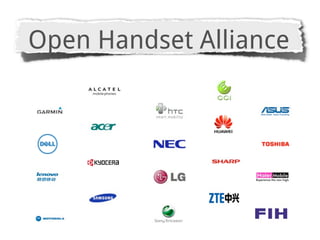
Open Handset Alliance
http://source.android.com
X
Text


http://www.youtube.com/watch?v=ZwzXvRpoPP4
X
1.5         1.5
      JSE
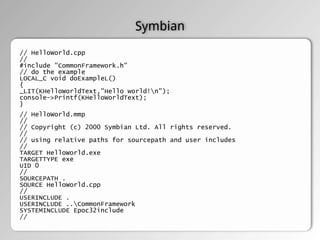
Symbian
// HelloWorld.cpp
//
#include "CommonFramework.h"
// do the example
LOCAL_C void doExampleL()
{
_LIT(KHelloWorldText,"Hello world!n");
console->Printf(KHelloWorldText);
}
// HelloWorld.mmp
//
// Copyright (c) 2000 Symbian Ltd. All rights reserved.
//
// using relative paths for sourcepath and user includes
//
TARGET HelloWorld.exe
TARGETTYPE exe
UID 0
//
SOURCEPATH .
SOURCE HelloWorld.cpp
//
USERINCLUDE .
USERINCLUDE ..CommonFramework
SYSTEMINCLUDE Epoc32include
//
Windows Mobile


using System;
using System.Windows.Forms;

public class HelloWorld {

    public static void Main() {

        MessageBox.Show( "Hello World!" );

    }
}
// helloworldAppDelegate.m
                                                      // helloworld

                                                      #import "helloworldAppDelegate.h"
                                                      #import "MyView.h"


              Objective C                             @implementation helloworldAppDelegate

                                                      @synthesize window;
                                                      @synthesize contentView;
                                                      // Levi: Tell the compiler to synthesize relevant accessors
                                                      @synthesize textView;

                                                      - (void)applicationDidFinishLaunching:(UIApplication *)
                                                      application {
// helloworldAppDelegate.h                               // Create window
// helloworld                                            self.window = [[[UIWindow alloc] initWithFrame:[[UIScreen
                                                      mainScreen] bounds]]
#import <UIKit/UIKit.h>                                  self.contentView = [[[MyView alloc] initWithFrame:
                                                      [[UIScreen mainScreen] applicationFrame]] autorelease];
@class MyView;                                           [window addSubview:contentView];

@interface helloworldAppDelegate : NSObject {           //
  UIWindow *window;                                     self.textView = [[[UITextView alloc] initWithFrame:
  MyView *contentView;                                CGRectMake(0.0f, 0.0f, 320.0f, 480.0f)] autorelease];
  // Levi: Define textView object                        [textView setEditable:YES];
  UITextView *textView;                                 [textView setText:@"Hello
}                                                       [contentView
                                                        [window makeKeyAndVisible];
@property (nonatomic, retain) UIWindow *window;       }
@property (nonatomic, retain) MyView *contentView;
// Levi: Declare textView as a property               - (void)dealloc {
@property (nonatomic, retain) UITextView *textView;      // Levi: Release the textView
                                                         [textView release];
@end                                                     [contentView release];
                                                         [window release];
                                                         [super dealloc];
                                                      }

                                                      @end
Android


package com.android.hello;

import android.app.Activity;
import android.os.Bundle;
import android.widget.TextView;

public class HelloAndroid extends Activity {
  /** Called when the activity is first created. */
  @Override
  public void onCreate(Bundle savedInstanceState) {
     super.onCreate(savedInstanceState);
     TextView tv = new TextView(this);
     tv.setText("Hello World");
     setContentView(tv);
  }
}
Legal! Mas como essa
  bagaça funciona?
!=
1.5         1.5
      JSE
JVM
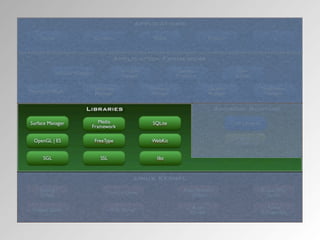
Surface Manager
OpenGL
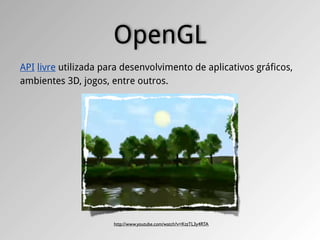
API livre utilizada para desenvolvimento de aplicativos gráficos,
ambientes 3D, jogos, entre outros.


                      http://www.youtube.com/watch?v=KtzTL3y4RTA
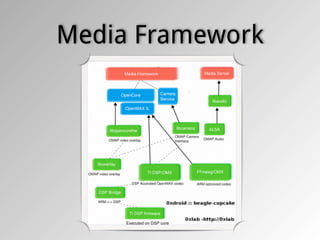
Media Framework
SQLite
‣ É Software Livre/domínio público e Multiplataforma
‣ É um mecanismo de armazenamento seguro com
  transações ACID
‣ Implementa a maioria do SQL92
‣ Suporta bases de dados acima de 2 terabytes
‣ Sem dependências externas
WebKit
libc

#include <stdio.h>
#include <unistd.h>
int main(int argc, char **argv, char**env) {
  int i;
  for (i = 0; i < argc; i++) {
      printf("argv[%d] = %sn", i, argv[i]);
  }
  for (i = 0; env[i] != NULL; i++) {
      printf("env[%d] = %sn", i, env[i]);
  }
  printf("PATH = %sn", getenv("PATH"));
  setenv("HELLO", "world!", 1);
  putenv("GOODBYE=cruel world!");
  printf("HELLO = %sn", getenv("HELLO"));
  printf("GOODBYE = %sn", getenv("GOODBYE"));
  return 0;
}
Activity

  # Tela

  # Independente

  # Pode ser invocada por outra app
Activity
Activity
      Activity
       starts


     onCreate()


      onStart()


    onResume()


  Activity running
Activity
                                  Return to app    onStart()


                       Activity
                                                  onResume()
                       running


Activity destroyed     Recebe
                      Chamada


   onDestroy()        onPause()


 Pouca Memoria        onStop()
Content Provider

      # Armazenar e recupera dados

      # Consome dados de outras apps

      # Expoem dados da sua aplicação
Broadcast receiver


       # Responde as mensagens do sistema
Mas como eu faço pra
    programar?
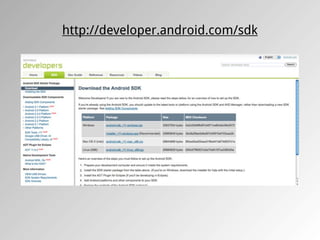
http://developer.android.com/sdk
1.0
23/09/2008
1.1
09/02/2009
1.5
  30/04/2009


Cupcake
  ■   Widget
  ■   Gravação de Video
  ■   Gallery: Video playback (MPEG-4 & 3GP formats)
  ■   Bluetooth: Suporte a Stereo (A2DP and AVRCP profiles),
      Auto Pareamento
  ■   Browser: Copy and paste
  ■   Animações em trasições de tela
  ■   Upload YouTube
  ■   Upload Picasa
1.6
 15/09/2009


Donut

 ■   Voice Search
 ■   Android Market: Facilitaram a busca, screenshots, etc.
 ■   Melhoria no acesso a câmera
 ■   Display: Suporte a resolução WVGA
2.0/2.1
 26/10/2009


Eclair
  ■   Sincronismo com multiplas contas, inclusive Exchange
  ■   Bluetooth: 2.1
  ■   Camera: Flash, zoom digital, Scene mode, White balance, Color
      effect, Macro focus
  ■   Browser: Double-tap zoom, Support for HTML5
  ■   System: Otimização de Hardware
  ■   Display: Suporte a novos tamanhos de tela
  ■   Maps: Google Maps 3.1.2
  ■   Live Wallpapers: Imagens animadas na Home screen
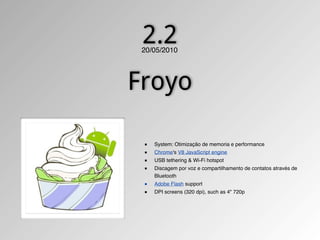
2.2
 20/05/2010


Froyo

 ■   System: Otimização de memoria e performance
 ■   Chrome's V8 JavaScript engine
 ■   USB tethering & Wi-Fi hotspot
 ■   Discagem por voz e compartilhamento de contatos através de
     Bluetooth
 ■   Adobe Flash support
 ■   DPI screens (320 dpi), such as 4" 720p
2.3/2.3.3
    06/12/2010


Gingerbread

    ■   Display: extra-large (WXGA)
    ■   Suporte nativo a SIP VoIP
    ■   Near Field Communication
    ■   Media: WebM/VP8 & AAC audio encoding
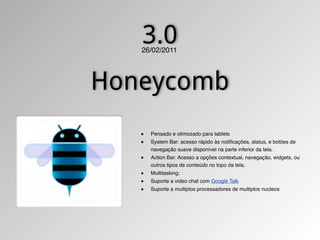
3.0
   26/02/2011


Honeycomb
   ■   Pensado e otimozado para tablets
   ■   System Bar: acesso rápido às notificações, status, e botões de
       navegação suave disponível na parte inferior da tela.
   ■   Action Bar: Acesso a opções contextual, navegação, widgets, ou
       outros tipos de conteúdo no topo da tela.
   ■   Multitasking:
   ■   Suporte a video chat com Google Talk
   ■   Suporte a multiplos processadores de multiplos nucleos
3.1
   10/05/2011


Honeycomb

   ■   Conectividade com acessórios por USB
   ■   Suporte a teclados externos
   ■   Suporte a joysticks & gamepads
?
        ?


Ice Cream Sandwich
http://developer.android.com/sdk/eclipse-adt.html


             Android Development Tools (ADT)
E agora?
http://developer.android.com


*http://groups.google.com/group/android-developers/   (Oficial)


*http://groups.google.com/group/androidbrasil-dev
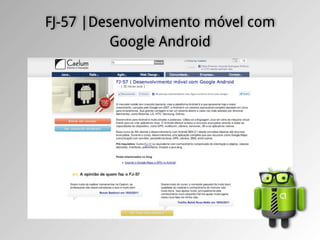
FJ-57 |Desenvolvimento móvel com
          Google Android
Obrigado!


        Daniel Passos                 Fabio Pimentel
           @passos                    @fabiopimentel
daniel.passos@caelum.com.br   fabio.pimentel@caelum.com.br

Caelum Day In Rio

  • 1.
    O mundo de smartphonesem suas mãos com Google Android
  • 2.
  • 3.
    Daniel Passos @passos Arquiteto de Software Instrutor
  • 4.
  • 5.
  • 7.
  • 9.
  • 11.
  • 13.
  • 16.
  • 17.
    1.5 1.5 JSE
  • 19.
    Symbian // HelloWorld.cpp // #include "CommonFramework.h" //do the example LOCAL_C void doExampleL() { _LIT(KHelloWorldText,"Hello world!n"); console->Printf(KHelloWorldText); } // HelloWorld.mmp // // Copyright (c) 2000 Symbian Ltd. All rights reserved. // // using relative paths for sourcepath and user includes // TARGET HelloWorld.exe TARGETTYPE exe UID 0 // SOURCEPATH . SOURCE HelloWorld.cpp // USERINCLUDE . USERINCLUDE ..CommonFramework SYSTEMINCLUDE Epoc32include //
  • 20.
    Windows Mobile using System; usingSystem.Windows.Forms; public class HelloWorld { public static void Main() { MessageBox.Show( "Hello World!" ); } }
  • 21.
    // helloworldAppDelegate.m // helloworld #import "helloworldAppDelegate.h" #import "MyView.h" Objective C @implementation helloworldAppDelegate @synthesize window; @synthesize contentView; // Levi: Tell the compiler to synthesize relevant accessors @synthesize textView; - (void)applicationDidFinishLaunching:(UIApplication *) application { // helloworldAppDelegate.h // Create window // helloworld self.window = [[[UIWindow alloc] initWithFrame:[[UIScreen mainScreen] bounds]] #import <UIKit/UIKit.h> self.contentView = [[[MyView alloc] initWithFrame: [[UIScreen mainScreen] applicationFrame]] autorelease]; @class MyView; [window addSubview:contentView]; @interface helloworldAppDelegate : NSObject { // UIWindow *window; self.textView = [[[UITextView alloc] initWithFrame: MyView *contentView; CGRectMake(0.0f, 0.0f, 320.0f, 480.0f)] autorelease]; // Levi: Define textView object [textView setEditable:YES]; UITextView *textView; [textView setText:@"Hello } [contentView [window makeKeyAndVisible]; @property (nonatomic, retain) UIWindow *window; } @property (nonatomic, retain) MyView *contentView; // Levi: Declare textView as a property - (void)dealloc { @property (nonatomic, retain) UITextView *textView; // Levi: Release the textView [textView release]; @end [contentView release]; [window release]; [super dealloc]; } @end
  • 22.
    Android package com.android.hello; import android.app.Activity; importandroid.os.Bundle; import android.widget.TextView; public class HelloAndroid extends Activity { /** Called when the activity is first created. */ @Override public void onCreate(Bundle savedInstanceState) { super.onCreate(savedInstanceState); TextView tv = new TextView(this); tv.setText("Hello World"); setContentView(tv); } }
  • 23.
    Legal! Mas comoessa bagaça funciona?
  • 27.
  • 29.
    1.5 1.5 JSE
  • 30.
  • 33.
  • 34.
    OpenGL API livre utilizadapara desenvolvimento de aplicativos gráficos, ambientes 3D, jogos, entre outros. http://www.youtube.com/watch?v=KtzTL3y4RTA
  • 35.
  • 36.
    SQLite ‣ É SoftwareLivre/domínio público e Multiplataforma ‣ É um mecanismo de armazenamento seguro com transações ACID ‣ Implementa a maioria do SQL92 ‣ Suporta bases de dados acima de 2 terabytes ‣ Sem dependências externas
  • 37.
  • 38.
    libc #include <stdio.h> #include <unistd.h> intmain(int argc, char **argv, char**env) { int i; for (i = 0; i < argc; i++) { printf("argv[%d] = %sn", i, argv[i]); } for (i = 0; env[i] != NULL; i++) { printf("env[%d] = %sn", i, env[i]); } printf("PATH = %sn", getenv("PATH")); setenv("HELLO", "world!", 1); putenv("GOODBYE=cruel world!"); printf("HELLO = %sn", getenv("HELLO")); printf("GOODBYE = %sn", getenv("GOODBYE")); return 0; }
  • 40.
    Activity #Tela # Independente # Pode ser invocada por outra app
  • 41.
  • 42.
    Activity Activity starts onCreate() onStart() onResume() Activity running
  • 43.
    Activity Return to app onStart() Activity onResume() running Activity destroyed Recebe Chamada onDestroy() onPause() Pouca Memoria onStop()
  • 44.
    Content Provider # Armazenar e recupera dados # Consome dados de outras apps # Expoem dados da sua aplicação
  • 45.
    Broadcast receiver # Responde as mensagens do sistema
  • 47.
    Mas como eufaço pra programar?
  • 48.
  • 50.
  • 51.
  • 52.
    1.5 30/04/2009 Cupcake ■ Widget ■ Gravação de Video ■ Gallery: Video playback (MPEG-4 & 3GP formats) ■ Bluetooth: Suporte a Stereo (A2DP and AVRCP profiles), Auto Pareamento ■ Browser: Copy and paste ■ Animações em trasições de tela ■ Upload YouTube ■ Upload Picasa
  • 53.
    1.6 15/09/2009 Donut ■ Voice Search ■ Android Market: Facilitaram a busca, screenshots, etc. ■ Melhoria no acesso a câmera ■ Display: Suporte a resolução WVGA
  • 54.
    2.0/2.1 26/10/2009 Eclair ■ Sincronismo com multiplas contas, inclusive Exchange ■ Bluetooth: 2.1 ■ Camera: Flash, zoom digital, Scene mode, White balance, Color effect, Macro focus ■ Browser: Double-tap zoom, Support for HTML5 ■ System: Otimização de Hardware ■ Display: Suporte a novos tamanhos de tela ■ Maps: Google Maps 3.1.2 ■ Live Wallpapers: Imagens animadas na Home screen
  • 55.
    2.2 20/05/2010 Froyo ■ System: Otimização de memoria e performance ■ Chrome's V8 JavaScript engine ■ USB tethering & Wi-Fi hotspot ■ Discagem por voz e compartilhamento de contatos através de Bluetooth ■ Adobe Flash support ■ DPI screens (320 dpi), such as 4" 720p
  • 56.
    2.3/2.3.3 06/12/2010 Gingerbread ■ Display: extra-large (WXGA) ■ Suporte nativo a SIP VoIP ■ Near Field Communication ■ Media: WebM/VP8 & AAC audio encoding
  • 57.
    3.0 26/02/2011 Honeycomb ■ Pensado e otimozado para tablets ■ System Bar: acesso rápido às notificações, status, e botões de navegação suave disponível na parte inferior da tela. ■ Action Bar: Acesso a opções contextual, navegação, widgets, ou outros tipos de conteúdo no topo da tela. ■ Multitasking: ■ Suporte a video chat com Google Talk ■ Suporte a multiplos processadores de multiplos nucleos
  • 58.
    3.1 10/05/2011 Honeycomb ■ Conectividade com acessórios por USB ■ Suporte a teclados externos ■ Suporte a joysticks & gamepads
  • 59.
    ? ? Ice Cream Sandwich
  • 60.
  • 61.
    E agora? http://developer.android.com *http://groups.google.com/group/android-developers/ (Oficial) *http://groups.google.com/group/androidbrasil-dev
  • 62.
  • 63.
    Obrigado! Daniel Passos Fabio Pimentel @passos @fabiopimentel daniel.passos@caelum.com.br fabio.pimentel@caelum.com.br