a arte do deployment (ou uma pequena parte dela...) George Guimarães [email_address] WebDevCamp dez/2007
desenvolvimento deployment escalabilidade
Quem? George Guimarães Pagestacker não-programador (ooops...)
dimensionando   seu web farm
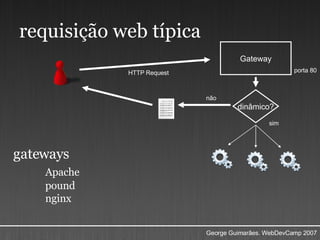
requisição web típica Gateway porta 80 dinâmico? HTTP Request não sim gateways Apache pound nginx
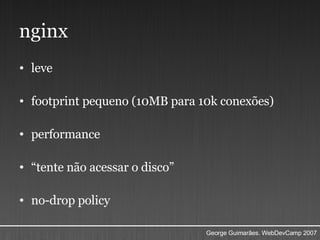
nginx leve footprint pequeno (10MB para 10k conexões) performance  “ tente não acessar o disco” no-drop policy
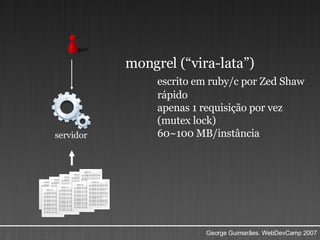
mongrel (“vira-lata”) escrito em ruby/c por Zed Shaw rápido apenas 1 requisição por vez (mutex lock) 60~100 MB/instância servidor
e agora ?
quantos mongréis ?
comece com  nenhum  mongrel    páginas  estáticas  pequenas (~7kb)  direto pelo gateway server ( nginx )
httperf  1998 (!) muito  utilizado muito  flexível Obs.: quanto mais  perto  o httperf do seu servidor, melhor
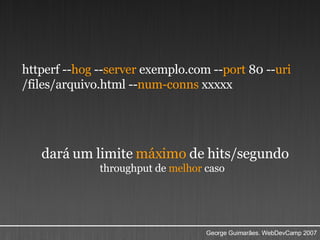
httperf -- hog  -- server  exemplo.com -- port  80 -- uri  /files/arquivo.html -- num-conns  xxxxx dará um limite  máximo  de hits/segundo throughput de  melhor  caso
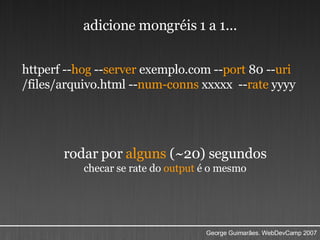
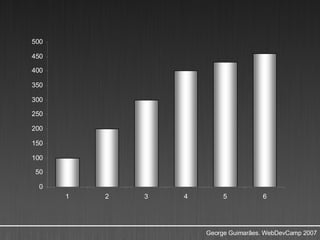
httperf -- hog  -- server  exemplo.com -- port  80 -- uri  /files/arquivo.html -- num-conns  xxxxx  -- rate  yyyy rodar por  alguns  (~20) segundos checar se rate do  output  é o mesmo adicione mongréis 1 a 1...
 
monitorando   seu web farm
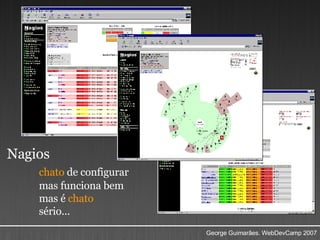
Nagios chato  de configurar mas funciona bem mas é  chato sério...
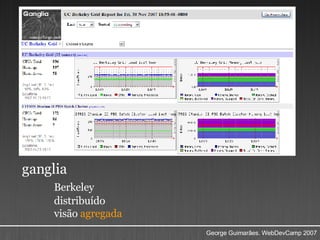
ganglia Berkeley distribuído visão  agregada
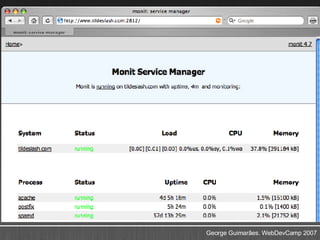
monit configuração legível monitora -> regra -> atua controle de malha fechada operador de datacenter robótico
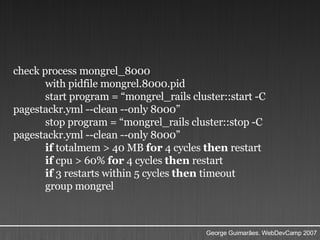
check process mongrel_8000  with pidfile mongrel.8000.pid  start program = “mongrel_rails cluster::start -C pagestackr.yml --clean --only 8000”  stop program = “mongrel_rails cluster::stop -C pagestackr.yml --clean --only 8000” if  totalmem > 40 MB  for  4 cycles  then  restart  if  cpu > 60%  for  4 cycles  then  restart  if  3 restarts within 5 cycles  then  timeout  group mongrel
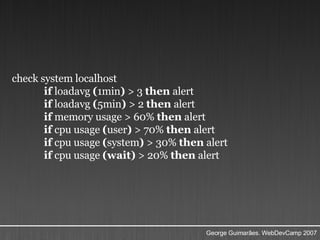
check system localhost  if  loadavg  ( 1min )  > 3  then  alert  if  loadavg  ( 5min )  > 2  then  alert  if  memory usage > 60%  then  alert  if  cpu usage  ( user )  > 70%  then  alert  if  cpu usage  ( system )  > 30%  then  alert  if  cpu usage  (wait)  > 20%  then  alert
 
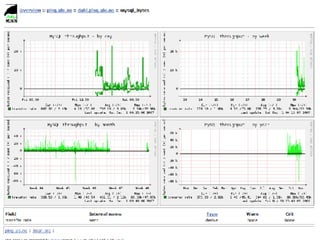
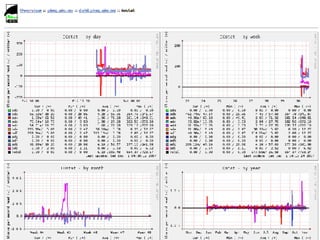
munin foco em performance gráficos, muitos gráficos
 
 
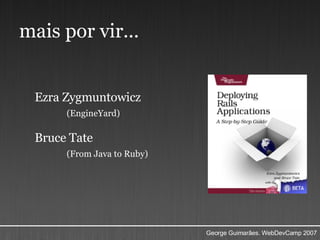
mais por vir... Ezra Zygmuntowicz (EngineYard) Bruce Tate (From Java to Ruby)
?! George Guimarães http://pagestacker.com http://blog.georgeguimaraes.com [email_address]

A Arte do Deployment - WebDevCamp

  • 1.
    a arte dodeployment (ou uma pequena parte dela...) George Guimarães [email_address] WebDevCamp dez/2007
  • 2.
  • 3.
    Quem? George GuimarãesPagestacker não-programador (ooops...)
  • 4.
    dimensionando seu web farm
  • 5.
    requisição web típicaGateway porta 80 dinâmico? HTTP Request não sim gateways Apache pound nginx
  • 6.
    nginx leve footprintpequeno (10MB para 10k conexões) performance “ tente não acessar o disco” no-drop policy
  • 7.
    mongrel (“vira-lata”) escritoem ruby/c por Zed Shaw rápido apenas 1 requisição por vez (mutex lock) 60~100 MB/instância servidor
  • 8.
  • 9.
  • 10.
    comece com nenhum mongrel páginas estáticas pequenas (~7kb) direto pelo gateway server ( nginx )
  • 11.
    httperf 1998(!) muito utilizado muito flexível Obs.: quanto mais perto o httperf do seu servidor, melhor
  • 12.
    httperf -- hog -- server exemplo.com -- port 80 -- uri /files/arquivo.html -- num-conns xxxxx dará um limite máximo de hits/segundo throughput de melhor caso
  • 13.
    httperf -- hog -- server exemplo.com -- port 80 -- uri /files/arquivo.html -- num-conns xxxxx -- rate yyyy rodar por alguns (~20) segundos checar se rate do output é o mesmo adicione mongréis 1 a 1...
  • 14.
  • 15.
    monitorando seu web farm
  • 16.
    Nagios chato de configurar mas funciona bem mas é chato sério...
  • 17.
  • 18.
    monit configuração legívelmonitora -> regra -> atua controle de malha fechada operador de datacenter robótico
  • 19.
    check process mongrel_8000 with pidfile mongrel.8000.pid start program = “mongrel_rails cluster::start -C pagestackr.yml --clean --only 8000” stop program = “mongrel_rails cluster::stop -C pagestackr.yml --clean --only 8000” if totalmem > 40 MB for 4 cycles then restart if cpu > 60% for 4 cycles then restart if 3 restarts within 5 cycles then timeout group mongrel
  • 20.
    check system localhost if loadavg ( 1min ) > 3 then alert if loadavg ( 5min ) > 2 then alert if memory usage > 60% then alert if cpu usage ( user ) > 70% then alert if cpu usage ( system ) > 30% then alert if cpu usage (wait) > 20% then alert
  • 21.
  • 22.
    munin foco emperformance gráficos, muitos gráficos
  • 23.
  • 24.
  • 25.
    mais por vir...Ezra Zygmuntowicz (EngineYard) Bruce Tate (From Java to Ruby)
  • 26.
    ?! George Guimarãeshttp://pagestacker.com http://blog.georgeguimaraes.com [email_address]