Fórmula Visual
Fábio Delboni / 07 - 2012
2
Introdução
3
Introdução
4
Introdução
5
Introdução
6
Introdução
7
Introdução
8
Introdução
9
Introdução
10
Introdução
11
Introdução
12
Introdução
13
Introdução
14
Introdução
15
Introdução
16
Introdução
17
Introdução
18
Introdução
19
Introdução
20
Introdução
21
Introdução
22
Introdução
23
Introdução
Fórmula Visual
I) Conceitos
• WWF
• Gatilho
• Dataset
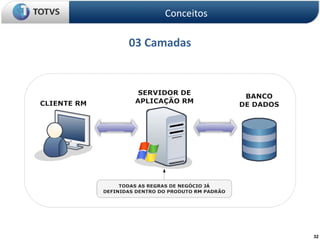
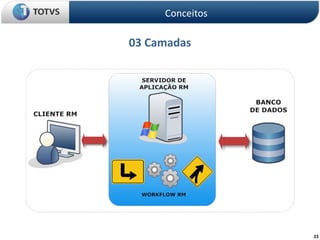
• 03 Camadas
• Activity
II) Prática
ÍNDICE
24
25
Windows Workflow Foundation (WWF)
• fornece um modelo de programação, mecanismo de fluxo de
trabalho em processo e designer reospedável para implementar
processos de execução prolongada como fluxos de trabalho nos
aplicativos .NET
fonte
http://msdn.microsoft.com/pt-br/netframework/aa663328
Conceitos
26
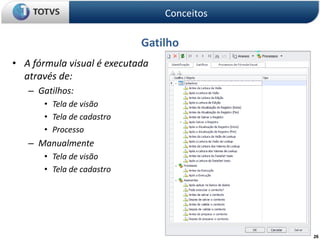
Gatilho
• A fórmula visual é executada
através de:
– Gatilhos:
• Tela de visão
• Tela de cadastro
• Processo
– Manualmente
• Tela de visão
• Tela de cadastro
Conceitos
27
Dataset
• A data set (or dataset) is a collection of data, usually presented
in tabular form. Each column represents a particular variable.
Each row corresponds to a given member of the data set in
question. It lists values for each of the variables, such as height
and weight of an object. Each value is known as a datum. The
data set may comprise data for one or more members,
corresponding to the number of rows.
fonte
http://en.wikipedia.org/wiki/Data_set
Conceitos
28
Dataset
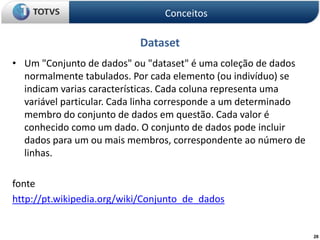
• Um "Conjunto de dados" ou "dataset" é uma coleção de dados
normalmente tabulados. Por cada elemento (ou indivíduo) se
indicam varias características. Cada coluna representa uma
variável particular. Cada linha corresponde a um determinado
membro do conjunto de dados em questão. Cada valor é
conhecido como um dado. O conjunto de dados pode incluir
dados para um ou mais membros, correspondente ao número de
linhas.
fonte
http://pt.wikipedia.org/wiki/Conjunto_de_dados
Conceitos
29
Dataset
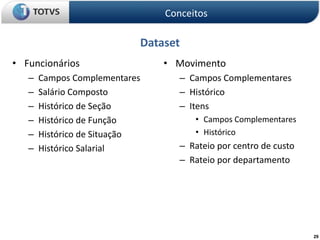
• Funcionários
– Campos Complementares
– Salário Composto
– Histórico de Seção
– Histórico de Função
– Histórico de Situação
– Histórico Salarial
Conceitos
• Movimento
– Campos Complementares
– Histórico
– Itens
• Campos Complementares
• Histórico
– Rateio por centro de custo
– Rateio por departamento
30
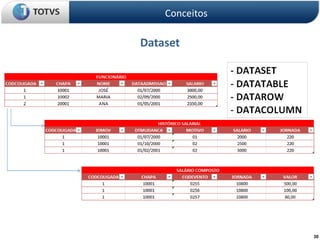
Dataset
Conceitos
31
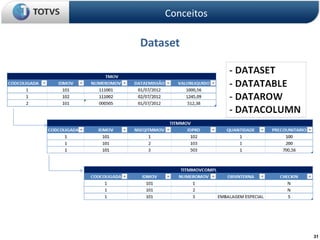
Dataset
Conceitos
32
03 Camadas
Conceitos
33
03 Camadas
Conceitos
34
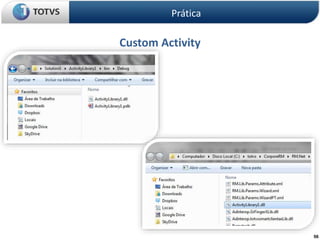
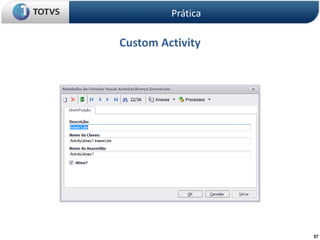
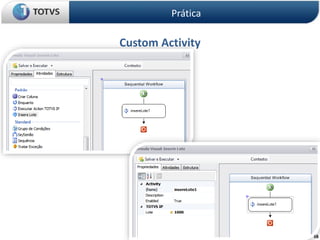
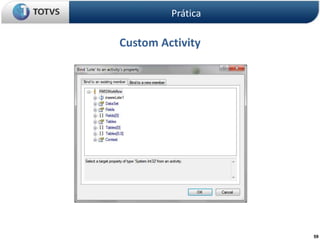
Activity
• Windows Workflow Foundation (WF) includes a default set of activities that
provide functionality for control flow, conditions, event handling, state
management, and communicating with applications and services. When you
design workflows, you can use the activities that are provided by Windows
Workflow Foundation, and you can create your own custom activities.
• Activities are the fundamental building blocks of workflows. A workflow is a
set of activities that are organized hierarchically in a tree structure. An activity
represents an action in a workflow. It can be a simple action such as a delay, or
it can be a composite activity that consists of several child activities.
• An activity, like a workflow, can be sequential, which means that the order of
its actions is specified at design time. Or the activity can be event-driven,
which means that the order of its actions is determined at run time in
response to external events.
fonte
• http://msdn.microsoft.com/en-us/library/ms733615(v=vs.90).aspx
Conceitos
Fórmula Visual
I) Conceitos
II) Prática
• Preparo
• Validação
• Tabela mãe
• Tabela Filha
• Filha com SQL
• E-mail
• Dataserver
• Custom Activity
• Processos de FV
ÍNDICE
35
36
Preparo
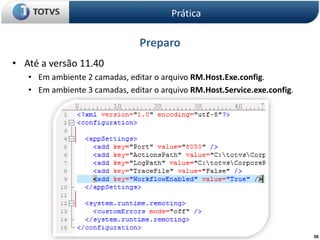
• Até a versão 11.40
• Em ambiente 2 camadas, editar o arquivo RM.Host.Exe.config.
• Em ambiente 3 camadas, editar o arquivo RM.Host.Service.exe.config.
Prática
37
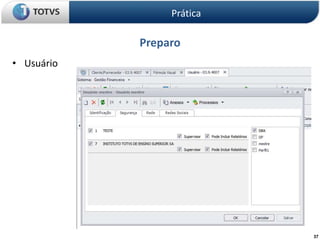
Preparo
• Usuário
Prática
38
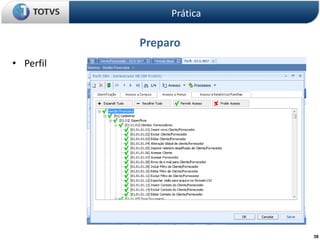
Preparo
• Perfil
Prática
39
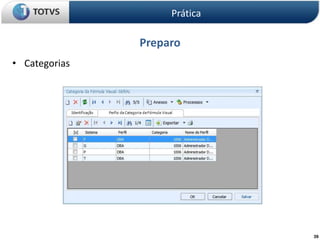
Preparo
• Categorias
Prática
40
Preparo
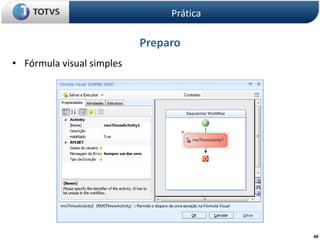
• Fórmula visual simples
Prática
41
Preparo
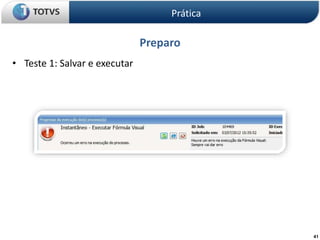
• Teste 1: Salvar e executar
Prática
42
Preparo
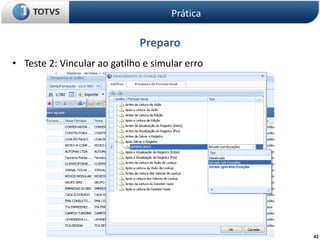
• Teste 2: Vincular ao gatilho e simular erro
Prática
43
Preparo
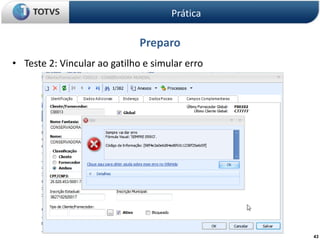
• Teste 2: Vincular ao gatilho e simular erro
Prática
44
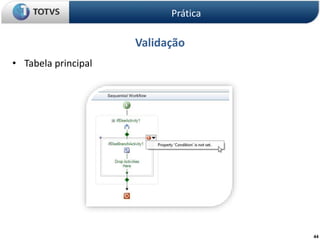
Validação
• Tabela principal
Prática
45
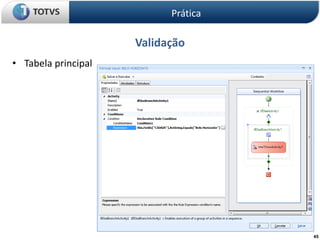
Validação
• Tabela principal
Prática
46
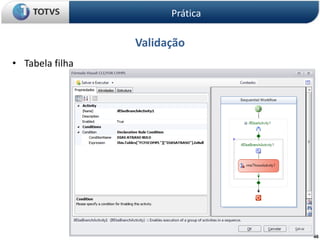
Validação
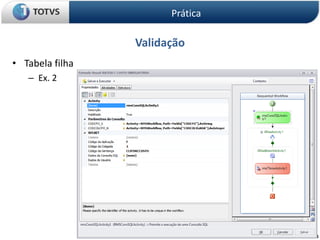
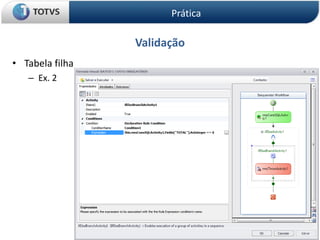
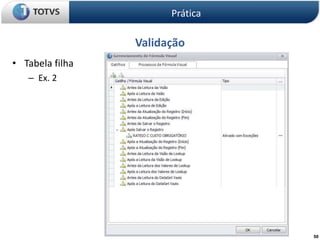
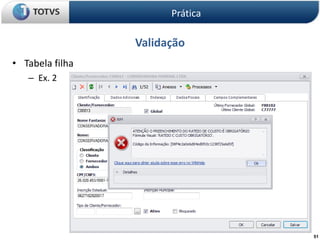
• Tabela filha
Prática
47
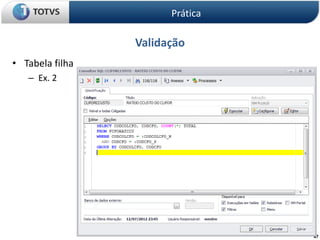
Validação
• Tabela filha
– Ex. 2
Prática
48
Validação
• Tabela filha
– Ex. 2
Prática
49
Validação
• Tabela filha
– Ex. 2
Prática
50
Validação
• Tabela filha
– Ex. 2
Prática
51
Validação
• Tabela filha
– Ex. 2
Prática
52
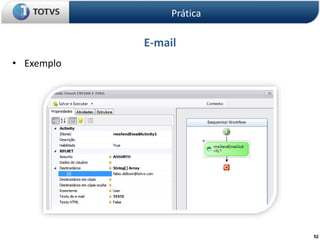
E-mail
• Exemplo
Prática
53
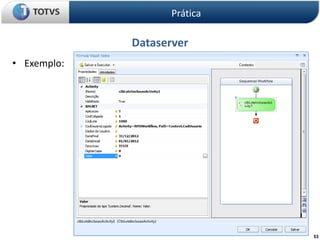
Dataserver
• Exemplo:
Prática
54
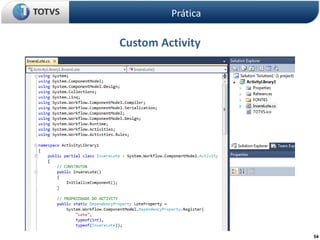
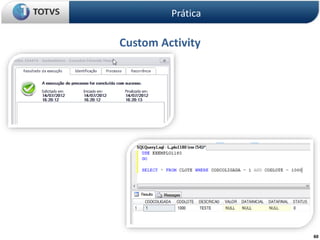
Custom Activity
Prática
55
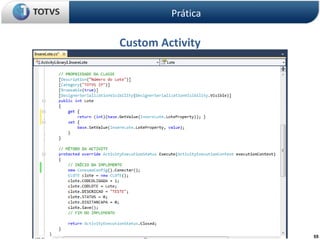
Custom Activity
Prática
56
Custom Activity
Prática
57
Custom Activity
Prática
58
Custom Activity
Prática
59
Custom Activity
Prática
60
Custom Activity
Prática
61
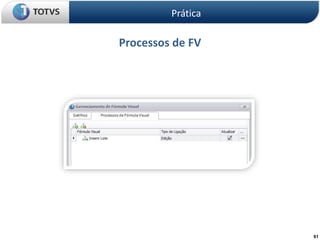
Processos de FV
Prática
62
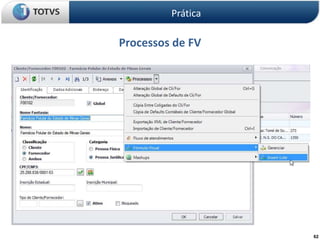
Processos de FV
Prática
Fábio Delboni
Fábrica de Software
fabio.delboni@totvs.com.br
QUESTÕES
Fórmula Visual
63

Fórmula visual rm totvs