









Azure Data
OverviewFabricio Catae
Technical Evangelist
Microsoft Azure
Vinicius Souza
Technical Evangelist
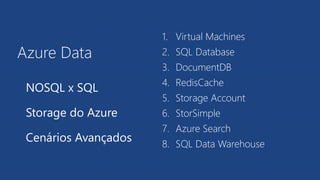
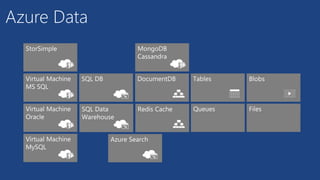
Azure Data
1. Virtual Machines
2. SQL Database
3. DocumentDB
4. RedisCache
5. Storage Account
6. StorSimple
7. Azure Search
8. SQL Data Warehouse
NOSQL x SQL
Storage do Azure
Cenários Avançados
SQL
NOSQL
Eis a questão
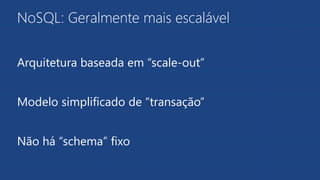
NoSQL: Geralmente mais escalável
Arquitetura baseada em “scale-out”
Modelo simplificado de “transação”
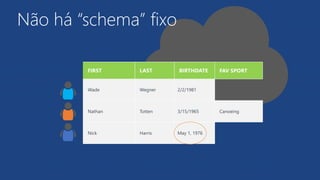
Não há “schema” fixo
Diferentes Armazenamentos
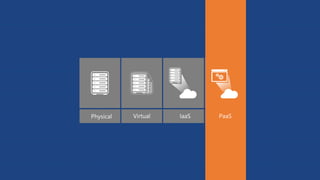
Virtual Machine
SQL
Azure Data: Virtual Machine
Virtual Machine
Liberdade para escolha de produto
Virtualização do hardware
Disponibilidade do Azure Marketplace
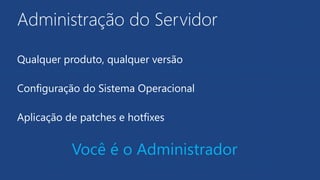
Administração do Servidor
Qualquer produto, qualquer versão
Configuração do Sistema Operacional
Aplicação de patches e hotfixes
Você é o Administrador
SQL DB
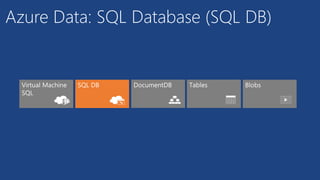
Azure Data: SQL Database (SQL DB)
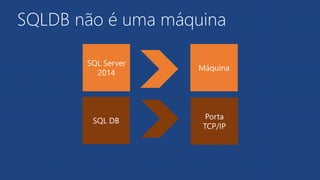
SQLDB não é uma máquina
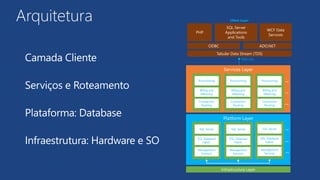
Arquitetura
Camada Cliente
Serviços e Roteamento
Plataforma: Database
Infraestrutura: Hardware e SO
PHP
WCF Data
Services
SQL Server
Applications
and Tools
ODBC ADO.NET
Tabular Data Stream (TDS)
Por que SQLDB?
Serviço de backup
Alta Disponibilidade
Possibilidade de ”scale-up”
Banco de dados relacional
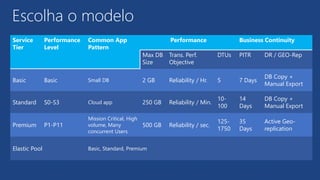
Escolha o modelo
Service
Tier
Performance
Level
Common App
Pattern
Performance Business Continuity
Max DB
Size
Trans. Perf.
Objective
DTUs PITR DR / GEO-Rep
Basic Basic Small DB 2 GB Reliability / Hr. 5 7 Days
DB Copy +
Manual Export
Standard S0-S3 Cloud app 250 GB Reliability / Min.
10-
100
14
Days
DB Copy +
Manual Export
Premium P1-P11
Mission Critical, High
volume, Many
concurrent Users
500 GB Reliability / sec.
125-
1750
35
Days
Active Geo-
replication
Elastic Pool Basic, Standard, Premium
Demo
Banco de dados Relacional
NoSQL
Sem “Schema”
Desenvolvimento iterativo
Produção e consumo rápido de dados
A validação de dados pode ser postergada
Variação brusca de tráfego com altos e baixos
Azure NoSQL
Azure Tables é um serviço NoSQL baseado em Row Store
MongoDB é um repositório NoSQL de documentos (JSON)
Cassandra é um NoSQL com armazenamento Columnar
HBase é a base do Hadoop e HDInsight
DocumentDB
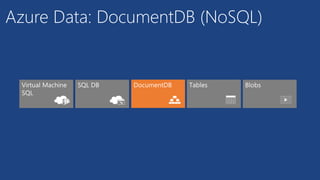
Azure Data: DocumentDB (NoSQL)
DocumentDB na Microsoft
99.95% de disponibilidade
Backend dos usuários do MSN.com
10TB de documentos do OneNote API
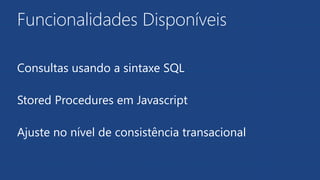
Funcionalidades Disponíveis
Consultas usando a sintaxe SQL
Stored Procedures em Javascript
Ajuste no nível de consistência transacional
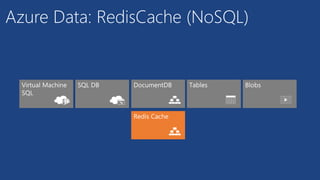
Redis Cache
Azure Data: RedisCache (NoSQL)
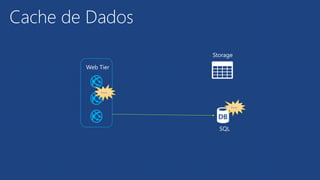
Web Tier
Data
Storage
SQL
Data
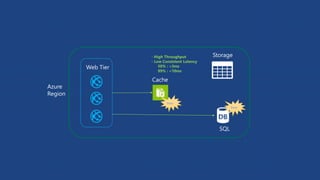
Cache de Dados
Web Tier
Cache
Data
Data
Storage
SQL
- High Throughput
- Low Consistent Latency
50% : <3ms
99% : <10ms
Azure
Region
Redis (REmote DIctionary Server)
Simples: baseado em “chave-valor” (Key-Value)
Baixa latência de resposta
Limite entre Cache e NoSQL
Demo
Bancos de dados NoSQL
Problemas Resolvidos com NoSQL
Demora para exibir itens na Home Page
Implementação eficiente para Ranking
Troca de mensagens com expiração
Análise em tempo real
Não há “schema” fixo
Storage do Azure
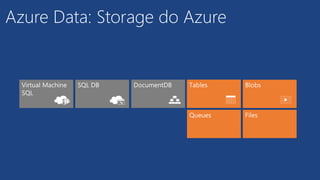
Azure Data: Storage do Azure
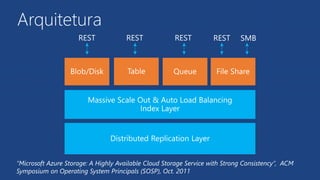
Arquitetura
“Microsoft Azure Storage: A Highly Available Cloud Storage Service with Strong Consistency”, ACM
Symposium on Operating System Principals (SOSP), Oct. 2011
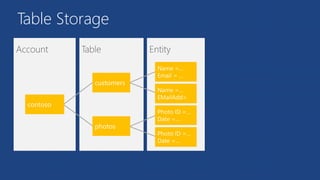
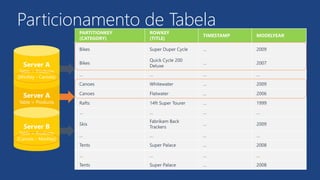
Table Storage
Particionamento de Tabela
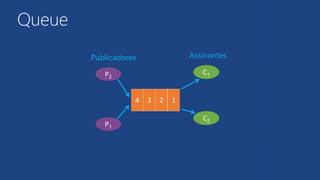
Queue
2 1
C1
C2
1234
Publicadores Assinantes
P2
P1
3 12
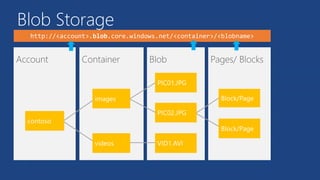
Blob Storage
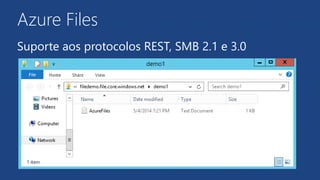
Azure Files
Suporte aos protocolos REST, SMB 2.1 e 3.0
Demo
Storage Account
Cenários
Avançados
StorSimple
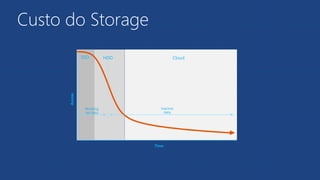
Custo do Storage
Access
SSD HDD Cloud
Time
Working
set data
Inactive
data
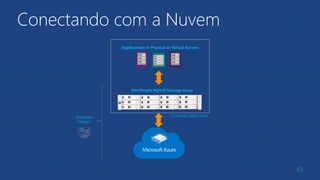
Conectando com a Nuvem
45
Applications in Physical or Virtual Servers
StorSimple Hybrid Storage Array
Customer Data CenterStorSimple
Manager
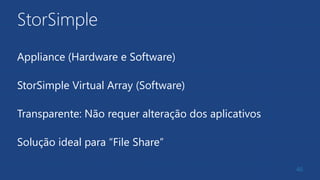
StorSimple
Appliance (Hardware e Software)
StorSimple Virtual Array (Software)
Transparente: Não requer alteração dos aplicativos
Solução ideal para “File Share”
46
Azure Search
Funcionalidades
Categorização
Filtros
Ranking
Dados geospacial
56 linguagens
Arquitetura
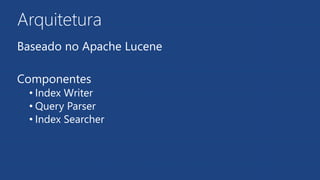
Baseado no Apache Lucene
Componentes
• Index Writer
• Query Parser
• Index Searcher
Conteúdo
XML
HTML
Powerpoint
Media Services
51
SQL Data Warehouse
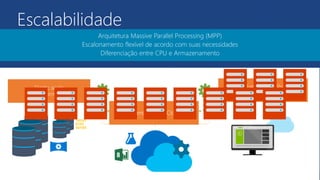
Escalabilidade
Arquitetura Massive Parallel Processing (MPP)
Escalonamento flexível de acordo com suas necessidades
Diferenciação entre CPU e Armazenamento
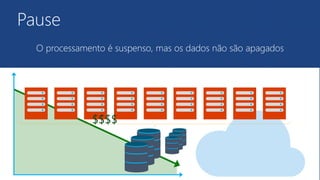
Pause
O processamento é suspenso, mas os dados não são apagados
$$$$
Visão Complementar
•Agregar os dados de múltiplos sources
• NoSQL, Hadoop, SQLDB, File Share
•Conectar ao Machine Learning e usar scripts R
•Visualização gráfica e iterativa com o PowerBI
55
Demo
SQL Data Warehouse
Azure Data
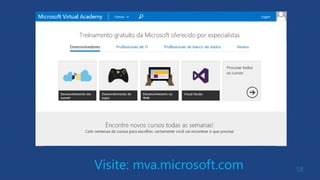
58Visite: mva.microsoft.com
Azure Data Overview

Azure Data Overview

Notas do Editor

  • #15 Slide Objectives: To understand the actual architecture that provides the enterprise-ready SQL Database service. Transition: Developers have spent years working with their technology of choice, and Microsoft wanted to ensure that the technologies and tools you use today will continue to work with SQL Database without learning a whole new set of technologies. Speaking Points: Familiar technology and tools Similar architecture as that of on-premises Additional layer providing server and database partitioning, client connection routing, and billing. Same great SQL Server technology on the backend. Additional services (SQL Database Fabric) to ensure SLAs are met and to ensure optimum performance. Notes: Client - The client layer resides closest to your application, and is used by your application to communicate directly with SQL Database. The client layer can reside on-premise in your datacenter or be hosted in Windows Azure. Because SQL Database provides the same tabular data stream (TDS) interface as SQL Server, you can use familiar tools and libraries to build client applications for data that is in the cloud. Services - The services layer functions as a gateway between the client layer and the platform layer, where the data resides. The services layer provides three functions: provisioning, billing and metering, and connection routing. The services layer provisions the databases that you specify with your Windows Azure platform account. The billing and metering aspect of the services layer enables multi-tenant support by providing monitoring and billing for database usage based on individual Windows Azure platform accounts. SQL Database is built on a scalable platform involving numerous physical servers; this layer handles all the connections routing between your application and the physical servers where your data resides. Platform - The platform layer includes the physical servers and services that support the services layer. The platform layer consists of many instances of SQL Server, each of which is managed by the SQL Database fabric. The SQL Database fabric is a distributed computing system composed of tightly integrated networks, servers, and storage. It enables automatic failover, load balancing, and automatic replication between physical servers. Management services monitor the health of individual servers and enable automated installation of service upgrades and software patches. Infrastructure - The infrastructure layer represents the IT administration of the physical hardware and operating systems that support the services layer.
  • #18 Use Azure Portal (Ibiza) to create a new database server
  • #31 Use Azure Portal (Ibiza) to create a new database server
  • #33 Slide Objectives Understand Flexible Entities Speaker Notes Tables store data as entities. A table can contain entities of any shape There is no fixed schema There is no schema checking There is no strong typing- not that Birthdate is stored as both a datetime value and as a string Not that we can add additional columns Notes http://msdn.microsoft.com/en-us/library/dd573356.aspx
  • #37 Slide Objectives Understand Tables Speaker Notes The Table service provides structured storage in the form of tables. The Table service supports a REST API that is compliant with the ADO.NET Data Services REST API. Developers may also use the .NET Client Library for ADO.NET Data Services to access the Table service. Notes http://msdn.microsoft.com/en-us/library/dd573356.aspx
  • #42 Use Azure Portal (Ibiza) to create a new database server
  • #57 Use Azure Portal (Ibiza) to create a new database server